Workforce Intelligence in Copilot Cowork lets managers ask about team structure and skills. See what managers can see and a 90-day plan to keep trust.
TL;DR: Workforce Intelligence in Copilot Cowork, a new Microsoft 365 Copilot plugin, lets leaders and managers ask plain-language questions about team structure, headcount and skills. Public preview starts November 16, 2026 for Frontier tenants. Microsoft says it is not for evaluating employees. Tell people what managers can see, set ground rules and measure trust alongside usage.
From November 16, 2026, a manager in a Frontier tenant can ask Copilot how many people sit in a division, how many management layers it has and which skills the team is short on. If employees first hear about that from a rumor, you will spend the next quarter rebuilding trust instead of using the answers.
That is the human side of Microsoft's Message Center post MC1552389, published November 13, 2026. The plugin respects existing permissions. What it changes is how easy it is to ask questions about people, and how those people feel when they learn someone can. This guide covers what managers can see, why employees worry and a 90-day plan that keeps trust ahead of the tool.
Workforce Intelligence is a plugin for Microsoft 365 Copilot Cowork that lets leaders and managers explore organizational structure, workforce composition and skills by asking questions in plain language. It builds on the Workforce Insights agent and the organizational data your HR and IT teams already manage.
According to Microsoft, managers find the plugin under + > Customize in Cowork. Once it is on, Cowork picks the right skill when a question is about the workforce. Managers can turn answers into summaries or dashboards. Creating a dashboard does not share it, publish it or schedule a refresh.
Four things must be true before anyone can use it:
Skills questions need one more step: People Skills must be licensed and enabled. Nothing reaches a manager until an admin makes the plugin available, so you control the start date. If you have not reviewed the agent itself, start with our guide to governing the Workforce Insights agent.
Managers can see only the workforce data they are already permitted to see. Installing the plugin does not grant new access or change access policies, and answers depend on each person's permissions, the connected data sources and how fresh that data is.
The better question for employees is what the plugin is for. Microsoft is explicit: it is not designed to monitor employee behavior, manage performance, rank employees or managers, or make employment decisions. It also does not provide historical trends, forecasting or attrition analysis. Use this table as your ground rules.
Swipe horizontally to view each topic and what is in and out of bounds.
| Topic | In bounds | Out of bounds |
|---|---|---|
| Team shape | Headcount, roles, reporting relationships, management layers and locations | Tracking what individuals do day to day |
| Skills | Collective skills, team learning and knowledge-sharing opportunities, and how complete skills records are | Scoring or ranking a person on AI-inferred skills |
| People decisions | Preparing questions for HR and workforce planning conversations | Performance reviews, promotion, pay or termination decisions |
| Trends | A current snapshot of the organization | Historical trends, forecasts and attrition predictions, which the plugin does not provide |
| Sharing | Summaries and dashboards the manager has checked first | Forwarding AI-generated answers as fact |
Source: 2toLead, based on Microsoft's stated design for the Workforce Intelligence plugin.
The plugin shows the shape of a team, not the worth of a person.
Employees worry because they do not know what the tool shows, and silence gets filled with the worst assumption. The question is rarely about features. It is "what can my boss see about me?"
We see this in our own data. In our Search Console results for late October to mid-November 2026, the most-clicked 2toLead article was not about agents or licensing. It was Can my employer see my Copilot history? People search for that answer when nobody at work has given it to them.
Three things make people data feel different from documents:
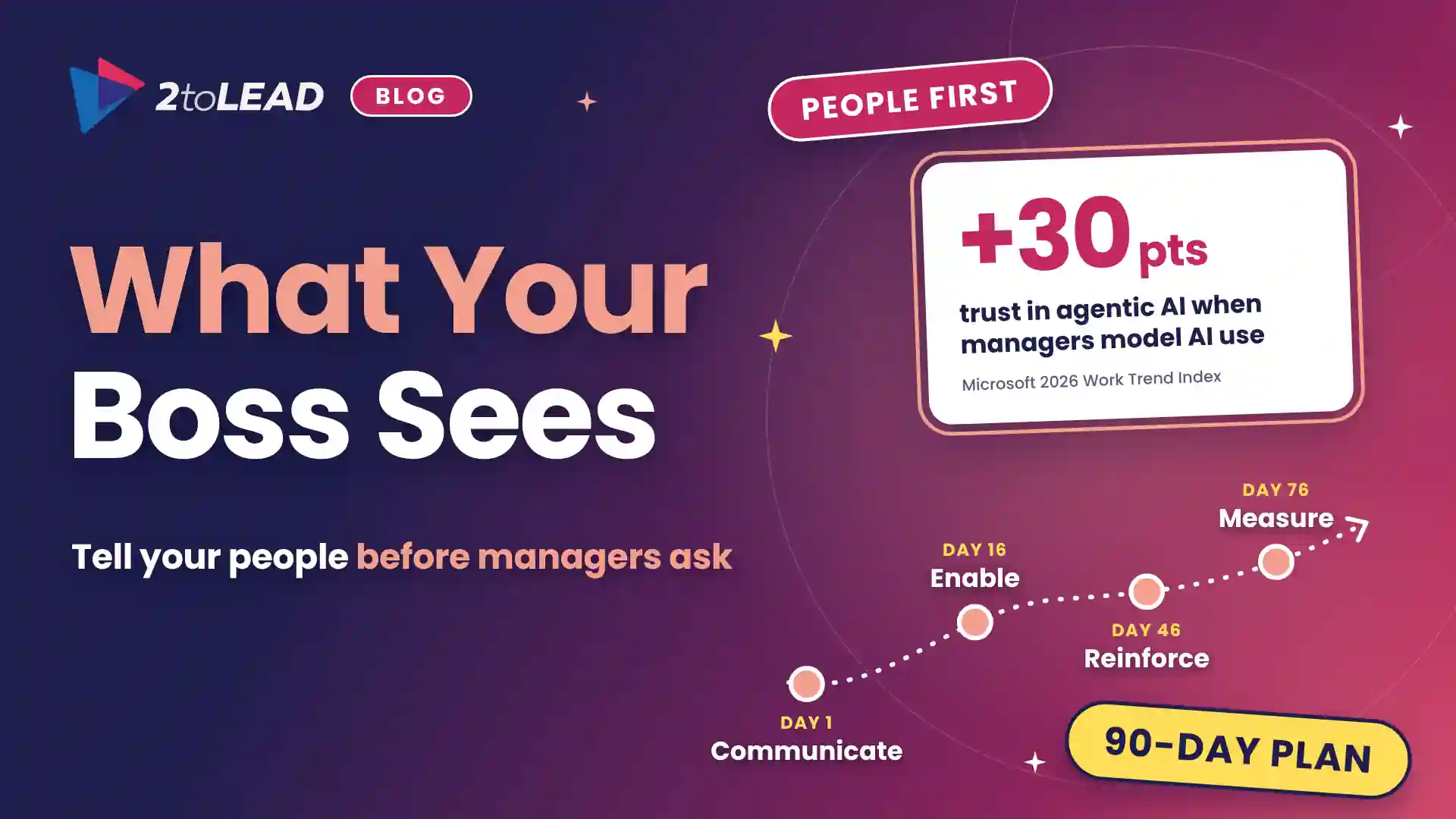
Microsoft's 2026 Work Trend Index points the same way. Only 26% of AI users said their leadership is clearly and consistently aligned on AI. In a separate Microsoft study of 1,800 workers, employees whose managers actively modeled AI use reported a 30-point lift in trust in agentic AI. Trust follows what managers do in the open. For more, read how leaders reduce fear in AI adoption.
Introduce it with a four-part change model: communicate, enable, reinforce and measure. Start communicating before the plugin reaches the first manager, and keep the first audience small.
Swipe horizontally to view each phase, its timing, actions and proof.
| Phase | When | What to do | Proof it worked |
|---|---|---|---|
| Communicate | Days 1 to 15, before any manager has access | Publish a one-page notice: what managers can see, what the plugin is not for and how employees can check their own data. Brief employee representatives where you have them. | Every employee received the notice before the first manager prompt |
| Enable | Days 16 to 45 | Give access to a pilot group of leaders. Run a 45-minute session on the ground rules, add a custom AI disclaimer and load up to six organization-specific prompts. | All pilot managers trained before they get access |
| Reinforce | Days 46 to 75 | Managers show their team one answer and what they did with it. Champions collect questions. HR reviews who holds delegate access. | Employee questions answered within five working days |
| Measure | Days 76 to 90 | Compare usage, time returned and a short trust pulse. Decide whether to widen, hold or change the rollout. | A written decision with a named owner |
Source: 2toLead 90-day trust plan.
Microsoft's guidance adds a point many teams miss: admins must follow their organization's legal and business rules, which can include data protection laws and works council guidance. In healthcare, education and government, bring HR, legal and employee representatives into the Communicate phase, not after it. Our guide to building an AI-ready culture for Copilot covers the wider habits.
Each group has one job: leaders set the rules, managers show their work and champions keep the questions flowing. Split the actions so nobody assumes someone else has them.
Measure four things: adoption, proficiency, sentiment and time returned. Usage alone tells you managers opened the plugin. It does not tell you whether employees still trust the people asking.
Here is a worked example with illustrative numbers. Replace them with your own.
If the trust pulse falls while usage rises, pause and go back to the Communicate phase. For a fuller scorecard, see the Copilot adoption metrics that prove value.
Leaders ask three things first: whether it can be used for performance, whether it widens access and who can use it. Here are short, direct answers.
No. Microsoft says the plugin is not designed for monitoring employee behavior, performance management, ranking employees or managers, or employment decisions. Put that in your ground rules and in the custom AI disclaimer so every manager sees it.
No. Installing the plugin does not grant additional access to workforce data or change existing access policies. Answers depend on each person's permissions, the connected data sources, data freshness and the governance labels and policies your admins set.
People with a Microsoft 365 Copilot license and Cowork access, in a tenant that has joined the Frontier program, configured the Workforce Insights agent and made the plugin available to them. Skills questions also need People Skills licensing and enablement. Public preview starts November 16, 2026.
2toLead helps organizations in healthcare, nonprofit, education, government and professional services turn Copilot features into habits people trust. In our fixed-scope, 90-day Copilot Adoption Accelerator, our Microsoft MVP team will:
For this month's adoption reading, see the November 2026 Copilot Adoption Newsletter.
Find more practical guidance on the 2toLead Insights hub, or plan your 90-day adoption program.
No hype. Just practical, governed AI that actually gets adopted.
Copilot licences bought, usage flat, ROI unproven? Three ways we help:
A global nonprofit turned Copilot licences into 1,115.6 hours saved and $83.7K in productivity value.
Read the case study →


Join Our Newsletter