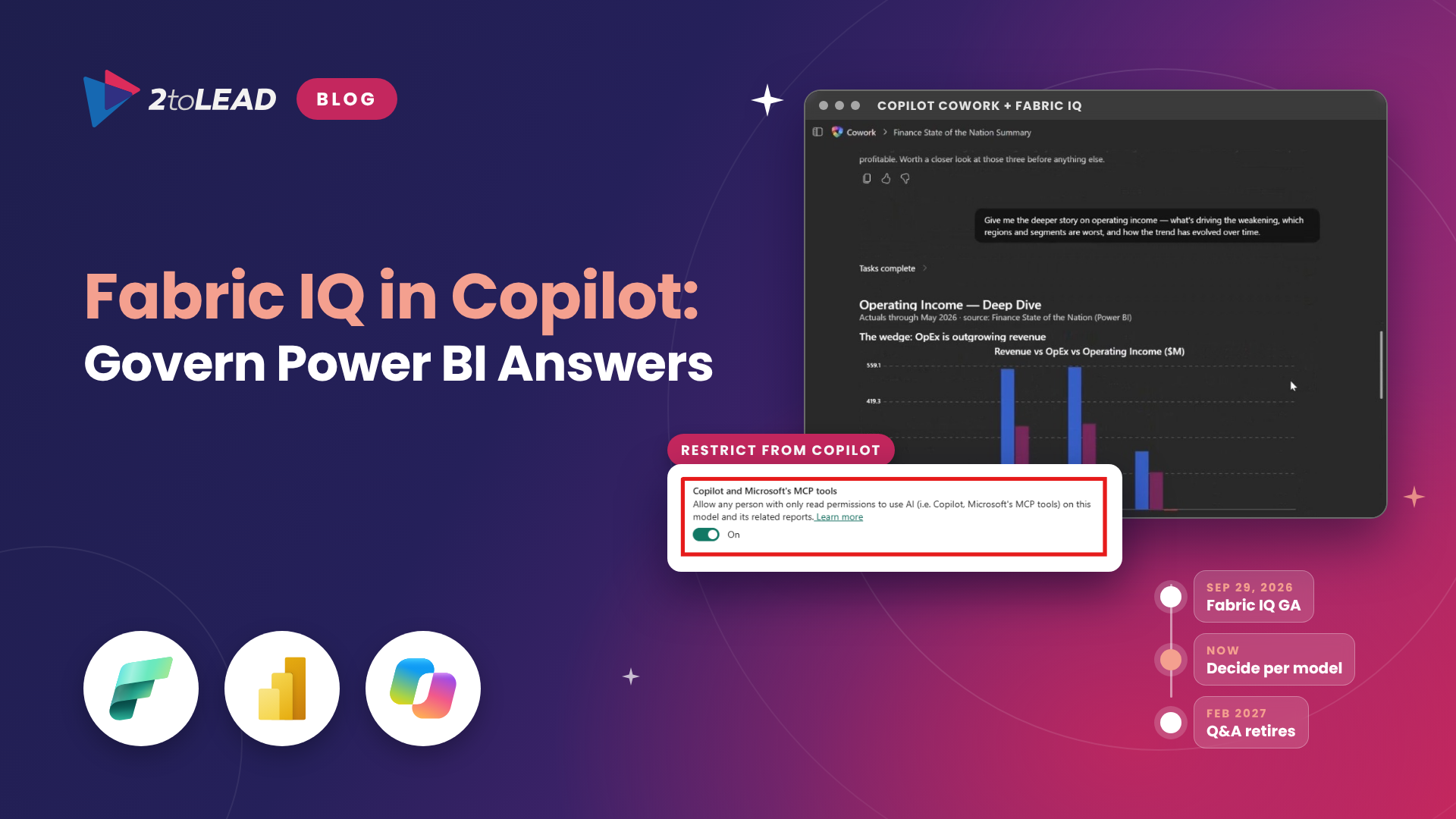
TL;DR: Fabric IQ in Microsoft 365 Copilot Chat and Cowork is generally available, and it is on by default. Any licensed Copilot user can now ask a business question and get an answer from Power BI semantic models they can already read. A per-model setting that Microsoft calls Restrict from Copilot decides whether read-only users can reach each model through AI, and it also starts in the open position. With Power BI Q&A retiring in February 2027, Copilot becomes the natural language front door to your data. Decide which models Copilot should answer from now, before your people start trusting the answers.
Two dates should shape your Power BI governance plan this quarter. The first has already passed. At FabCon Europe on September 29, 2026, Microsoft announced that Fabric IQ is generally available in Microsoft Copilot Chat and Cowork, with new controls over which semantic models can take part in AI experiences. The second is February 2027, when Power BI Q&A experiences retire and Microsoft directs users to Copilot instead.
Between those two dates, every semantic model your employees can read is a potential Copilot answer source, unless someone decides otherwise. That is good news for organizations with well-built models. It is a governance gap for everyone else. This guide covers what changed, how to turn off Copilot access for a semantic model, and a practical plan for CIOs, CHROs and IT leaders.
Fabric IQ in Microsoft 365 Copilot lets Copilot Chat and Copilot Cowork answer business questions using your Power BI reports and semantic models. Copilot finds the right report or model for the question, queries it with the user's own permissions, including row-level and object-level security, and combines the result with the user's files, emails and chats. Answers use the same measures, relationships and certified definitions of revenue, margin and active customer that power your existing reports.
If Fabric IQ is new to you, our explainer on what Fabric IQ is and how it works covers the semantic foundation behind it. This article focuses on the controls and the rollout.
Here is what changed, where each control sits and its default state.
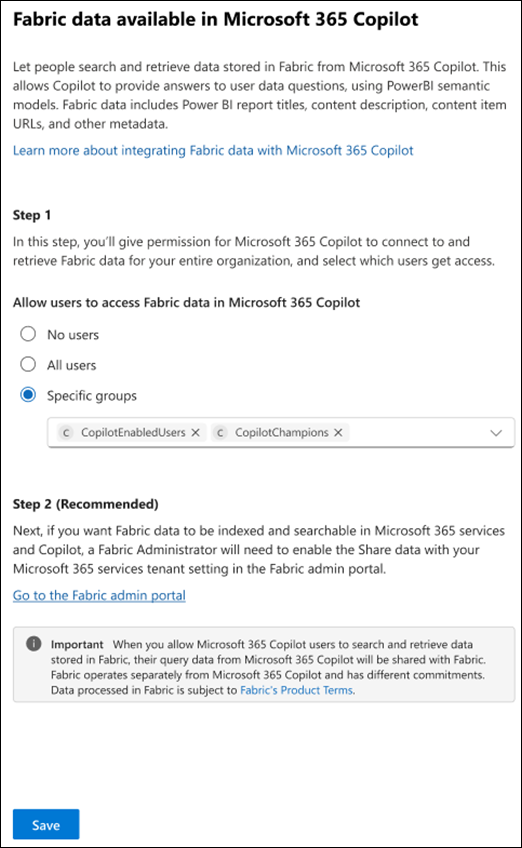
Three settings matter most, and they live in three different places: the Microsoft 365 admin center, the Fabric admin portal and each semantic model. Most organizations will need their Microsoft 365, Power BI and data owners in the same room to make these decisions. Our guide to Microsoft Fabric tenant settings explains how the admin portal controls fit together.
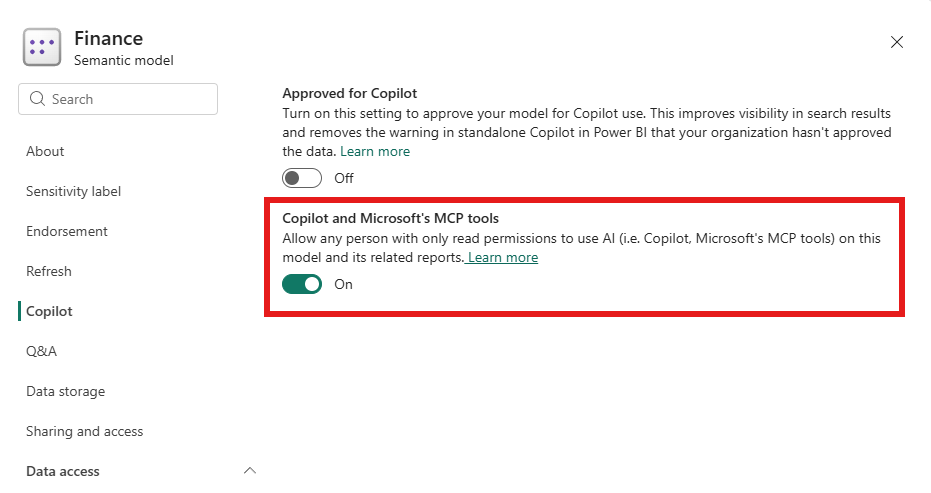
You have two levers: one for people and one for models. Use both.
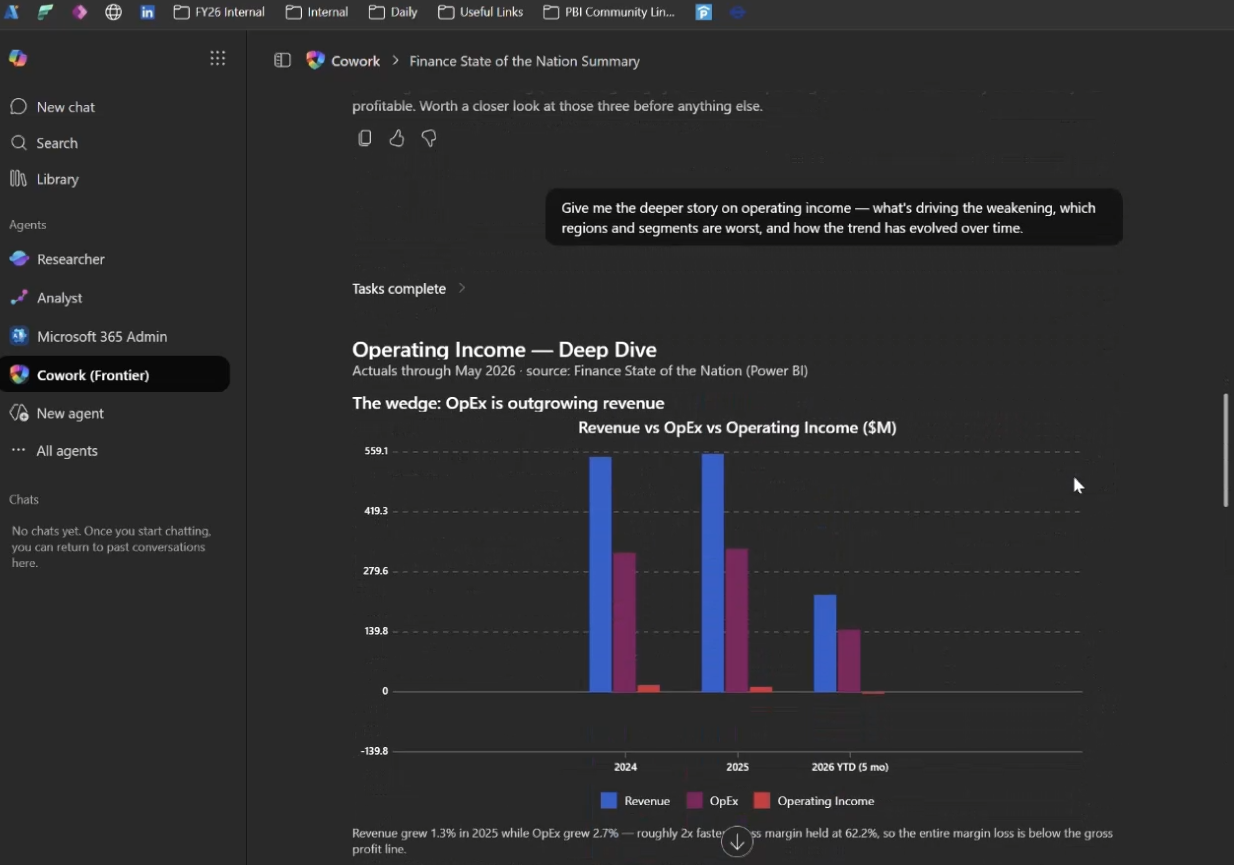
When a frontline manager asks Copilot Chat a question and an executive opens the matching Power BI report, they see the same number. Answers are grounded in your governed models rather than a separate AI copy of your data. Microsoft says Copilot customers can use Fabric insights without additional AI token costs, so the investment you have already made in Power BI and Copilot licenses starts working harder. In Copilot Cowork, Power BI content can feed longer tasks such as preparing a regional performance brief.
Copilot does not create new access. It removes the effort it used to take to find and interpret data. A semantic model that a few hundred people could technically read, but rarely opened, is now one prompt away. Four issues tend to surface first:
This is the same pattern we see with document oversharing. If you are already working on it, our guide to mitigating oversharing in Microsoft 365 Copilot applies directly to your data estate.
Donor, grant and program outcome models often sit in the same workspaces as board reporting. Many were built quickly by a single analyst. Before Copilot answers questions about donor giving or program spend, confirm that donor-level data is protected by row-level security and that board-ready models are clearly separated from working models. The upside is real: program managers can get numbers without waiting for a small data team.
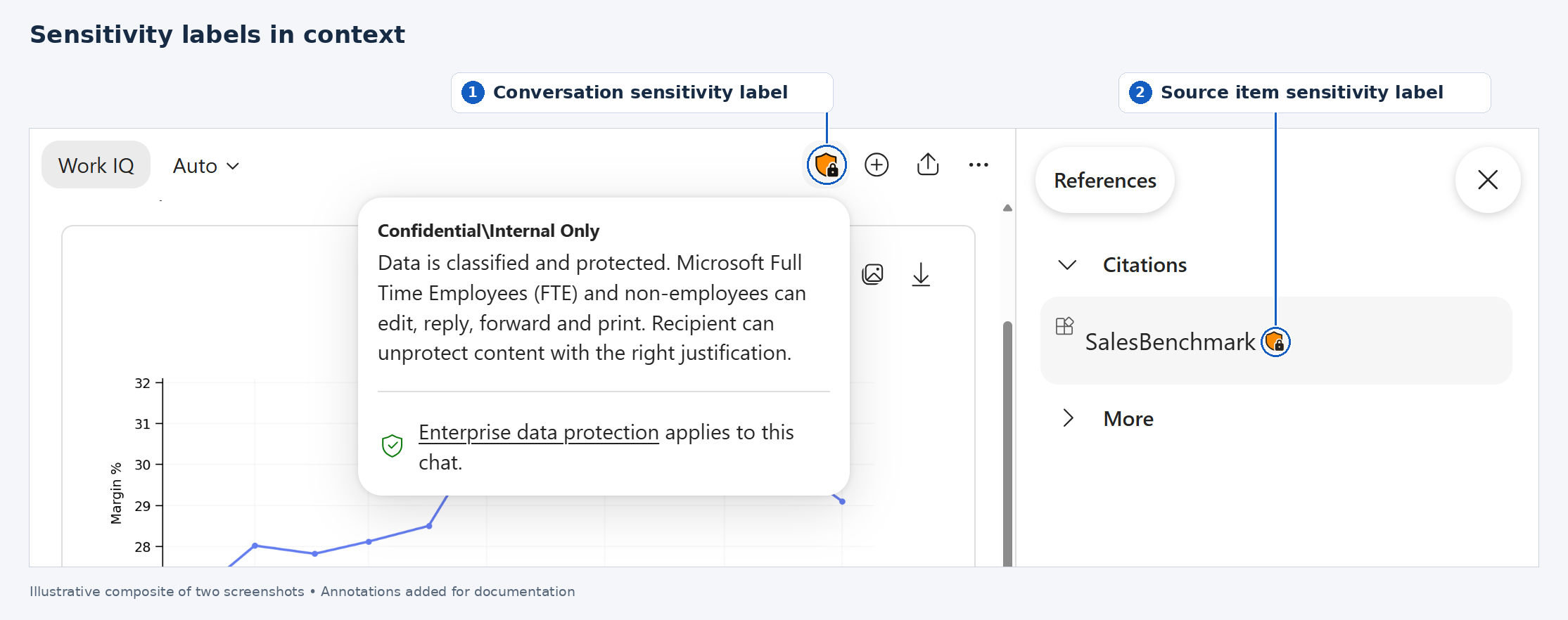
Student achievement, attendance and enrollment models carry sensitive personal information. Faculty and staff often have broad read access to reports for good reasons. Use Restrict from Copilot on any model with student-level detail until you have tested row-level security in Copilot Chat as a typical staff member, and apply sensitivity labels so Copilot conversations inherit the right protection.
Data residency comes first. Power BI data answering requires AI processing in the United States or European Union, so tenants outside those regions must explicitly allow cross-geography processing. For Canadian public sector and other residency-sensitive organizations, that is a privacy and legal decision, not an IT toggle. Document it, get sign-off, and keep the feature scoped to a pilot group until you have.
The pattern that works is simple: expose a few models, prepare them properly and widen access based on evidence. Here is the action plan we use with clients.
Fabric IQ does not need a new budget line for the Fabric side, but it is not free. Each person who asks needs a Microsoft 365 Copilot license and access to the Power BI content, and Cowork runs on usage-based billing. The value case should prove that licenses you already pay for are producing faster, trusted decisions. Measure a pilot group against a baseline for 30 to 60 days with metrics like these.
Report these alongside your broader adoption numbers. Our article on Copilot adoption metrics that prove value covers how to build the baseline and present results to finance and executive sponsors.
Yes. The Fabric data in Microsoft Copilot setting in the Microsoft 365 admin center is enabled by default, and the per-model AI access setting allows read-only users by default. Admins can scope the feature to specific groups, and model owners can restrict individual models.
No. It controls AI access only. Read-only users can still open the report, but they cannot reach a restricted model through Power BI Copilot, Copilot Chat and Cowork, data agents or Microsoft's remote MCP tools. Restricted models are also hidden from Copilot search results for everyone, although people with build or write permission can still attach them directly.
Each user needs a Microsoft 365 Copilot license and permission plus licensed access to the Power BI reports and semantic models they ask about. They do not need access to Copilot in Fabric. Semantic models on Embedded capacities are not supported.
Microsoft is retiring Power BI Q&A experiences in February 2027 and recommends Copilot as the replacement. Inventory your Q&A visuals and embedded Q&A now so reports do not break and users have a governed alternative ready.
Most of this work is not switching settings. It is deciding which models deserve to answer questions and getting them ready. 2toLead's Microsoft MVP team helps CIOs and IT leaders put Fabric IQ to work with governance built in:
Explore more practical guidance in the 2toLead Insights hub, or book a Fabric IQ Copilot readiness review with our team.
No hype. Just practical, governed AI that actually gets adopted.


Join Our Newsletter