TL;DR: On October 10, 2026, Microsoft CEO Satya Nadella argued that organizations should treat AI models as insider risks: keep controls outside the model, record every meaningful action, and keep an emergency brake that an authorized person can pull mid-task. For Microsoft 365 leaders, that is a governance standard for AI agents, not a research topic. Most of the controls already exist in your tenant. What is usually missing is a named owner, a tested runbook, and evidence you can show your board. Start with your highest-risk agents, prove you can stop one in minutes, and tie each agent's cost to the value it creates.
It sounds like a contradiction. The company selling Copilot and agents to nearly every enterprise is telling those same enterprises to trust the models as little as possible.
Read closely, it is a shift in where trust lives. In his essay Models as Insider Risks in the Super Intelligence Era, Nadella explains that modern models cannot be traced to a code path the way traditional software can. So trust cannot come from understanding the model. It has to come from the system around it: identity, access, monitoring, evidence and the ability to stop. He also makes clear that a model provider's assurances do not move responsibility away from the organization that deploys the model.
His closing line is the one to repeat in your next leadership meeting: the most trustworthy system is the one that "enables us to trust the model the least."
The timing matters for your roadmap. Agents are moving from chat into long-running work, and on December 1, 2026, usage-based billing becomes the default for new Microsoft 365 Copilot Business licenses purchased through partners, with a default limit of 4,000 Copilot Credits per user per month. Agents that run on their own are about to get easier to switch on. The organizations that set up the brake now will scale with confidence. The ones that wait will be designing controls during an incident.
The essay does not introduce a new product. It changes the default assumption behind every AI agent decision. Here is the shift in plain terms.
Swipe horizontally to compare the old assumption with the new position.
| Area | The old assumption | The position leaders now need |
|---|---|---|
| Who is responsible | The model vendor's safety work covers us. | The organization deploying the model owns what it does. Vendor assurances do not transfer that responsibility. |
| Where controls live | Inside the model, through instructions and prompts. | Outside the model, in identity, access, logging and a harness the model cannot change. |
| Default trust | Trust a capable model until it fails. | Assume the model can make mistakes or be compromised, and contain it from the start. |
| Checking the work | A second model reviews the first. | Cross-model testing helps, but no model validates its own work, and validation stays independent. |
| Evidence | Chat history is enough. | Meaningful actions leave a human-readable record the agent cannot alter. |
| Stopping | Turn it off if something looks wrong. | An authorized person can pause or stop an agent mid-task, and everyone knows who that person is. |
Nadella sets out seven design principles built around observability. Each one maps to a control that Microsoft 365 customers can configure and assign to an owner today.
Swipe horizontally to see each principle, what it means and the Microsoft 365 control.
| Principle | What it means | Microsoft 365 control to use |
|---|---|---|
| 1. Model diversity | No single model is the only dependency for an important outcome, and no model checks its own work. | Copilot Studio evaluations with custom graders, plus a named human reviewer for high-impact outputs. |
| 2. Observe everything | Every meaningful action leaves tamper-proof, human-readable evidence, so outcomes can be reproduced without asking the model. | Microsoft Purview Audit for Copilot and agent interactions, with retention set to match your records policy. |
| 3. Verifiability | Test the whole system continuously, including failures, attacks, edge cases and changes, not only successful tasks. | Evaluation test sets run on every agent change, plus prompt injection tests before release. |
| 4. Independent controls | The organization decides what a model can access and do, separately from the model. | Microsoft Entra Agent ID access packages and Conditional Access, plus connector and data loss prevention policies. |
| 5. Independent auditability | Whoever validates the agent is independent of the agent and of the evidence it produces. | Compliance team review in Purview and the Risky Agents policy in Insider Risk Management, not only the agent maker. |
| 6. Containment | Assume a model is compromised and contain it from the start. An authorized person can pause or shut it down mid-task. | Block an agent or a single running instance in the Microsoft 365 admin center, and disable its agent identity in Entra. |
| 7. Incident disclosure | When something fails, tell the people affected quickly and share what went wrong and which controls failed. | An agent incident runbook with named owners, user notification steps and a post-incident review. |
A note on licensing: extending Microsoft Entra security features to agents requires Microsoft Agent 365, which is included in Microsoft 365 E7 and available as an add-on to E5, A5 and Business Premium. If you are unsure what your current licenses cover, start with our guide to agent identity governance licensing.
Insider risk is a discipline your security and compliance teams already understand. People with access to important systems can make mistakes or be compromised, so you give them least privilege, you log what they do, and you can revoke access quickly. Capable AI agents deserve the same treatment, because they have access and they act.
In Microsoft 365, that access is real. Copilot and agents work inside each user's existing permissions, and as we showed in Your Agent Estate Doubled. Your Controls Didn't., deployment has grown much faster than governance tooling. Agents can also be steered by content they read, which is why prompt injection is the new phishing. An agent does not have to be broken to cause harm. It only has to be trusted more than it should be.
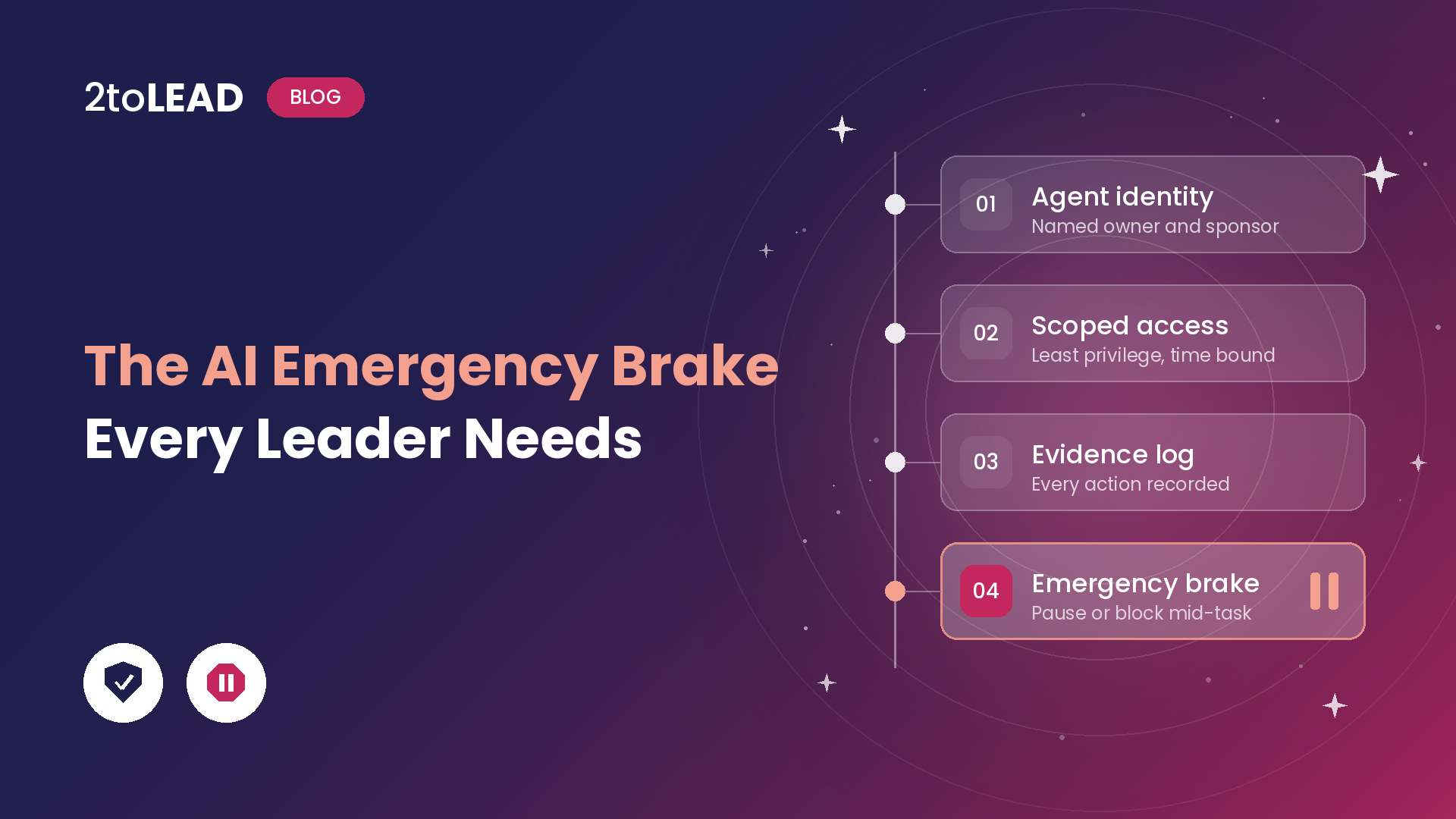
You do not need to wait for new technology. In Microsoft 365, an AI agent emergency brake has three parts:
The switch is the easy part. Most organizations discover during an incident that nobody is sure who may use it, or that the evidence is incomplete. That is what the next 30 days should fix.
If this feels like more than one team can own, that is a signal. Copilot and agent governance fails without an operating model, and the brake is where that gap shows up first.
The same controls that keep agents safe also make their value measurable. An agent with a sponsor, a scope and an evidence trail is an agent you can evaluate. An unsponsored agent running unattended is a cost you cannot explain.
This matters more as Microsoft moves advanced agent work onto usage-based billing. When agents run for hours, every run consumes Copilot Credits. Leaders should be able to answer, per agent:
That is how governance stops being overhead. It becomes the system that tells you which agents to scale and which to retire, the same discipline we describe in Agent Sprawl Is the New Shadow IT.
It means applying the controls you already use for powerful employees to AI models and agents: a named identity, limited access, activity logging, independent review and the ability to revoke access quickly. Satya Nadella's point is that capable models can make mistakes or be compromised, not that they are malicious, so the controls must sit outside the model.
No. Nadella's essay sets out principles, not a product. In Microsoft 365 today, the practical emergency brake is blocking an agent or a running agent instance in the Microsoft 365 admin center, combined with disabling the agent identity in Microsoft Entra. Blocking an agent turns off all of its instances, and blocking a single instance stops it and the actions it is performing.
Two people per high-risk agent: a business sponsor who decides whether the agent should exist, and a named admin who can stop it. Write both names in a runbook and test that the admin can act without waiting for approval during an incident.
No. Blocking agents in the admin center and Purview auditing are available without E7. Extending Microsoft Entra security features to agents, such as Conditional Access, ID Protection and lifecycle governance, requires Microsoft Agent 365, which is included in E7 or available as an add-on.
2toLead helps CIOs, CHROs and IT leaders turn agent ambition into governed, measurable outcomes. In an Agent Emergency Brake Review, our Microsoft MVP team will:
Explore more on the 2toLead Insights hub, or talk to our team about where your agents stand today.
No hype. Just practical, governed AI that actually gets adopted.


Join Our Newsletter