The question keeps surfacing in IT departments worldwide:
"Can admins see my Microsoft 365 Copilot chats?"
The short answer is yes, but the complete picture reveals a sophisticated balance between enterprise security needs and user privacy expectations.
As organizations rush to embrace AI productivity tools, understanding the discoverability of Copilot interactions has become crucial for both IT administrators implementing governance frameworks and end users concerned about their digital privacy.
Microsoft 365 Copilot conversations don’t vanish after you close the window. For compliance purposes, Copilot prompts and responses can be captured as records and stored behind the scenes in hidden mailbox locations associated with the user who initiated the interaction. These locations aren’t meant for normal end‑user browsing, but they enable compliance workflows, such as retention and eDiscovery, when an organization needs to investigate, preserve, or remove content under governed processes.
Early on, Copilot interaction records were handled in ways that resembled how some Teams compliance artifacts are stored, largely to make Purview scenarios possible while the broader retention story matured. Since then, Microsoft has been moving toward more explicit, dedicated retention locations for Copilot experiences, so policies can be applied with clearer separation from Teams chats and other workloads.
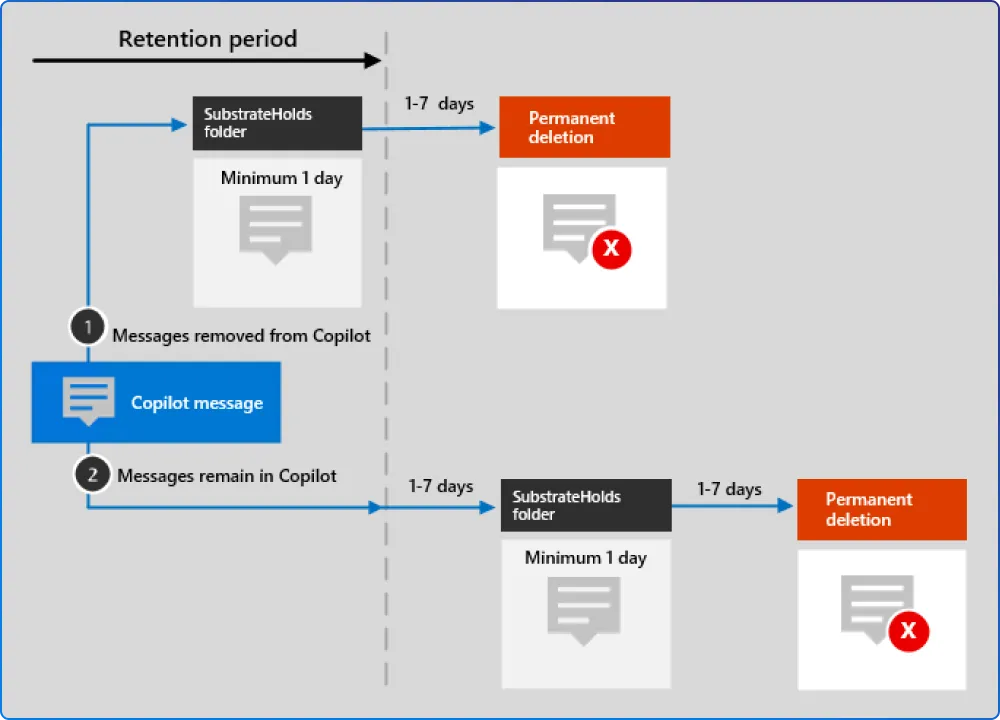
Retention policies for AI apps include user prompts and responses for Microsoft 365 Copilot and Copilot Studio. This means every question you ask, every document you summarize, and every email you draft with Copilot's help creates a compliance record. User prompts include text that users type, and selecting AI app prompts that are captured as a prepopulated message. AI app responses include text, links, and references.
From an admin perspective, Copilot visibility isn’t a single “view chats” switch, it’s a set of compliance tools that answer different questions. Depending on permissions and licensing, organizations can:
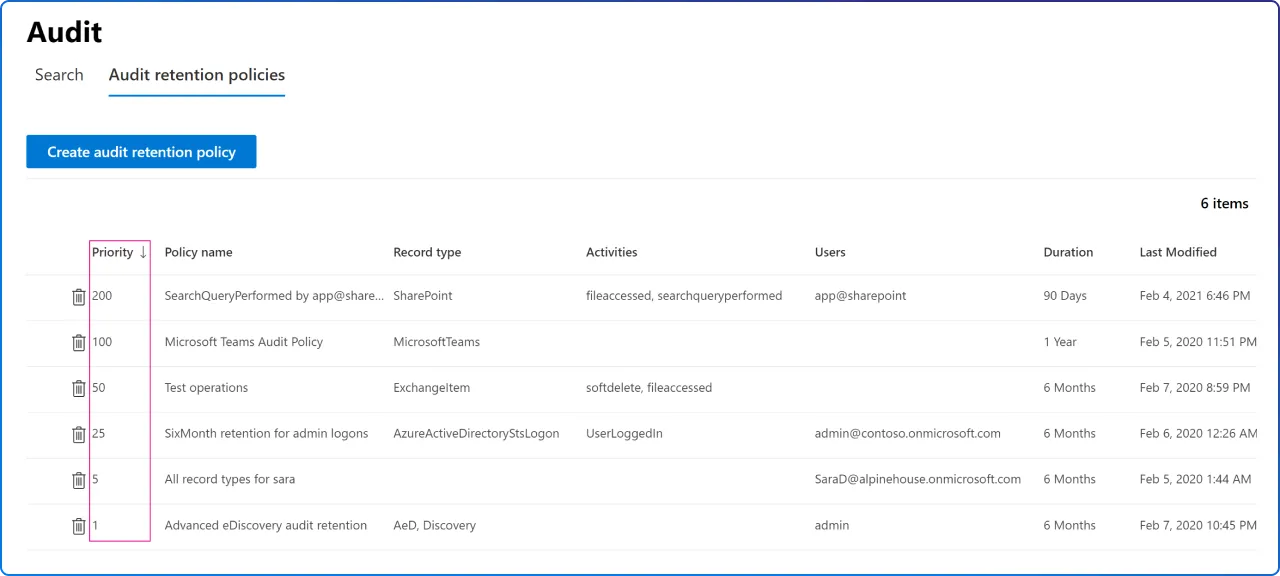
Audit logs are useful for establishing that Copilot activity occurred (who initiated it, when it happened, and the workload context). But audit entries typically emphasize event metadata, not a full transcript of what the user typed, and what Copilot returned. When an investigation requires the actual interaction content, teams generally rely on eDiscovery-style searches that can retrieve the stored compliance records.
With the right Purview setup and licensing, admins can collect fairly detailed audit trails around Copilot usage across supported apps. The detail level varies by record type and configuration: in many cases you’ll see rich context about the interaction and accessed resources, while the exact prompt/response text may be available through compliant content retrieval paths rather than the audit event itself. Licensing also affects how long audit data is retained (for example, standard vs. premium audit retention periods).
Through eDiscovery, administrators can access the actual content of Copilot conversations when conducting formal investigations. In other words: under formal compliance processes, organizations can reconstruct a meaningful record of Copilot usage, including when interactions happened and what organizational resources were involved, if there’s a legitimate reason to do so.
The extensive monitoring capabilities aren't about surveillance; they're essential for modern compliance requirements. Security and privacy of organizational data are top priorities for admins, and Microsoft 365 Copilot Chat is protected by Enterprise Data Protection (EDP). With EDP, prompts and responses are protected by the same contractual terms and commitments widely trusted by our customers for their emails in Exchange and files in SharePoint.
Generative AI increases the chance that regulated or sensitive information is surfaced in new ways, sometimes even when people don’t intend to share it. That’s why many organizations treat Copilot interactions as discoverable business records and align them with existing privacy, security, and compliance obligations (for example, requirements related to protected personal data or regulated health/financial information).
The business impact can be significant. Securiti cites IBM’s reporting that the average global cost of a data breach reached $4.4 million in 2024, underscoring why governance matters. In practical terms, if SharePoint permissions are overly broad, Copilot may surface sensitive material (like strategic planning or deal-related documents) to people who technically have access, even if that access was never intentional or well understood.
When governance is weak, Copilot can amplify existing problems rather than solve them. Common outcomes include: sensitive content becoming visible more widely than intended (because permissions were never tightened), limited ability to detect or investigate misuse quickly, and confusion caused by AI outputs that rely on outdated, redundant, or poorly classified information. Strong governance reduces these risks by improving access hygiene, monitoring, and the quality of the data Copilot can draw from. Use DSPM for AI to identify risky Copilot interactions.
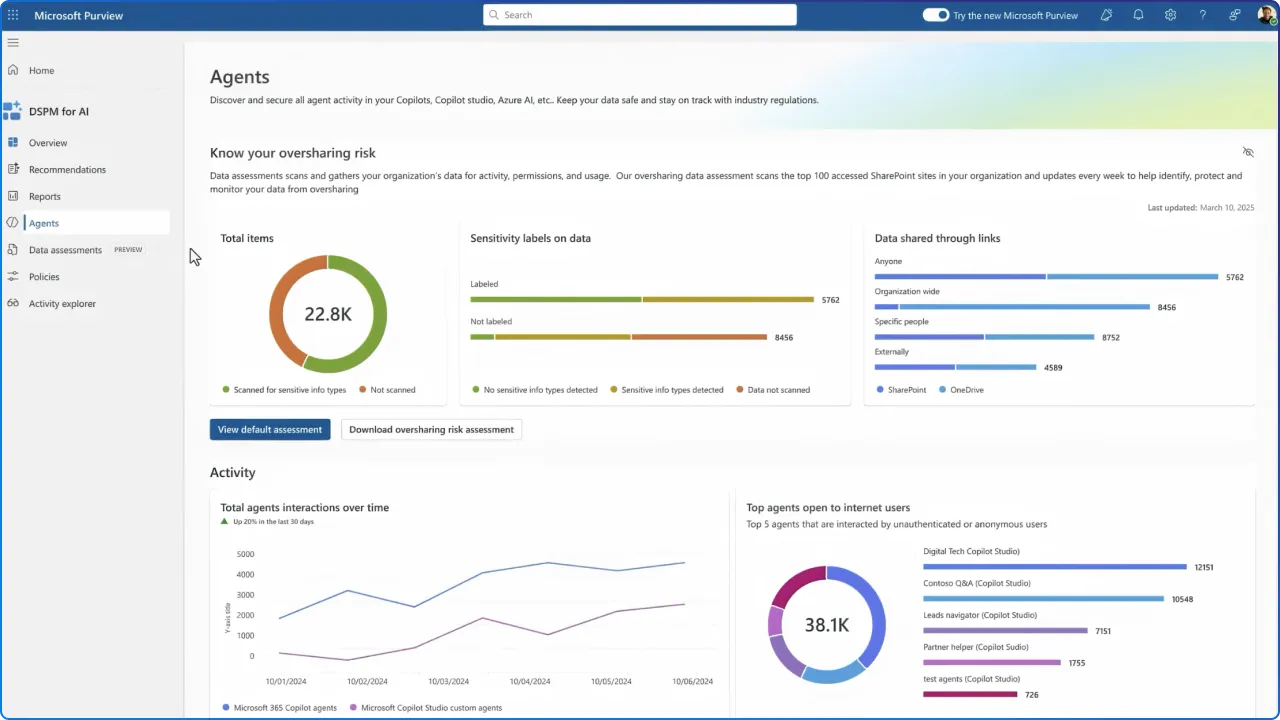
Understanding the discoverability of Copilot chats empowers users to make informed decisions about their AI interactions. While Copilot Chat is a generative AI service grounded in data from the public web in the Bing search index only, users can choose to provide organizational data. Copilot Chat users can provide organizational content as part of their prompt, manually uploading a file directly, or use an agent that is given access to organizational content.
Best practices for privacy-conscious users include treating Copilot conversations with the same professionalism as email communications; anything written could potentially be reviewed during legal discovery or compliance audits. Avoid sharing personal information, passwords, or confidential data that isn't necessary for your work tasks. Remember that while administrators typically don't actively monitor individual conversations, the capability exists for legitimate business purposes.
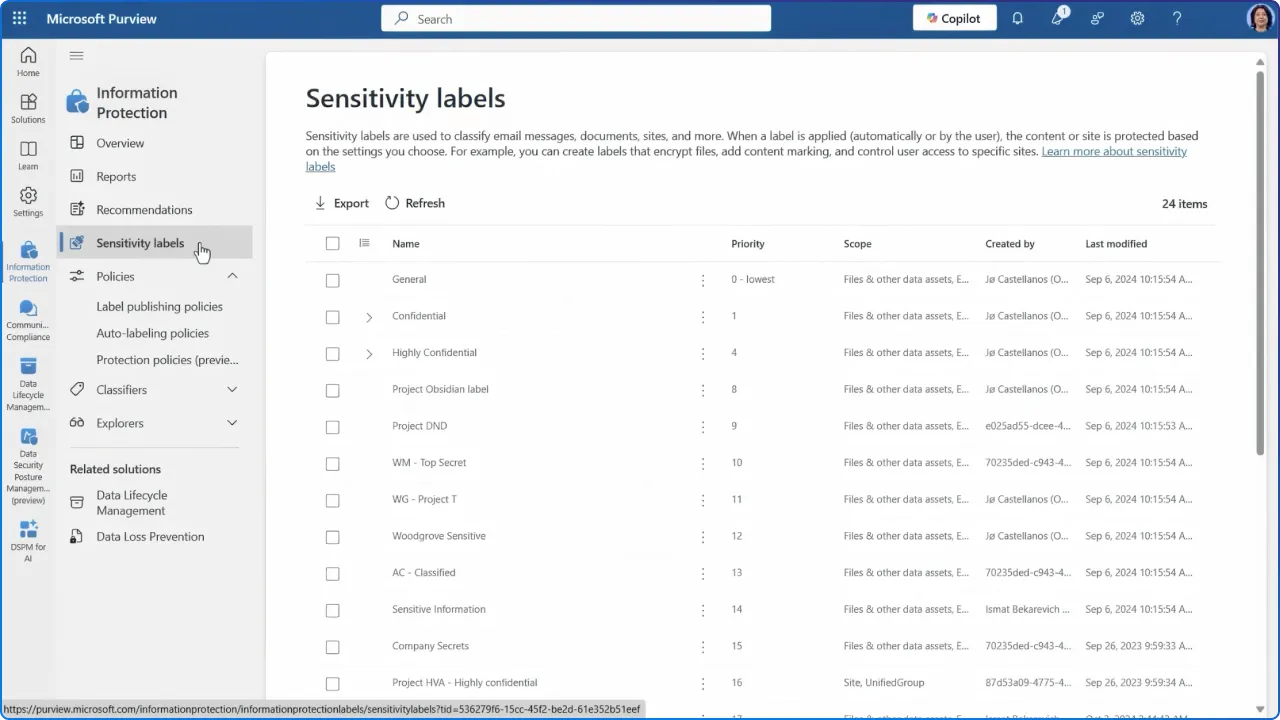
Organizations should foster transparency about their Copilot governance policies. To restrict user, Copilot, and agent access to overshared sites while remediating risks, use SharePoint restricted content discovery or SharePoint restricted access control. Additionally, use Microsoft Purview Information Protection site sensitivity labels to ensure appropriate data classification and handling.
The future of workplace AI requires mutual understanding between IT departments and users. They do this for keeping the system safe, for you and everyone else. As the correct implementation of data governance takes the wheel of leveraging the full potential of Copilot while steering away from expensive mistakes, violations of compliance, or unintentional exposure of data, organizations must balance security needs with user privacy expectations through clear policies, regular training, and transparent communication about how AI interactions are monitored and protected.


Join Our Newsletter