If you’re an IT pro in a small or mid-sized business, you’re probably wearing three hats at once: securing SharePoint, rolling out Copilot responsibly, and keeping legal/regulatory stakeholders happy without going over budget. The catch is that “Purview” isn’t one product; it’s a family of data security, compliance, and governance capabilities whose entitlements vary by license.
This blog breaks down the differences between E3, E5, and E5 add-ons for Microsoft Purview, so you can confidently select the right solution to secure SharePoint, deploy Copilot responsibly, and meet legal and regulatory requirements, without overspending.
You’ll discover which features are included in each tier, hidden costs to watch for, and practical advice for optimizing compliance and data governance in your Microsoft 365 environment.

Two realities make licensing decisions material for SMBs.
1. Copilot respects your data security and compliance configuration:
2. Purview adds Copilot-specific policy surfaces:
These levers sit across E3, E5, and add‑ons; the rest of this article maps what’s included, what’s missing, and when to step up.
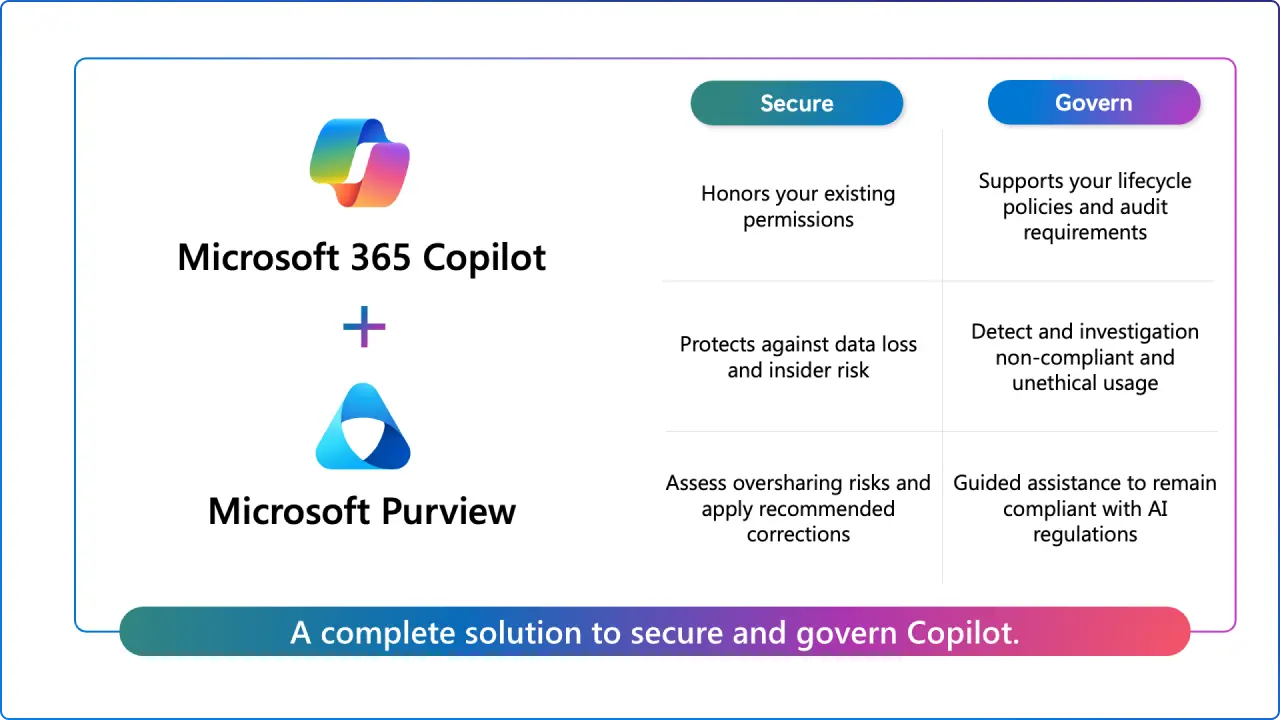
Two areas trip teams up during Copilot deployments.
DLP and Copilot:
Retention & Audit for Copilot interactions:
Scenario A: “Default label” libraries + Copilot guardrails
Scenario B: “Chatty Teams” finance channel
Scenario C: “We litigate a few cases a year.”
Microsoft Purview unifies Information Protection (sensitivity labels and encryption), Data Loss Prevention, Audit, eDiscovery, Records/Data Lifecycle Management, Insider Risk Management, Communication Compliance, and more. Some foundational features live in E3 (and Business Premium), while advanced automation and analytics arrive with E5 or specific E5 add‑ons. The official Purview service description is the primary reference Microsoft keeps current.
Most SMBs start at Microsoft 365 E3 (or Business Premium under 300 users). With E3 you can:
Microsoft 365 E5 wraps in the advanced compliance estate:
If you want “one answer” without fine‑grained licensing, E5 is the simplest, but for SMBs, add‑ons often make more sense.
If you’re on E3 and don’t want the full E5 suite, Microsoft offers modular add‑ons. Here’s what they do in practice for SharePoint/Copilot administrators:
Manual labeling is available in E3 and Business Premium. Automatic labeling, default library labels, dynamic watermarking, and authentication context require E5 or E5 Compliance/E5 Information Protection & Governance add-ons. These features control what Microsoft Copilot can access and summarize.
E3 enforces DLP in Exchange, SharePoint, and OneDrive, covering files shared in Teams. For DLP on Teams chat messages and Endpoint DLP (blocking printing, clipboard, USB, browser uploads), upgrade to E5 or E5 Compliance.
Audit Standard in E3 offers 180-day searchable history. Audit Premium (in E5 or E5 Compliance) extends coverage to 1 year for Exchange, SharePoint, and Entra, adds premium events, and custom retention policies. For Copilot, Audit Premium coverage requires E5 + Copilot or E5 Compliance + Copilot.
E3 provides eDiscovery Standard for cases, holds, searches, and export. eDiscovery Premium (in E5, E5 Compliance, or E5 eDiscovery & Audit add-on) adds custodian workflow, review sets, analytics, and predictive coding.
Included in E5 and E5 Compliance add-on; not available in E5 eDiscovery & Audit add-on. Insider Risk Management is also sold as a standalone add-on.
E3 supports core retention policies and labels. Advanced retention features auto-apply with trainable classifiers, priority cleanup, and file-plan management are in E5 or E5 Compliance/E5 Information Protection & Governance add-ons. Adaptive scopes for Copilot interaction retention require these SKUs.
Every user benefiting from Microsoft Purview services needs the correct license, including SharePoint site owners/members and Microsoft 365 Group owners/members. Shared/resource mailboxes and role holders (e.g., Records Managers) also require licensing.
DLP in E3 protects files shared in Teams (stored in SharePoint/OneDrive), but does not inspect Teams chat messages. DLP for Teams chat requires E5 or E5 Compliance. Misconfiguring this is a common mistake.
Microsoft ended metering for Teams APIs on August 25, 2025, eliminating extra consumption fees. Licensing for Microsoft Communications DLP is still required when using the security/compliance model.
Prompt/response analysis in Communication Compliance and Premium audit coverage for Copilot interactions are available only in E5 or E5 Compliance, not in the narrower E5 eDiscovery & Audit add-on. Always verify Copilot governance needs against your chosen add-on.
For 50–300 user tenants, E3 or Business Premium supports manual sensitivity labels, Exchange/SharePoint/OneDrive DLP, core retention, and Audit Standard. Copilot DLP rules keep sensitive content out of summaries, and Copilot honors label encryption and access controls, ideal for organizations with modest compliance needs.
If you need endpoint controls, Teams chat DLP, auto-labeling at scale, or 1-year audit, add E5 Compliance to E3. This delivers Insider Risk Management and Communication Compliance without the full E5 security stack.
For litigation-focused needs, E5 eDiscovery & Audit add-on provides targeted eDiscovery Premium and Audit Premium. Note: Copilot interaction audit and risk/communication features are not included.
If you prefer simplicity or need E5 security (Defender XDR, Entra P2), choose full E5 for all compliance and security features.
Identify where Copilot summaries could pose risks, which SharePoint sites need default sensitivity labels, who requires 1-year audit, and if Teams chat inspection is necessary.
If advanced controls are needed, consider E5 Compliance on top of E3. For litigation-only needs, E5 eDiscovery & Audit is a precise fit. For scalable governance and AI readiness, E5 Information Protection & Governance adds automation without expanding your discovery footprint.
Regularly consult Microsoft Learn’s security & compliance licensing guidance and the Purview service description for up-to-date information.
Does Business Premium include any Purview capabilities?
Yes. Business Premium supports manual sensitivity labeling and core DLP in Exchange/SharePoint/OneDrive, useful for SMBs under 300 seats. For automatic labeling, Endpoint DLP, Teams chat DLP, Insider Risk, Communication Compliance, and Audit (Premium), you step up to E5 or the relevant add‑ons described above. The Purview service description is your single source of truth.
What’s the difference between E5 Compliance and the E5 eDiscovery & Audit add‑on?
E5 Compliance is the broad bundle that includes advanced labeling/DLP, Insider Risk, Communication Compliance, eDiscovery (Premium), and Audit (Premium). The E5 eDiscovery & Audit add‑on is narrower, eDiscovery (Premium) + Audit (Premium), and notably doesn’t include Insider Risk, Communication Compliance, Endpoint DLP, or DLP for Teams chat; its Audit (Premium) also doesn’t add coverage for Copilot interactions.
Who needs a license when I apply retention to SharePoint?
Owners and members of sites targeted by retention policies/label policies require appropriate licenses; visitors do not. Group owners/members are in scope for policies that target Microsoft 365 Groups. Certain features also require licensing of shared/resource mailboxes.
How does Copilot interact with sensitivity labels?
Copilot enforces label encryption and rights. If a user doesn’t have permission to VIEW/EXTRACT from a labeled file, Copilot can’t summarize it. You can also use Purview DLP’s Microsoft 365 Copilot location to exclude labeled content from being used in responses, while permitting citations.
Are Teams compliance APIs still metered?
Microsoft ended metering for the listed Teams APIs on August 25, 2025. If you previously budgeted for Graph consumption to capture Teams chat for compliance, remove that cost line, but maintain the required Communications DLP license posture if you’re using the security/compliance model.


Join Our Newsletter