


TL;DR: Microsoft made Copilot for legal generally available on October 15, 2026, with more than 20 legal skills delivered as two plugins: one in Word and one in Copilot Cowork. It replaces the earlier Copilot Legal Agent preview, and the Word plugin is on by default for Microsoft 365 Copilot commercial users, so many legal teams already have it. The organizations that get value will be the ones that measure it. Use the first 90 days, which end January 13, 2027, to baseline three legal workflows, pilot the skills under clear governance, track time, quality and cost, and then scale only what pays back.
On October 15, 2026, Microsoft announced the general availability of Copilot for legal, bringing purpose-built legal skills for contract review, drafting, obligations tracking and case chronologies into the tools lawyers already use. For in-house counsel, law firms and the contracts staff inside nonprofits, schools, health systems and public agencies, this is the first time legal-specific AI has arrived inside Microsoft 365 rather than beside it. Copilot for lawyers is no longer a separate tool to evaluate. It is already in the document they have open.
That convenience creates a measurement problem. When a capability simply appears in Word, nobody sets a baseline, nobody defines success and, six months later, nobody can say whether it worked. The 90-day window that started on October 15 closes on January 13, 2027. That is long enough to prove value on a few real workflows and short enough to keep the effort focused.
Microsoft Copilot for legal is a set of more than 20 legal skills built into Microsoft 365 Copilot. It is delivered as two plugins: one in Word for AI contract review, drafting and redlining inside a single document, and one in Copilot Cowork for multi-step legal work across many files. The Word plugin replaces the Legal Agent experience Microsoft previewed through its Frontier program starting in April 2026.
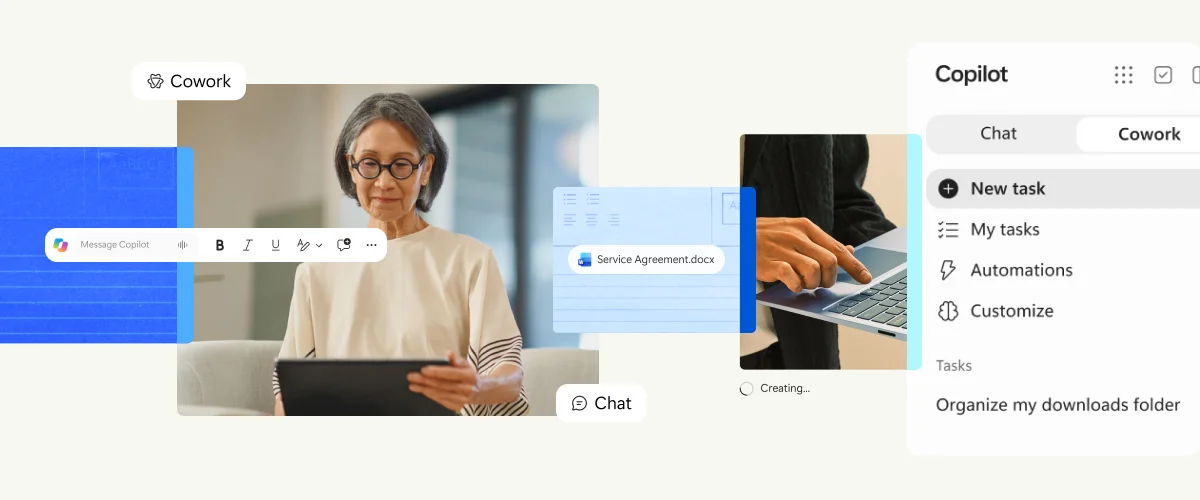
Each plugin is turned on and governed in a different place. That difference matters for both adoption and cost.
Swipe horizontally to compare the Word and Cowork legal plugins.
| Consideration | Legal plugin in Word | Legal for Cowork |
|---|---|---|
| What it does | Reviews agreements against a playbook, drafts from approved precedents and applies proposed edits as native tracked changes in the open document | Handles multi-step work across many files, such as extracting obligations and deadlines across a contract set, comparing agreements and building case chronologies |
| How it is turned on | Enabled by default in Word desktop for Microsoft 365 Copilot commercial users | Each user adds the plugin inside Cowork, and only if their admin has made it available |
| Where admins control it | Microsoft 365 Apps admin center, Policy Management, policy named “Legal Skills in M365 Copilot in Word” | Microsoft 365 admin center, Agents, Tools page, plugin named “Legal for Cowork” |
| How it is paid for | Included with the Microsoft 365 Copilot license | Requires a Microsoft 365 Copilot license, and Cowork itself runs on usage-based billing with Copilot Credits |
| What to measure first | Minutes per first-pass review, share of suggested edits kept, rework after review | Hours per matter task, accuracy of extracted obligations and dates, credits spent per task |
Legal for Cowork includes 20 skills. Grouped by the job they do:
review-contract, edit-contract, summarize-redlines, compare-key-terms, check-cross-references, check-defined-terms, check-execution-readiness and create-playbookdraft-new-contract, draft-legal-memo, draft-minutes-and-resolutions and improve-legal-promptextract-obligations-and-deadlines, analyze-related-contracts, compare-across-jurisdictions, identify-regulatory-gaps, explain-legal-concepts and legal-reasoningbuild-case-chronology and summarize-legal-mattersPartner plugins for e-signature, contract management and legal research are also arriving through the plugin catalog. If your team is still sorting out where Cowork fits, start with Copilot Chat vs Cowork vs Code vs Autopilot.
Microsoft is clear that Copilot does not provide legal advice and is not a substitute for a qualified professional's judgment. Every output still needs review. That is not a reason to wait. It is the reason to measure review time and quality from day one.
Legal work is high-value, high-risk and hard to observe. A faster draft is only a win if the result is still correct, defensible and properly retained. Four things make measurement especially important here:
Some sectors have specific considerations:
Tie spend to measurable value with a short scorecard across four dimensions. Keep the same definitions for the whole 90 days so the trend means something.
Swipe horizontally to view each metric, where to find it and a good sign at day 90.
| Dimension | Metric | Where to find it | Good sign at day 90 |
|---|---|---|---|
| Adoption | Active users in the legal group, returning users and the share of habitual or power users | Copilot Dashboard in Viva Insights, or a weekly check-in for small teams | Most pilot users use Copilot in Word every week, not only in the first fortnight |
| Efficiency | Minutes per first-pass review, hours per chronology, turnaround time to the business | Your baseline log compared with the pilot log | A sustained reduction on at least two of the three workflows |
| Quality | Share of suggested edits kept, issues found in the weekly quality sample, rework rate | Reviewer sample and tracked changes history | Quality at or above baseline while time falls |
| Cost | License cost for the group plus Copilot Credits spent per Cowork task | Microsoft 365 admin center, Copilot, Cost Management, plus the /cost command in Cowork | Cost per task is predictable and well below the value of the time saved |
A simple worked example shows how the numbers come together. A three-lawyer in-house team at a manufacturer reviews 30 vendor agreements a month, and a first pass takes about 60 minutes. If the pilot brings that to 40 minutes with quality holding steady, the team gains about 10 hours a month. At a loaded rate of $175 an hour, that is roughly $1,750 a month in capacity. Set that against the license and credit cost for the same group, and the decision becomes straightforward. Add obligation extraction and chronologies, and the value usually grows faster than the cost.
Be careful with one number. Microsoft reports that since the Frontier release in April, more than 1,800 users have generated nearly 100,000 edits and kept roughly seven in ten of the suggestions. That is a useful signal, but your own kept rate against your own playbook is the figure that matters. For a broader approach to proving value beyond active-user counts, read Beyond 'Active Users': The Copilot Adoption Metrics That Actually Prove Value, and for workflow ideas in other departments, see Copilot for HR, Finance and Sales.
The legal plugins are available to users with an active Microsoft 365 Copilot commercial license. The Word plugin is included. Cowork requires an admin to set up usage-based billing and a spending policy, and Cowork tasks consume Copilot Credits.
It replaces it. The legal plugin in Word takes over from the Legal Agent experience Microsoft previewed earlier in 2026, and it is enabled by default for licensed users of Word desktop. Admins can control access with the “Legal Skills in M365 Copilot in Word” policy in the Microsoft 365 Apps admin center.
Yes. The Copilot Dashboard hides metrics for groups below the minimum group size, so small teams should keep a short manual log of volume, minutes per item and rework. Ten minutes a week of logging is enough to make a confident decision at day 90.
Scope a spending policy to a legal security group, set a per-user monthly Copilot Credits limit and turn on alerts. Review consumption by user and service in Cost Management, and ask pilot users to check task cost with the /cost command in Cowork.
2toLead helps small and mid-market organizations across healthcare, nonprofit, education, financial services, professional services, government and manufacturing turn Copilot licenses into measurable outcomes. For Copilot for legal, we can help you:
For more on Copilot adoption, governance and agents, browse the 2toLead Insights hub. When you are ready, book a Copilot for legal measurement session with our team and start your 90-day baseline before the holidays.
No hype. Just practical, governed AI that actually gets adopted.


Join Our Newsletter


