GitHub Copilot Fusion routes each prompt across models by effort level. See billing, admin controls and 6 moves before the 30% discount ends Nov 30.
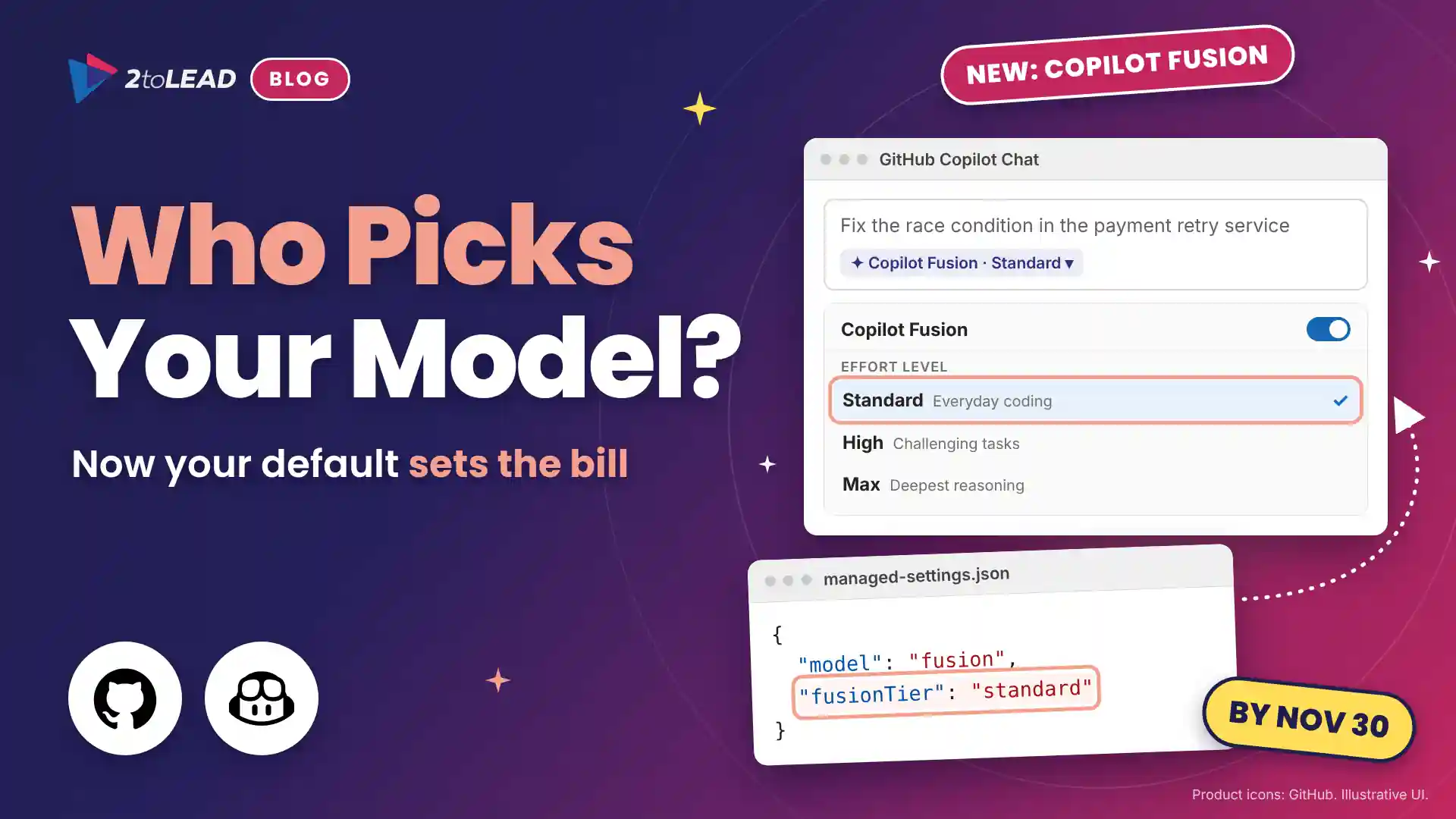
TL;DR: GitHub Copilot Fusion is now generally available. Instead of picking a model, developers pick an effort level and Copilot routes each prompt across one or more models. Each model still bills at its own rate, with a 30% discount through November 30, 2026. Before then, set the model pool, the default effort level and budgets.
Your developers no longer have to choose an AI model, and that moves the decision onto your desk. On October 28, 2026, GitHub made GitHub Copilot Fusion generally available on every Copilot plan in Visual Studio Code, the GitHub Copilot app, GitHub Copilot CLI and JetBrains IDEs. The 30% discount on Fusion model costs runs through November 30, which makes November the cheapest month to pilot it and set your defaults.
GitHub Copilot Fusion is a runtime model router and orchestrator: it chooses the models and the execution pattern for each prompt, runs them, and returns a single response. In GitHub's announcement, AT&T describes a pattern every engineering leader will recognize: developers pick a powerful model for a hard task and forget to switch back for routine work. Fusion removes that friction, and with it the developer as the person who decides what each prompt costs.
Choosing a model was a habit. Choosing a default is a policy.
We made the same argument when frontier models reached Copilot Studio: model choice is now a governance decision. Fusion makes that true for every developer in your enterprise.
Fusion replaces per-task model choice with effort levels, adds admin controls for its model pool and default, and bills each model it uses at standard rates. Here is each change, its timing and what it means for you.
The developer chooses an effort level, and Fusion chooses the models and an execution pattern for each prompt. Different prompts in the same session can take different paths.
Behind each effort level sit three execution patterns:
Critique applies a principle we explored in treating AI models as insider risks: no model should be the only check on its own work. Developers can hover over the effort level under a response to see which models ran.
One detail belongs in every developer briefing: if Fusion discards a draft, file edits it already made aren't undone, so review changes before committing. GitHub reports that Fusion Max scored 60 on the Artificial Analysis Coding Agent Index, within two points of a leading frontier coding agent, at about half the cost per task. Treat that as vendor data and test it on your own code.
GitHub Copilot Fusion has no charge of its own: you pay for each model it uses, at that model's standard rate, in GitHub AI Credits. Because Fusion High and Fusion Max can use more than one model, a task can cost more than it would on Fusion Standard.
The default matters most for one group. GitHub Enterprise customers working with a GitHub or Microsoft account team can now get Copilot access included, with no monthly credits, so every request draws on your budget from the first prompt. It is the same lesson Microsoft 365 Copilot leaders are learning: a meter needs a business owner, not just an admin setting.
It turns model choice from a developer habit into an admin policy, and that policy now sets your AI coding bill and your data exposure. Three things change.
If your teams already use agent mode for work like upgrading Java and .NET applications with GitHub Copilot, Fusion High is likely to become their working default. In healthcare and financial services, check the pool against your approved vendor list first.
Start everyone on Fusion Standard, give Fusion High to the teams whose work justifies it, and treat Fusion Max as a request, not a default. Use this policy map as your starting point and give every row an owner.
Make six moves, most of them a few hours each: name owners, set the model pool, set the default, set budgets, brief developers and measure a November pilot while the discount applies.
managed-settings.json, set "model": "fusion" and "fusionTier": { "overridable": "standard" }, then give selected enterprise teams "fusionTier": "high" in their own settings file. The setting needs Visual Studio Code 1.144.0, GitHub Copilot CLI 1.0.104-3 or GitHub Copilot app 1.1.33-4 or later.Microsoft 365 leaders face the same pattern in the Copilot Studio harness, where harness choice is a design decision, not a toggle. Defaults set early tend to stick.
Compare AI credits per developer and per task before and after the default changes, then count the rework hours that review patterns avoid. Here is an illustrative example; replace every figure with your own.
A 150-developer team on Copilot Business shares a pool of 285,000 AI credits a month, worth $2,850. Each developer runs about 60 chat and agent tasks a month, or 9,000 tasks. Today most developers leave a powerful model selected, at an assumed 60 credits a task: 540,000 credits, so 255,000 credits ($2,550) a month is billed above the pool.
With Fusion Standard as the default and full model rates, assume 75% of tasks are everyday work routed to versatile models at 25 credits each, and the other 25% run on Fusion High at 75 credits each because review steps add calls. That totals 337,500 credits, and the overage falls to 52,500 credits ($525). The meter drops by about 38%, and spend above the pool falls by $2,025 a month, about $24,300 a year.
Now the hours. Assume Fusion High's review catches a problem on 1 in 10 hard tasks that would otherwise cost a developer 30 minutes of rework. That is 225 tasks, or about 112 hours a month: roughly $10,100 at a $90 loaded hourly cost.
Track four numbers monthly: AI credits per developer, the share of prompts by effort level, credits per merged pull request and changes reverted after merge. Report them alongside the Copilot adoption metrics that prove value so finance sees one story across Microsoft 365 Copilot and GitHub Copilot.
The short answers: it is a model router, it bills per model, admins can make it the default and it only uses models you allow.
GitHub Copilot Fusion is a runtime model router and orchestrator in GitHub Copilot. Developers choose an effort level instead of a model, and Fusion picks the models and an execution pattern (Single, Cascade or Critique) for each prompt, then returns one response.
There is no separate charge for Copilot Fusion. You pay for each model it uses at that model's standard rate in GitHub AI Credits, and Fusion High or Fusion Max can use more credits per task. Through November 30, 2026, paid plans get a 30% discount on model costs.
Yes. In enterprise managed settings, set model to fusion and fusionTier to standard, high or max. A fusionTier value locks the effort level, or you can make it overridable so enterprise teams set their own. Users can still pick a different model per conversation.
No. Fusion only chooses from models enabled in your enterprise and organization model policies and your plan. Enterprise administrators can also disable a model for Fusion alone under Configure Copilot Fusion models, without disabling it for everyone.
2toLead helps organizations in healthcare, nonprofit, education, financial services, professional services, government and manufacturing turn AI spend into governed, measurable outcomes. In a fixed-scope, two-week Copilot Fusion Cost Sprint, our Microsoft MVP team will:
For the full feature details, read GitHub's documentation on Copilot Fusion.
For every other date landing before March, our Microsoft 365 quarterly newsletter for November 2026 maps each deadline to an owner.
Find more practical guidance on the 2toLead Insights hub, or book a Copilot Fusion Cost Sprint.
No hype. Just practical, governed AI that actually gets adopted.
Copilot licences bought, usage flat, ROI unproven? Three ways we help:
A global nonprofit turned Copilot licences into 1,115.6 hours saved and $83.7K in productivity value.
Read the case study →Copilot can surface what people shouldn't see. Three ways we help:
A professional organization built a Purview-based foundation for secure AI adoption with 2toLead.
Read the case study →


Join Our Newsletter