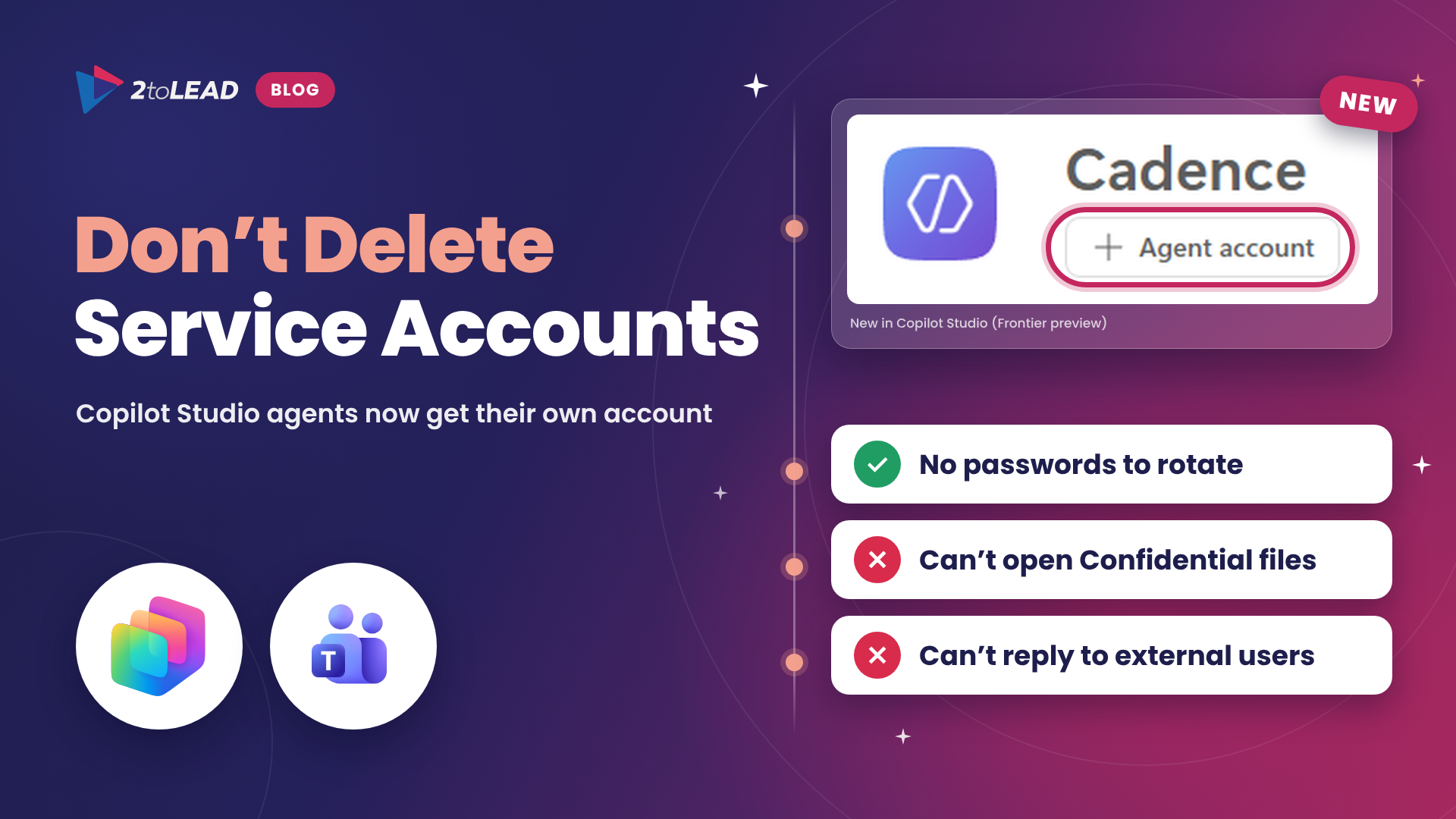
TL;DR: A Copilot Studio agent can now get its own Microsoft 365 account, with its own Microsoft Entra identity, mailbox, Teams presence and directory entry. It is a Frontier preview feature, and it trades one set of problems for another. Agent accounts remove passwords and MFA rotation, but today they cannot read documents labelled Confidential or Internal Only, they do not respond to anyone outside your tenant, they keep one shared memory across everyone they talk to, and they need E5 plus Agent 365 (or E7) for the maker and a Microsoft 365 Frontier for AI Teammates license for each agent. If your agent talks to customers on Gmail or needs Confidential SharePoint content, keep it on a service account for now and lock that account down.
Microsoft has published new guidance, Give your agent an account (Frontier), that lets makers give a Copilot Studio agent its own identity in Microsoft 365. It is the clearest sign yet that agents are becoming members of the organization rather than features inside an app.
There is no retirement date forcing your hand here, and that is exactly why you need to set your own. When a capability like this lands, someone on the team will propose deleting every agent service account to clean things up. Before that conversation happens, decide which agents move, which stay and how you will govern both. This article gives you the comparison, the limits Microsoft documents today and a plan you can run this quarter.
Until now, most organizations that wanted an agent to send email, sit in Teams or work on files did it with a service account: a regular user account, a password, MFA and a license, shared by whoever built the agent. An agent account replaces that pattern with an identity that Microsoft issues and governs. When you publish the agent, Copilot Studio provisions a mailbox, Teams presence, directory entry and Microsoft Entra Agent IDs, and the account is marked in the directory as an AI agent that reports to its maker.
Here is how the two options compare today.
Swipe horizontally to compare a service account with an agent account.
| What you care about | Service account | Agent account (Frontier preview) |
|---|---|---|
| Sign-in and credentials | A password and MFA that someone has to rotate, store and recover. | No password. Microsoft issues the tokens, MFA does not apply, and you govern the identity with Conditional Access. |
| Files labelled Confidential or Internal Only | Can open them if the account has been granted access. | Cannot read protected documents. Microsoft says not to relabel content as a workaround. |
| People outside your organization | Can email and work with external contacts, including Gmail users. | Does not respond to anyone outside the tenant. No workaround in this preview. |
| Email audience | Normal mailbox behaviour. | Responds only in email conversations with up to 250 people. |
| Working on documents | Can edit existing files like any user. | Can generate new documents. Co-authoring and targeted edits are not supported yet. |
| Memory | No shared memory of its own. | One shared memory across everyone it works with. Summaries can surface to users without access to the source, regardless of label. |
| Identity and audit | Looks like a person in logs. Ownership is often unclear. | Marked as an AI agent in Entra, reports to its maker and is governed in Agent 365. |
| Licensing | Uses a license you already have. | Maker needs E5 plus Agent 365, or E7. Each agent uses a Microsoft 365 Frontier for AI Teammates license. Copilot Credits apply for usage. |
| Availability | Generally available. | Frontier preview in early release environments, with no specific SLA. |
What is not changing: agents that only call tools, run in the background or act on behalf of a signed-in user do not need a user account at all. Microsoft's own guidance is to add one only when the agent genuinely needs a mailbox, Teams presence or other user-based Microsoft 365 experiences. For a deeper look at who needs which license to govern agents, read Agent Identity Governance Licensing: Why Your E3 and E5 Tenants Cannot Govern Agents.
The headline comparison is only part of the story. These details from Microsoft's documentation will shape your design more than the headline does.
Service accounts were always a workaround. They look like people in your audit logs, their passwords end up in a password manager that three makers share, and when the builder leaves, nobody is sure who owns the account. Agent accounts fix that problem at the root. Every agent becomes a visible, sponsored identity that you can govern with Conditional Access and Agent 365 instead of with password policies that were designed for humans.
The trade-off is that the new model enforces your data protection more strictly than your old workaround did. That is good news for security and a surprise for anyone whose agent quietly depended on reading a Confidential site. Leaders should expect three conversations:
Some sectors have specific considerations:
An agent account carries real cost: the maker's E5 plus Agent 365 or E7 license, one Microsoft 365 Frontier for AI Teammates license per agent, Copilot Credits for usage and the admin time to run a preview. A service account has costs too, just less visible ones: a license, credential rotation, help desk time when MFA breaks and the risk carried by a shared password.
Compare both on one simple scorecard:
For example, an execution-review agent that saves a program manager three hours a week returns roughly 150 hours a year. If the same agent also retires a shared service account that needed monthly attention, that is time and risk you can put a number on. If an agent account cannot do the job because of a documented limit, record that too. It tells you exactly what to retest when the preview changes.
For the broader picture of what E7 bundles and when it pays off, read Microsoft 365 E7 (The Frontier Suite): What You Get and Why Agents Change Everything. To turn usage signals into an ROI story leadership will fund, see Beyond 'Active Users': The Copilot Adoption Metrics That Actually Prove Value.
No. Agent accounts are a Frontier preview with documented limits. Move only the agents that fit those limits, and keep the rest on service accounts that have least access, strong MFA and a named owner.
No. Microsoft states that agents with an account cannot read protected documents, such as files labelled Confidential or Internal Only. Do not downgrade labels to make an agent work. Keep agents that need that content on a governed service account for now.
No. In this preview the agent does not respond to anyone outside its tenant, and Microsoft says there is no workaround. Customer-facing and donor-facing agents should stay on a service account.
Anyone who works with the agent. Shared memory can surface summaries of files and chats to other users, even users without access to the original content, regardless of sensitivity label. Users cannot opt out, and admins can only turn it off by turning off agent accounts.
2toLead helps small and mid-market organizations across healthcare, nonprofit, education, financial services, professional services, government and manufacturing build, govern and measure Copilot Studio agents. Before you change how your agents sign in, we can help you:
For more on Copilot, agents and governance, browse the 2toLead Insights hub. When you are ready, book an agent identity review with our team before anyone deletes a service account.
No hype. Just practical, governed AI that actually gets adopted.


Join Our Newsletter