TL;DR: Copilot Studio agents can now work under their own Microsoft 365 account and remember what they learn between runs. That memory is shared across everyone who uses the agent, so a detail one person mentions can shape answers for colleagues. Both features are rolling out through the Frontier program now, with more controls planned in the coming months. Treat the next 60 days as your design window: write a memory policy, assign every agent an owner, set cost limits on triggered work and decide how you will measure value before you scale.
On October 15, 2026, Microsoft announced that Copilot Studio agents are becoming more persistent and proactive. Agents get their own accounts, they can start work from an email or a schedule, and they keep business process memory from one cycle to the next. There is no retirement date here. The deadline is the one you set: Microsoft says more access, cost and lifecycle controls are coming over the next few months, and Microsoft Ignite runs November 17 to 20. Teams that decide their rules before then will roll out with confidence. Teams that wait will be cleaning up after agents that already remember too much.
We covered the identity side in detail in Copilot Studio Agent Accounts vs Service Accounts. This article focuses on what changes when those agents also remember, and how to tie the whole thing to measurable value.
Here is what Microsoft announced and what each change means in practice.
Swipe horizontally to see each change.
| Capability | What Microsoft announced | What it means for you |
|---|---|---|
| Agent accounts | Agents work in Microsoft 365 with their own credentials. People reach them in Teams and Outlook and can @mention them in Word, Excel and PowerPoint comments. | Every action is attributed to the agent, not a person. You need an owner, a manager relationship and Conditional Access for each one. |
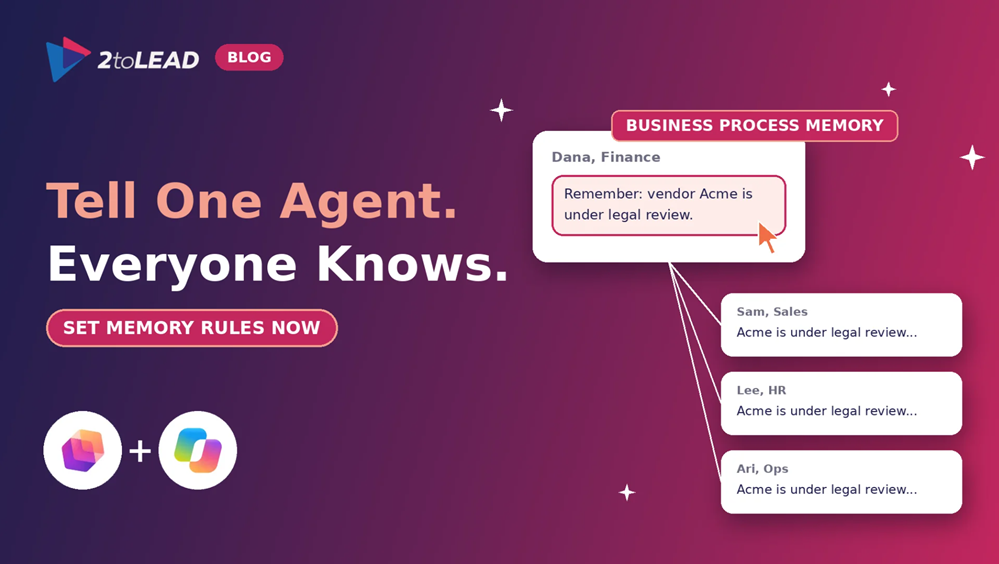
| Business process memory | Agents carry user preferences and business process context into each new cycle. A point one person raises becomes a shared resource for everyone who uses the agent. | Memory is shared across users. Something one employee tells the agent can shape answers for colleagues who never had access to the original source. |
| Maker controls on memory | Makers guide how retained context is used through instructions and decide which business records and policies are authoritative. Saved memories can be viewed and deleted. | Memory needs a written policy, a named reviewer and a review cadence, the same as any shared knowledge source. |
| Triggers | An external signal, such as an email, or a set cadence starts the agent's work without a prompt. | Agents now act while nobody is watching. Logging, cost limits and a stop switch matter more than before. |
| Coming months | A browser-enabled cloud computer for agents, agent refinements that suggest improvements, and more access, quality, cost and lifecycle controls. | Build your governance now so new capabilities land on a controlled foundation. |
| Availability | Rolling out now through the Frontier program, with new capabilities arriving soon. | Pilot in Frontier with low-risk processes. Do not scale until your controls are proven. |
Most Microsoft 365 permissions are built around people. A file is shared with a person, a site belongs to a group, and Copilot respects those boundaries when it answers. Shared business process memory works differently. When one user teaches the agent something, Microsoft describes it as becoming a shared resource for everyone else. That is useful for a recurring process like invoice review or onboarding. It is a risk when someone shares a detail that was never meant for the wider group.
Three practical consequences follow:
A short policy beats a long one that nobody reads. Use this starter table with each agent owner.
Swipe horizontally to see what to remember and what to keep out.
| Area | Fine for the agent to remember | Keep out of memory |
|---|---|---|
| Process preferences | Formatting, routing order, preferred templates, approval sequence | Personal opinions about individual people |
| Policy and rules | Pointers to the current policy in SharePoint or Dataverse | Paraphrased policy that could go stale |
| Client or case context | Status of a shared, non-confidential workflow step | Client matters, patient details, student records, donor financial data |
| Exceptions | That an exception process exists and who approves it | The details of one person's exception |
If your agent will run on the GitHub Copilot harness to use triggers, read Harness Choice Is a Design Decision, Not a Toggle before you build. Agents that read email are also exposed to prompt injection, so test that before you switch on email triggers.
Persistent agents consume Copilot Credits every cycle, and the maker and agent licenses add fixed cost. Set your baseline before the pilot starts so you can prove the return, not guess at it.
A simple rule of thumb: if the value of hours returned does not exceed licenses plus credits within 90 days, adjust the process or retire the agent. Our guide to Copilot adoption metrics that prove value shows how to build the scorecard.
No. Microsoft describes memory as shared, so a point one person raises becomes available to everyone who uses the agent. Plan as if anything in memory can be seen by every user of that agent.
Makers can view and delete saved memories, and they control how memory is used through the agent's instructions. Build a monthly review into the owner's responsibilities rather than relying on one-off cleanups.
Not yet. Both are rolling out through the Microsoft Frontier program, and Microsoft says further access, quality, cost and lifecycle controls are planned over the coming months. Pilot now and scale once those controls arrive.
Triggers are available in the GitHub Copilot harness and let an email or a schedule start the agent's cycle. Agent accounts are a separate capability that gives the agent its own identity. Many organizations will use them together, but decide each on its own merits.
2toLead helps nonprofit, education, government, healthcare, financial services and professional services organizations put agents to work with governance that holds up. In an Agent Memory and Identity Readiness Review, our Microsoft MVP team will:
Explore more practical guidance on the 2toLead Insights hub, or talk to our team about governing agent memory and identity.
No hype. Just practical, governed AI that actually gets adopted.


Join Our Newsletter