Copilot Credits now power Cowork, Code and agents. See what your licence covers, what costs extra and how FinOps for AI keeps spend in check.
Finance used to count seats. Now it has to count work.
Microsoft Copilot pricing now has two parts: a per-user licence for everyday AI, and Copilot Credits for advanced work such as Cowork, Code and agents. This guide is the cost-modelling and operating view of Copilot Credits pricing. It shows how to estimate spend, who should own it and how to control it.
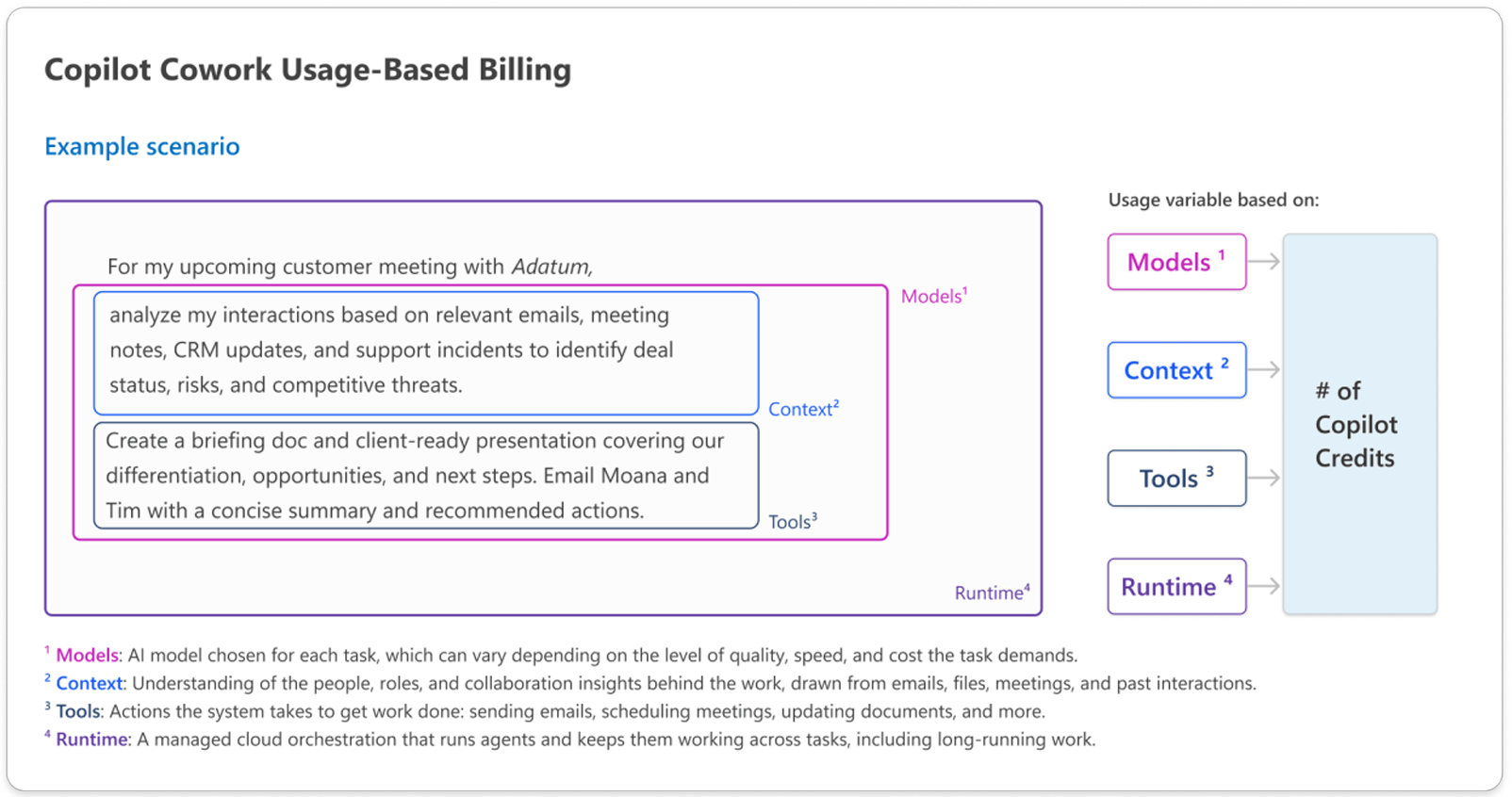
Copilot Credits are the common currency Microsoft uses to meter advanced AI work. They are pooled at the tenant level, and the number consumed depends on how complex the task is. Your total cost is the sum of credits used across every supported experience.
Everyday AI stays on the per-user licence. Long-running, agentic and API-driven work is metered. Here is how Microsoft's Copilot Credits Guide draws the line.
Swipe horizontally to view all columns.
Apps built in Cowork or Code add a separate licence decision, which we cover in Power Apps Premium vs Copilot Credits. To match each job to the right experience, read our Copilot Chat vs Cowork vs Code vs Autopilot guide.
Pay-as-you-go Copilot Credits pricing is $0.01 per credit, billed in arrears at the end of the billing month. There is no upfront commitment.
The alternative is the Copilot Credit Pre-Purchase Plan (P3), a one-year, pay-upfront pool of credits. Discounts run from 5% at 300,000 credits to 20% at 300,000,000. If you use more than you bought, you can add credits or fall back to pay-as-you-go. Unused credits expire at the end of the annual term, so size the pool to usage you have measured, not usage you hope for.
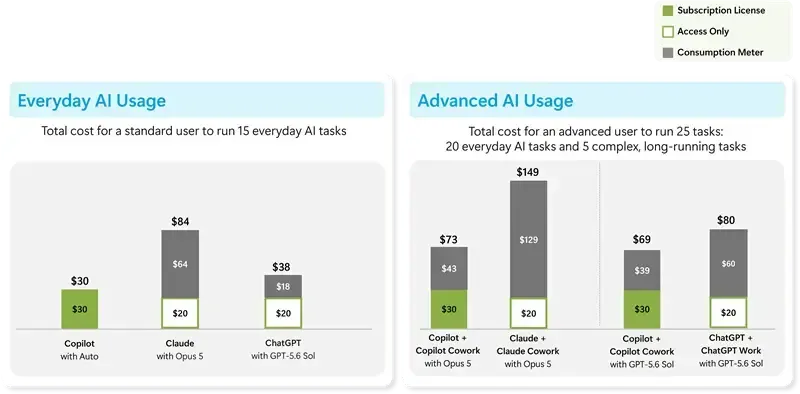
The per-user view helps finance most. In Microsoft's own example, a standard user costs $30 a month. An advanced Cowork user costs $69 to $73, of which $39 to $43 is consumption.
Microsoft publishes rough planning estimates by task size. Treat them as planning ranges, not quotes. The dollar figures apply the $0.01 pay-as-you-go rate.
Swipe horizontally to view all columns.
A light Cowork task is a weekly status update. A medium task is a customer briefing with a document, workbook and deck. A heavy task is six months of usage data analysed into a leadership report.
To model spend, group users by persona, estimate light, medium and heavy tasks per month, and multiply by average credits. For example, 100 advanced users running eight medium tasks a month at 500 credits each consume 400,000 credits, or $4,000. That is our illustration, not a Microsoft quote. Microsoft also offers a Copilot Credit Estimator for Cowork. Its guide does not yet publish bands for Autopilot, so treat Autopilot pricing as to be confirmed.

FinOps for AI is the discipline of managing AI spend and tying it to business value. It works only when finance, IT, business leaders and makers share it.
Three questions drive it: what are we spending, which services drive usage, and what do we get back?
Credits turn those questions into a monthly habit: forecast, set guardrails, measure, adjust.
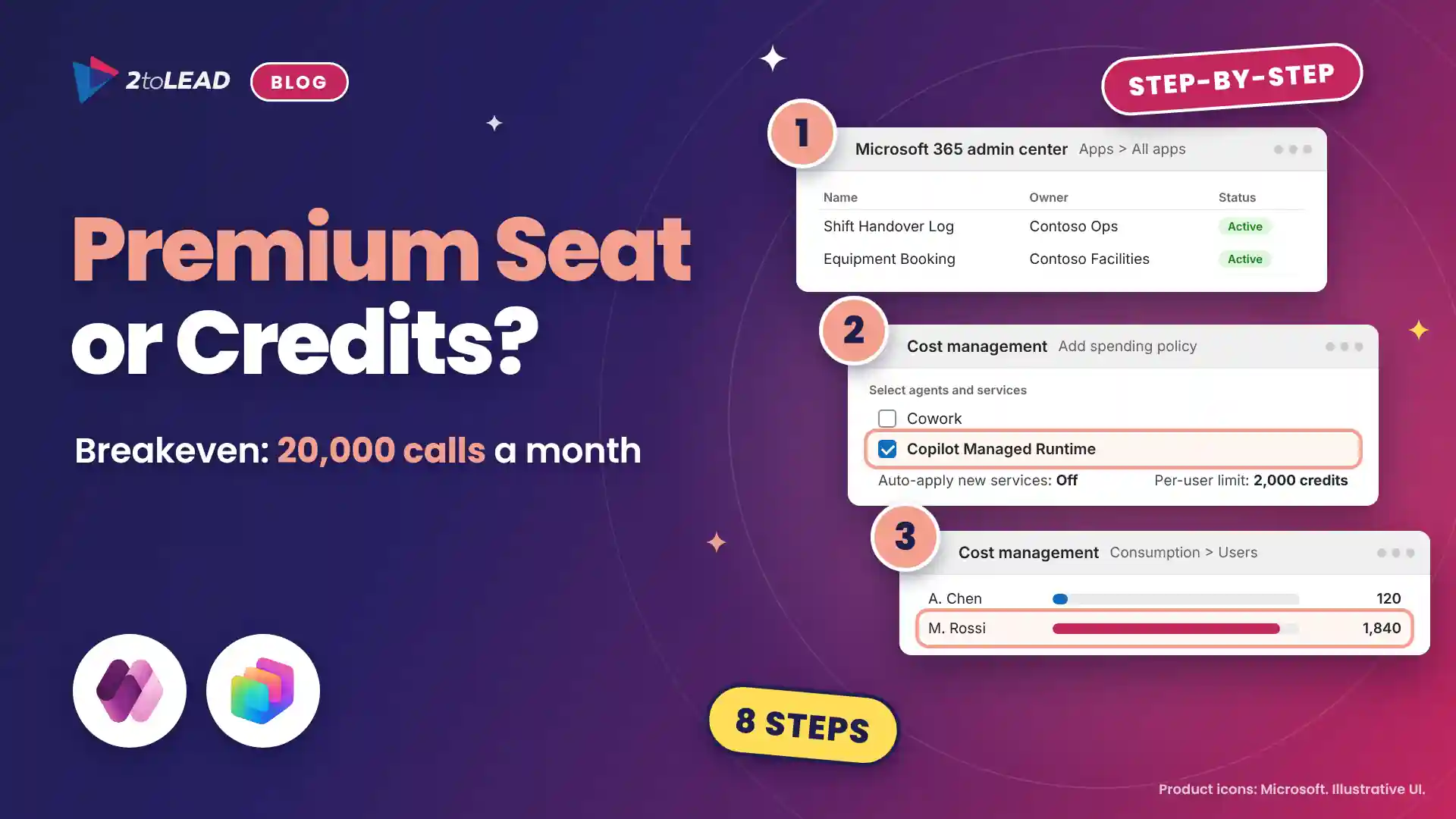
Start under Copilot, then Cost management. It is the central place to govern and monitor usage-based AI.
Usage-based services are off by default, so nobody consumes credits until an admin creates a policy. Policies can limit access to chosen users and groups, set caps at tenant, group and user level, and route departmental billing through separate Azure subscriptions or resource groups.
One gotcha: the Auto-apply new services setting is on by default, so future Copilot services and agents inherit your existing policies. Turn it off where you want to review additions first.
Set alerts so the first signal is not the invoice. Admins can be notified as spend nears a threshold, and users can receive their own threshold notifications. Finance can review consumption by policy, user, group, agent and service with read-only roles that cannot change policies.
Users can type /cost in Cowork to see approximate credits for the open task, credits used this month and credits remaining. It costs nothing to run. It is an estimate for the current billing cycle, not a billing record, and it cannot price a task before you run it.
Admins can manage policies and read consumption through the Cost Management API in Microsoft Graph. It is still in beta and not supported for production use, and it reports credits only, with no prices or invoices.
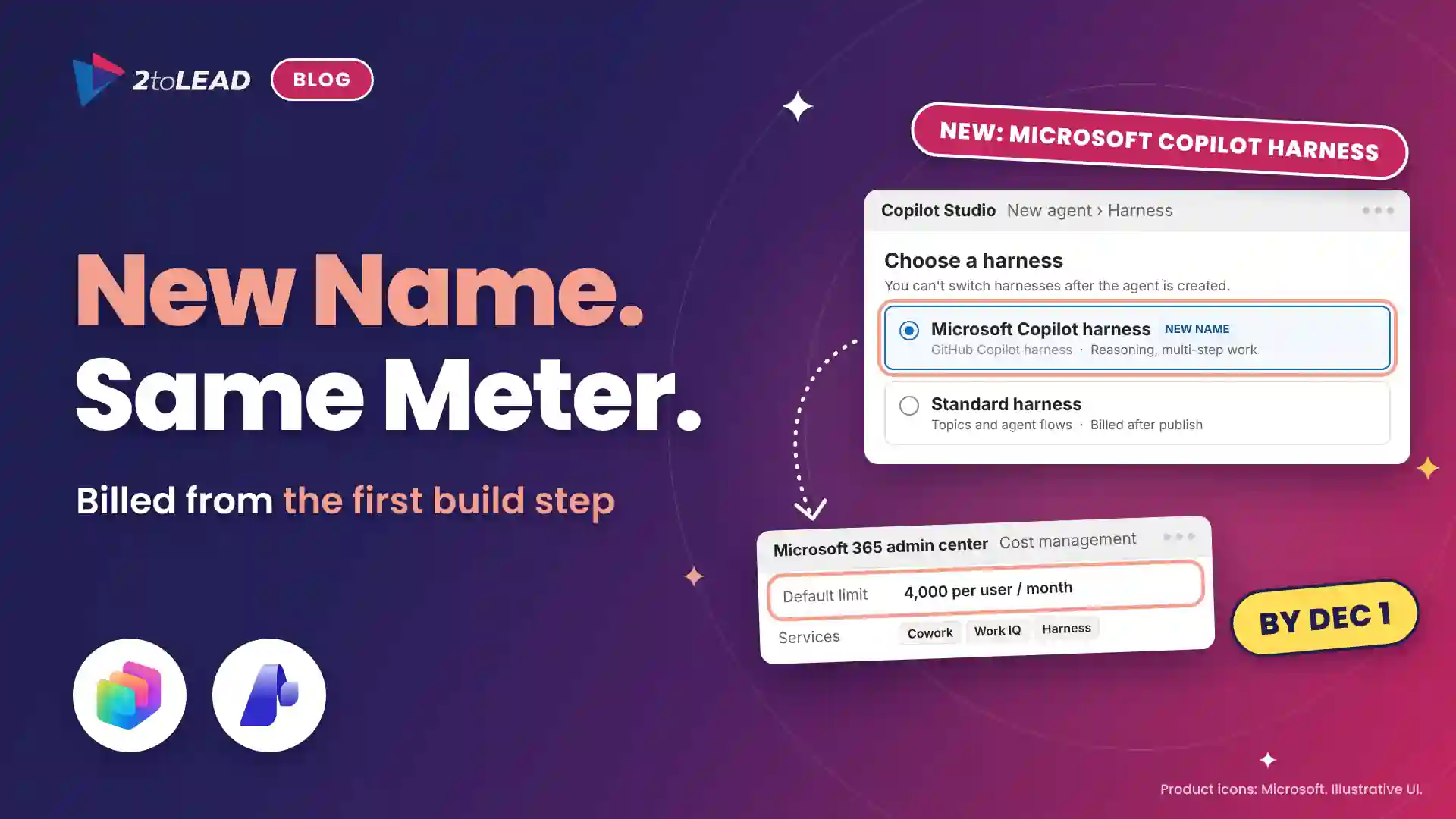
From December 1, 2026, new Copilot Business licences bought through CSP partners arrive with usage-based billing on and a default limit of 4,000 credits per user per month, or up to $40 at $0.01 a credit. Existing subscriptions are unchanged. Our Microsoft 365 Copilot licensing changes guide covers the dates and offers.
Split the roles so nobody assumes someone else is watching the meter.
We explain why every meter needs a named owner in Copilot Credits: Who Owns the Meter After December 1? For the wider structure, see why Copilot and agent governance fails without an operating model.
No. Copilot Chat and Copilot in Word, Excel, PowerPoint, Outlook and Teams stay on the per-user licence. Agents on the Standard and Copilot Chat harnesses are also included for licensed users in Microsoft channels, within fair usage limits.
Yes, in two ways. A user's monthly limit resets each month and does not carry over. Prepaid P3 credits expire at the end of the annual term. Pay-as-you-go bills only the credits consumed.
Yes. Create group-level policies with user-level caps, then associate each policy with the right Azure subscription or resource group for departmental billing.
Type /cost in Cowork for an approximate credit count. For official figures, use Cost management in the Microsoft 365 admin center.
Spending controls work best inside a wider governance model. Our AI Governance Assessment reviews Purview, Entra and Power Platform settings against how people actually use Copilot and agents. Book a 30-minute call to find your starting point.
Agent ideas everywhere, nothing in production? Three ways we help:
A regulated health system turned its legal contract playbook into a governed Copilot agent that reviews real contracts every day.
Read the case study →


Join Our Newsletter