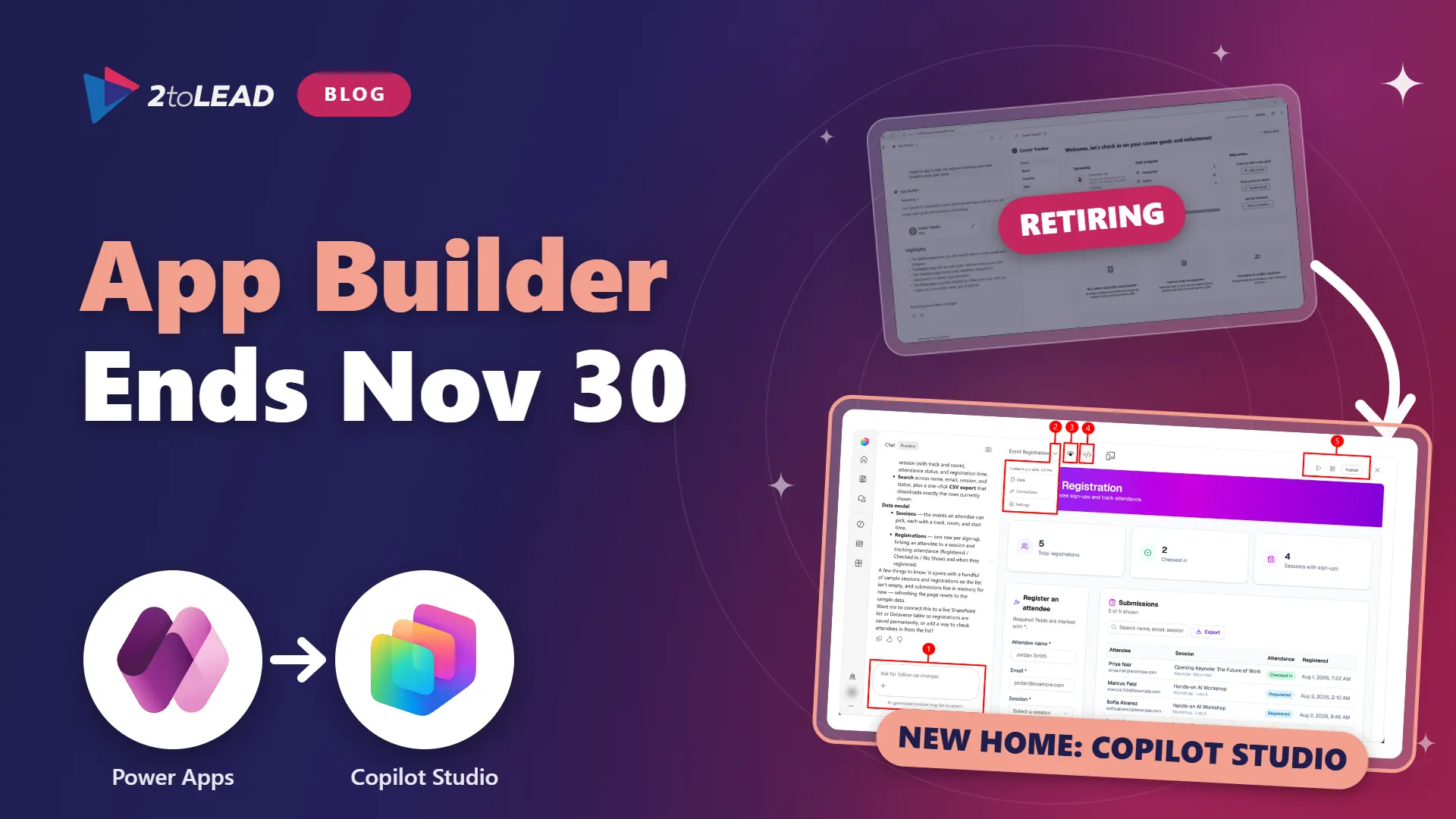
TL;DR: Microsoft is retiring the App Builder agent in Microsoft 365 Copilot and the Power Apps vibe experience at vibe.powerapps.com on November 30, 2026 (Message Center post MC1505609). Creating new apps in either tool has already stopped. Existing apps keep working until the retirement date, but apps that are not migrated by November 30 will no longer be accessible through those experiences, and the migration is not automatic. The new home for natural-language apps is Copilot Cowork and Microsoft Copilot Studio, running on Copilot Managed Runtime with Copilot Credit billing. Use the next six weeks to find every app, confirm where its data lives, keep only the apps that earn their place and move them into a governed, measured home.
On October 12, 2026, Microsoft notified Microsoft 365 administrators in Message Center post MC1505609 that the App Builder agent and vibe.powerapps.com are being retired. The hard date is November 30, 2026. That leaves roughly six weeks, and the U.S. Thanksgiving week and end-of-quarter work both land inside that window.
For many small and mid-market organizations, App Builder was the first place a business user turned a Copilot chat into a working app. A project tracker. A volunteer sign-up form. A site inspection checklist. Those apps were fast to build, which also means many of them were never registered, reviewed or assigned a backup owner. This retirement is a forced inventory, and a useful one.
If you need a refresher on where App Builder sat next to Power Apps and code apps, our earlier guide, Microsoft 365 App Builder vs. Power Apps vs. Code Apps: Which Should You Choose?, explains the trade-offs.
Microsoft is consolidating natural-language app creation into two experiences: apps in Copilot Cowork and apps in Microsoft Copilot Studio. Here are the key dates from MC1505609 and the related announcements, and what each one means for you.
Swipe horizontally to view each date, change and what it means.
| Date | What changes | What it means for you |
|---|---|---|
| September 8, 2026 | Apps in Copilot Cowork become available in preview through the Frontier program. | Cowork is one destination, but only for users with a Microsoft 365 Copilot license and Frontier access. |
| Early October 2026 | Apps in Microsoft Copilot Studio begin rolling out in public preview, enabled by default for eligible makers. | Makers can already build here. Decide now who is allowed to, and in which environments. |
| October 12, 2026 | Microsoft publishes MC1505609, tagged as a retirement with user and admin impact. | This is your formal notice. Start the inventory and maker communication this week. |
| Mid-October 2026 | Creating new apps in App Builder and vibe.powerapps.com stops. In-product migration becomes available. | New requests must go to Cowork, Copilot Studio or Power Apps. Existing apps can be opened to start migration. |
| November 30, 2026 | The App Builder agent and vibe.powerapps.com are retired. | Apps that were not migrated are no longer accessible through these experiences. |
What is not changing: this retirement covers two specific AI app-building tools, not Power Apps. Canvas apps, model-driven apps, Power Pages and the rest of Power Platform are not part of MC1505609. Microsoft's app-building announcement for Cowork and Copilot Studio also states that it does not affect other resources created in Power Platform or Copilot Studio.
The replacement path is Copilot Cowork or Copilot Studio. In Cowork, users describe an app in a chat using the app skill, which is available through the Frontier program. In Copilot Studio, makers choose App (Preview) from the home page and describe the users, data and actions they need. Apps built in Cowork can be opened and further edited in Copilot Studio, and the Copilot Studio experience is enabled by default for eligible makers.
Both experiences publish to Copilot Managed Runtime, which entered public preview in late September 2026. That runtime is the real change for IT leaders:
For a deeper look at how apps, workflows and agents now fit together in Copilot Studio, read Copilot Studio Apps, Workflows and Agents: IT Leader's Guide. If your team is still sorting out when to use Cowork at all, Microsoft Copilot Chat vs Cowork vs Code vs Autopilot maps each experience to the work it suits.
The deadline is short, but the bigger issue is what it reveals about how these apps were created.
This is the same pattern we described in Agent Sprawl Is the New Shadow IT. When building gets easy, inventory and ownership have to be designed in, or they never happen.
Some sectors have specific considerations:
These steps hold up best inside a standing governance routine. If you do not have one yet, Establishing a Power Platform Center of Excellence shows how to build one that covers apps, flows and agents together.
Under App Builder, apps looked free because the Microsoft 365 Copilot license covered them. In the new model, every app consumes Copilot Credits to build and to run. For organizations buying Copilot Business, usage-based billing is also switched on by default for new licenses from December 1, 2026, with a default spending cap per user. Our Microsoft 365 Copilot Licensing Changes: December 2026 Guide covers those defaults.
That makes this retirement the right moment to put a simple scorecard on every app you keep:
For example, a site inspection app used by 20 field staff to log 200 inspections a month, each saving about 10 minutes of paperwork, returns roughly 33 hours a month. That is easy to weigh against its credit consumption. An app opened twice last quarter by its own maker is a retirement candidate, however clever it was.
Review the scorecard quarterly and fund what pays back. Beyond 'Active Users': The Copilot Adoption Metrics That Actually Prove Value shows how to turn these signals into an ROI story leadership will support.
No. Existing apps keep working until the retirement date, and you can open them to start the in-product migration once it reaches your tenant. Only the creation of new apps has stopped.
The notice says unmigrated apps will no longer be accessible through the retired experiences. It does not say what happens to the underlying SharePoint lists or Dataverse tables. Treat that data as at risk: record where it lives and export anything important before November 30.
No. MC1505609 covers only the App Builder agent in Microsoft 365 Copilot and vibe.powerapps.com. Canvas apps, model-driven apps and the rest of Power Platform are not affected.
Building and running apps in the new experiences consumes Copilot Credits, so you need usage-based billing or a credit capacity in place. Cowork apps also require a Microsoft 365 Copilot license and Frontier enrollment. Confirm the right mix with your licensing partner before you migrate.
2toLead works with small and mid-market organizations across healthcare, nonprofit, education, financial services, professional services, government and manufacturing to build, govern and measure apps and agents on Microsoft 365 and Power Platform. Before November 30, we can help you:
For more on Copilot, agents and governance, browse the 2toLead Insights hub. If you would like a second set of eyes on your app inventory, book an App Builder migration review with our team before the November 30 retirement.
No hype. Just practical, governed AI that actually gets adopted.


Join Our Newsletter