March is when we spring forward and this year, that's more than a clock adjustment. It's the moment to accelerate how your people create, connect, and deliver value.
SharePoint just turned 25, and instead of nostalgia, we're celebrating its evolution into the knowledge engine powering every Copilot conversation and agent action across your organization. You'll discover how Viva is transforming events into engagement engines, how leaders can evolve for the AI era, and why SharePoint's latest agentic capabilities are turning intent into working solutions overnight.
We're also spotlighting Teams VDI improvements, Office agents that eliminate the blank page problem, and a curated set of Copilot prompts built specifically for leaders.
Plus, join us March 25 for a live deep-dive on what's actually changing in Microsoft 365, and what you should do about it. Let's turn March momentum into measurable employee experience wins.
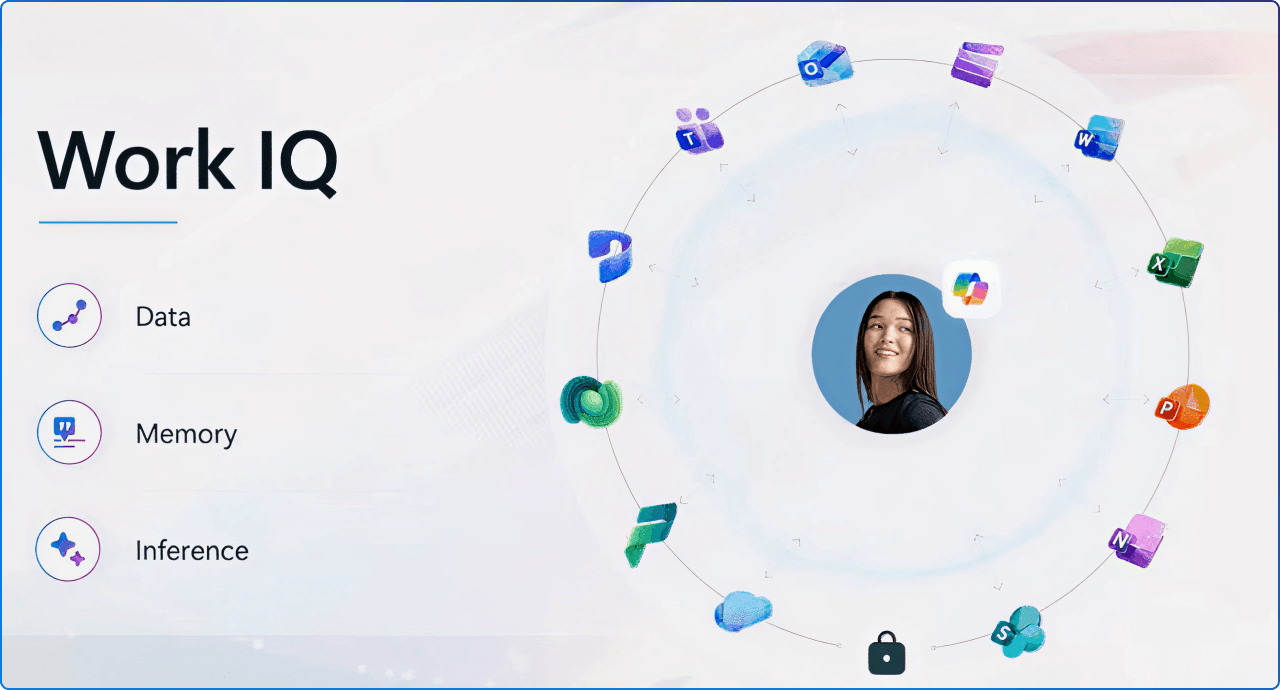
Twenty-five years in, SharePoint isn't slowing down, it's speeding up as the #1 grounding source for Microsoft 365 Copilot.
This article explores how SharePoint evolved from document storage into the intelligence foundation that makes AI contextual, trustworthy, and business-relevant. You'll learn why metadata, permissions, and content structure finally pay dividends when Copilot needs to reason over your organizational knowledge at scale.
We break down the new agentic experiences that let you describe solutions in natural language and watch SharePoint assemble sites, libraries, workflows, and logic that reflect how your business actually operates. Whether you're an IT leader planning AI readiness or a content owner wondering what "AI-ready" really means, this piece connects SharePoint's legacy to your next quarter's outcomes.
Join Microsoft MVPs Kanwal Khipple and Richard Plantt on Wednesday, March 25 at 10:00 AM EST for a fast-paced, insight-driven webinar that separates signal from noise. We'll walk through the most impactful recent updates across SharePoint, Teams, Viva, and Copilot, with a practical lens on how these changes affect real digital workplace and intranet strategies. Expect curated insights on new UX patterns, AI-powered tools for employee experience, and actionable strategies to modernize collaboration without the marketing fluff.
This isn't a feature dump, it's field-tested guidance grounded in what we're seeing work with customers today, complete with live Q&A to address your specific scenarios.
Register now and get the clarity you need to move fast.
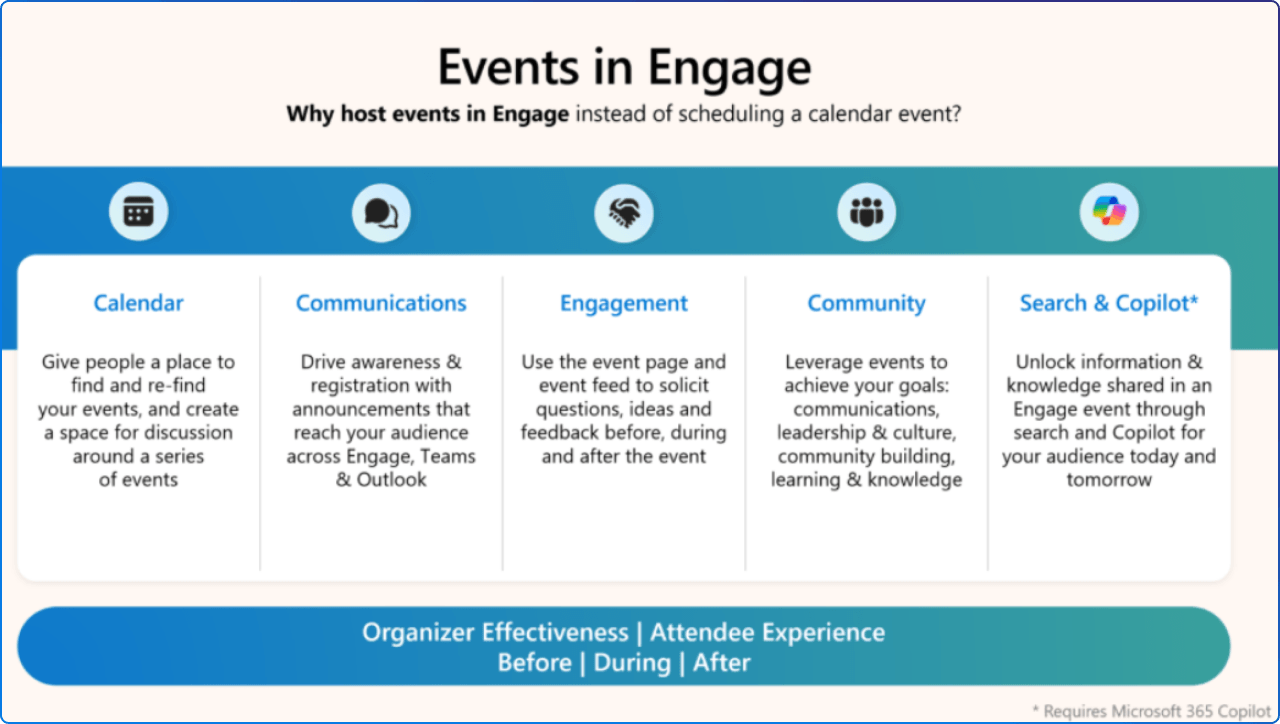
Great events don't just deliver information, they create moments people return to and build on. This Masterclass finale shows you how to design Viva Engage events that drive participation, trust, and momentum before, during, and after the moment. Learn how to use announcements and seeded questions to build anticipation, centralize participation through Q&A and reactions during the session, and keep conversations alive with recordings and searchable recaps afterward.
Whether you're hosting town halls, learning sessions, or office hours, this session turns events from calendar items into ongoing engagement engines that support leadership visibility, culture building, and community connection.
Getting AI value takes more than flipping a switch, it takes shared learning, practical examples, and a place where people build confidence together.
The Copilot Adoption Community in Viva Engage is an out-of-the-box template that brings peer learning, Microsoft-curated content, and real-world success stories into one visible hub. Internal data shows users who engage with this community have +30% more active days on Microsoft 365 Copilot compared to those who don't.
You'll learn how to activate the community in a few clicks, customize suggested content, add experts, and create a cadence that keeps Copilot adoption practical and momentum visible across your organization.
Leadership hasn't changed, but how it shows up in the AI era absolutely has. This research explores how transformational leadership's four core dimensions (intellectual stimulation, individualized consideration, inspirational motivation, and idealized influence) must evolve to support employees navigating AI transformation.
When leaders encourage experimentation, offer personalized support, articulate compelling vision, and model thoughtful AI use, the effects are measurable: nearly doubling employee meta-cognition around AI and boosting trust in agentic AI by 30 percentage points. Yet there's a 28-point gap in perceived support between leaders and individual contributors, a signal that substantive elements of support are getting lost in the rush to adopt AI.
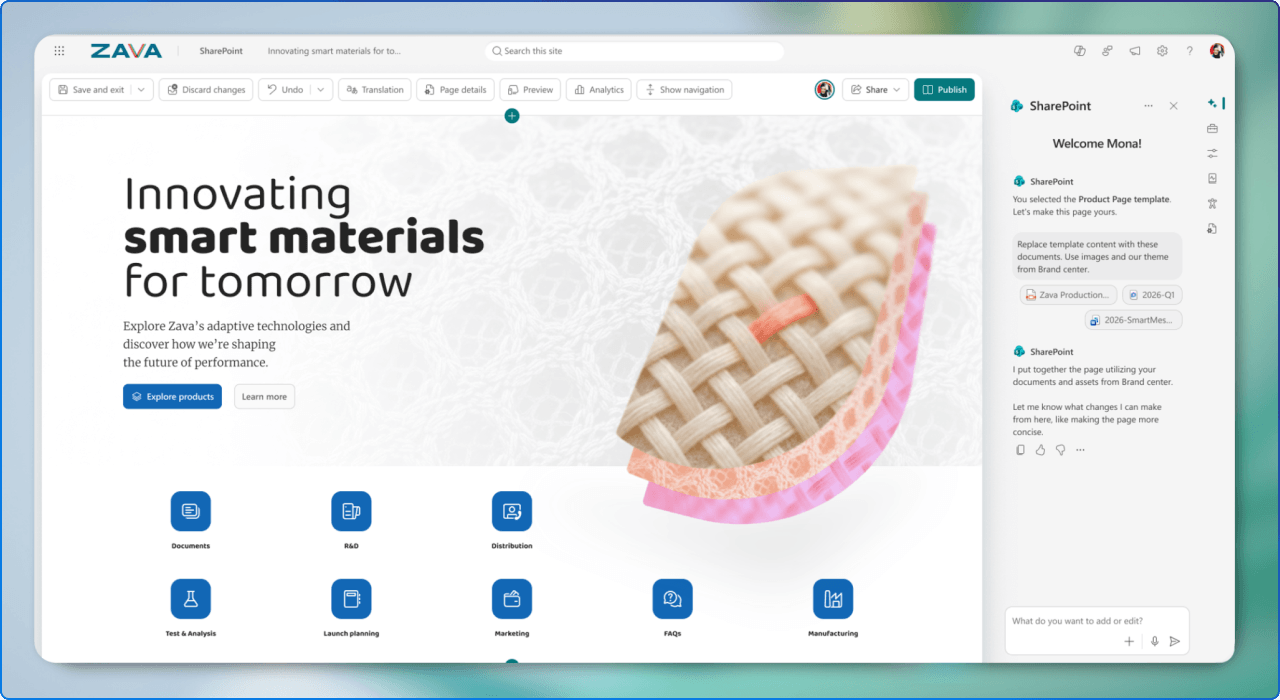
SharePoint recently celebrating its 25th birthday by transforming how teams build solutions. Instead of starting with configuration screens, you now start with intent described in natural language, and SharePoint creates structured plans for sites, pages, lists, and libraries that reflect how your business operates.
The new AI in SharePoint enables multi-turn, collaborative solution building where SharePoint acts like a teammate, asking clarifying questions and iterating with you. Custom AI skills package your organizational standards, terminology, and governance rules, ensuring Copilot and agents operate within your business context rather than generic patterns. This update also includes a refreshed SharePoint experience built around Discover, Publish, and Build; three core jobs people actually need to get done.
Repeatable documents; contracts, reports, letters, statements of work, are critical across industries, yet many organizations struggle with inconsistent creation, inaccurate outputs, and disorganized files. Structured document generation addresses this gap by letting you create AI-assisted templates backed by forms, share those forms to capture inputs, and automatically generate documents that follow the template's structure, formatting, and required fields every time.
AI detects fields automatically, and each submission creates a new document with consistent metadata, downstream workflows, and governance (including retention and sensitivity labels). This native SharePoint and Word integration requires a Microsoft 365 Copilot license to build, but not to generate documents.
Across industries like financial services, healthcare, government, and legal, critical documents still live in legacy systems, isolated from Microsoft 365, disconnected from collaboration, and invisible to AI.
SharePoint Embedded (SPE) is an API-only version of SharePoint delivered as an Azure service that lets developers modernize existing ECM and DMS applications by embedding Microsoft 365 capabilities (Copilot, Purview, Office collaboration) directly into their solutions.
Documents remain securely inside Microsoft 365 tenants, governance aligns with existing enterprise controls, and collaboration happens through trusted experiences. This showcase features LexisNexis, who built a reusable document services layer designed to support multiple legal solutions while keeping customer data firmly within Microsoft 365.

If you run Teams in VDI, there's a major architectural shift underway. The legacy WebRTC-based VDI optimization is being retired, and the new SlimCore-based optimization (VDI 2.0) is becoming the standard. This new architecture uses the same media engine as the native Teams desktop client, unlocking features like 3x3 and 7x7 gallery view, 1080p, hardware acceleration, QoS, noise suppression, and advanced telephony capabilities.
Customers report significantly reduced call setup times ("a game changer"), better monitoring through Teams Admin Center and Call Quality Dashboard, and simplified operational complexity. The article includes a quick-start checklist, common pitfalls, prerequisite validation, and timelines: End of Support October 1, 2026, and End of Availability April 1, 2027.
Join the next Champion Community Call on March 24, 2026 to dive into PowerPoint: creation in Copilot and agent mode.
You must register to receive the link to join, this is now in Teams webinar format for a more structured experience. These calls start at 5 minutes past the hour (8:05 AM and 5:05 PM PT) and end at the top of the hour, offering live Q&A, product insights, and practical guidance. While the calls are open to everyone, you must be a member of the Microsoft 365 Champion Program to access presentation materials, which are included in the welcome email and monthly newsletter.
The February Champions call featured live demos of Word, Excel, and PowerPoint agents, task-specific AI that turns natural-language intent into finished, professional artifacts, not just drafts.
These agents solve the "blank page" problem by asking clarifying questions (audience, tone, format), supporting multi-turn iteration, and grounding outputs in enterprise data while respecting permissions.
Excel Agent can generate multi-sheet workbooks with formulas, structured models, and dashboards; Word Agent creates polished long-form documents like reports, guides, and proposals; PowerPoint Agent builds presentation narratives with visuals. The call included detailed Q&A covering licensing, organizational templates, brand kits, hallucination reduction, governance, and the difference between agents in Copilot Chat versus Agent Mode inside the apps.
The News page is getting a refreshed UX plus Copilot capabilities for licensed users, making organizational news easier to consume and navigate. Expect improved layouts, smarter filtering, and AI-powered summaries that turn long announcements into scannable insights. Why it matters: Better news engagement means fewer "I didn't know" moments and higher readiness for change initiatives.
Tenant admins can now centrally manage SharePoint site branding using PowerShell—enforcing consistent themes, disabling custom branding on specific sites, and auditing changes across the tenant. This closes the gap between brand standards and what sites actually look like, reducing rogue branding and improving visual consistency. Why it matters: Consistent branding builds trust, and trust drives adoption.
OneNote files (.one) now appear in SharePoint site analytics—including "Unique viewers," "Site visits," and "Popular content" when heavily used. This gives visibility into how teams use OneNote as collaboration hubs and knowledge bases, data that was previously invisible. Why it matters: You can't improve what you can't measure—and OneNote usage has been a blind spot.
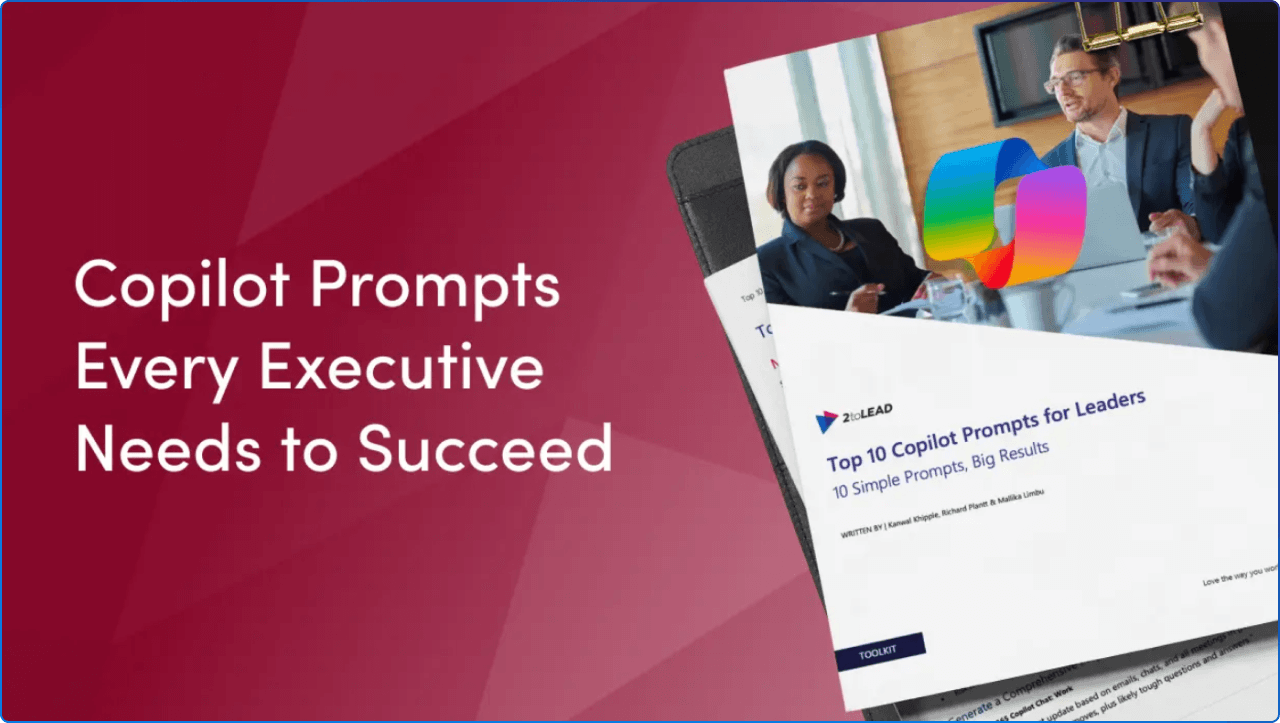
Great prompts turn Copilot from a novelty into a leadership force multiplier. This concise, practical toolkit gives you 10 field-tested prompts mapped to high-impact leadership scenarios: meeting prep and stakeholder insight, status reporting and executive communication, progress tracking and launch forecasting, time-use analysis and prioritization, and strategic planning and goal setting.
Each prompt includes a simple design framework (Goal, Context, Expectations, Source) with examples to reliably get crisp, actionable outputs. You'll also find practical guardrails covering privacy, security, and how Copilot integrates with your Microsoft 365 data (email, Teams, SharePoint, calendar) to deliver insights grounded in your real work.
Download the toolkit and elevate your leadership communication.
March delivered a powerful lineup, from SharePoint's 25th anniversary and its evolution into the AI knowledge engine, to Viva's community-powered Copilot adoption playbook, to agents that eliminate blank pages in Word, Excel, and PowerPoint. We explored how transformational leadership must adapt for the AI era, how Teams VDI is getting faster and more reliable, and how structured documents can finally bring consistency to repeatable workflows.
If you take one action this month, join us on March 25 for our live webinar and walk away with a practical checklist for navigating Microsoft 365 updates.
If you take two, download the Top 10 Copilot Prompts for Leaders and pilot one prompt in your next leadership meeting, then measure the time you save and the clarity you gain. Employee experience isn't built on announcements; it's built on intentional action. Let's turn this month's insights into your organization's next wins.


Join Our Newsletter