Explore how the refreshed SharePoint mobile app offers a better starting point for finding information, reconnecting with work and keeping your day moving.

Your laptop is packed away, but you need the presentation for your next customer meeting. Or you’re between onboarding sessions, checking your phone for guidance on submitting expenses. Small tasks, but sometimes your phone is the only option at hand.
In those moments, the question is not, “What does our intranet offer?” It is, “Can I find what I need and get on with my day?”
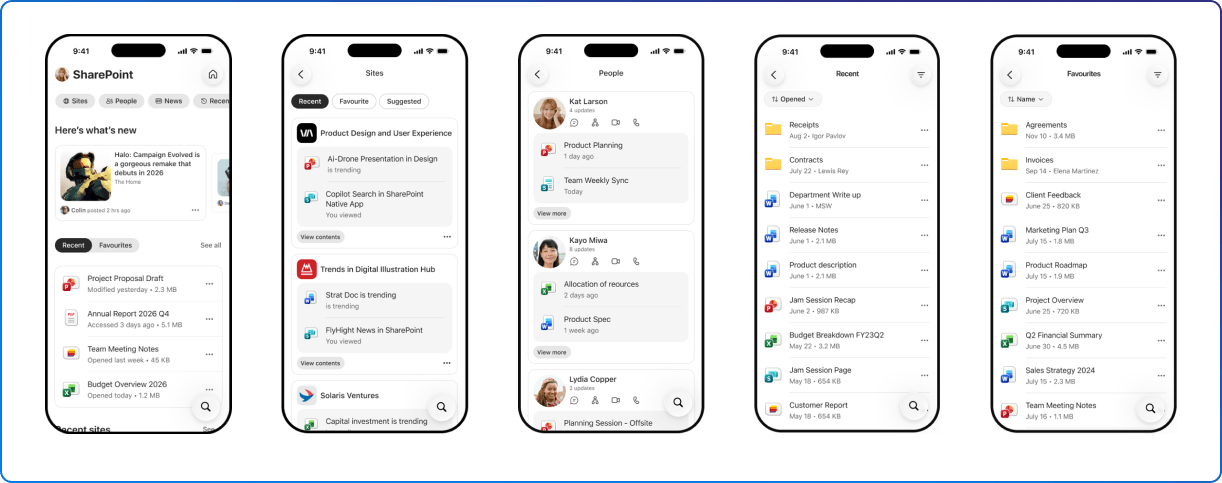
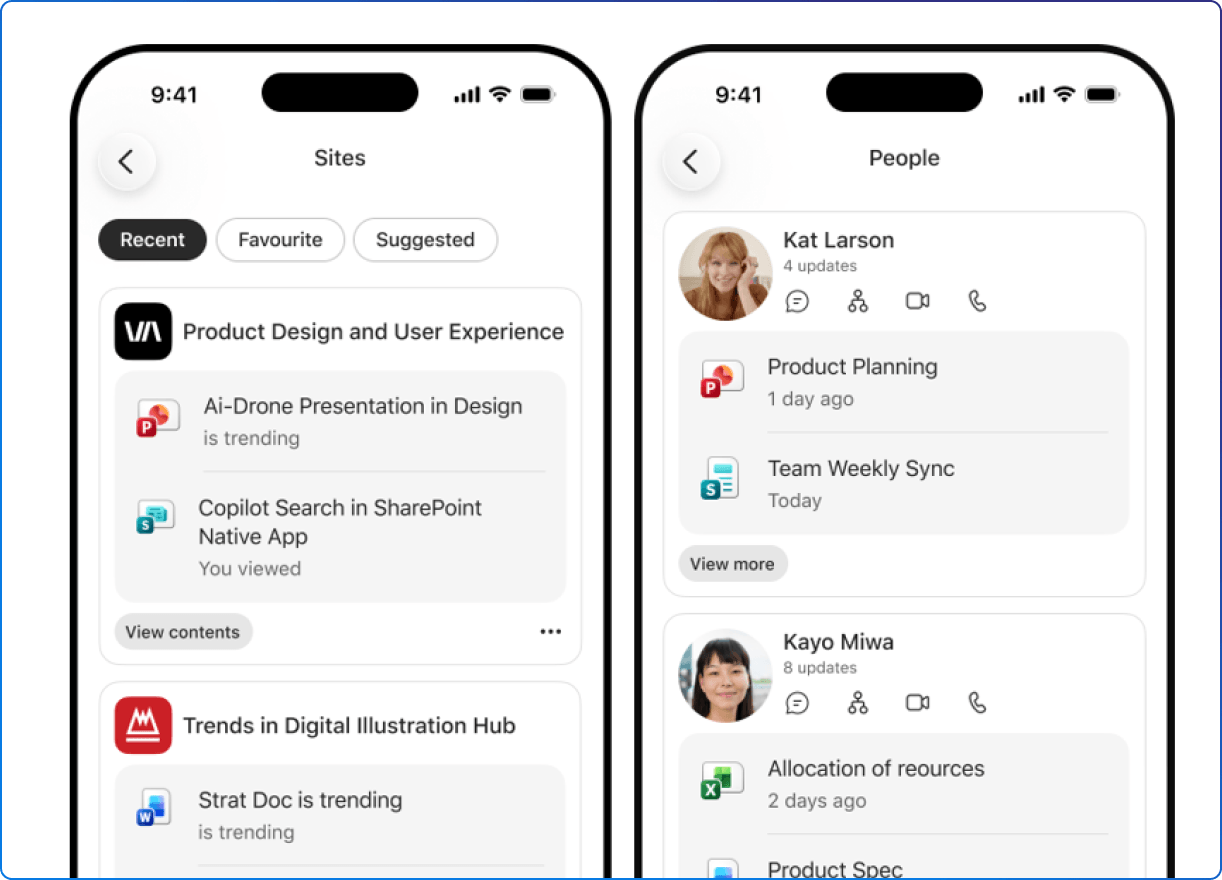
Microsoft’s refreshed SharePoint mobile app brings sites, files, news and people together in a redesigned experience. For us, the announcement raises a question that goes beyond the app itself: have we designed the information behind it for the moments when employees actually need it?
We should be careful not to treat access through the SharePoint mobile app as the finish line.
Opening a page is not the same as understanding it. Finding a document is not the same as knowing whether it is the right version. Reading an announcement is not the same as knowing what to do next.
Consider an employee checking a procedure before a customer visit. In this hypothetical scenario, they find two similarly named documents, neither with a clear owner or review date.
The app has helped them reach the information. But the experience still leaves them with a decision they should not have to make.
Our view is that a useful employee experience needs both: a clear route to information and confidence in what appears at the destination.
Access and confidence belong together. We explore that relationship further in our article on building the trust layer of internal communications.
We see the most interesting opportunity as continuity: helping someone reconnect with their work when their circumstances change.
Imagine reviewing a proposal at your desk, then needing to check a detail on your phone before a conversation. You are not starting a new task. You are returning to something already in progress. That distinction matters.
We should not judge the SharePoint mobile app by how much of the desktop experience it can reproduce. A more useful question is whether it helps someone pick up the thread without retracing every step.
The ambition does not need to be “do everything from your phone”. Sometimes, “find the right file and check one thing” is exactly the right outcome.

There is a temptation to measure the value of a workplace app by how much time people spend inside it. We would take a different view of the SharePoint mobile app.
Its value should be in helping people reach something useful, whether that is a file, a site, a colleague or a news update. Those are the resources Microsoft places at the centre of the refreshed experience.
For us, that makes it a starting point rather than a destination competing for attention. https://www.2tolead.com/insights/3-shifts-redefining-your-sharepoint-intranet-and-the-digital-workplace
Imagine someone opening the app, locating a presentation and moving straight into their customer conversation. A short interaction could represent a successful experience.
That is a useful challenge for digital workplace teams: are we trying to increase engagement with a tool, or reduce the effort required to accomplish something? Those goals are not always the same.
Our recommendation is to introduce the refreshed SharePoint mobile app through recognisable situations, not a tour of every feature.
“Find the document you need before a meeting” is a clearer starting point than “explore the new experience”.
So is “check an update while you are away from your desk”.
These are suggested adoption scenarios, not promises that every task belongs on a phone. The point is to help people recognise when the app might be useful to them.
Different teams can bring their own examples. A project coordinator, a communications specialist and a customer-facing employee do not need identical reasons to use it.
We would start with one relevant moment, demonstrate it clearly and let usefulness lead the conversation.
When evaluating the experience, we would look beyond whether someone opened the SharePoint mobile app.
Give employees a realistic task. Ask them to find a resource, explain what it means and identify their next step. Include people with different roles, working environments and accessibility needs. Then listen to where they hesitate.
Those moments offer a practical starting point for improvement, whether the issue is a confusing title, an unclear instruction or competing versions of a document.
The value of the refreshed SharePoint mobile app is not limited to a particular role or department. We all have moments when we need to find a file, reconnect with our work or check an update from our phone.
For us, that is the bigger opportunity: a familiar starting point for those everyday needs, without having to recreate the entire desktop experience.
It is not about doing everything on our phones. It is about finding what we need, when we need it, so we can move forward.


Join Our Newsletter