
If you work in internal communications, you have likely seen no shortage of Copilot updates.
New capabilities appear, interfaces change, and announcements arrive with the usual wave of commentary about how work is being transformed. Microsoft is clearly moving Copilot into a broader role across Microsoft 365. But for communication teams, the real question is not whether Copilot is changing. It is whether those changes are useful.
That distinction matters. Communicators do not need more AI theatre. They need to know which changes genuinely reduce friction, which ones improve the quality of work, and where human judgement still matters most.
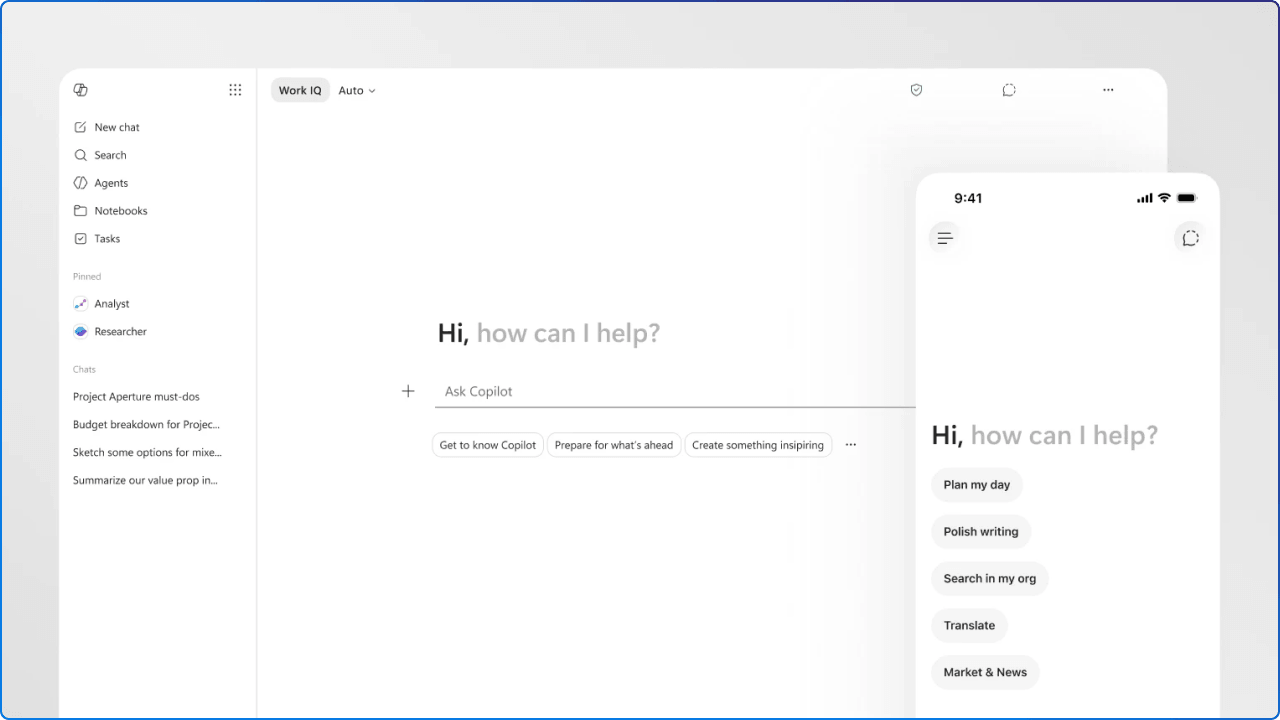
The most important change is not a single announcement or branded capability. It is that Copilot is becoming more present across everyday work.
Communication work rarely happens in one place. It begins in notes, threads, meetings, and documents. It grows through review, editing, and adaptation. It eventually lands in channels like SharePoint, Teams, Outlook, or Viva Engage. As Copilot becomes more integrated across those spaces, it stops feeling like a standalone novelty and starts becoming part of the communication workflow itself.
That is where its value becomes easier to assess.
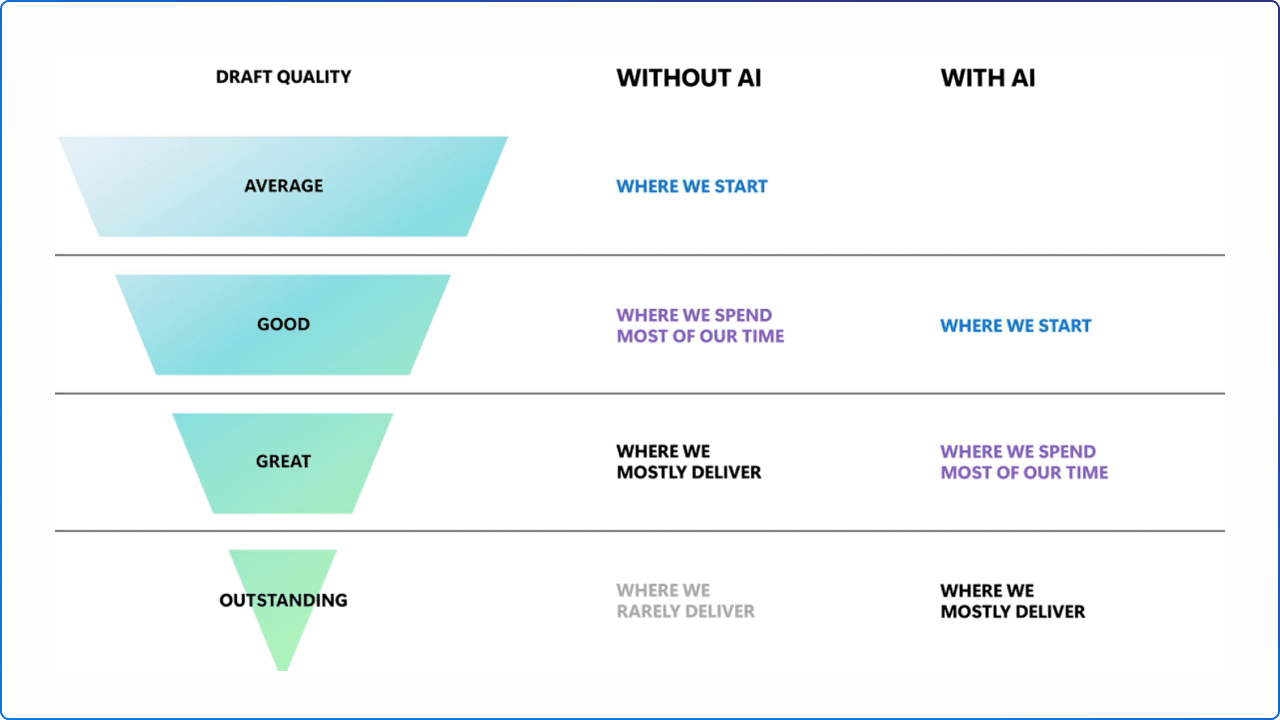
For many communicators, the hardest part of the job is not writing. It is starting. Copilot can help reduce that blank page moment by producing a first pass, reshaping existing notes, or turning rough ideas into a cleaner structure.
Used well, that can save meaningful time. A communicator might use it to draft an announcement, rework a message for a different audience, shorten a long-form update, or test a more scannable format. It is not creating the communication strategy for you, but it can make the mechanics of drafting less heavy.
Communication teams spend a lot of time catching up. Reading long threads. Reviewing meeting notes. Identifying the one or two signals that actually matter. Turning complexity into something other people can understand quickly. Copilot becomes useful when it shortens that cycle and helps teams move from raw information to a clearer message with less effort.
Sometimes the task is not to write something new. It is to make something better. Shorter. Simpler. More executive. More human. More suitable for a different channel. These repeatable refinements are exactly where AI can be helpful, especially when the communicator already knows the outcome they want and needs support getting there faster.
This is where communicators need to stay grounded.
Just because Copilot can produce words does not mean it understands communication in the way people do. Internal communication is not only about speed or surface-level clarity. It is also about trust, timing, context, emotion, and cultural awareness.
A leadership update during uncertainty, a note about organisational change, or a message tied to employee wellbeing cannot be judged only by whether it sounds polished. It needs to feel appropriate. It needs to reflect the organisation’s tone and the real moment people are living through.
That work is still deeply human.
The strongest communication teams will not treat Copilot as a replacement for communicators. They will use it to accelerate lower-friction tasks so more time can be spent on judgement, meaning, and audience understanding.

That usually creates scattered experiments with little structure behind them. People try it in different ways, with different expectations, and teams are left with more activity than insight.
A stronger approach is to begin with a small number of focused use cases, such as:
These use cases are easier to teach, easier to evaluate, and easier to scale if they work. They help teams learn where Copilot adds value without turning adoption into a vague organisation-wide slogan.
That is also why structured support matters. 2toLead’s Checklist for Copilot Adoption Guide is positioned as a practical resource to help organisations integrate Copilot into workflows and maximise value more intentionally.
The organisations that get the most value from Copilot will not necessarily be the ones that move fastest. They will be the ones that adopt it with the clearest use cases, the strongest boundaries, and the most realistic understanding of where AI helps and where people still matter most.
If your team is moving from Copilot curiosity to practical adoption, our Checklist for Copilot Adoption Guide is a smart next step. It can help you build a more structured approach to rollout, workflow fit, and long-term value across the organisation.


Join Our Newsletter