TL;DR: Microsoft is retiring Targeted release in January 2027, and in November 2026 admins lose the ability to change who is enrolled. Organizations that used it for pilot groups need to rebuild those rings with Standard release, Deferred release and Frontier now. This guide gives you a migration map and eight steps to finish before the freeze.
The Targeted release retirement looks small in Message center and is large in practice. Microsoft's post MC1490899 asks admins to act by October 31, 2026, because enrollment changes freeze in November. If IT and a few power users relied on Targeted release to see changes first, that early warning system disappears in January 2027 unless you replace it.
Targeted release is the Microsoft 365 option that let selected users, or a whole tenant, receive generally available updates before everyone else. Its replacement has three audiences: Frontier for previews before general availability, Standard release at general availability, and Deferred release, which holds eligible major updates for about 30 days.
This guide is for Microsoft 365 administrators, IT managers and change leads in organizations that use Targeted release today. By the end you will have a signed-off release preference for the tenant, a validation or business-critical exception group, a deliberate Frontier audience, and a weekly routine for deferred updates.
The rings matter more now because Microsoft is shipping more changes that affect daily work, such as the OneDrive hero links change and the SharePoint agents upgrade before March 2027. Both land more smoothly when a small group sees them first.
You need an admin role that can manage release preferences, a security group for exceptions and a clear view of which services are in scope.
Swipe horizontally to view each prerequisite and why it matters.
| Prerequisite | What you need | Why it matters |
|---|---|---|
| Admin role | Office Apps Admin, Security Admin or AI Admin for Standard and Deferred release. AI Administrator, Security Administrator or Office Apps Administrator for Frontier. | Global Administrator is not required. |
| Licenses | No additional license for Standard or Deferred release. Frontier enrollment doesn't require Microsoft 365 Copilot, but Copilot Frontier features only appear for licensed users. | Enroll testers who can see the features you want tested. |
| Security group | A dedicated Microsoft Entra ID security group with fewer than 100 members. | Exceptions are capped at 100 users, and every group member counts. |
| Cloud environment | Commercial tenant for Deferred release and Frontier. | GCC, GCC High and DoD tenants currently get Standard release only after the retirement. |
| Services in scope | Microsoft 365 admin center, Teams, OneDrive, SharePoint Online, Outlook on the web, new Outlook for Windows and Office for the web. | Microsoft 365 Apps update channels, Windows update channels and Insider programs are not affected. |
Most organizations should pick Standard release for the tenant, unless they used Targeted release for a pilot group. In that case, put the tenant on Deferred release and assign the pilot group to Standard release, so validators still see major changes about 30 days before everyone else.
Use this migration map as your decision record. It adds an owner and a Frontier decision to Microsoft's guidance.
Swipe horizontally to view each starting point and the recommended new setup.
| Your setup today | New tenant default | Exceptions to add | Frontier decision | Owner |
|---|---|---|---|---|
| Targeted release for everyone | Standard release | Optional: business-critical roles such as finance close or front desk to Deferred release | Small group of IT and champions, if you want to see previews | Microsoft 365 platform owner |
| Targeted release for select users | Deferred release | Your former pilot users to Standard release | Champions who test Copilot features before general availability | Change and adoption lead |
| Standard release for everyone | No change | Optional: business-critical roles to Deferred release | Decide explicitly, even if the answer is No access | Microsoft 365 platform owner |
| Government cloud (GCC, GCC High, DoD) | Standard release | Not available yet | Not available yet | Microsoft 365 platform owner |
For education and nonprofit tenants, a 30-day Deferred buffer keeps major changes away from exam periods and fundraising campaigns.
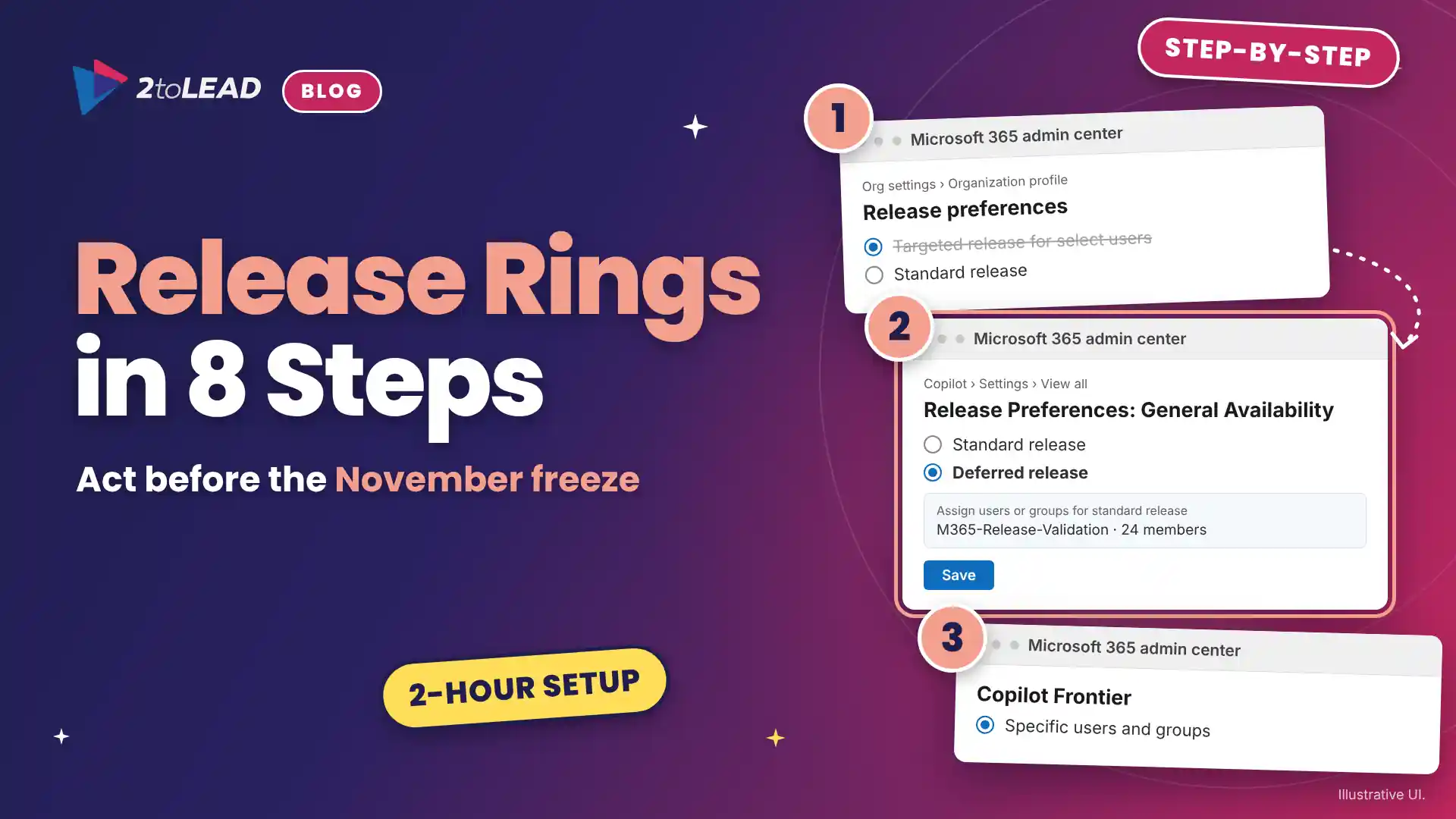
Record your current setup, choose a tenant default, add one exception group, decide on Frontier and update your change process. The eight steps take about two hours of admin time, plus agreeing who belongs in each group.
In November 2026, Microsoft moves all three options into one unified Release Preferences experience in the Microsoft 365 admin center. Check your settings there once it appears.
If you are weighing who should join Frontier, our comparison of Copilot Chat, Cowork, Code and Autopilot explains what early adopters will actually be testing.
The most common mistake is treating Frontier as a like-for-like replacement for Targeted release. Most others come from assuming Deferred release delays everything.
Release rings work best on a governed tenant. Our governance checklist for a Copilot-ready intranet covers the permission hygiene that makes any rollout smoother.
You can tell the new rings are working when the settings page, the group membership and real user experience all agree. Check all three after the 24-hour propagation window.
Measure Deferred release by the help desk demand and lost time it prevents. Track tickets per major update, days of lead time before users are affected, and the share of deferred updates validated before they reach everyone.
Here is a worked example using a 2toLead illustrative model; replace the assumptions with your own numbers. A 1,200-person professional services firm sees eight deferred-eligible major updates a quarter. Without preparation, each one generates 40 how-do-I tickets at 15 minutes each, which is 10 hours per change and 80 hours a quarter. At a loaded cost of $55 an hour, that is $4,400 a quarter.
If the 30-day window, a validation pass and a two-line user briefing halve those tickets, the firm saves 40 hours. Validation costs about one hour per change, or 8 hours a quarter. The net is 32 hours and $1,760 returned each quarter, roughly $7,000 a year, before counting employee time no longer lost to surprises.
Report these numbers alongside your adoption measures. Our guide to Copilot adoption metrics that prove value shows how to present time returned in a way finance leaders accept.
Targeted release was a calendar. The new model is a set of audiences, and someone has to own them.
Users assigned to Targeted release keep receiving its features until it retires in January 2027. After that, they follow your Standard release or Deferred release preference. Microsoft won't change your release preference settings for you, so a tenant that never set one simply defaults to Standard release.
No. Frontier gives early access to preview features before general availability, while Targeted release gave early access within general availability. The closest match to a Targeted release pilot group is a tenant on Deferred release with a validation group assigned to Standard release.
No. Deferred release only delays features tagged in Message center as both Major update and Deferred feature. Other updates arrive on the Standard release schedule, and some tenant-wide changes reach all users at once regardless of audience.
No. Microsoft 365 Apps update channels, Windows update channels and Microsoft 365 Insider programs are not affected. The change covers services such as the Microsoft 365 admin center, Teams, OneDrive, SharePoint Online, Outlook on the web, new Outlook for Windows and Office for the web.
2toLead helps organizations in professional services, healthcare, education, nonprofit and government turn Microsoft 365 changes into governed, measurable outcomes. In a fixed-scope, two-week Release Rings Reset Sprint, our Microsoft MVP team will:
For the full background, read Microsoft's plan for the retirement of Targeted release.
To see what the new rings will deliver, the Microsoft 365 E7 Frontier suite overview and our October 2026 Copilot Adoption Newsletter are good next reads.
Find more practical guidance on the 2toLead Insights hub, or book a Release Rings Reset Sprint.
No hype. Just practical, governed AI that actually gets adopted.


Join Our Newsletter