TL;DR, simply, a SharePoint Skill is like saving the “how we do things here” part of your work, so others can reuse it consistently.
For years, SharePoint has been the place where organizations store, organize, and share knowledge. Policies, procedures, project documents, intranet pages, templates, lists, libraries, and team sites often live there. But as Microsoft 365 Copilot and agents become more central to how people work, SharePoint is becoming more than a place to store knowledge. It is becoming a place where knowledge can be activated, reused, and applied in more consistent ways. Microsoft describes SharePoint as the number one grounding source for Microsoft 365 Copilot, which makes the quality, structure, and context of SharePoint content increasingly important.
That is where the newly announced AI Skills in SharePoint become especially interesting.
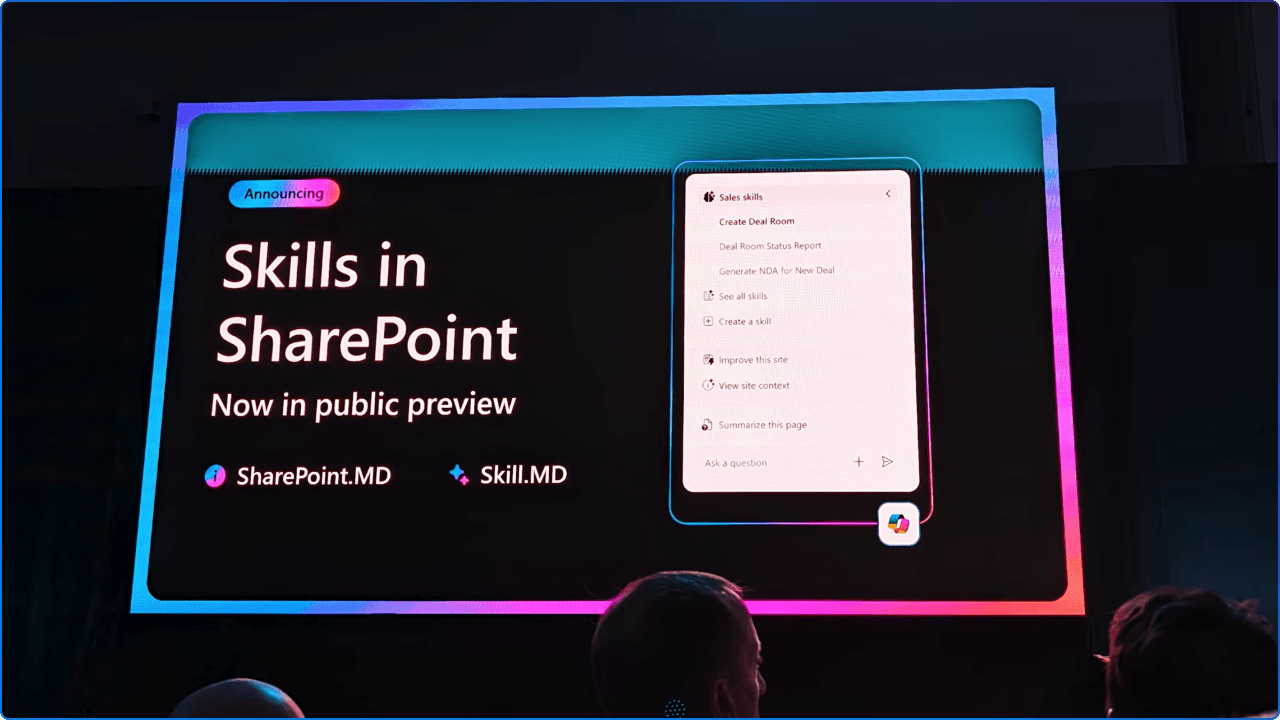
Microsoft recently announced that AI Skills are now available in public preview as part of AI in SharePoint. Skills allow teams to teach AI in SharePoint how to perform repeatable, multi-step processes based on how their organization actually works. Instead of asking the same long prompt over and over again, teams can create a reusable skill that captures the steps, standards, rules, and expected outputs for a specific task.
Most organizations do not struggle because they lack information. They struggle because information is spread across too many places, written in different ways, organized differently by each team, and interpreted differently by each person.
One team may have a great process for reviewing contracts. Another may have a detailed checklist for onboarding new employees. A communications team may know exactly how to turn campaign notes into a polished intranet article. A project team may have a standard way to create a project tracker, name documents, apply metadata, and prepare a status report.
The problem is that much of this knowledge often lives in someone’s head, in an old document, or in a Teams chat that no one can find later.
AI Skills help solve that problem by turning repeatable workflows into reusable assets inside SharePoint. Microsoft explains that skills can capture organization-specific rules, such as document standards or review checklists, so AI in SharePoint can perform tasks more consistently than a one-off prompt.
That consistency matters. It helps teams spend less time explaining the same process and more time improving the outcome.
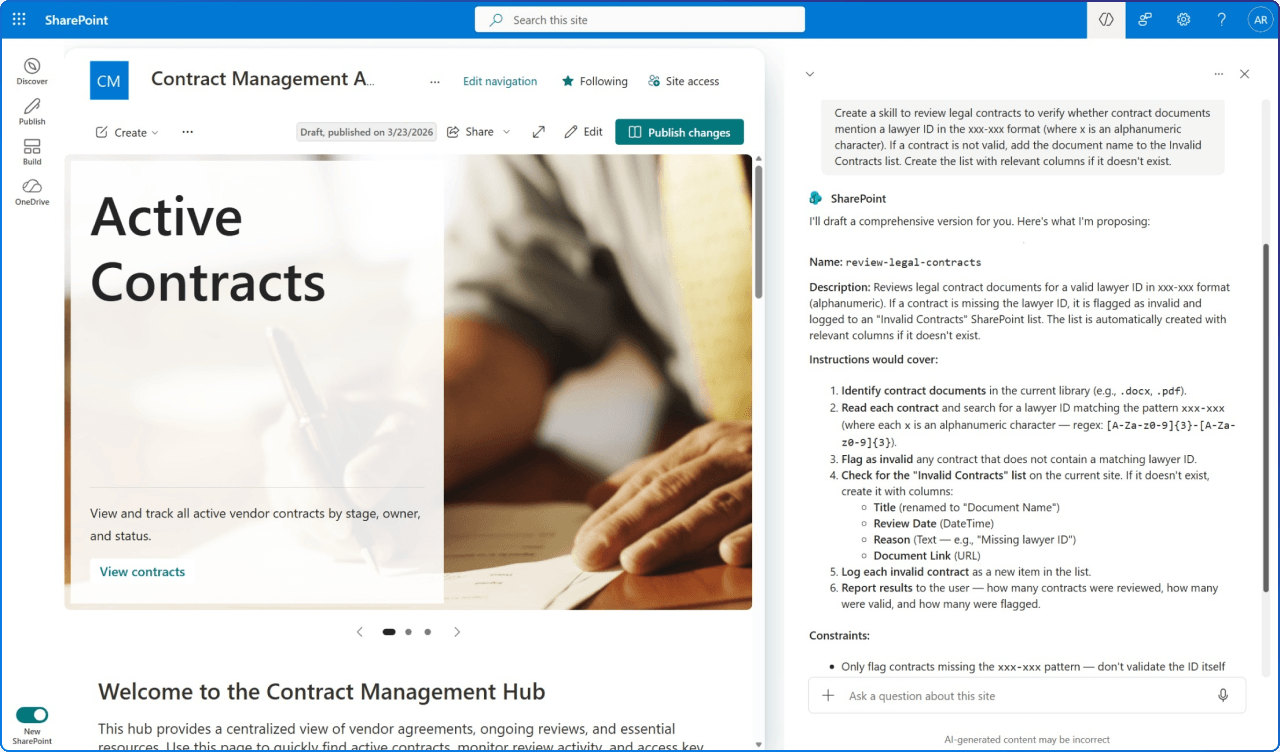
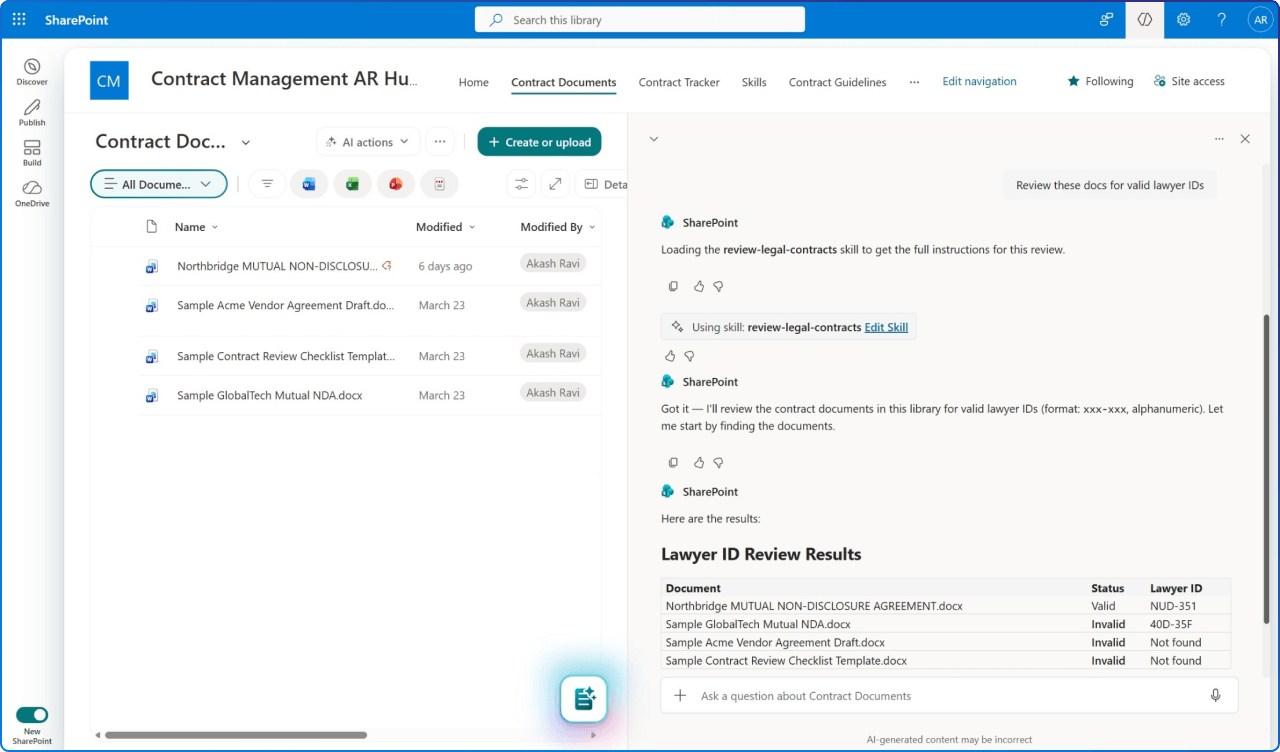
AI Skills extend the capabilities of AI in SharePoint by chaining together built-in SharePoint AI actions into reusable workflows. Depending on what is supported on the site, a skill can help understand and summarize content, organize files and folders, interact with SharePoint content such as lists, and support multi-step work that follows a defined process.
Microsoft gives a few practical examples of where skills can help:
These examples are helpful because they show that AI Skills are not just about asking better questions. They are about creating repeatable patterns of work.
Imagine a team that prepares a quarterly business review every three months.
The process might involve gathering updates from multiple documents, checking last quarter’s report for structure, pulling key risks and accomplishments, summarizing themes, and creating a polished Word document or PowerPoint deck. The first time, someone has to explain the process in detail. The second time, they probably copy and paste an old prompt. By the third time, someone has changed the format, skipped a step, or used an outdated template.
With an AI Skill, the team could define the expected process once. The skill might instruct AI in SharePoint to look at selected files, summarize progress, identify risks, use the organization’s preferred tone, follow the usual section structure, and generate a draft output that the team can review.
The real value is not that AI can help create the report. The real value is that the team can preserve the preferred process and make it reusable.
That is a subtle but important shift.
What Makes This Different From a Prompt?
Prompts are useful, but they are often personal and temporary. A great prompt can help one person get a better result today, but it may not help the rest of the team tomorrow.
AI Skills are designed to be reusable across the site. Microsoft says you can create a skill in chat using natural language, review the draft before saving it, and then reuse that skill across future prompts. AI in SharePoint can automatically load a relevant skill based on a user’s request, or a user can invoke a skill explicitly by name.
That means a skill becomes part of the team’s shared working model. It is not just a clever prompt hidden in someone’s notes. It is a reusable capability connected to the site where the work happens.
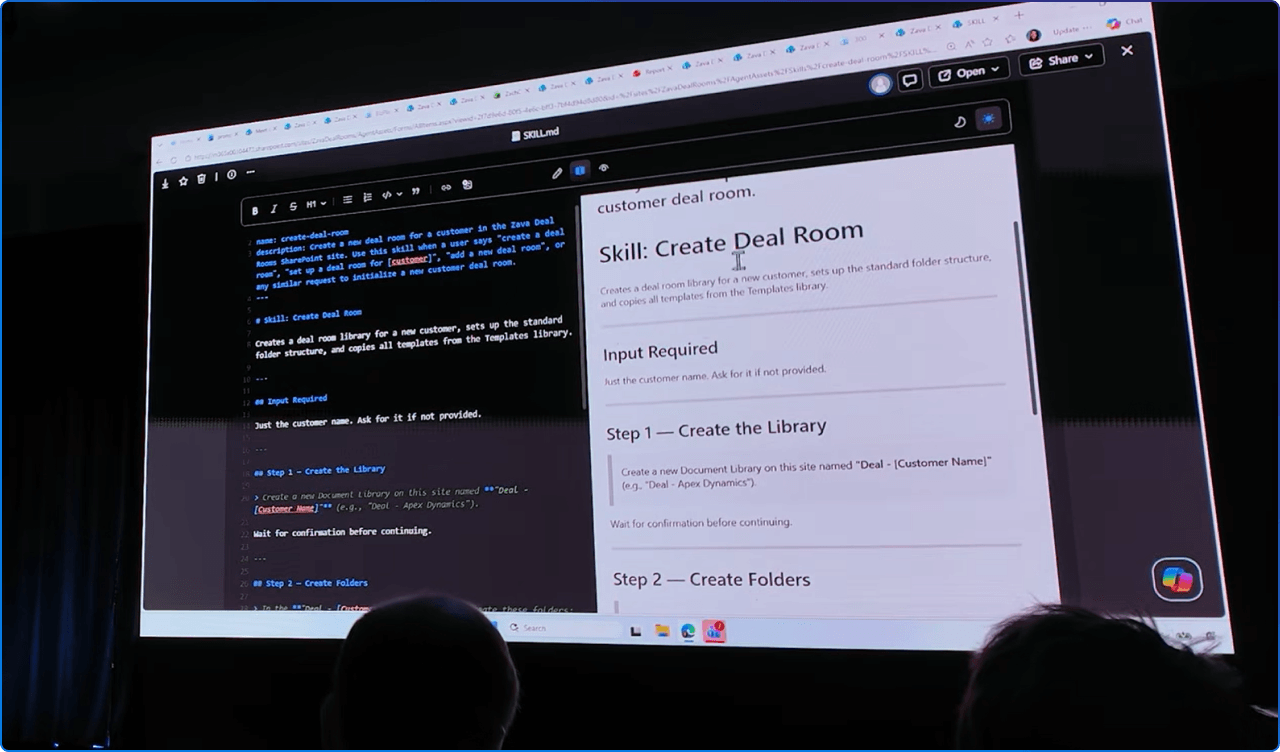
One of the more interesting design choices is that skills are stored as Markdown files in the site’s Agent Assets library. Microsoft states that skills are stored under /Agent Assets/Skills/<skill-name>/SKILL.md, and that the files can be reviewed directly if needed.
This matters for governance and transparency. Skills are not mysterious black boxes. They are saved as site-level files that can be governed using standard SharePoint file governance approaches, including permissions, retention, sensitivity labels, and auditing.
For organizations that care about information architecture, compliance, and responsible AI adoption, that is an important point. Skills should not be treated as casual shortcuts. They become part of how work is guided, repeated, and scaled.
AI Skills do not bypass SharePoint permissions. Microsoft notes that a skill can only perform actions the user already has permission to do, and it does not expand access or introduce capabilities beyond what AI in SharePoint already provides.
By default, users with Edit permissions on a site can create skills, while users with View permissions can run them. If an organization needs a more restrictive model, Microsoft says permissions can be adjusted by breaking inheritance on the Agent Assets library and applying more restrictive permissions.
This is where organizations should be thoughtful. AI Skills can help standardize work, but they should still be managed with the same care given to templates, policies, metadata, and business-critical documents.
A few governance questions are worth asking early:
These questions are not meant to slow adoption. They help make adoption more sustainable.
Skills are part of AI in SharePoint, which is currently available in public preview for Microsoft 365 Copilot users in tenants or sites that have been opted in. Microsoft states that an organization’s IT admin must opt into the AI in SharePoint public preview at the tenant or site level, and users need a Microsoft 365 Copilot license.
Microsoft also notes that there are no separate admin controls to turn skills on or off, as skills are a native capability within AI in SharePoint.
That means organizations should think about AI Skills as part of their broader SharePoint and Copilot readiness strategy, not as a standalone feature.
We recommend starting small and practical.
Do not begin with the most complex business process in the organization. Start with a process that is repeated often, well understood by the team, and easy to validate.
A good first AI Skill candidate might be:
From there, test the skill with a small group. Review the output. Adjust the instructions. Confirm that the skill reflects the actual process. Then decide whether it should be shared more broadly.
The goal is not to automate everything. The goal is to make good work easier to repeat.
AI Skills point to a bigger shift in SharePoint. Microsoft is moving SharePoint from a content repository toward an AI-powered knowledge and work platform. AI in SharePoint is designed to help teams build solutions, publish content, organize information, and make content more useful for Copilot and agents across Microsoft 365
That is why AI Skills are worth paying attention to. They give organizations a way to capture not only what they know, but how they work.
SharePoint AI Skills may sound technical at first, but the idea is very human.
Every organization has ways of working that make sense to its people. The challenge is making those ways of working visible, repeatable, and easier for others to follow.
AI Skills give teams a new way to do that in SharePoint. They help move knowledge out of individual memory and into shared, reusable patterns that can support better content, better processes, and better employee experiences.
For organizations already investing in Microsoft 365 Copilot, this is another reminder that AI readiness starts with content readiness. The better your SharePoint content, structure, permissions, and processes are, the more useful Copilot and agents can become.
At 2toLead, we see this as an important step toward a more intelligent digital workplace, one where SharePoint does not just store information, but helps people put that information to work.


Join Our Newsletter