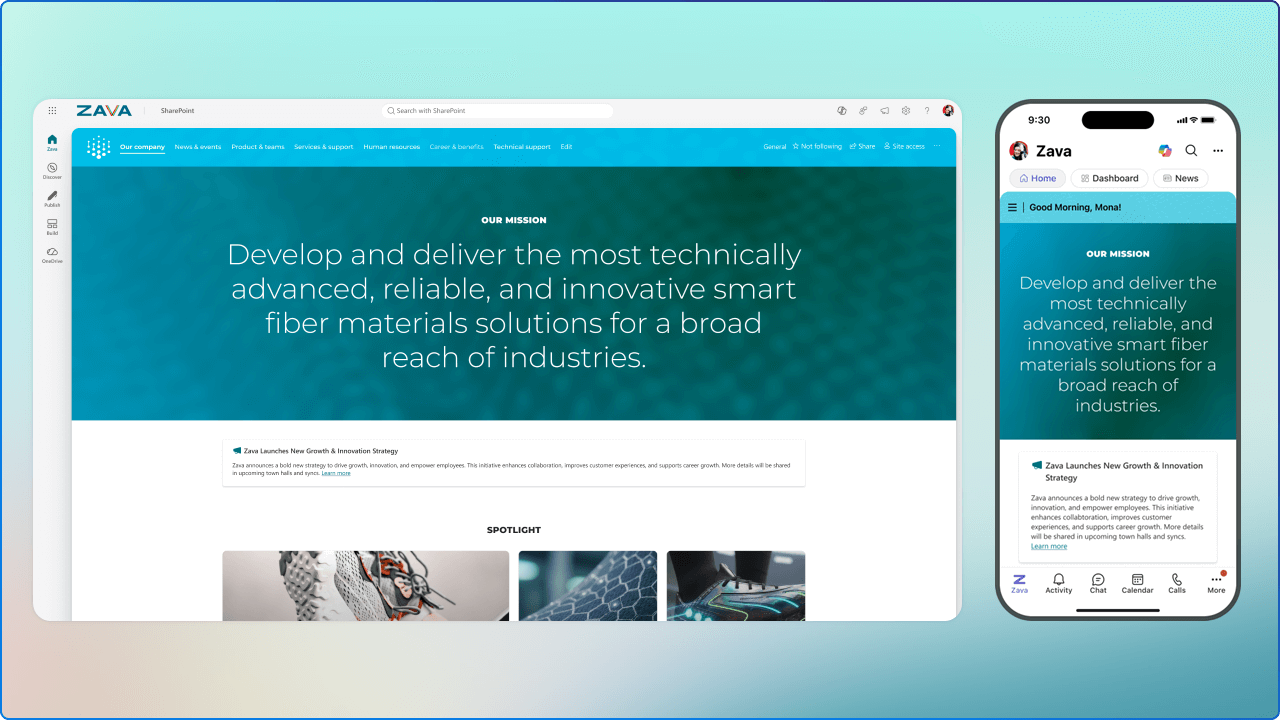
Twenty‑five years is a big deal for any technology platform. But what makes SharePoint’s milestone especially meaningful isn’t just its longevity. It’s how SharePoint has evolved from a document repository into the knowledge foundation behind Microsoft’s AI strategy.
The SharePoint at 25 celebration wasn’t a nostalgic look backward. It was a clear signal of where work is headed next. At the center of it all sits a familiar platform, now playing a much bigger role.
Let’s start with the headline that matters most.
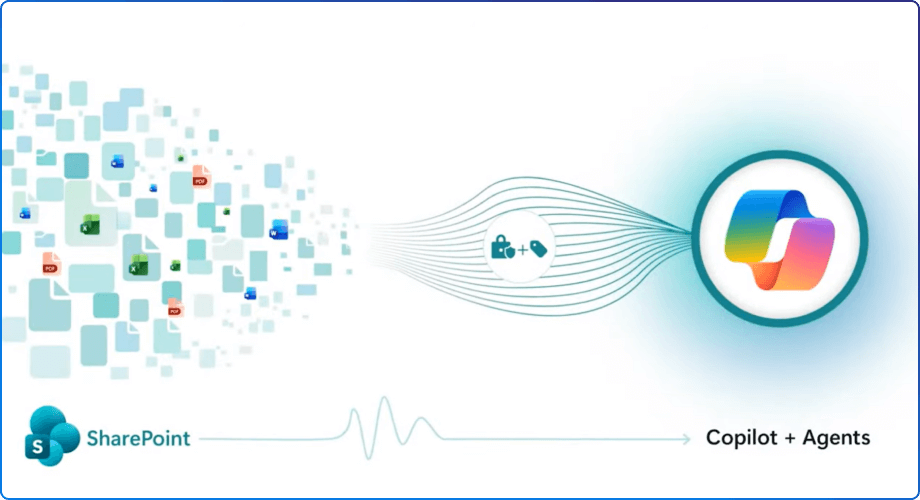
SharePoint is now the number one grounding source for Microsoft 365 Copilot.
That means every intelligent response, every contextual recommendation, and every agent-driven workflow Copilot delivers is grounded in SharePoint content. With more than 2 billion files uploaded and 2 million SharePoint sites created every day, this is organizational knowledge at massive scale.
What’s changed is how that knowledge gets used.
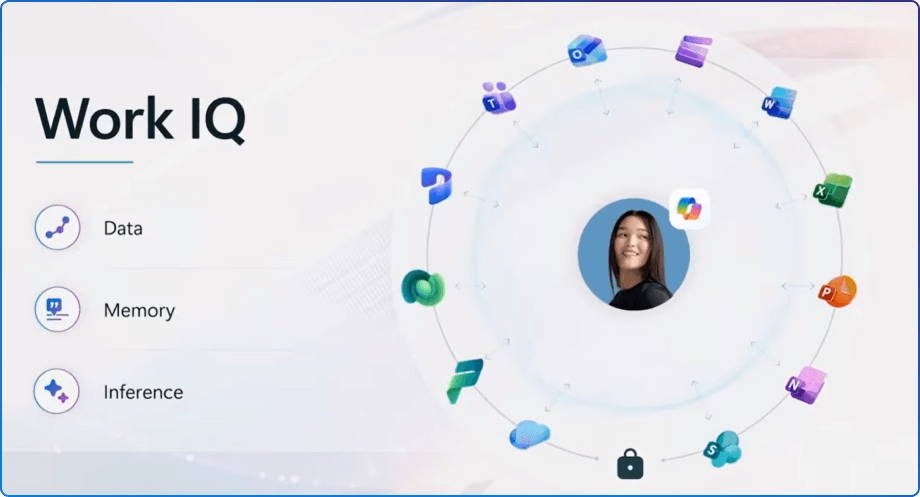
SharePoint is foundational to Work IQ, the intelligence layer behind Microsoft 365 Copilot and agents. Work IQ helps AI understand you, your role, and how your organization operates. SharePoint is no longer just where information lives. It’s how intelligence gets activated across the digital workplace.
One of the most compelling announcements is how SharePoint is rethinking solution creation.
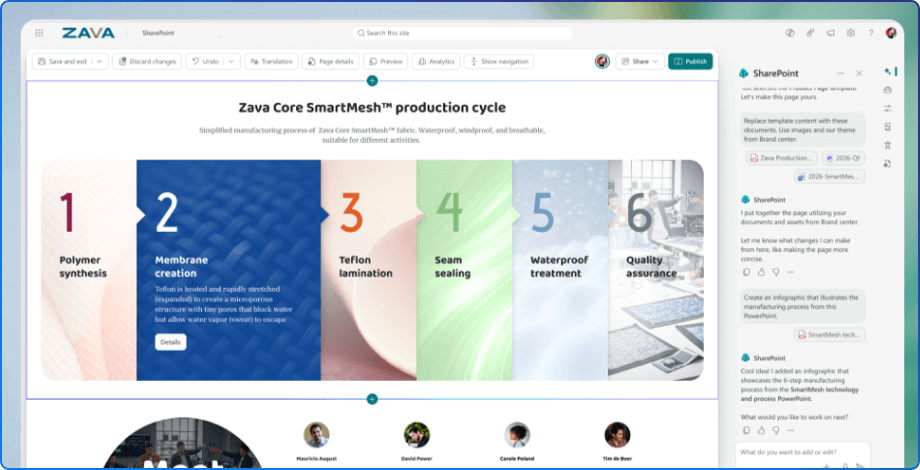
Instead of starting with configuration screens and technical decisions, teams can now start with intent, described in natural language. From there, SharePoint helps turn that intent into a real, working solution that reflects how the business actually runs. This fundamentally changes who can build.
New agentic experiences in SharePoint allow teams to plan, create, and iterate on solutions collaboratively, with AI as a partner. A procurement contract repository. An IT helpdesk. A project intake system. You describe the outcome, and SharePoint helps assemble the lists, libraries, workflows, permissions, and logic behind the scenes.
Less friction. Less setup time. Far more momentum.
What makes this shift truly powerful is the introduction of custom AI skills.
These skills package organizational knowledge such as standards, terminology, governance rules, and business logic. Instead of generic AI behavior, Copilot and agents can operate within your specific business context.
A legal team’s contract review solution reflects their risk thresholds and language. A healthcare organization’s portal aligns with its compliance requirements. An engineering team’s knowledge base speaks in the terms they actually use.
This is AI that understands how your organization works, not just how documents are structured.
SharePoint’s refreshed user experience, now rolling out in public preview, reorganizes the platform around three core jobs people actually need to get done.
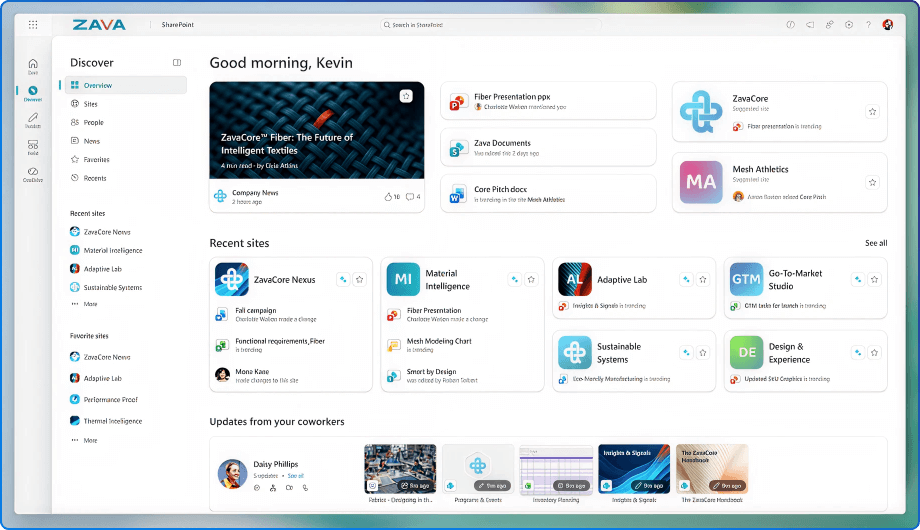
Discover replaces the old SharePoint Start page with a personalized front door. It surfaces relevant sites, files, and activity based on your work, not where something happens to live. Less searching. More finding. All tailored to the users' needs.
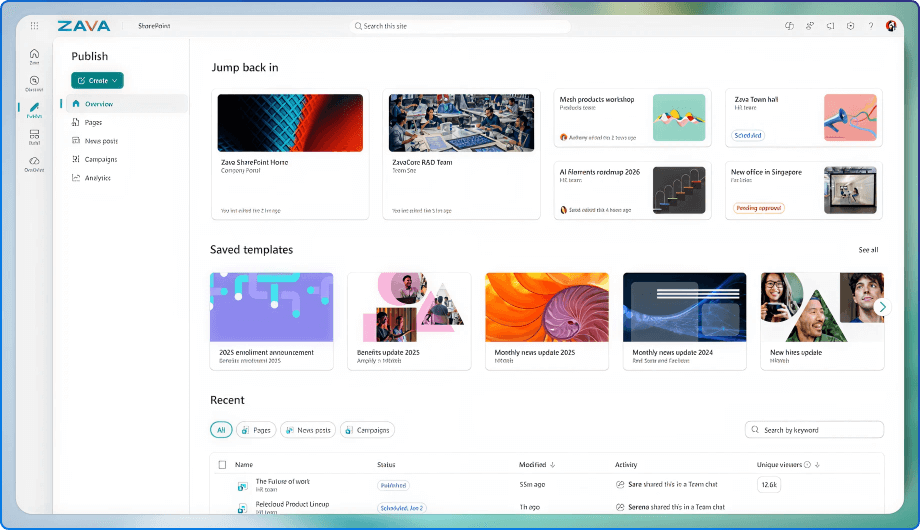
Publish brings content creation and distribution into a single workspace. By unifying SharePoint publishing with Viva Amplify capabilities, communicators can create once and reach people across SharePoint, email, Viva Engage, and Teams. This finally addresses the long-standing challenge of fragmented corporate communications.
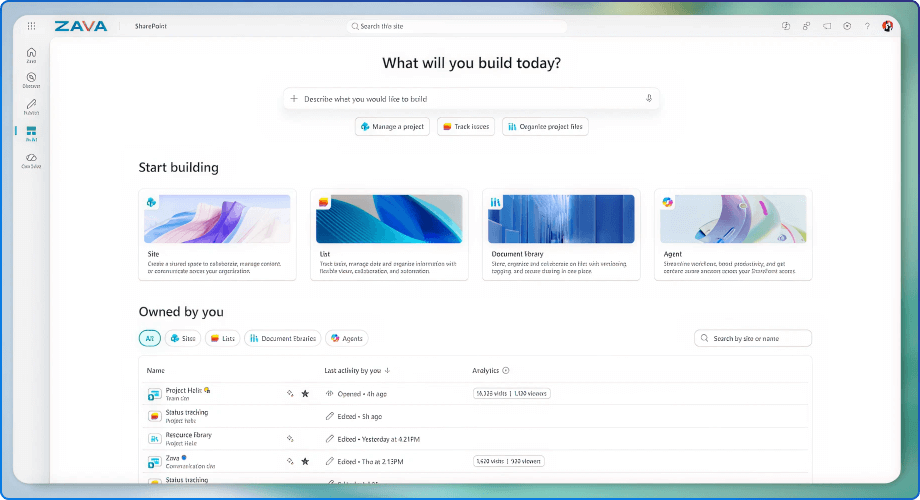
Build centralizes how solutions come to life. Sites, Lists, Libraries, and Agents are all created and managed in one streamlined experience. This goes beyond a visual refresh. It reflects a shift toward faster, more intentional solution design.

SharePoint’s AI capabilities stand out because of their depth of understanding.
Copilot now understands metadata, intranet pages, the full richness of Office files (including images), and even encrypted documents protected with sensitivity labels. When you ask a question, Copilot isn’t just searching for keywords. It’s interpreting relationships, honoring security boundaries, and extracting meaning from content that was previously hard to tap into.
All that investment in metadata, structure, and governance finally pays off.
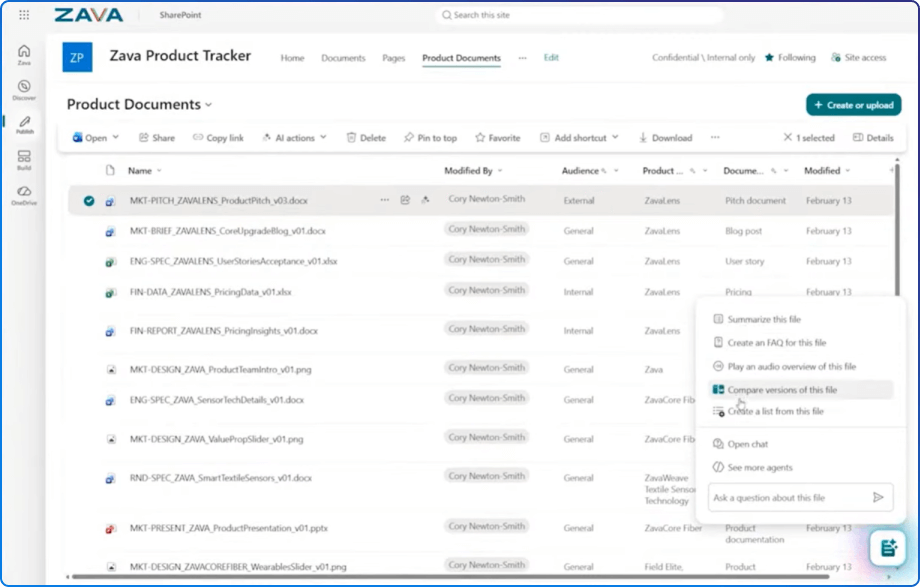
As AI adoption accelerates, governance can’t be optional.
SharePoint’s secure-by-design approach means governance is embedded directly into how Copilot and agents interact with content. Sensitivity labels, encryption, and permissions are respected by default. Insights come from protected content without compromising compliance.
For regulated industries or organizations handling sensitive data, this removes a major barrier to responsible AI adoption.
These announcements aren’t incremental improvements. They point to a fundamental shift in how organizations build, manage, and activate knowledge.
After twenty-five years, SharePoint’s role has never been clearer. It’s no longer just about storing and sharing content. It’s about turning decades of organizational knowledge into fuel for intelligent work.
If this next chapter is any indication, SharePoint’s most important years are still ahead.


Join Our Newsletter