ROT content, Redundant, Obsolete, and Trivial files, is the single biggest hidden cost in any SharePoint migration. It inflates storage, distorts permissions mapping, slows planning timelines, and degrades the quality of Microsoft 365 Copilot results.
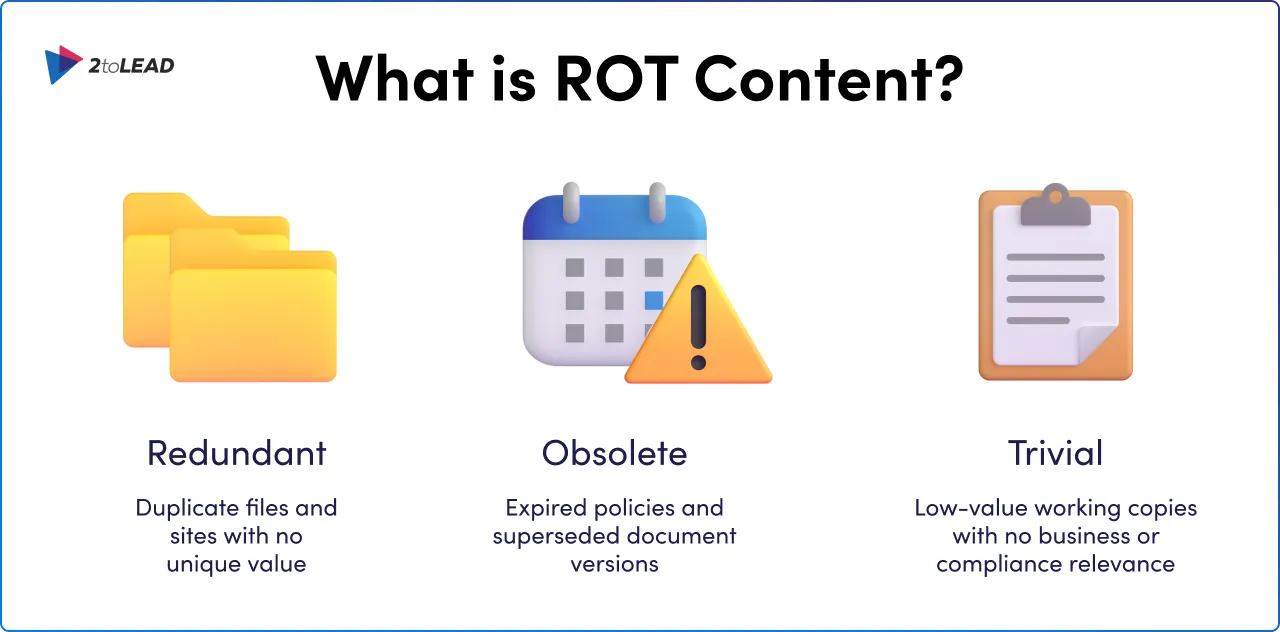
What is ROT content in SharePoint? ROT includes duplicate files and sites with no unique value (Redundant), expired policies and superseded document versions (Obsolete), and low-value working copies with no business or compliance relevance (Trivial). Left unaddressed, it complicates every phase of your migration and quietly undermines the AI-powered tools your organization is investing in.
The right strategy turns your SharePoint migration from a painful lift-and-shift into a meaningful content health upgrade. In this guide, we'll walk you through a proven five-phase approach to identify, classify, and eliminate ROT so you migrate smarter, not just faster.
ROT isn't just old files. It's duplicate sites and libraries, outdated versions, low-value working copies, and orphaned content without an owner. When ROT lurks in your inventory, it undermines timelines, complicates permissions mapping, and dilutes search and discovery. It also impacts the quality of downstream tools like Microsoft 365 Copilot, where content relevance and metadata directly influence results.
Without a clear picture of how content is actually used across the business, even the most capable migration tools will fall short. Structural and configuration decisions must be rooted in real usage data, not assumptions.
A SharePoint migration demands far more than technical execution, it requires adherence to SharePoint migration best practices that requires intentional planning, phased delivery, and active alignment between IT and business stakeholders, from the first audit through to post-migration governance.
A SharePoint migration fundamentally reshapes how your organization governs permissions, structures metadata, designs site hierarchies, and enforces compliance across every environment it touches. That means ROT isn't a minor cleanup; it's central to a successful outcome.
The longer ROT goes unaddressed, the more it compounds. Driving up costs, increasing risk exposure, and making future cleanup exponentially harder. Addressing it early, and continuously, is the only way to stay ahead.
A successful SharePoint migration requires comprehensive planning, strategic alignment, and stakeholder collaboration across IT and business units. We pair governance guardrails with practical change enablement and automation so you can sustain results beyond go-live.
Our strategy is low-disruption and evidence-based: we use usage analytics, Microsoft Purview insights, and business feedback to decide what to move, archive, or retire. We apply wave-based delivery to reduce risk, prove value quickly, and build momentum with your champions. The goal isn't just migration, it's a cleaner, more navigable digital workplace across SharePoint, Teams, and Microsoft 365.
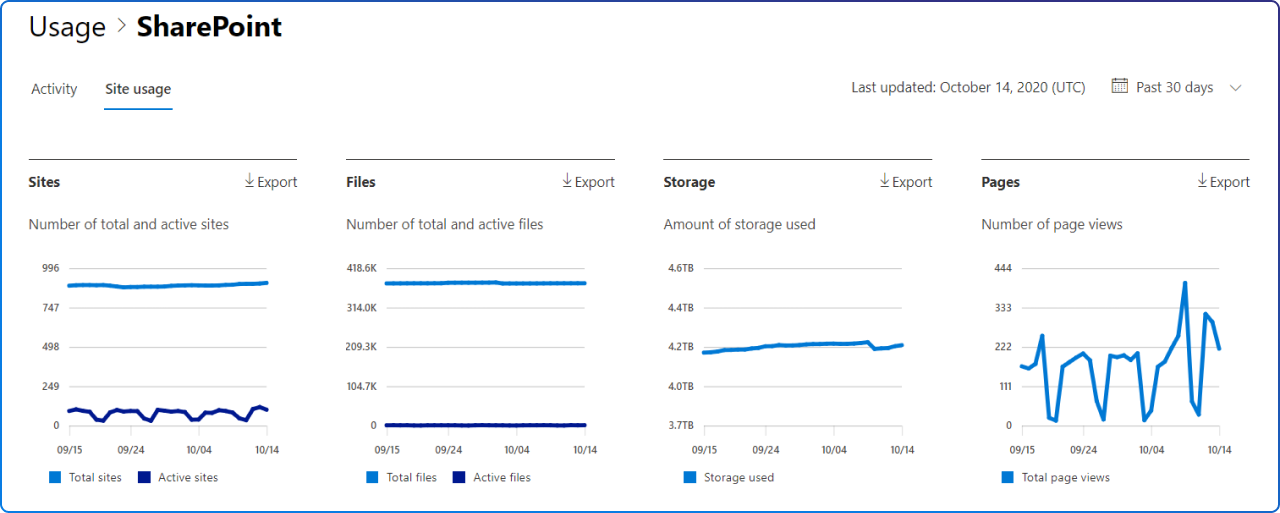
Start with a thorough SharePoint content inventory. Map every site, list, and library capturing size, ownership, sensitivity, last access date, version depth, and any active customizations. Use SharePoint Admin Center reports, Microsoft Graph insights, and Microsoft Purview to identify sensitive data, records, and compliance obligations.
For each asset, determine whether it belongs in the new environment, should be archived for retention purposes, or is better rebuilt from scratch. This decision-making step directly reduces data volume and improves migration performance. By the end of this phase, you should have a prioritized inventory and a clear ROT profile.
Classify content with business logic and lifecycle in mind. Define your information architecture: site purpose, content types, essential metadata, and retention labels that reflect how your teams work.
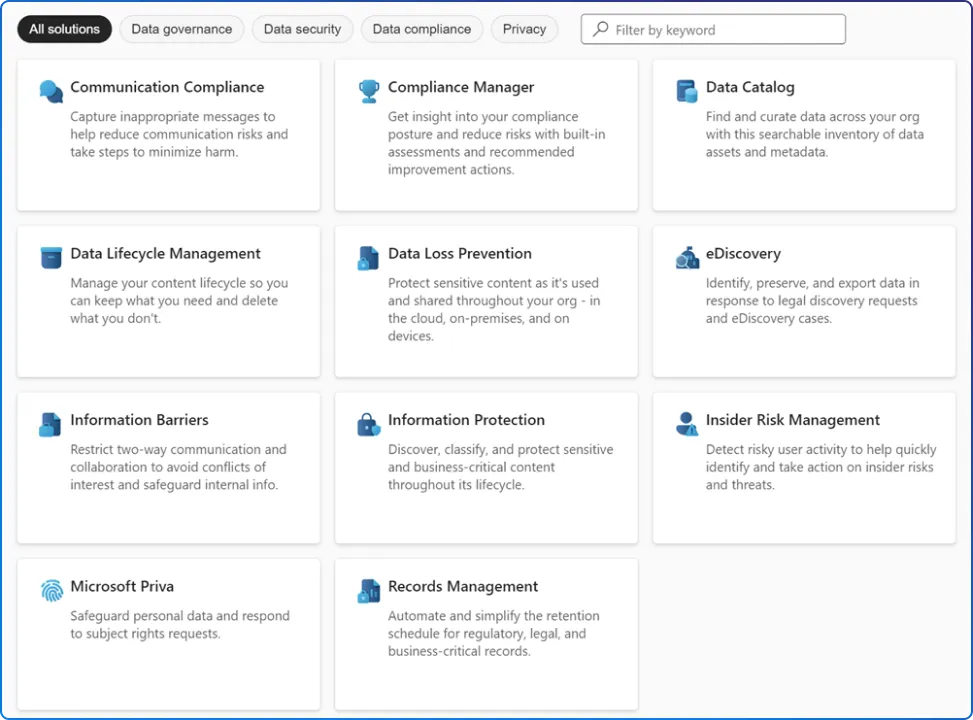
Use Microsoft Purview data governance capabilities, including Records Management, for disposition rules, legal holds, and retention schedules. Establish clear criteria for ROT: redundant copies that add no value, obsolete versions beyond your versioning policy, and trivial files that serve no business or compliance purpose.
Practical tips:
Design the target environment with governance guardrails embedded. Governance can't be bolted on at the end, it needs to be woven into every phase, from the initial audit through to long-term post-migration monitoring.
This is where you translate audit and classification insights into a SharePoint and Teams design that is secure, navigable, and maintainable. Define a permissions model using Azure AD groups and ownership hierarchy, and plan for Copilot readiness by prioritizing authoritative repositories, consistent metadata, and clear site naming.
Our delivery follows a structured, sequenced framework, built around proven enterprise migration practice:
Use this as your SharePoint Online migration checklist anchor: permissions model, metadata schema, site naming conventions, and Copilot readiness criteria should all be defined before a single file moves.
Move in waves for low disruption and faster learning. Start with a pilot wave that includes a motivated business group and a variety of content patterns. Use this to validate throughput, metadata preservation, version history, and link remediation.
Schedule subsequent waves by business priority, compliance risk, and complexity. Communicate early and often with clear owner responsibilities, blackout windows, and defined expectations before, during, and after the move.
Execution essentials:
Sustain your gains with ongoing monitoring and small, continuous improvements. Run Microsoft Purview data governance scans to validate retention, sensitivity, and DLP policies in the new environment. Check site health for broken links, orphaned permissions, and content without owners.
Review search analytics and Copilot feedback to improve metadata, refine content types, and suggest promoted results. Establish lifecycle routines, periodic content reviews, disposition approvals, and automated alerts for stale libraries, so ROT doesn't creep back in.
A successful Microsoft 365 content migration isn't just about moving files, it's about arriving at a cleaner, more governed digital workplace. When your information architecture is shaped around how teams actually work, not just how IT organizes data, sites become intuitive rather than burdensome.
Carrying security settings, version histories, and workflow logic through the migration ensures users can hit the ground running, without needing workarounds. Use metadata consistently so Copilot and search can surface accurate, trusted results.
When you reduce ROT and elevate governance, you speed up decisions, reduce compliance exposure, and improve the everyday employee experience. Experience modernization and governance must move together, usability without governance decays, governance without usability fails adoption.
We take a collaborative, evidence-based approach that balances speed with risk reduction. Together, we'll confirm business outcomes, set measurable targets, and apply automation where it makes the most impact.
You'll see decisions captured in plain language, with owners and timelines, so progress is clear to both IT and business stakeholders. Most importantly, you'll leave with governance guardrails that sustain your investment well beyond go-live.
If you're planning a SharePoint or Microsoft 365 migration, or your last one left you with more questions than answers, let's start with a content health and migration readiness session.
We'll review your current state, outline ROT reduction opportunities, and co-design a low-disruption, governance-first plan your stakeholders can get behind. You'll get clear recommendations, pragmatic timelines, and the confidence to move forward.
ROT stands for Redundant, Obsolete, and Trivial content. In SharePoint, this includes duplicate files, outdated documents, orphaned sites, and low-value working copies that inflate storage, slow migrations, and reduce search quality.
Use SharePoint Admin Center reports, Microsoft Graph insights, and Microsoft Purview to analyze last-access dates, version depth, ownership, and sensitivity. PowerShell scripts can also surface duplicates and near-duplicates across libraries.
Copilot surfaces answers based on the content it can access. ROT content especially duplicate or outdated files, degrades Copilot's output quality, as it may reference irrelevant or incorrect information instead of authoritative sources.
A wave-based migration moves content in planned, phased batches, starting with a pilot group, to reduce risk, validate tooling, and build stakeholder confidence before scaling to the full organization.
Timeline depends on content volume, ROT density, customizations, and governance complexity. Most enterprise migrations run 3–9 months, with wave-based delivery allowing teams to begin realizing value within the first 30–60 days.


Join Our Newsletter

.webp)