By clicking “Accept”, you agree to the storing of cookies on your device to enhance site navigation, analyze site usage, and assist in our marketing efforts. View our Cookie Policy for more information.
Icon Rounded Closed - BRIX Templates
Insights

SharePoint 2026 Prep: Audit Legacy Features for Purview

5 mins
share on
SharePoint 2026 Prep: Audit Legacy Features for Purview

Welcome back to Week 2 of our Microsoft Purview Migration series. In Week 1, we unpacked what’s changing, why classic SharePoint governance is being retired, and how Microsoft Purview becomes the modern control plane. If you missed it, start there first: Understanding the Retirement: What’s Changing in SharePoint Online?

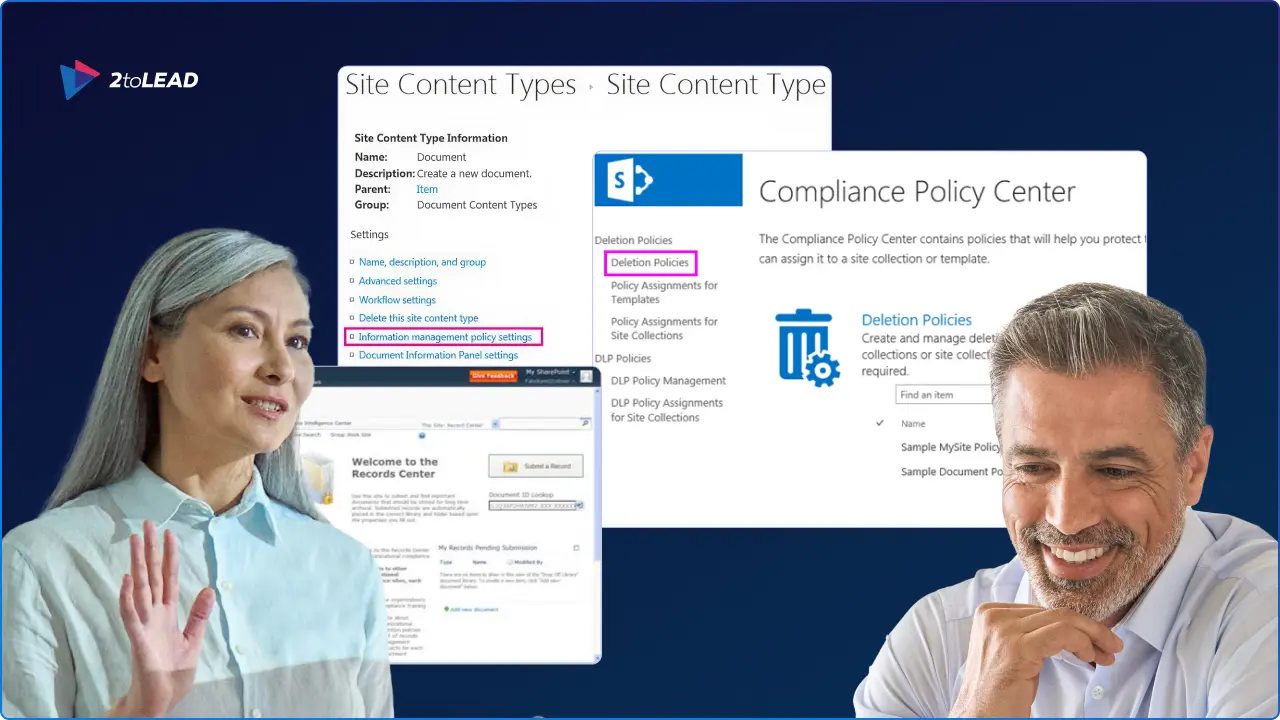
Don't wait until cutover to discover In‑Place Records, Information Management Policies, classic eDiscovery, or custom scripts still lurking in your tenant. You’ll compress timelines, inflate costs, and risk compliance drift. Our step‑by‑step audit in this blog will help you find legacy features, lock in compliance outcomes, and map them to Microsoft Purview before you migrate.
Outcomes You Can Achieve Today

  • A concise inventory of legacy SharePoint compliance features in use.
  • A one‑page list of compliance goals (retention, records, legal hold, DLP).
  • A first‑pass mapping: legacy → Purview controls (labels, policies, eDiscovery, DLP).
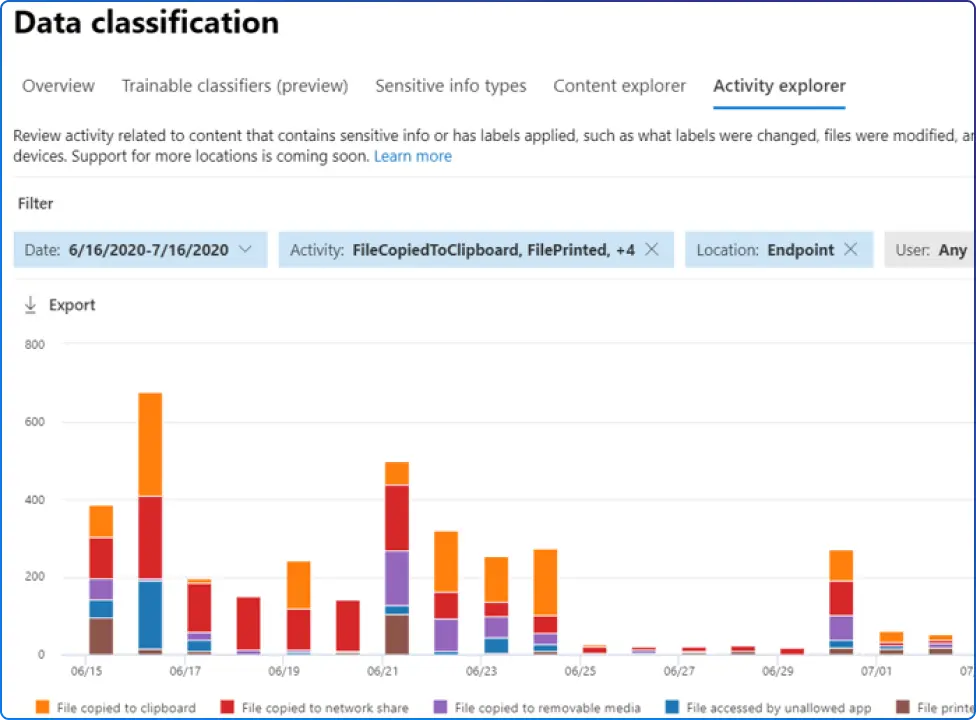
  • Baseline KPIs from Purview (Compliance Manager, Activity Explorer) to measure progress.

Set the Compliance Target & Baseline First

Clarify compliance outcomes (what you must prove or prevent):

  • Records: immutability, event‑based retention, defensible disposition.
  • Privacy & protection: classification and encryption thresholds.
  • Legal: hold/discovery scope and turnaround expectations.

Capture a quick baseline in Purview (so you can show progress after changes):
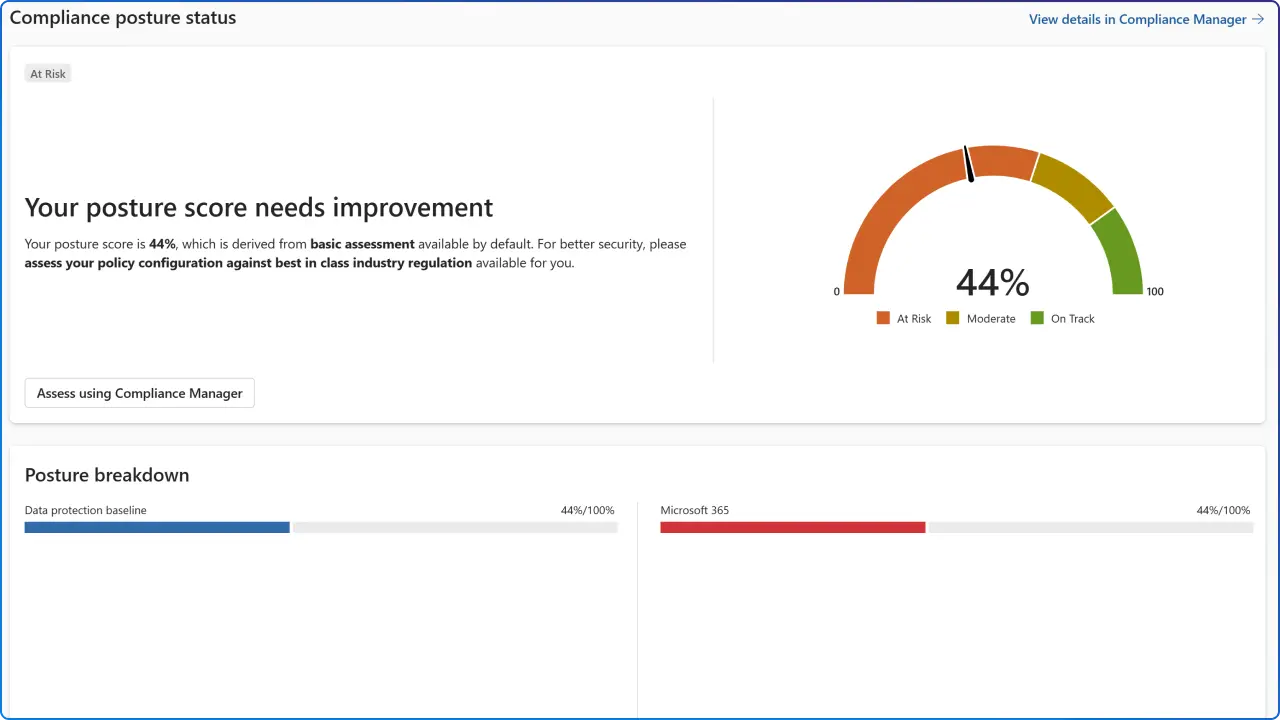
  • Compliance Manager score + top improvement actions for M365 content.
  • Activity Explorer signals (label activity, sharing, DLP incidents).

Before you start: confirm licensing & roles

Some Purview capabilities used in this audit (e.g., Records Management features like proof‑of‑disposition and eDiscovery (Premium) review sets/analytics) require Microsoft 365 E5 or E5 Compliance add‑ons.

Also confirm you have appropriate roles, Compliance admin, Purview admin, and eDiscovery manager, so your audit isn’t blocked mid‑flight. If your tenant is on E3, note which actions require an add‑on so you can plan enables or scope alternatives during migration.

Audit Legacy SharePoint Features & Risky Customizations

Where to look & what to note (quick pass):

  • Information Management Policies / In‑Place Records

What to capture: site/url, library, policy name, trigger, retention/record use.

Why it matters: these are superseded by retention labels/policies and Records Management in Purview.

  • Classic eDiscovery & site‑level retention

What to capture: scope, case usage, site settings.

Why it matters: move to Purview eDiscovery (Standard/Premium) and org‑wide retention.

  • Custom script / legacy web parts

Quick test: append ?csp=enforce to key modern pages to surface inline/unsupported scripts ahead of SharePoint Online CSP enforcement; plan SPFx or removal.

Fast classification: tag each finding as Keep (modernize) / Replace / Retire to feed your migration plan.

  • How to triage CSP issues
  1. Identify pages that break under ?csp=enforce and capture the script source (inline, external CDN, legacy web part).
  2. Replace or remove: rebuild unsupported customizations as SPFx or retire them if usage is low.
  3. Re‑test under ?csp=enforce and document outcomes (works, partial, blocked).
  4. Log impact: note affected journeys (e.g., quote creation) and stakeholders, then schedule the SPFx work in your migration plan.

Tip: Track each finding in your worksheet with page URL, script origin, owner, and replace/retire decision so nothing slips through ahead of CSP enforcement

Confirm Goals → Map to Purview Controls

Use these default “landing zones”:

  • Retention & RecordsRetention labels/policies (+ record declaration, event‑based retention) to replace In‑Place Records/IMP.
  • ProtectionSensitivity labels (files + container labels for sites/Teams) with simple tiers (Public, Internal, Confidential).
  • Data loss preventionPurview DLP for SharePoint/OneDrive; start in audit mode, then enforce.
  • Discovery & legalPurview eDiscovery (custodial/non‑custodial) to replace classic.

Guardrails while you migrate:

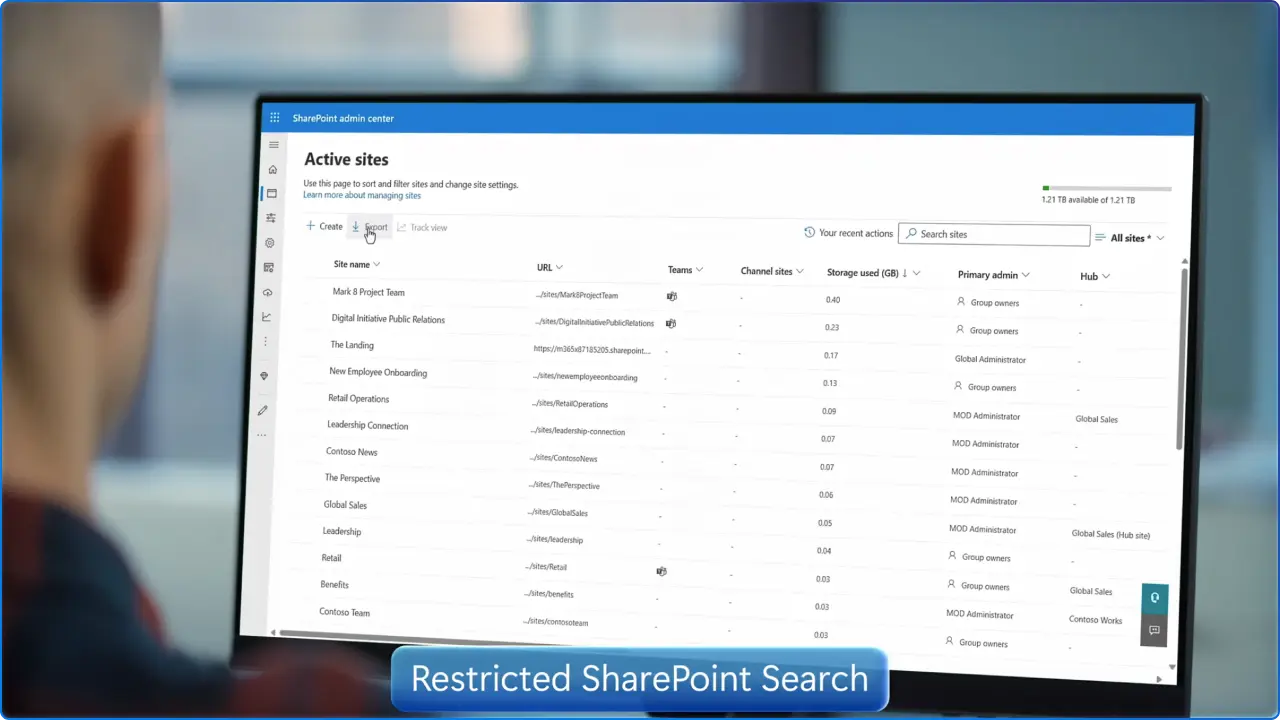
  • Enable Restricted SharePoint Search to limit org‑wide search & Copilot to an allow‑list of “clean” sites while you label and fix permissions.
  • Why it matters: it also shapes what Microsoft Copilot can surface from SharePoint during this period, reducing the risk of oversharing while you modernize controls.
  • How to use it: start with your top business‑critical sites as the allow‑list, expand as labeling and access reviews complete, then return to standard search when your baseline KPIs stabilize

Quick wins: keep labels simple, pilot auto‑labeling on high‑risk libraries, and move “audit‑only” DLP to targeted enforcement after two clean sprints.

Validate & Measure

Validate the experience

  • Smoke tests on top business sites: can users open, label, share, and find content?
  • Watch for “Access Denied” spikes post‑moves (identity & group mapping) and broken internal links; fix at scale with your pre‑migration checklists.

Measure improvement

  • Re‑check Compliance Manager score and the Activity Explorer deltas (label adoption, DLP incidents, sharing). Use these to brief stakeholders and justify next steps.

Modernizing governance isn’t a “nice to have” ahead of 2026, it’s how you avoid last‑minute breakage and prove compliance as you migrate. If you want a ready‑to‑use worksheet and decision tables, get our upcoming Purview‑Powered Migration Playbook, or book a 90‑minute audit accelerator with us.

Next in the Series: The Modern Approach to Data Lifecycle Management (Week 3 Preview)

In Week 3, we’ll shift from assessment to implementation, introducing Microsoft Purview Data Lifecycle Management (DLM) and Records Management and showing how to turn your Week‑2 findings into modern, enforceable controls.

Stay tuned and bring your Week‑2 audit notes. Week 3 is where you’ll translate them into a living, testable Purview configuration you can roll out with confidence.

Get the Purview‑Powered Migration Playbook
Case Study Details

Similar posts

Get our perspectives on the latest developments in technology and business.
Love the way you work. Together.
Next steps
Have a question, or just say hi. 🖐 Let's talk about your next big project.
Contact us
Mailing list
Occasionally we like to send clients and friends curated articles that have helped us improve.
Close Modal