Microsoft is enforcing Content Security Policy (CSP) for scripts across modern SharePoint Online pages starting March 1, 2026. Scripts from untrusted locations and inline JavaScript will be blocked. You can test now with ?csp=enforce, review violations in the browser console and Microsoft Purview, and trust allowed locations in the SharePoint admin center or via PowerShell. A one‑time 90‑day delay to June 1, 2026 is available at the tenant level.
Content Security Policy (CSP) is a browser security standard that lets a site explicitly specify where it can load resources, especially JavaScript, to reduce risks such as cross‑site scripting (XSS) and clickjacking. When a script’s origin or type doesn’t match the policy, the browser blocks it and logs a violation. In SharePoint Online, Microsoft applies CSP headers on modern pages to control script loading and execution.
From a web‑standards perspective, most of the SharePoint‑relevant behavior is governed by CSP’s script-src directive (and related script rules), which impacts external scripts, inline scripts, and event‑handler attributes (like onclick).
?csp=enforce to a modern page URL to simulate enforcement today (or ?csp=report to focus on logging). This is the fastest way to find upcoming breakage.Optional delay (PowerShell):
Available in SPO Management Shell as of Feb 9, 2026.)
At render time, the browser checks every script request against SharePoint’s CSP rules. If the source is allowed, the script loads; if not, the browser blocks it and logs a violation. Inline code (e.g., <script>…</script>, onclick="...", document.write with scripts, etc.) is treated as inline script and will be blocked on modern pages. The recommended mitigation is to move inline logic into external files hosted at trusted locations.
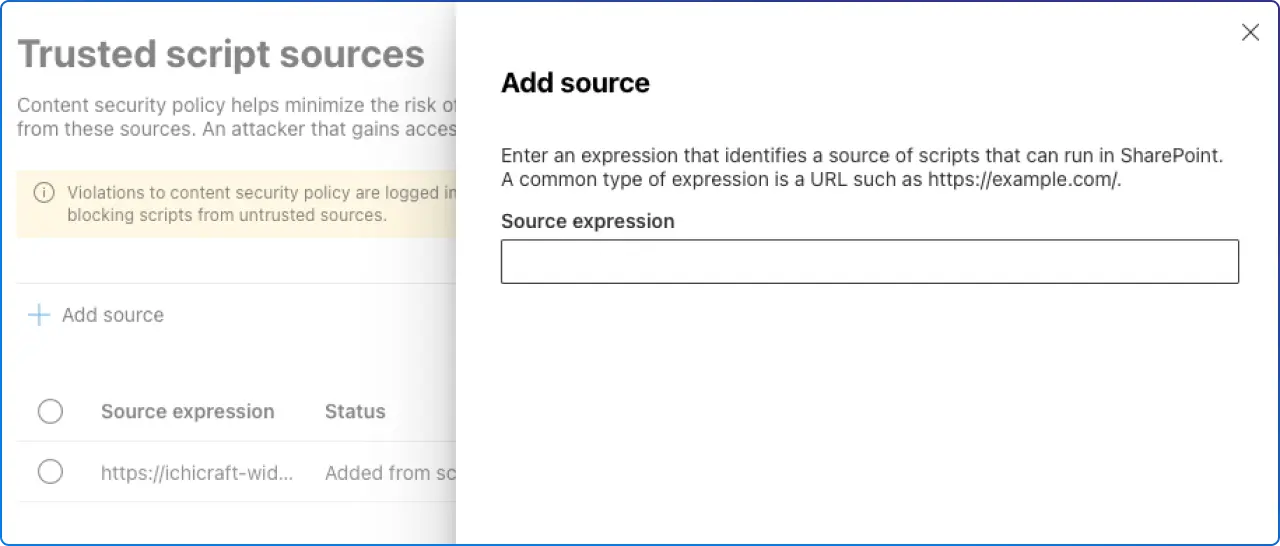
SharePoint exposes an admin capability, Trusted script sources, that appends your approved locations to the CSP header. You can add sources in the SharePoint admin center (Advanced → Script sources) or via PowerShell (Add‑SPOContentSecurityPolicy, Remove‑SPOContentSecurityPolicy, Get‑SPOContentSecurityPolicy).
Microsoft’s guidance breaks common SPFx script patterns into four buckets. Knowing which ones you use helps you predict CSP impact:
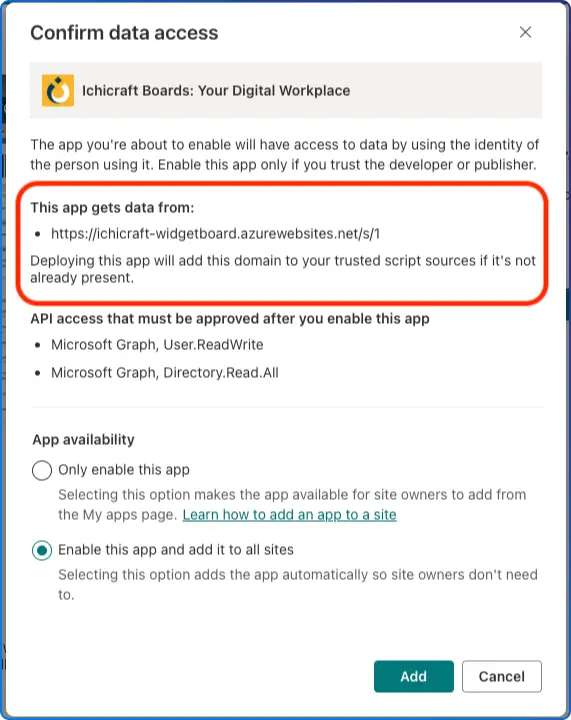
When you set cdnBasePath for your package, SharePoint auto‑adds that CDN location to Trusted script sources on app install. (Caveat: if you configured cdnBasePath without a trailing slash, fix the Trusted entry manually so paths match.)
externalsIf you load vendor libraries from a CDN through SPFx externals, SharePoint auto‑adds those origins to Trusted script sources during app install.
SPComponentLoader.loadScript)If you fetch scripts at runtime from arbitrary URLs, you must manually trust those origins; otherwise CSP will block them.
Inline code and inline event handlers are blocked on modern pages. Move logic into files on a trusted origin; SharePoint does not expose nonces for you to allow arbitrary inline script.
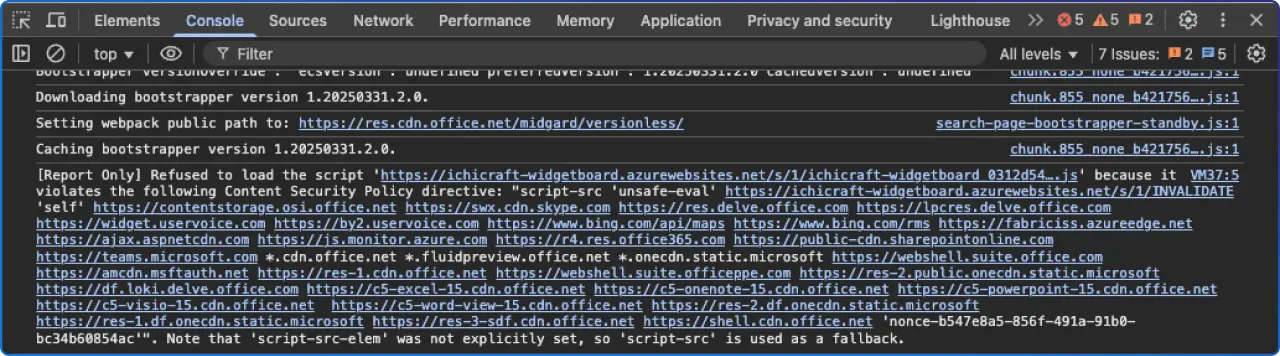
script-src. This is your quickest feedback loop during testing with ?csp=enforce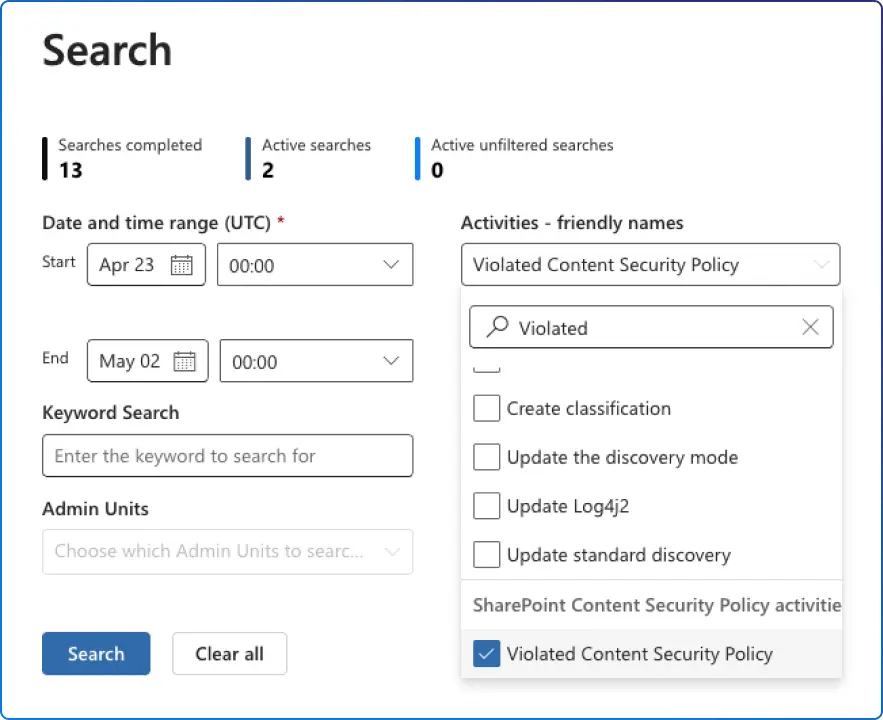
Letting users inject arbitrary script reduces your ability to govern what runs inside your tenant. Microsoft’s broader security guidance advises moving away from custom script and toward governed models like SPFx, and CSP is the platform control that makes that governance stick.
CSP also aligns your SharePoint sites with modern web‑security practices: minimizing inline code, vetting third‑party dependencies, and keeping a clear inventory of allowed script origins, all of which lower risk and support compliance narratives.
For a broader view of what else changes by 2026, and how governance shifts towards Microsoft Purview, see our guide to the SharePoint Online retirements and modern replacements.
?csp=enforce, capture console errors, and search Purview for violations.When exactly does SharePoint Online enforce CSP?
Starting March 1, 2026, with a one‑time 90‑day tenant delay to June 1, 2026 via Set‑SPOTenant -DelayContentSecurityPolicyEnforcement $true
How do I test enforcement before March 2026?
Append ?csp=enforce to any modern page URL; violations will surface in the browser console and in Microsoft Purview.
Do I have to trust exact files, or can I trust folders/hosts?
You can trust exact files, folders (ensure a trailing slash), hosts, or wildcards for subdomains. Use the least‑privilege scope that still supports your release cadence.
Are inline scripts allowed if I use a nonce?
No, SharePoint does not expose nonces for you to allow arbitrary inline script on modern pages. Move inline logic into external files at trusted locations.
Does CSP apply to classic pages?
No. CSP is enforced on modern pages; SPFx hosted on classic pages does not have CSP enforced.


Join Our Newsletter