Microsoft Defender’s Pre‑Delivery Protection with NLP analyzes the intent of emails (urgency, coercion, payment pressure) to stop payload‑less BEC before inbox delivery. Configure recommended presets and licenses, and pair it with Security Copilot’s Phishing Triage Agent to cut noise and triage faster, backed by Microsoft documentation.
For decades, email security has been a game of "find the bad object." Secure Email Gateways (SEGs) scanned for known malicious file hashes, blacklisted domains, or suspicious URLs. If the email didn’t carry a "payload," it was often assumed safe.
This left a massive vulnerability: Business Email Compromise (BEC).
Microsoft Exchange and Defender teams recently announced a fundamental shift to close this gap: Pre-Delivery Protection with NLP. This feature is now Generally Available and uses Natural Language Processing to analyze the intent of a message before it ever reaches a user's mailbox.
Q: What is pre‑delivery NLP protection in Defender for Office 365?
A: It’s pre‑delivery intent analysis that reads email content to flag high‑risk requests (wire transfers, credential urgency) even without malicious payloads, stopping BEC earlier in the pipeline.
Q: Does this require Defender P1 or P2?
A: Enable Microsoft’s Preset Security Policies (“Standard/Strict”) on Defender for Office 365 licensing (P1/P2 tiers). Confirm availability and feature naming in the What’s New documentation when you publish.
Q: How does Security Copilot help with user‑reported phish?
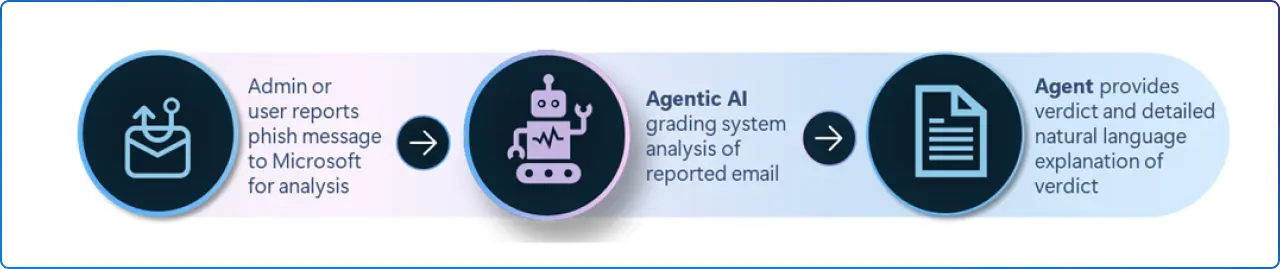
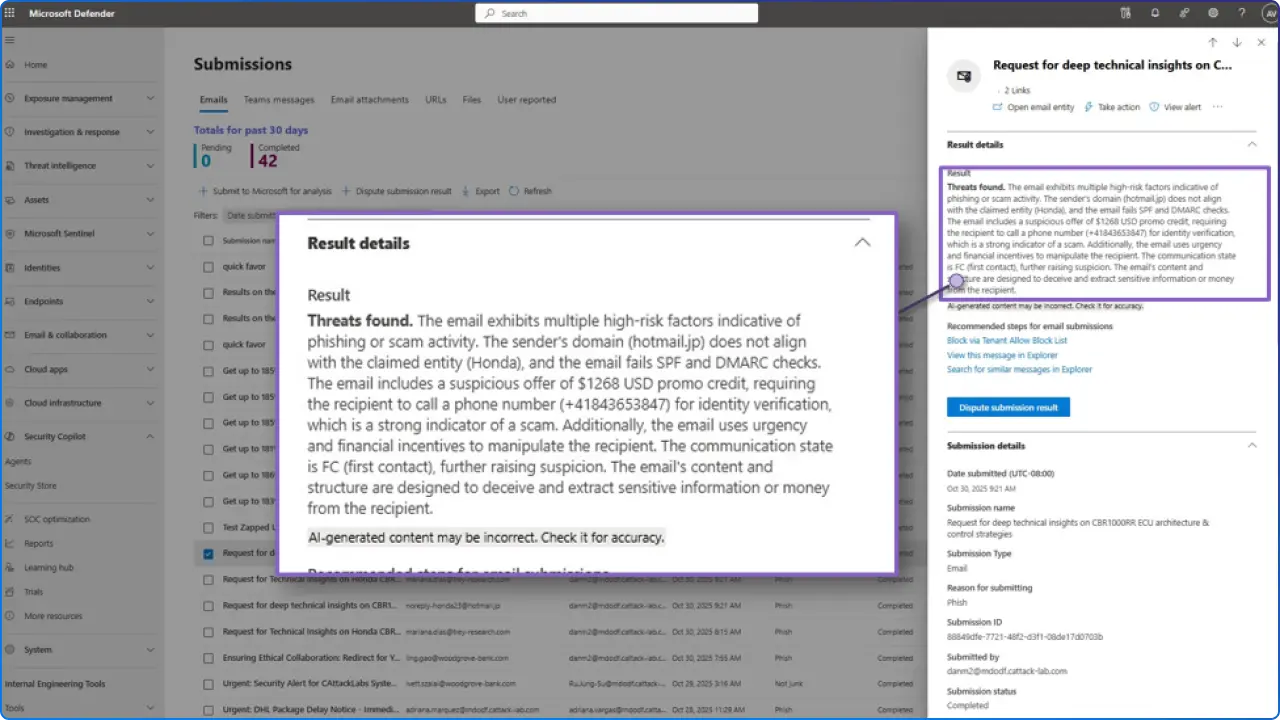
A: The Phishing Triage Agent (GA) automates grading and explains verdicts in natural language; early results show improved accuracy and analyst focus on genuine threats.
Attackers have adapted. They no longer rely solely on infected attachments that trip antivirus sensors. Instead, they use social engineering. They spin up fresh, clean Gmail accounts and send plain text emails to finance teams, CEOs, or HR departments.
To a traditional filter, these are just text. There is no malware. There is no bad link. There is no "payload" to block.
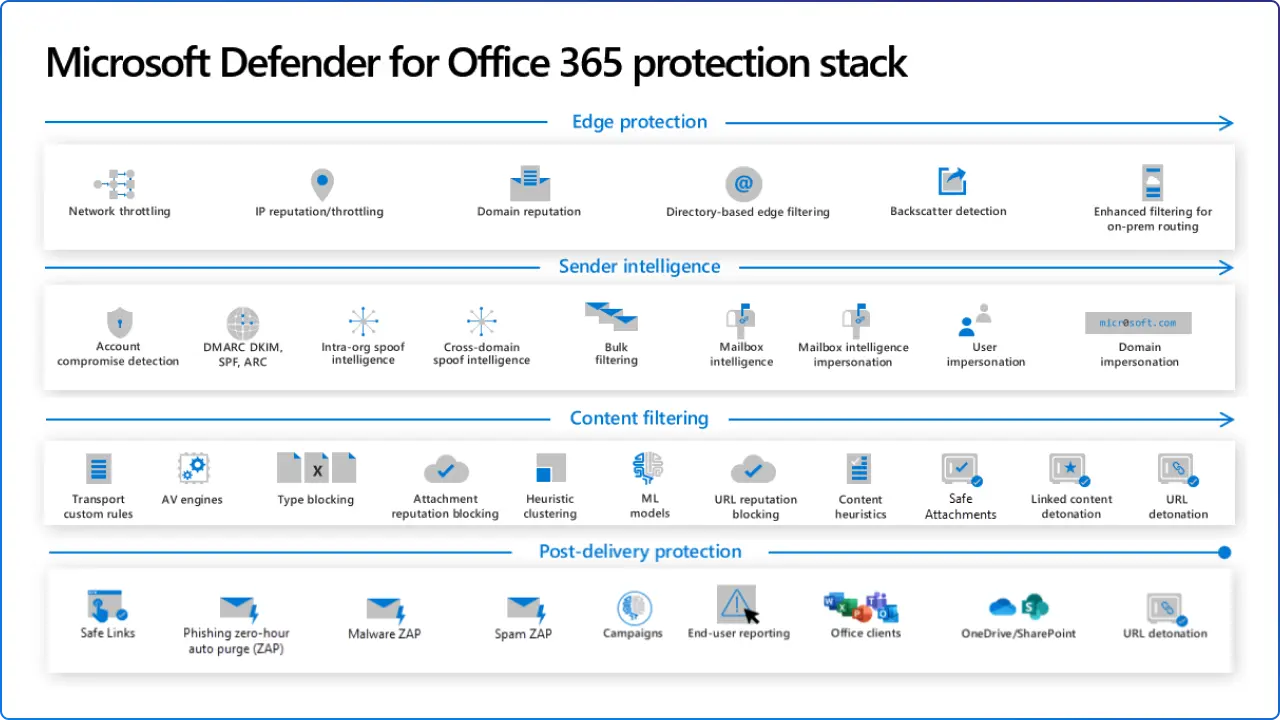
The new Pre-Delivery Protection feature changes the inspection model. Instead of just looking for artifacts (links/files), the system reads the email content using Large Language Models (LLMs) to understand the sentiment and intent.
It specifically looks for:
If the NLP engine detects these patterns, even in a text-only email from a "clean" sender, it flags the message as a high-confidence phishing attempt based on the linguistics, not the technical headers.
To leverage this capability, your organization must meet specific licensing and configuration standards. This is not included in the basic Exchange Online Protection (EOP) that comes with standard Office 365 licenses.
Required Licenses:
Required Configuration:
Organizations that meet these requirements gain immediate operational and security advantages:
This feature represents the maturity of AI in defense. We are moving from hunting Indicators of Compromise (IoCs), like bad IP addresses which change hourly to hunting Indicators of Intent (IoI).
An attacker can easily change their IP address. They can easily register a new domain. But they cannot change their intent. To steal money, they must ask for it. To steal credentials, they must create urgency. By detecting the intent, you force the attacker to change their entire methodology, which is a much higher cost for them than simply spinning up a new server.


Join Our Newsletter