Most intranets don’t suffer from a content problem. They suffer from a context problem. SharePoint’s new Knowledge Agent finally bridges that gap, giving your content structure, clarity, and accessibility without asking authors to work harder.

Knowledge Agent is a built‑in, role‑aware assistant for SharePoint that auto‑enriches content with metadata, helps maintain site health, and enables simpler, conversational actions, improving UX, reducing cognitive load, and strengthening accessibility and Copilot grounding.
It’s in Public Preview and requires a Microsoft 365 Copilot license. If your org has both of these things, the Knowledge Agent (Preview) can be enabled today via SharePoint Online PowerShell. Details outlined below.
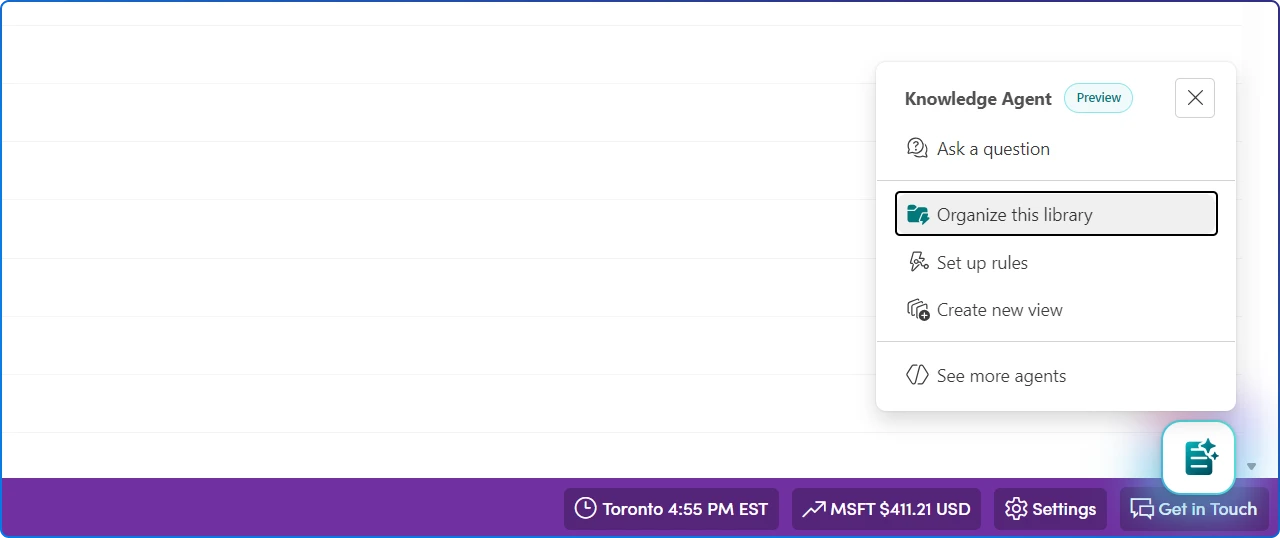
If you’ve been waiting for a practical way to de‑clutter SharePoint, improve findability, and make Copilot answers feel grounded and trustworthy, the new Knowledge Agent in SharePoint is a big deal. It lives right where people work, helps structure content with intelligent metadata, flags stale pages and broken links, and boosts Copilot results by giving AI better context.
In other words, it’s not another app to adopt. It’s a capability that makes your intranet, libraries, and knowledge bases smarter and more accessible. In just a few minutes, it can transform an under‑tagged document library into a rich, AI‑ready resource that dramatically improves your Copilot experiences
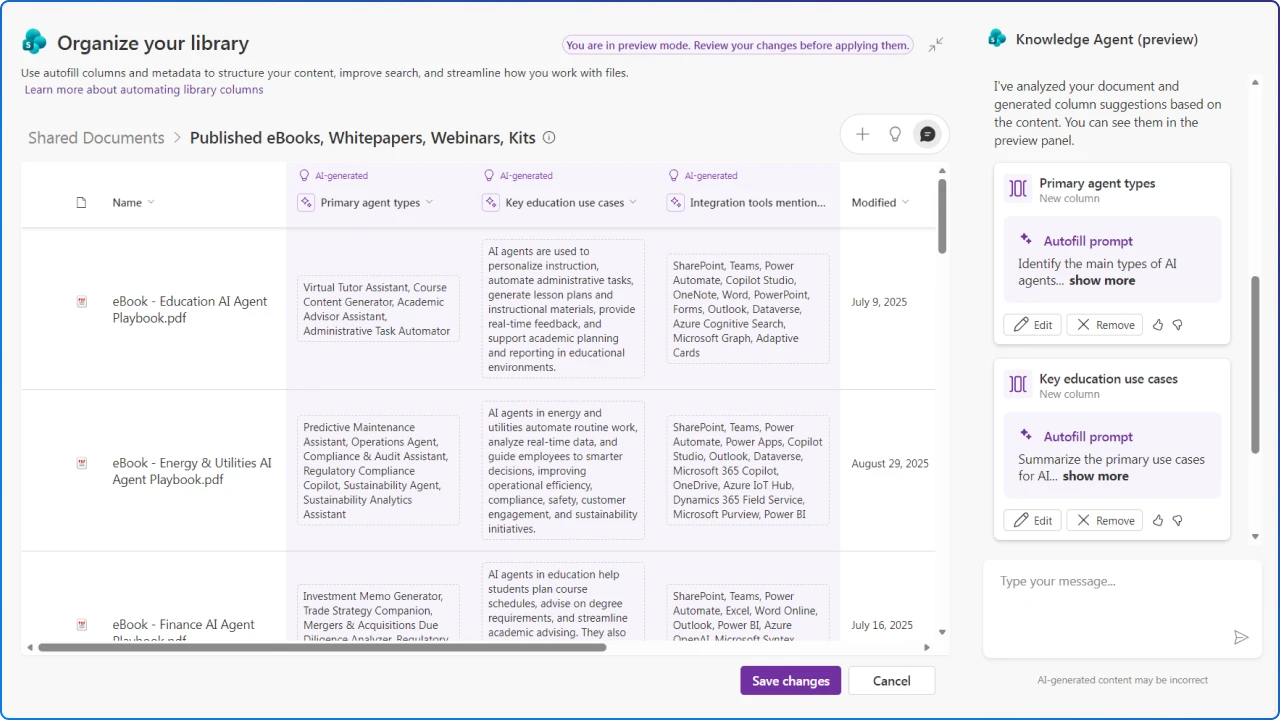
Knowledge Agent is a built‑in assistant in SharePoint that surfaces a floating, context‑aware menu for actions like organizing libraries, enriching metadata, summarizing files, and generating FAQs. It’s part of Microsoft’s broader shift from Viva Topics toward AI‑assisted knowledge in SharePoint and Copilot.
The Knowledge Agent is a versatile tool that will greatly help anyone that works in SharePoint.
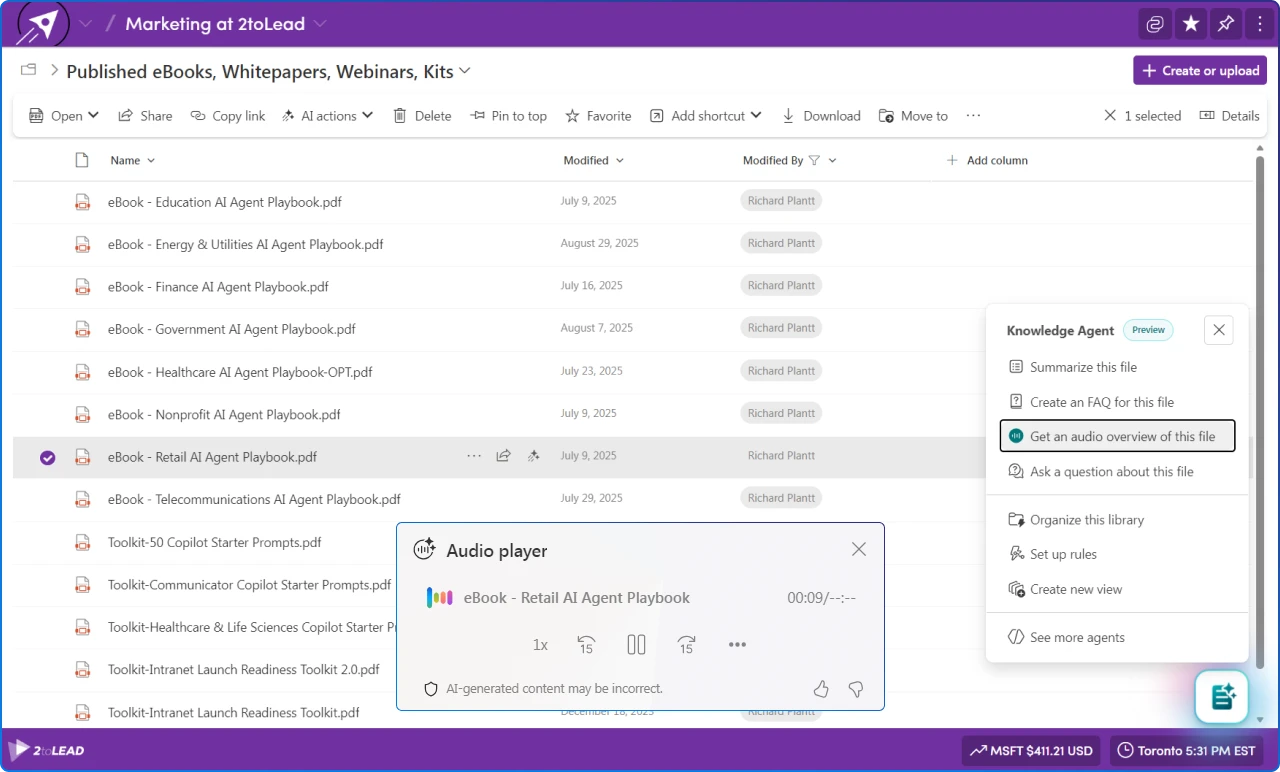
Accessibility (a11y) isn’t only about screen readers and contrast. It’s also cognitive load, information density, and the effort required to complete tasks.
Knowledge Agent helps by creating concise summaries and FAQs, while audio overviews support users with visual impairments, reading fatigue, or those who simply prefer listening.
Combined with Immersive Reader on SharePoint pages, employees gain control over spacing, focus, and read‑aloud, valuable for dyslexia, ADHD, and multilingual audiences. Microsoft’s broader commitment to WCAG provides the backdrop for aligning your intranet to perceivable, operable, and understandable content.
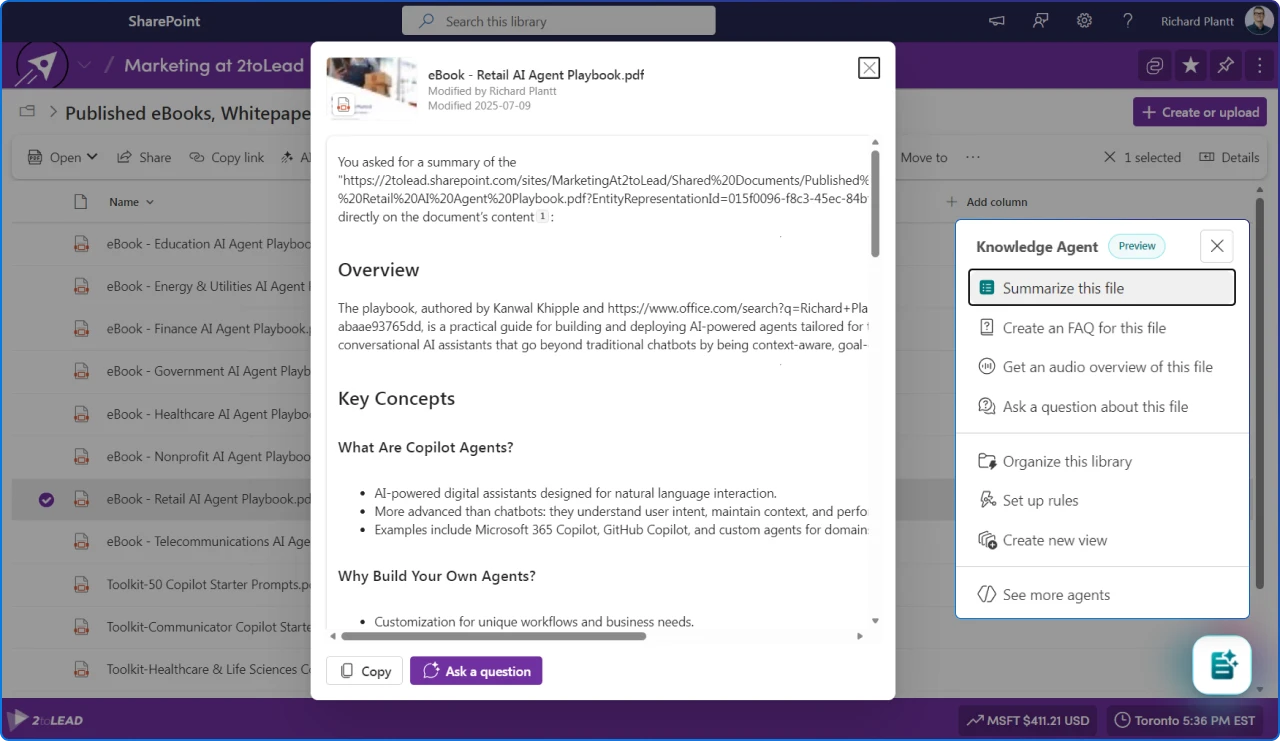
Bottom line: by curating and simplifying content, Knowledge Agent makes the digital workplace more usable for more people.
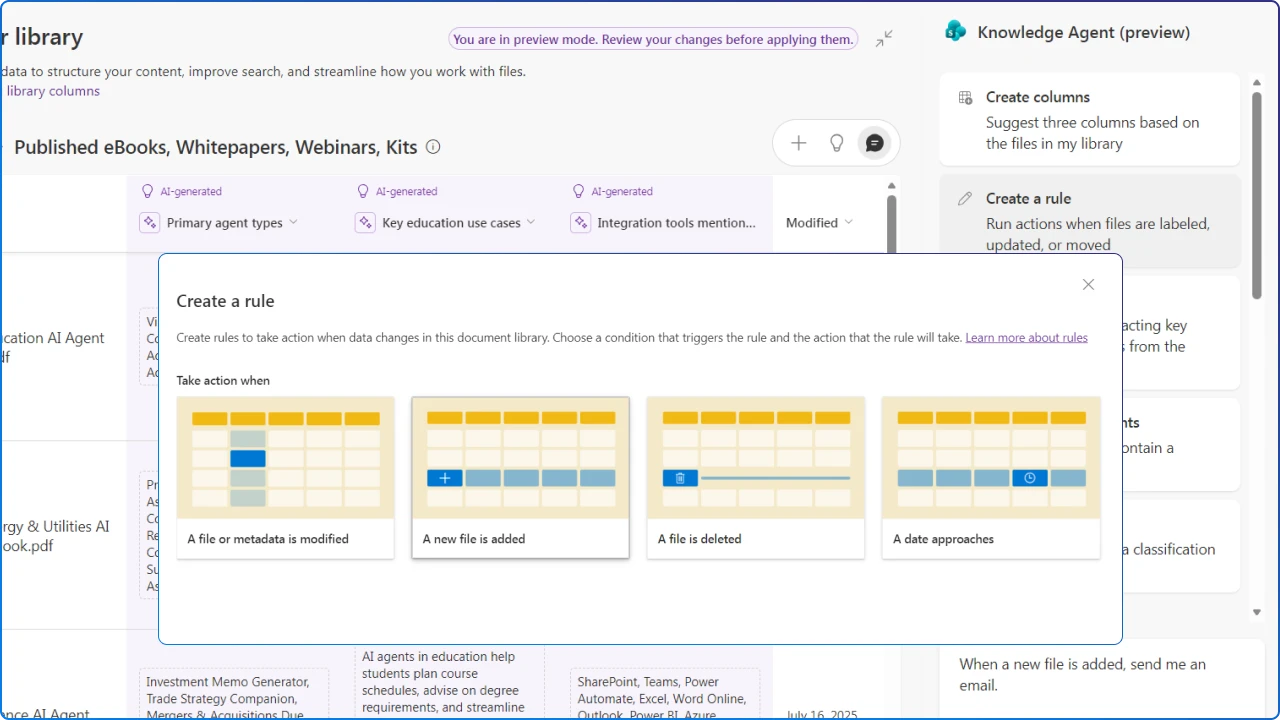
During preview, admins enable Knowledge Agent using the SharePoint Online Management Shell and can target all sites or selected ones, including multi‑geo tenants. Start with a few high‑value sites, HR, Legal, Product Docs, to show impact quickly and build momentum.
Users need a Microsoft 365 Copilot license to see and use the floating Agent button in supported SharePoint surfaces, and usage is included with Copilot. Admin enablement via PowerShell adds a small operational step that’s worth planning into your rollout. This will not be required for the general release.
Set-SPOTenant with KnowledgeAgent parameters; include/exclude sites as needed.Copilot and SharePoint agents respect existing permissions and only surface content a user is allowed to see. That makes permission hygiene critical: review sharing links, inherited access, and connector ACLs if you index external systems into Microsoft Search.
Microsoft documents that prompts, responses, and Graph‑accessed data aren’t used to train foundation LLMs in Microsoft 365 Copilot, so your organizational data stays within established compliance boundaries.
Pick a few metrics and baseline them before you enable the Agent across your entire tenant. Share results widely to reinforce the value of clean, inclusive content.
Setting expectations early. As a preview, it's important to remember that some features and entry points will evolve and not all surfaces are supported equally.
Metadata isn’t busywork anymore. It’s a design asset. With Knowledge Agent, taxonomy becomes a UX tool that improves both browsing (views, filters, grouping) and AI grounding (better Copilot precision over your content).
Pair your IA plan with Agent skills and you’ll lift search, navigation, and confidence in one move.
If we want an intranet that’s genuinely inclusive, we have to make the right content easy to find, trust, and act on, for everyone.
Knowledge Agent nudges SharePoint toward that future by simplifying your intranet's stewardship and reducing cognitive overhead.
Add accessibility features like Immersive Reader and audio overviews, and you’ve got a pragmatic, human‑centered step forward for the digital workplace.


Join Our Newsletter