By clicking “Accept”, you agree to the storing of cookies on your device to enhance site navigation, analyze site usage, and assist in our marketing efforts. View our Cookie Policy for more information.
On January 7, Microsoft will flip a significant switch: Anthropic models will be on by default across many Microsoft 365 Copilot experiences for commercial tenants.
This isn’t just a feature flag, it’s a contractual and compliance shift that brings Anthropic under Microsoft’s Product Terms, DPA, and Enterprise Data Protection (EDP) for these experiences, while also changing which Copilot capabilities you can access if you opt out.
If you own Copilot governance, security, or adoption, now is the time to prepare your toggle strategy, compliance notes, and rollout plan, before this default change goes live.
TLDR
Jan 7, 2026: Anthropic models (Claude) become enabled by default in many Microsoft 365 Copilot experiences under Microsoft’s Product Terms and Data Protection Addendum (DPA), with Anthropic listed as a Microsoft subprocessor. Admins can opt out now.
Exclusions: Tenants in EU/EFTA and UK will be OFF by default; government/sovereign clouds won’t have Anthropic yet. Anthropic models are currently excluded from the EU Data Boundary.
Features impact: Several Frontier features (e.g., Researcher, Copilot Studio agents, Word/Excel/PowerPoint agents, Agent Mode in Excel) rely on Anthropic. If you disable Anthropic, some features won’t be available.
What’s Changing on January 7, 2026
Anthropic becomes a Microsoft subprocessor for Copilot
Microsoft has onboarded Anthropic as a subprocessor, bringing Anthropic‑powered Copilot experiences under Microsoft’s contractual safeguards (Product Terms + DPA) and covered by Enterprise Data Protection. This replaces the earlier “opt‑in to Anthropic’s separate terms” approach and simplifies governance.
Default‑on toggle for most commercial tenants
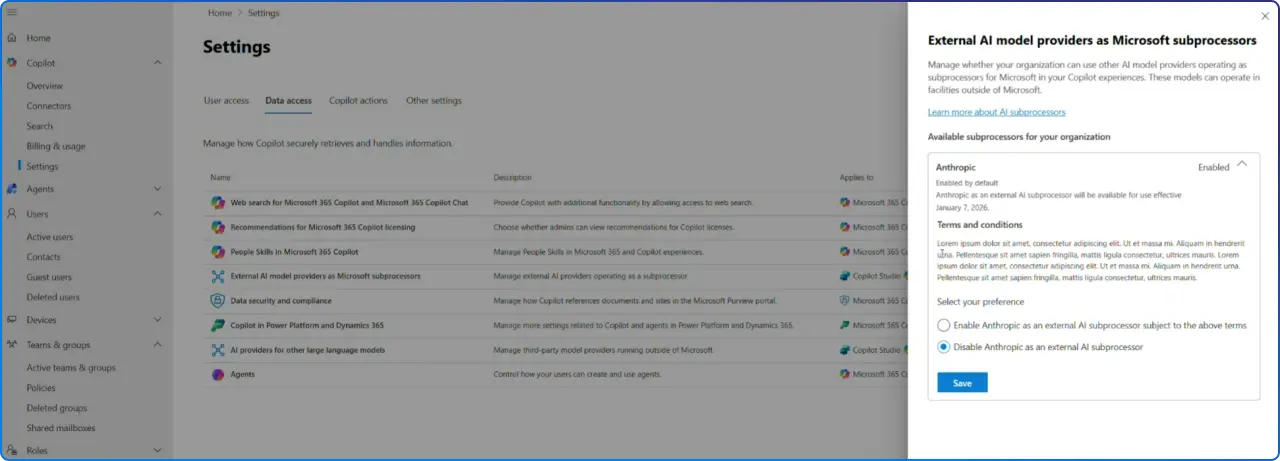
A new admin toggle for Anthropic appeared in the Microsoft 365 admin center on Dec 8, 2025. For most commercial cloud customers, it’s ON by default. Admins can opt out now; no need to wait until January.
Who’s Affected
Admins managing Microsoft 365 Copilot and Copilot Studio
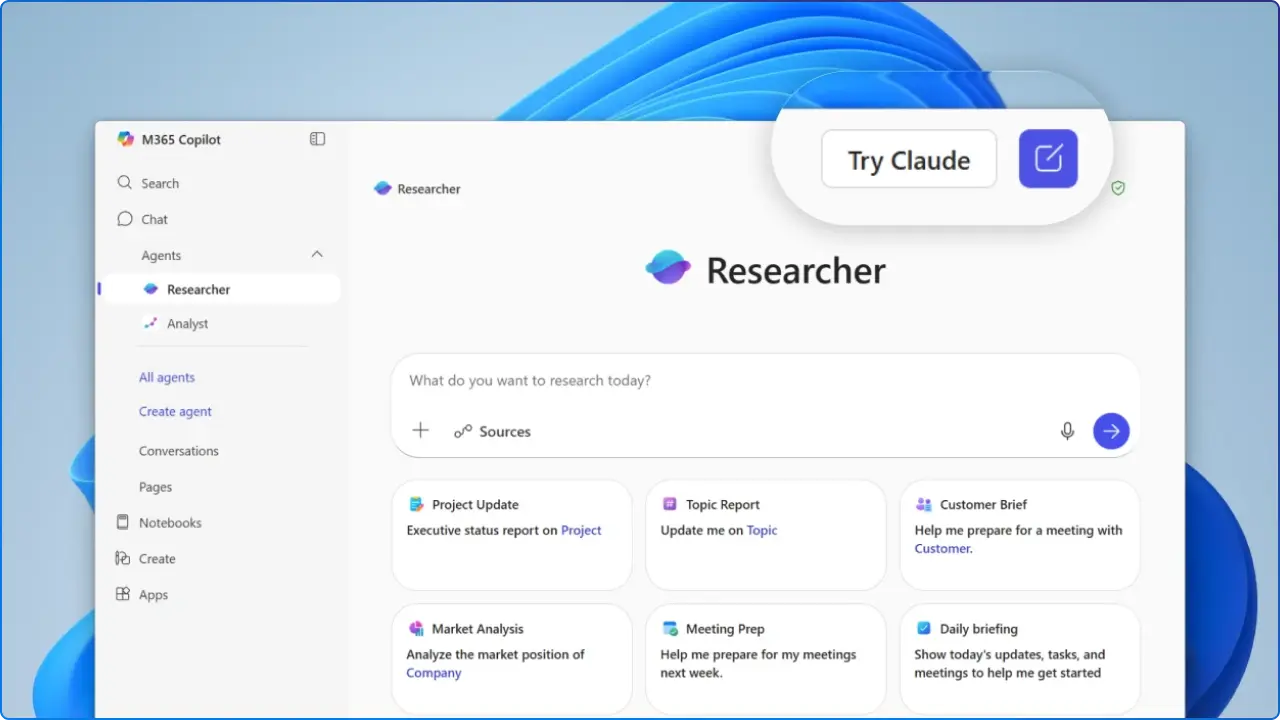
Microsoft 365 Copilot customers participating in Frontierfeatures such as Word, Excel, PowerPoint agents, Researcher, and Agent Mode in Excel
Region & Cloud Exclusions
EU/EFTA & UK: Anthropic models will be OFF by default; tenants must opt in if they choose to use Anthropic as a subprocessor.
Government clouds (GCC, GCC High, DoD) & sovereign clouds: Anthropic models not available; no toggle will be present.
EU Data Boundary: Anthropic models used in Copilot experiences are currently excluded from the EU Data Boundary and, where applicable, in‑country processing commitments.
Why This Matters: Contracts, Data Protection & Audits
With Anthropic acting as a Microsoft subprocessor for Copilot experiences, your use is covered by Microsoft’s Product Terms and DPA, and by Enterprise Data Protection (EDP) for prompts and responses.
EDP includes encryption, tenant isolation, alignment with GDPR, support for audit/eDiscovery, and controls via Microsoft Purview; alongside safeguards against prompt injection and other AI risks.
Important nuance (EU): Even with EDP coverage, Anthropic models are excluded from the EU Data Boundary at this time. EU/EFTA and UK tenants will need to opt in explicitly, and many will prefer to conduct a DPIA update and legal review first.
Feature Impact: What You Lose If You Disable Anthropic
Some of Copilot’s most capable experiences rely on Anthropic. If you turn the Anthropic toggle OFF, you may lose access to:
Researcher agent model choice (Anthropic vs. OpenAI)
Copilot Studio agents powered by Claude (orchestration and deep reasoning)
Word, Excel, and PowerPoint agents (Frontier) for iterative content creation
Agent Mode in Excel and related preview experiences in Frontier
What To Do Now: Step‑by‑Step Admin Action Plan
1) Confirm and set the Anthropic toggle in the Microsoft 365 admin center
Path: Admin center → Copilot → Settings → Data access → AI providers operating as Microsoft subprocessor→ Anthropic
Action: Allow or disable the provider; acceptance of terms may be required.
2) Scope access & pilot safely
Create pilot groups (e.g., Strategy, Finance, PMO) and scope access via Azure AD groups to measure quality, speed, and compliance before organization‑wide rollout.
3) Apply Power Platform Admin Center (PPAC) controls for Copilot Studio
Once enabled in MAC, Anthropic is on by default in PPAC for Copilot Studio. Use environment controls to manage maker access to Anthropic models; note that if Anthropic is disabled, agents automatically fall back to OpenAI GPT‑4o.
4) Update security & compliance artifacts
DPIA/ROPA: Document subprocessor change and EU Data Boundary exclusion where relevant.
Purview & audit: Confirm Copilot prompts/responses are retained per policy and included in eDiscovery and audit workflows.
Labeling & permissions: Re‑validate sensitivity labels and access controls respected by EDP.
5) Communicate clearly to users
Provide an internal announcement explaining model choice, where users may see Claude in Copilot experiences, and how this enhances Researcher and Office agents, plus who to contact for support.
Best Practices for Model Choice (Claude vs. GPT) in Copilot
Match model to task: Use Claude for complex, multi‑document reasoning (Researcher), and for agent orchestration in Copilot Studio; use GPT models where latency or cost considerations dominate.
Run A/B pilots: Evaluate accuracy, completeness, and time‑to‑deliver for your top workflows (e.g., quarterly market analysis, board deck creation, anomaly detection in Excel).
Establish guardrails: Enforce data handling rules, prompt hygiene, and tool access boundaries for agents.
FAQ
Is Anthropic in Copilot covered by Microsoft’s DPA and Product Terms?
Yes. As a Microsoft subprocessor for Copilot experiences, Anthropic usage is covered under Microsoft Product Terms and DPA, with Enterprise Data Protection applied.
Is Anthropic included in the EU Data Boundary?
Not currently. Anthropic models used in Copilot are excluded from the EU Data Boundary and, when applicable, in‑country processing commitments.
Where do admins enable or disable Anthropic?
In the Microsoft 365 admin center under Copilot → Settings → Data access → AI providers. Additional governance controls exist in Power Platform Admin Center for Copilot Studio.
Will users know when a Claude model is in use?
Yes. Microsoft indicates UI indicators will show when Anthropic/Claude models are in use in Microsoft 365 Copilot.
Are government or sovereign cloud customers getting Anthropic?
Not yet. Anthropic models are not available for GCC, GCC High, DoD, or sovereign clouds; no toggle is present.