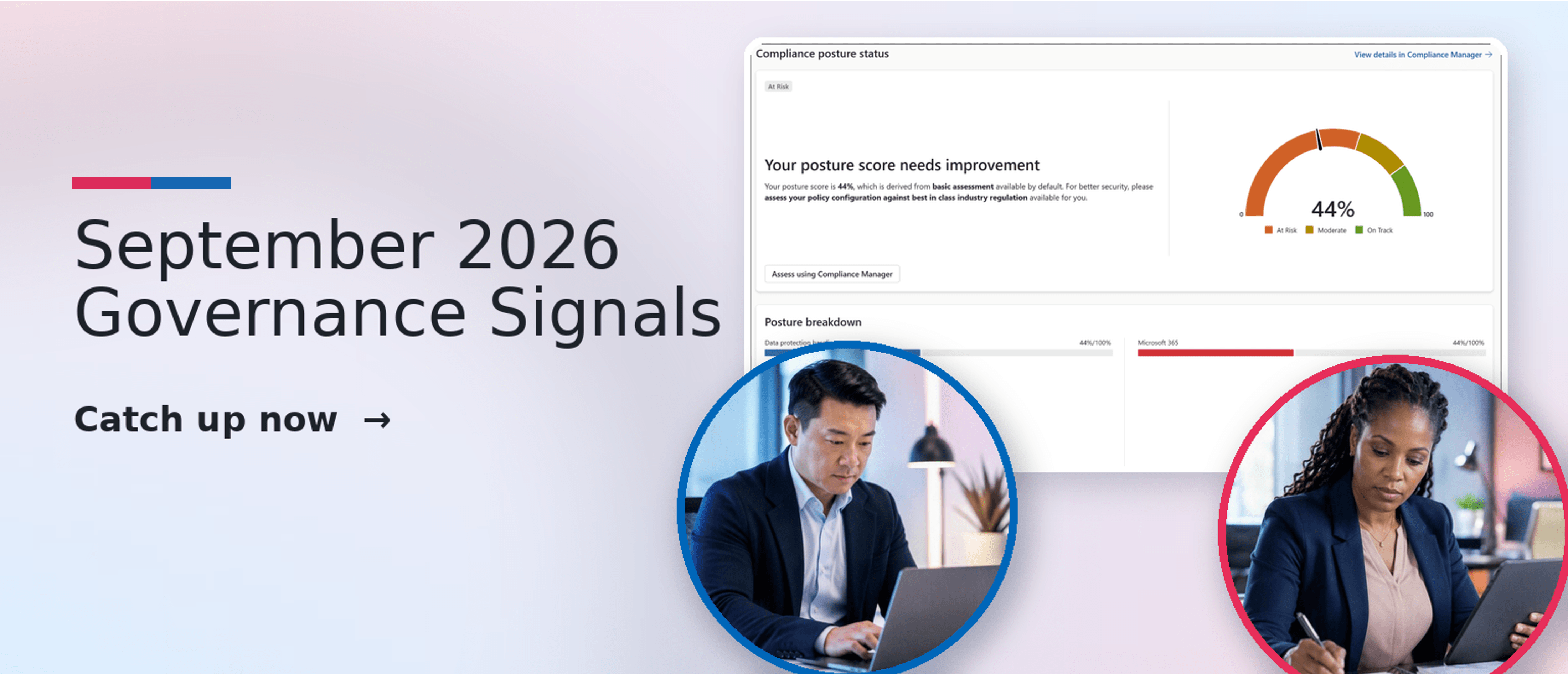
There is a date on your calendar you may not have put there. On January 6, 2027, file policies in Microsoft Defender for Cloud Apps stop being enforced.
Not deprecated with a grace period. Not supported in a reduced capacity. They stop running, and anything they were catching stops being caught.
If your organization uses Defender for Cloud Apps file policies to scan content in Box, Google Drive, Dropbox or Salesforce, that is a migration project with a hard deadline and a live exposure window at the end of it.
The good news is that Microsoft has shipped the replacement, and it is genuinely better than what it replaces.
Ask most security leaders where their sensitive data lives and the honest answer is "everywhere." Sales runs on Salesforce. Marketing shares decks through Box or Dropbox. Engineering builds on AWS. The service desk logs tickets, some of them containing customer records, in ServiceNow.
Meanwhile the DLP policy you spent three months tuning covers Exchange, SharePoint, OneDrive and Teams. Everything beyond that boundary has been a separate console, a separate policy language and a separate set of people to chase when something goes wrong.
That fragmentation is expensive in three ways:
If you are still mapping which Purview capabilities your licence actually unlocks before tackling any of this, start with our breakdown of Purview licensing across E3, E5 and add-ons.
This is where organizations get tripped up, because two authoritative Microsoft sources currently say slightly different things.
Microsoft notes that these apps are rolling out in phases and that not every app will appear in every tenant at the same time.
The takeaway: do not design your target architecture off a blog post. Open the Purview portal, look at which locations are actually available in your tenant today, and scope your migration to what you can see.
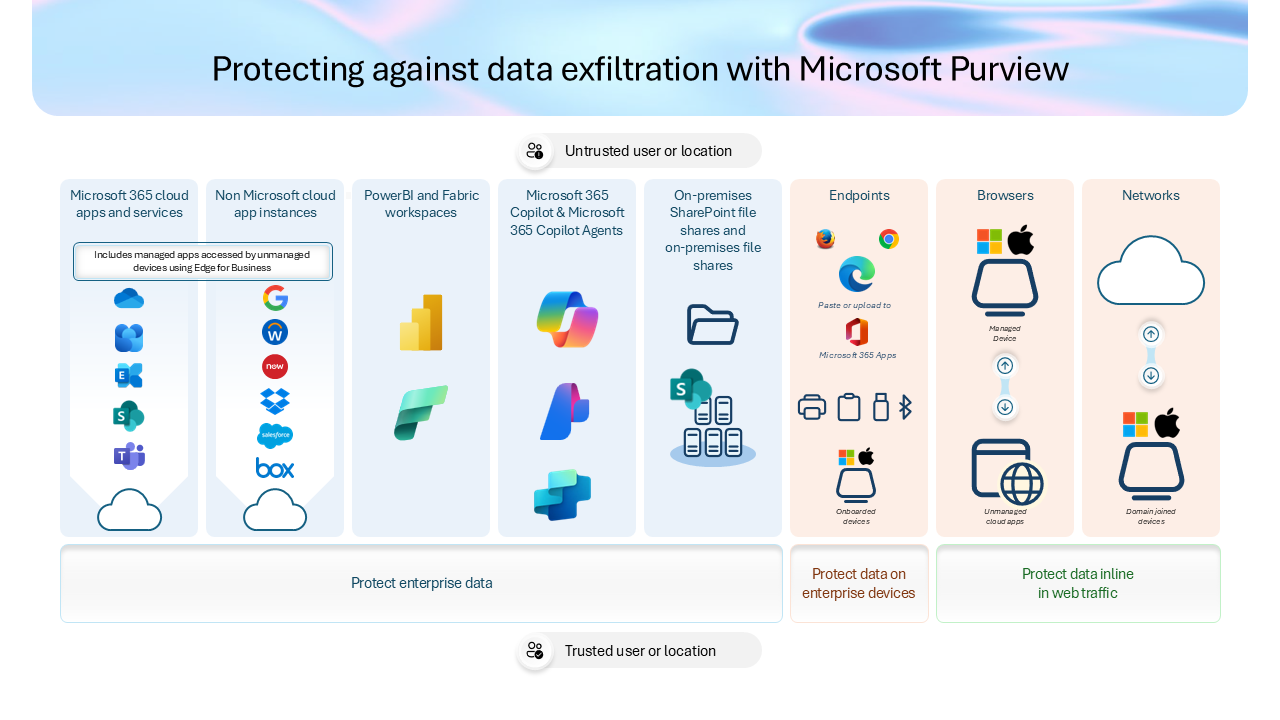
Two things retire together, and it is worth being precise about both:
That second point catches people out. If you already moved third-party DLP into Purview by scoping policies to Instances, you are not finished. You are on the same deadline as everyone else.
The rebuild splits cleanly along intent:
One important limitation: Microsoft's DLP to Purview migration tool currently supports SharePoint and OneDrive file policies only. DLP and auto-labeling migration for non-Microsoft apps, including Google Workspace, Box, Dropbox and Salesforce, is not yet supported and appears in the wizard as a "coming soon" callout. Your third-party policies are a manual rebuild today. Plan the hours accordingly.
For a broader view of sequencing a Purview move without opening a protection gap, see our migration strategies guide for IT leaders.
There is no new agent and no new connector framework to learn. Purview reuses the existing Microsoft Defender for Cloud Apps app connectors to reach into these applications. Connect the app in Defender, then build the policy in Purview.
More importantly, you keep your classification investment. The same sensitive information types, trainable classifiers and sensitivity labels you already use for Microsoft 365 apply to Box and Google Drive content. One taxonomy, more destinations.
If your classification foundation is thin, that becomes the bottleneck rather than the connectors. Our primer on Purview data classification and sensitivity labels covers what "good" looks like before you extend it across clouds.
This is not a lift-and-shift, and anyone telling you otherwise has not read the fine print.
Which means the realistic planning window is short. GA completes late October 2026, and Defender file policies stop enforcing January 6, 2027. That is roughly ten weeks of overlap for design, pilot, validation and cutover. Treat this as a Q4 2026 project, not a 2027 one.
Two things to settle before anyone clicks Enable.
Most organizations we work with discover the same thing when they inventory their Defender file policies: a third are redundant, a third no longer match how the business actually handles data, and the remaining third are load-bearing in ways nobody documented.
A migration with a fixed date is the rare chance to fix that rather than faithfully rebuilding a decade of accumulated policy debt.
Book a governance assessment and we will map where your sensitive data actually lives, which policies are worth carrying forward, and what your Purview target state should look like well before January 2027.
Which non-Microsoft apps does Purview DLP support?
Microsoft's Message Center notice lists Google Workspace, Box, Dropbox, Salesforce, ServiceNow, AWS and Cisco Webex, while the Learn documentation currently lists Box, Dropbox, Google Workspace and Salesforce. Apps roll out in phases, so confirm availability in your own tenant.
Can Purview auto-label files in Google Workspace?
Yes, auto-labeling support covers Google Workspace and Box only, using the same sensitive information types and classifiers you already use for Microsoft 365 content.
When are Defender for Cloud Apps file policies retired?
January 6, 2027. The Instances policy location in Purview DLP retires on the same date.
Do I need Defender for Cloud Apps to use this?
Yes, Purview relies on existing Defender for Cloud Apps app connectors to reach the third-party application. Defender continues to handle SaaS discovery, posture management and threat detection. Only file-based data protection moves to Purview.
Does Purview DLP work the same way in Box as in SharePoint?
Not identically. The classification engine is shared, but available conditions and actions vary by application. Validate enforcement behaviour per app rather than assuming your SharePoint policy translates one to one.


Join Our Newsletter