Data teams struggle with format wars daily. Fabric uses Delta Lake. Snowflake prefers Iceberg. Databricks supports both. Before virtualization, this meant one painful reality: duplicate pipelines.
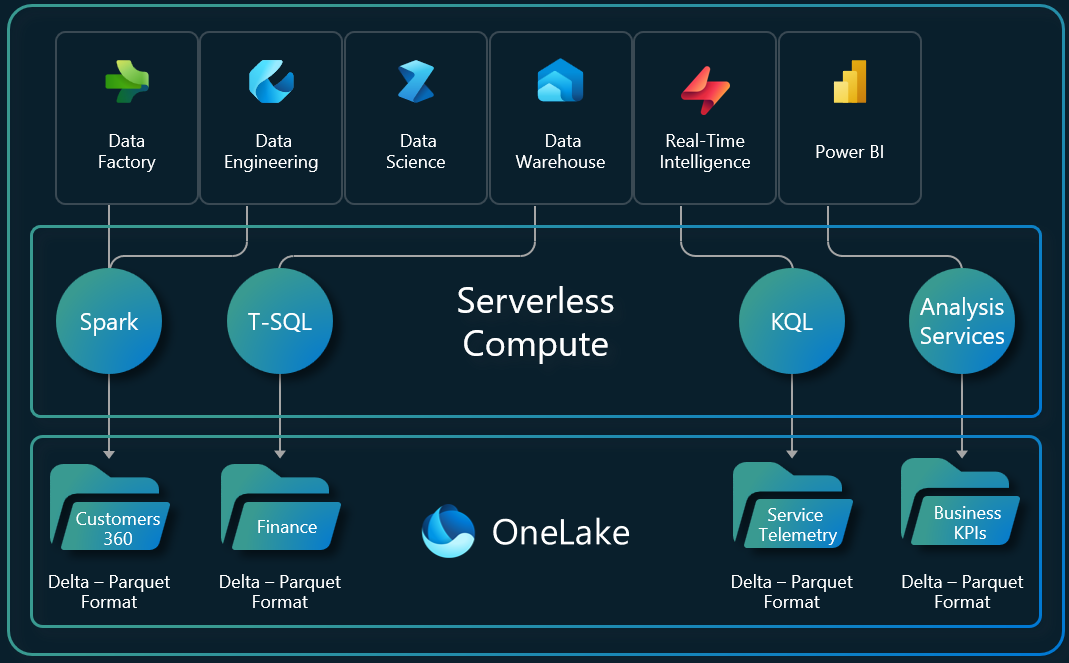
Organizations often need to copy data out of the data lake into various engines to provide access for users and applications. This process creates inefficiencies, leads to data silos, and increases management complexity.
Common problems this feature solves:

OneLake removes these challenges by providing one copy of data for use with multiple analytical engines.
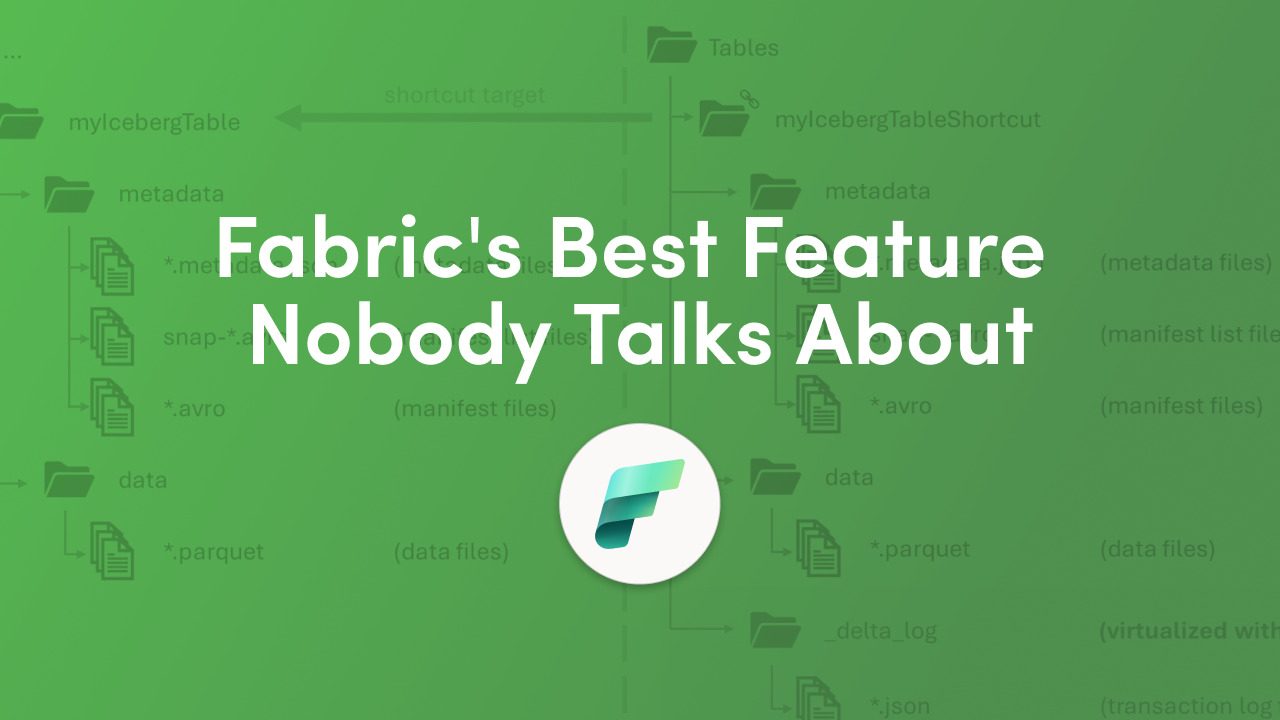
OneLake virtualization works at the metadata layer, not the data layer. Your underlying Parquet data files remain untouched. Only the metadata changes.
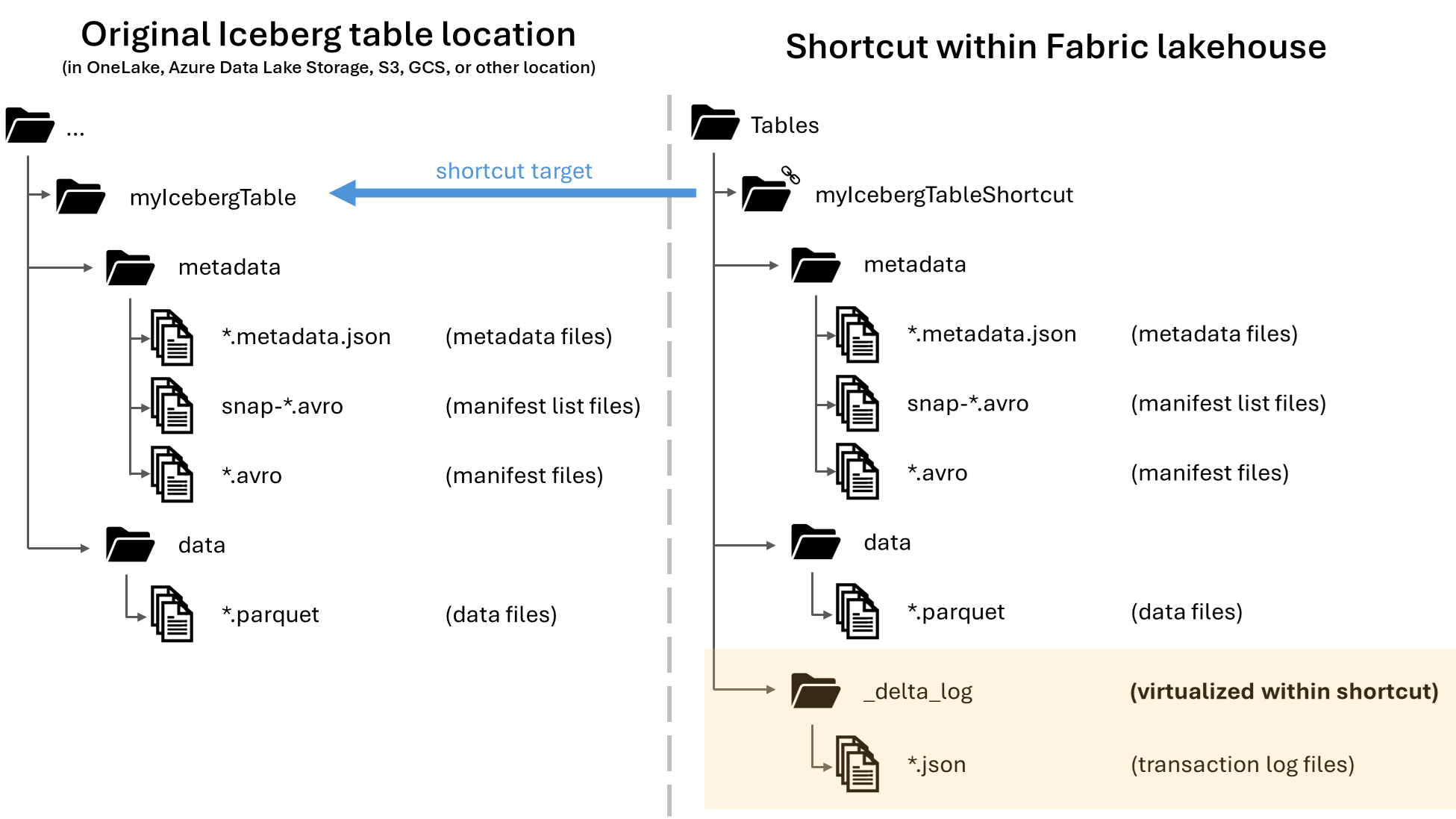
When you write or create a shortcut to an Iceberg table folder, OneLake automatically generates virtual Delta Lake metadata for the table. Conversely, Delta Lake tables now include virtual Iceberg metadata, allowing compatibility with Iceberg readers.
The technical process follows these steps:
This bidirectional conversion happens automatically. Apache Iceberg's metadata structure, versioning, and concurrency model allow multiple engines to read and write the same tables without conflict.
Enabling this feature takes less than five minutes. Follow these steps to configure your Fabric workspace.
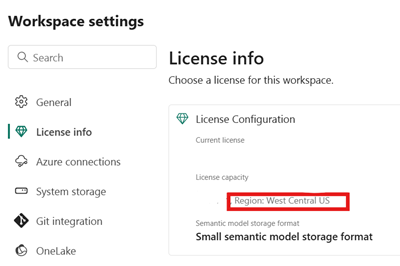
Step 1: Access Workspace Settings
Open the Fabric portal and navigate to your workspace. Click on Workspace settings, then select OneLake settings from the menu.
Step 2: Enable the Virtualization Toggle
Find the setting labeled "Enable Delta Lake to Apache Iceberg table format virtualization" and turn it ON.
Step 3: Position Your Tables Correctly
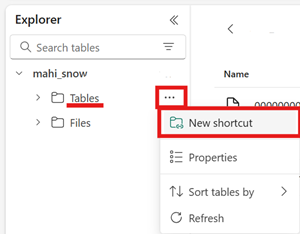
Make sure your Delta Lake table, or a shortcut to it, is located in the Tables section of your data item. The data item may be a lakehouse or another Fabric data item.
Important location notes:
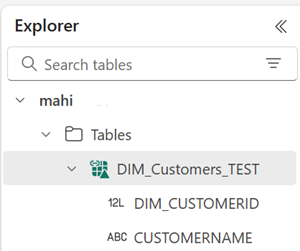
Step 4: Verify the Conversion
Confirm that your Delta Lake table has converted successfully to the virtual Iceberg format by examining the directory behind the table. Right-click the table in the Fabric UI and select View files.
You should see a directory named metadata inside the table folder containing multiple files, including the conversion log file.
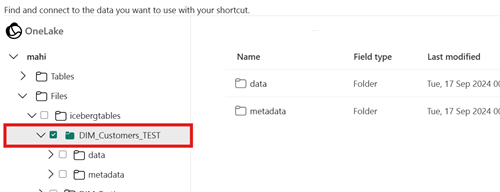
Let us demonstrate this feature with a practical scenario. Your IoT fleet streams device telemetry into Fabric Lakehouse, but Snowflake analysts need Iceberg compatibility for their BI dashboards.
The Scenario
Sensors fail every few minutes, flooding Fabric with telemetry. Data engineers face format wars—Delta for Fabric AI and ML workloads, Iceberg for Snowflake business intelligence. Instead of dual pipelines, OneLake virtualization solves this instantly.
Building the IoT Telemetry Table in Fabric
To simulate this scenario, create a new notebook in your Fabric Lakehouse and build a PySpark DataFrame with the following columns: device_id, temperature, humidity, status, error_code, and timestamp. Populate the DataFrame with simulated sensor readings, including random failure events such as TEMP_EXCEEDED, POWER_LOSS, CONN_TIMEOUT, and CALIBRATION_ERR.
Write this DataFrame as a Delta table named "IoT_Telemetry" using the saveAsTable function with Delta format and overwrite mode.
Expected Output
After running your notebook:
The entire process requires zero additional configuration. Once the workspace setting is enabled, every Delta table you create automatically becomes Iceberg-readable.
Once virtualization is enabled, Snowflake can read your Fabric tables directly. The data lives once in OneLake, and Snowflake operates on it directly through the Iceberg REST catalog.
In Snowflake, these Iceberg tables appear as first-class objects. They are fully governed, queryable with standard SQL, compatible with Snowpark, and available to downstream tools.
To connect Snowflake to your OneLake Iceberg tables:
You will need either the path to the table directory or to the most recent .metadata.json file shown in the metadata directory. You can see the HTTP path to the latest metadata file by opening the Properties view for the metadata.json file with the highest version number.
This pattern is becoming the default approach for large-scale data estates. Open storage, shared table formats, and specialized compute engines operate side-by-side without friction.
Eliminate Data Duplication
OneLake is a single, unified, logical data lake for your whole organization. Like OneDrive, OneLake comes automatically with every Microsoft Fabric tenant and is designed to be the single place for all your analytics data.
Reduce Pipeline Complexity
This removes the need for synchronization pipelines, custom connectors, or duplicated storage zones. One write operation serves all consumers.
Future-Proof Your Architecture
Teams can introduce new engines, frameworks, or AI systems as needed, all against the same Iceberg tables. No re-architecting required.
Maintain Open Standards
OneLake is built on top of Azure Data Lake Storage Gen2 and can support any type of file, structured or unstructured. All Fabric data items like data warehouses and lakehouses store their data automatically in OneLake in Delta Parquet format.
Enable Cross-Platform Compatibility
OneLake supports the same ADLS Gen2 APIs and SDKs to be compatible with existing ADLS Gen2 applications, including Azure Databricks. You can address data in OneLake as if it is one big ADLS storage account for the entire organization.
If your tables are not appearing correctly for external engines, follow these verification steps.
Check the Conversion Log
Open the conversion log file to see more info about the Delta Lake to Iceberg conversion, including the timestamp of the most recent conversion and any error details.
Verify File Location
If your table is in another data item type, such as a warehouse, database, or mirrored database, you will need to use a client like Azure Storage Explorer or OneLake File Explorer, rather than the Fabric UI, to view the files behind the table.
Confirm Metadata Generation
Look for the metadata directory inside your table folder. It should contain multiple files including .metadata.json files with version numbers.
Does OneLake Iceberg virtualization duplicate my data?
No. Virtualization only generates metadata files. Your underlying Parquet data files remain in one location. External engines read the same physical data through different metadata protocols.
Which engines can read OneLake tables as Iceberg?
While Microsoft provides guidance for using Iceberg tables with Snowflake, this feature is intended to work with any Iceberg tables with Parquet-formatted data files in storage. This includes Databricks, Apache Spark, Trino, Presto, and other Iceberg-compatible engines.
Do I need to modify my existing Delta Lake tables?
No code changes are required. Once you enable the workspace setting, existing Delta tables automatically receive Iceberg metadata.
How quickly does the Iceberg metadata update after Delta table changes?
The conversion happens automatically when tables are created or modified. Check the conversion log file timestamp to verify the most recent conversion.
Can I write to the same table from both Fabric and Snowflake?
Yes. Iceberg's metadata structure, versioning, and concurrency model allow multiple engines to read and write the same tables without conflict.
What if my organization uses multiple Fabric workspaces?
You must enable the virtualization setting in each workspace where you want Delta-to-Iceberg conversion active.
Microsoft Fabric's OneLake virtualization eliminates format wars between Delta Lake and Apache Iceberg. By enabling a single workspace toggle, your Delta tables become instantly accessible to Snowflake, Databricks, and any Iceberg-compatible analytics engine.
Key takeaways:
The unified lakehouse is no longer a dream. It is a workspace toggle away.


Join Our Newsletter