Most organizations have thousands of files stored in Microsoft SharePoint and Microsoft OneDrive. These include Word documents, Excel spreadsheets, PowerPoint decks, PDFs, and other everyday business files. Usually, these files are created for collaboration and communication not analytics. But what if those same documents could be used for reporting, insights, and data analysis without downloading, copying, or restructuring anything?
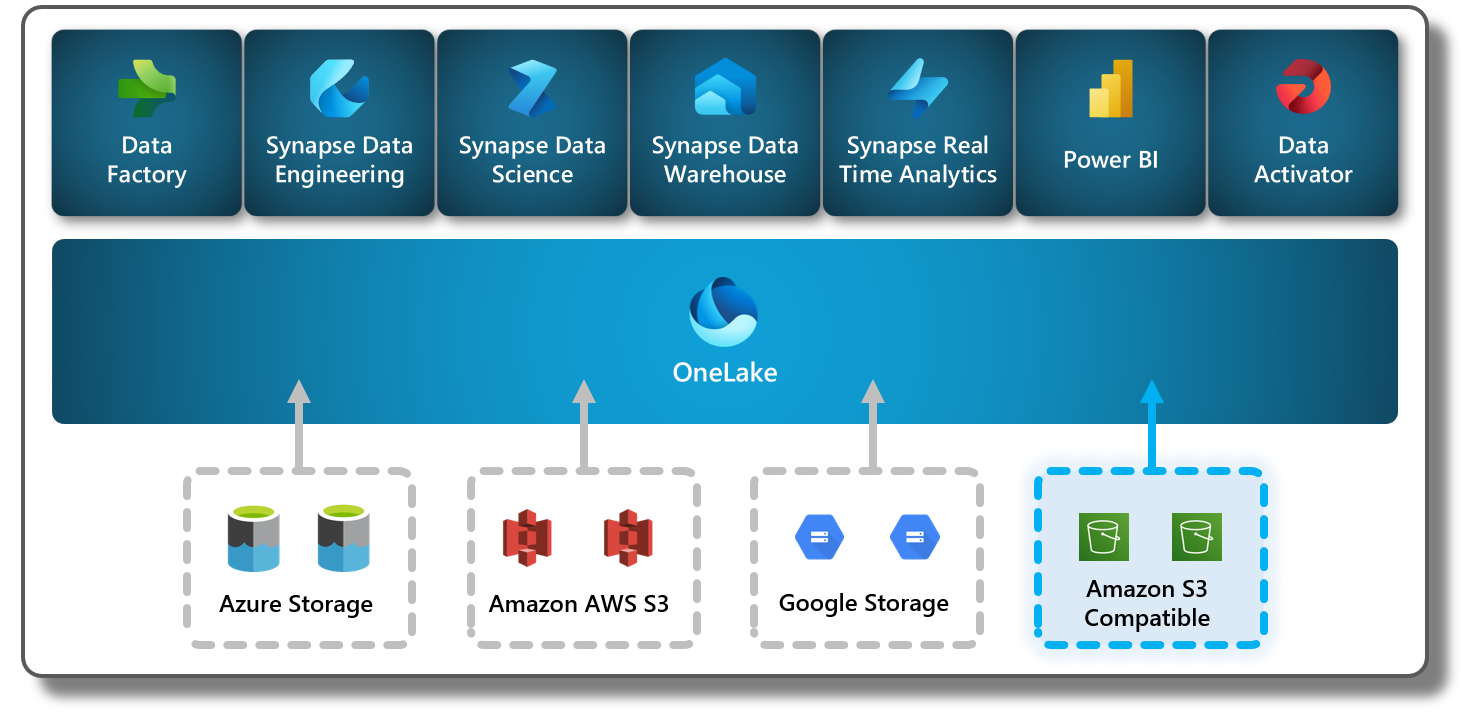
That’s exactly what Microsoft Fabric is making possible with OneLake shortcuts. This feature allows you to turn your everyday files into analytics-ready data simply by linking them to a lakehouse in OneLake. There’s no duplication, no complex pipeline, and no storage headaches. Everything stays in the original SharePoint or OneDrive location, but becomes accessible for analytics inside Microsoft Fabric.
This shift is huge. It means companies can unlock the value hidden inside their documents, all while keeping their workflows simple and secure.
OneLake shortcuts act like a bridge between your storage systems. Instead of moving files into your lakehouse, you can create a shortcut that points to a folder in SharePoint or OneDrive. The lakehouse then treats that folder as if it already lives inside OneLake.
This approach removes the need to copy or upload files. When you open the lakehouse, your document library appears right beside your tables and datasets. Analysts can query the data, transform it, and use it for dashboards all without creating extra versions or breaking the original file structure.
What makes shortcuts even more powerful is that any updates made in SharePoint or OneDrive automatically appear in OneLake. You are always working with the most current version of the document.
Businesses rely heavily on documents project plans, financial sheets, customer reports, meeting notes, proposals, and more. These documents often hold important insights, but they’re hard to analyze at scale. Traditionally, analysts would need to download files, organize them manually, and upload them to a data platform. This process is slow and error-prone.

By using OneLake shortcuts, all of that work disappears. Instead of creating new copies, you simply create a link. The content stays in its trusted location, but becomes part of your larger data environment.
This also means you reduce storage waste, avoid version confusion, and keep permissions consistent. SharePoint and OneDrive handle access control, and OneLake respects those rules automatically.
Setting up a OneLake shortcut is simple:
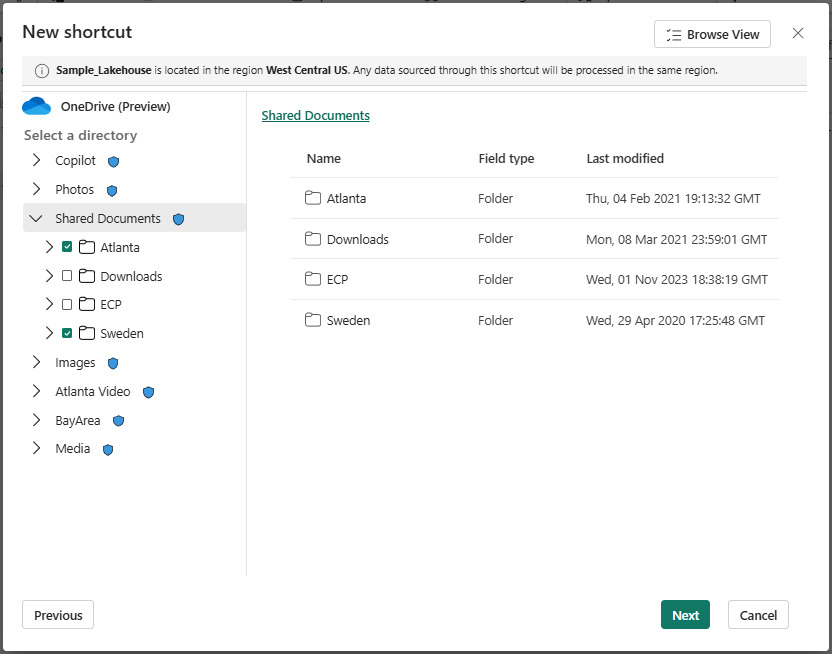
In Microsoft Fabric, you open your lakehouse and choose to create a new shortcut. Then you pick SharePoint or OneDrive as the source. After signing in, you select the folder you want to connect. Once you confirm, the shortcut appears instantly inside your lakehouse’s file structure.
There’s no waiting, transferring, or processing required. The documents are ready to use almost immediately.
Fabric also allows optional transformations, which means certain document types can be converted into structured data automatically. Even without transformations, many files can still be used directly in analytics workflows.
When your everyday documents become analytics-ready data, new possibilities open up across your organization.
For example, imagine your HR team stores performance review templates and spreadsheets in SharePoint. With OneLake shortcuts, analysts can bring that folder into the lakehouse and combine it with training records, hiring metrics, or company surveys.
Or think about a sales team that constantly updates Excel forecasting sheets. Instead of emailing versions back and forth, a shortcut can bring those spreadsheets into OneLake where Power BI can use them for real-time reports.
The result is simple: you no longer need to choose between collaboration and analytics. Both can happen in the same workflow.
Because everything stays in SharePoint or OneDrive, governance becomes easier. The same permissions, access levels, and security settings apply automatically in OneLake. IT teams don’t have to manage separate versions or track duplicated files.
Shortcuts also reduce accidental exposure because you’re not creating new copies of sensitive content. The single source of truth remains exactly where it was before. OneLake simply reads the information when needed.
This makes the feature ideal for organizations that take data governance seriously but still want to accelerate analytics.


Join Our Newsletter