By clicking “Accept”, you agree to the storing of cookies on your device to enhance site navigation, analyze site usage, and assist in our marketing efforts. View our Cookie Policy for more information.
There's a recent trend we've been noticing in the Viva Engage track. Leadership communication is becoming more visible, communities are becoming a real source of organizational knowledge, and AI is quietly moving from "nice to have" to part of how Engage actually works.
The June 2026 update from the Engage team covers a lot of ground, from communities in Teams to design refreshes. We'll come back to those in follow-up articles. For this one, we want to focus on what we think is the most important shift for digital workplace leaders right now: how Copilot and agents are changing the way employees find answers, contribute, and stay connected inside Engage.
Microsoft 365 Copilot in Engage is now part of the everyday experience
For organizations with a Microsoft 365 Copilot license, Copilot in Engage is available today and built on the standard Microsoft 365 Copilot platform rather than the older Engage Copilot v1.
A few capabilities stand out:
Smart catch-up. Weekly catch-up cards appear in the home feed, in communities, and in conversations, helping people see what happened recently across their network without scrolling forever.
Scoped, contextual search. Copilot recognizes whether you're in a community, a campaign, a Storyline, or the home feed, and tailors prompts and answers to that context. A context switcher lets you broaden the search when you need to.
Writing assistance with context. Copilot helps people draft and refine posts with awareness of where they're posting and who they're talking to, which is a meaningful step up from generic AI writing tools.
Pre-populated prompts. Prompts adapt dynamically as people move around Engage, giving them a useful starting point without needing to learn prompt engineering.
What's next: Microsoft is planning to bring private community content into Copilot's scope. That matters because some of the most valuable knowledge in any organization lives in smaller, role based, or sensitive communities that have, until now, been outside Copilot's reach.
Agents in communities: a public preview worth piloting
The bigger story, in our view, is the public preview of agents in Viva Engage communities. Think of an agent as an AI powered community expert that watches for unanswered questions and drafts grounded responses for review.
Here's how it works in practice:
The agent scans its assigned community every 15 to 20 minutes for up to three unanswered questions. It skips anything with a Best or Verified answer, or anything older than 14 days.
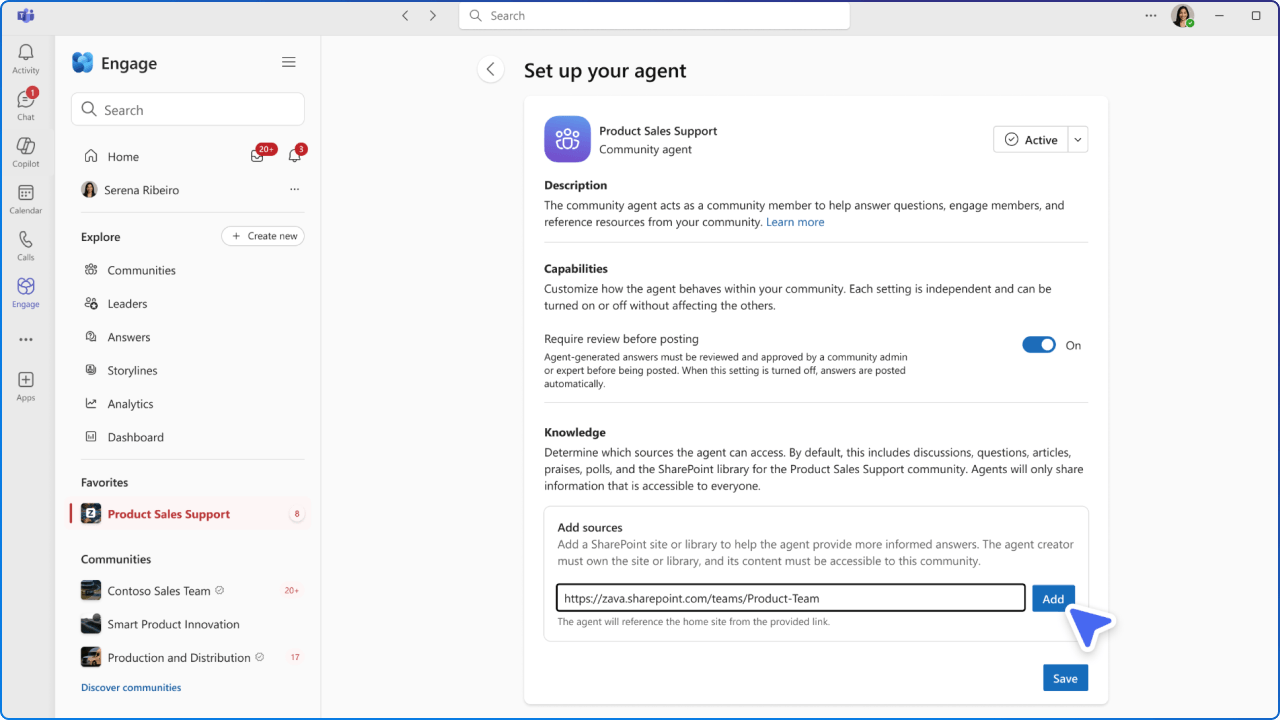
Answers are grounded in the community's connected SharePoint site and library, posts and replies in the community itself, and any prior agent answers that have been marked verified. Admins can add additional SharePoint sources to broaden the knowledge base.
If there's no relevant grounding content, the agent stays quiet. We think that restraint is important for trust.
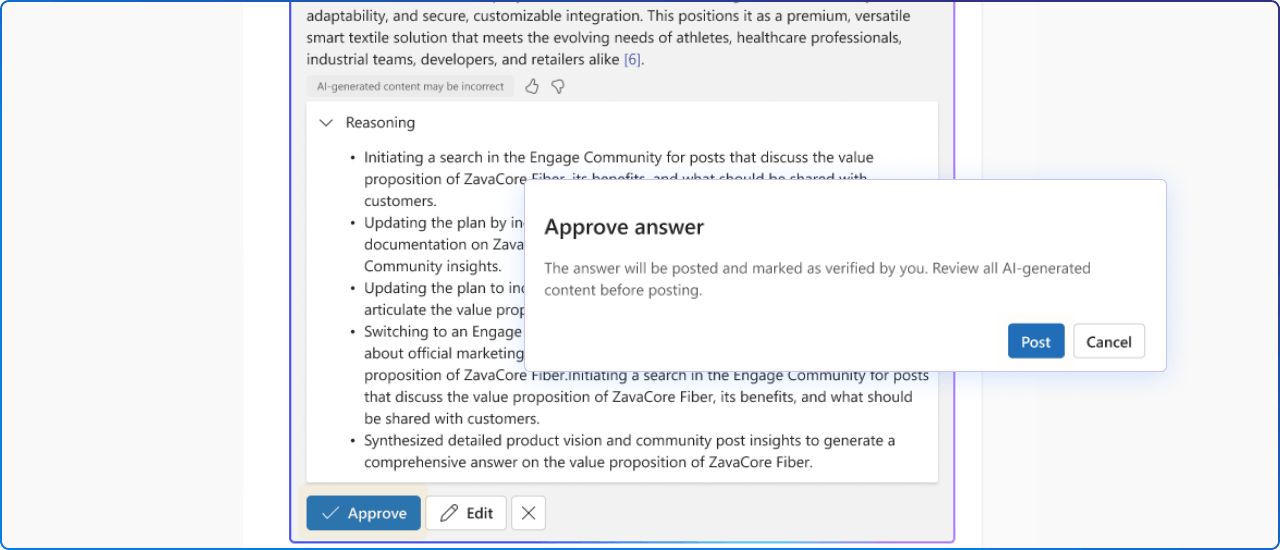
Community admins choose whether the agent posts automatically or routes drafts to admins and designated experts for review and editing.
Licensing notes for admins: A Microsoft 365 Copilot licensed admin can add the agent. Copilot licensed admins and community experts can review, approve, and edit drafted answers.
All community members can see posted answers regardless of their license. To turn the preview on, go to the Engage admin center, open Tenant settings, and switch the Community agent preview toggle to On.
See it in action
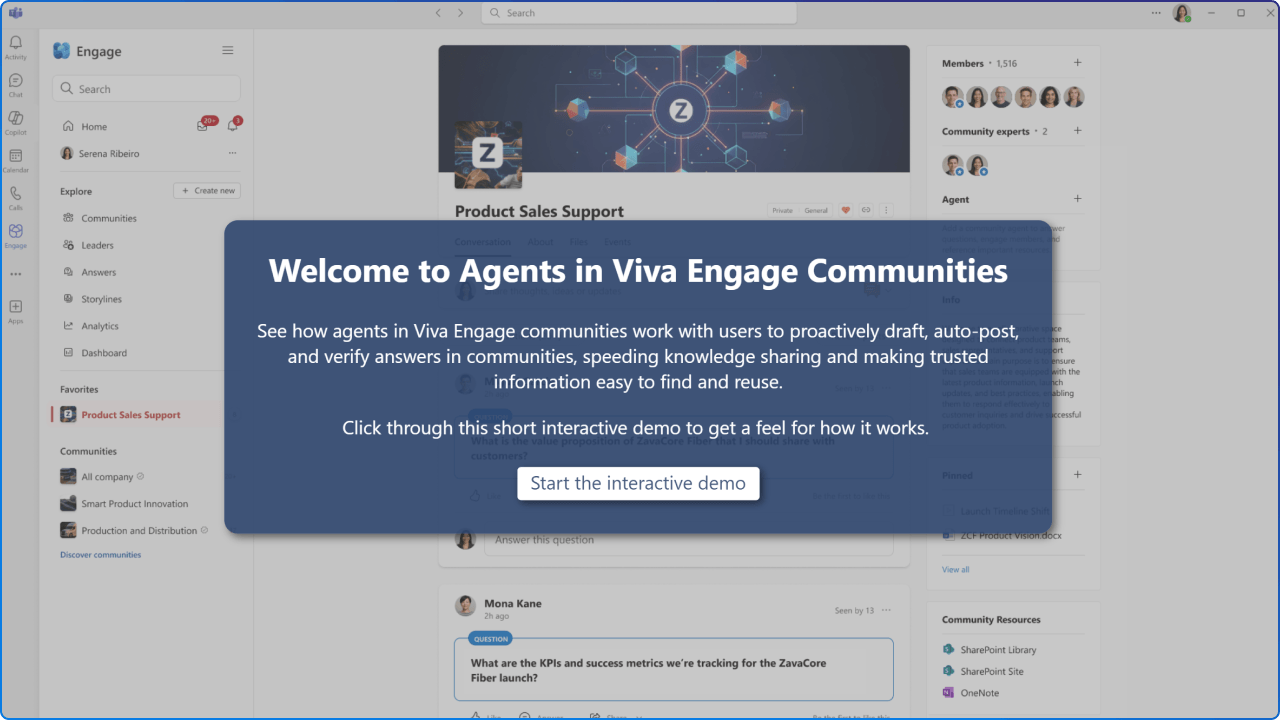
Microsoft has published an interactive demo of agents in communities inside the original June 2026 announcement. We'd recommend walking through it with your community managers and HR or communications leads so the experience is concrete before you pilot.
Why this matters for digital workplace leaders
Three reasons we think this deserves your attention right now.
Knowledge quality goes up when communities answer themselves. Agents reduce duplicate questions and surface the answers that already exist in your community and SharePoint content. That gives community admins and subject matter experts their time back.
Leadership communication becomes part of your AI grounding. As Engage becomes a richer source of organizational knowledge, the conversations leaders have in communities and Storylines feed back into Copilot's context. The more visible and consistent leadership communication is, the more useful Copilot becomes across Microsoft 365.
The bar for community governance is rising. Auto posting agents, sensitivity, source selection, and human review workflows all need clear ownership. This is a great moment to revisit your community lifecycle, your SharePoint information architecture, and your roles for community admins and experts.
The questions leaders are actually asking
Most teams we talk to are past the "is AI useful" debate. The conversations now sound more like this:
How do we govern this? Who owns the agent, who approves its answers, and how do we handle a draft that gets something wrong in a high stakes community?
How do we measure it? What does success look like beyond activity metrics? Time to answer, question deflection, expert hours saved, and community health are better starting points than post counts.
How do we keep it from becoming noise? Catch-up cards, agent drafts, smart prompts, and Copilot suggestions all compete for attention in the same feed. Without restraint, helpful becomes overwhelming very quickly.
None of these have tidy answers yet. That's exactly why piloting now, in a controlled community, is more useful than waiting for general availability.
What we'd do next
If you're leading employee experience, internal communications, or M365 adoption, we'd suggest three practical steps:
Identify two or three pilot communities where unanswered questions are a known pain point, such as HR, IT support, or onboarding.
Audit the SharePoint sources those communities are connected to and decide what additional sites the agent should ground in.
Define your review model. Decide whether the agent posts automatically or routes drafts to community experts, and document who owns that workflow.
Copilot in Engage and community agents are not a replacement for your community managers. They're a way to make community knowledge easier to find, easier to trust, and easier to maintain.
The organizations that pilot this thoughtfully now will be in a stronger position when these features reach general availability.
Want to go deeper on how Copilot, Viva, and Microsoft 365 come together to shape the modern employee experience?