For years, the digital workplace has carried a quiet contradiction. The tools we use to get work done have lived in one place, while the conversations that shape culture, build community, and surface leadership voices have lived somewhere else. Teams handled the day to day. Viva Engage (and Yammer before it) carried the community layer. Employees were asked to remember to visit the second place, and most of the time, they didn't.
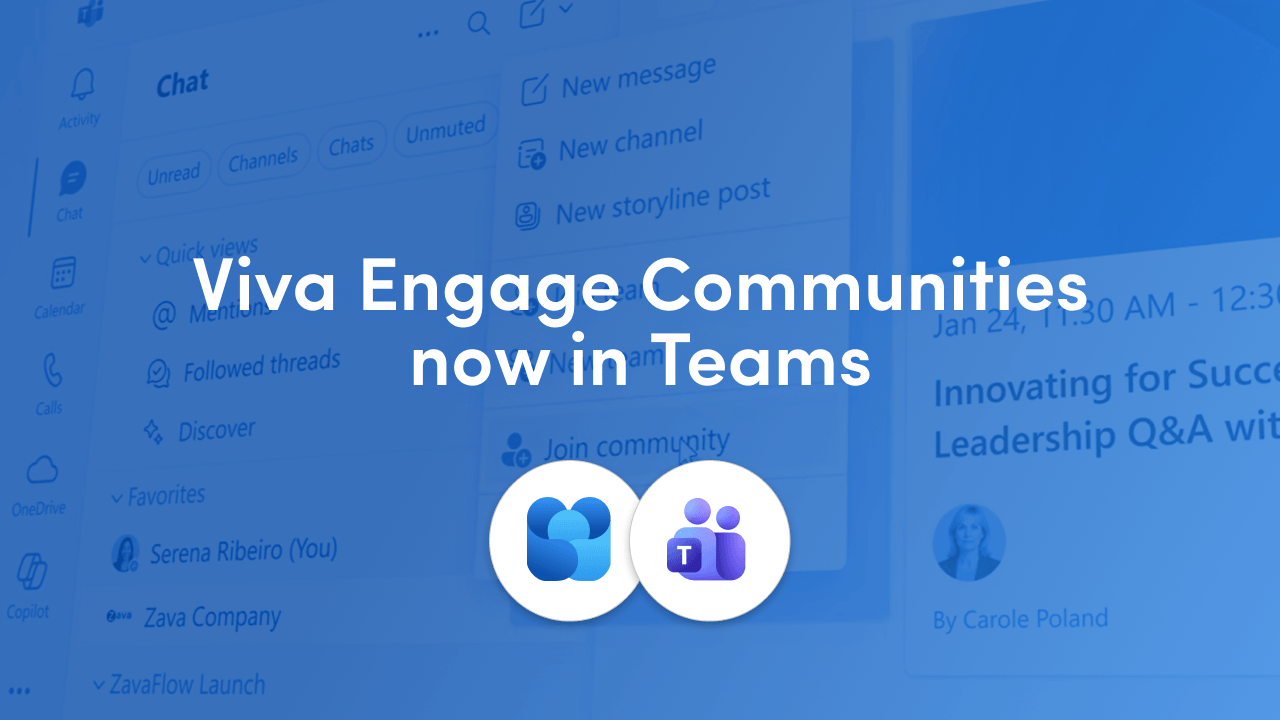
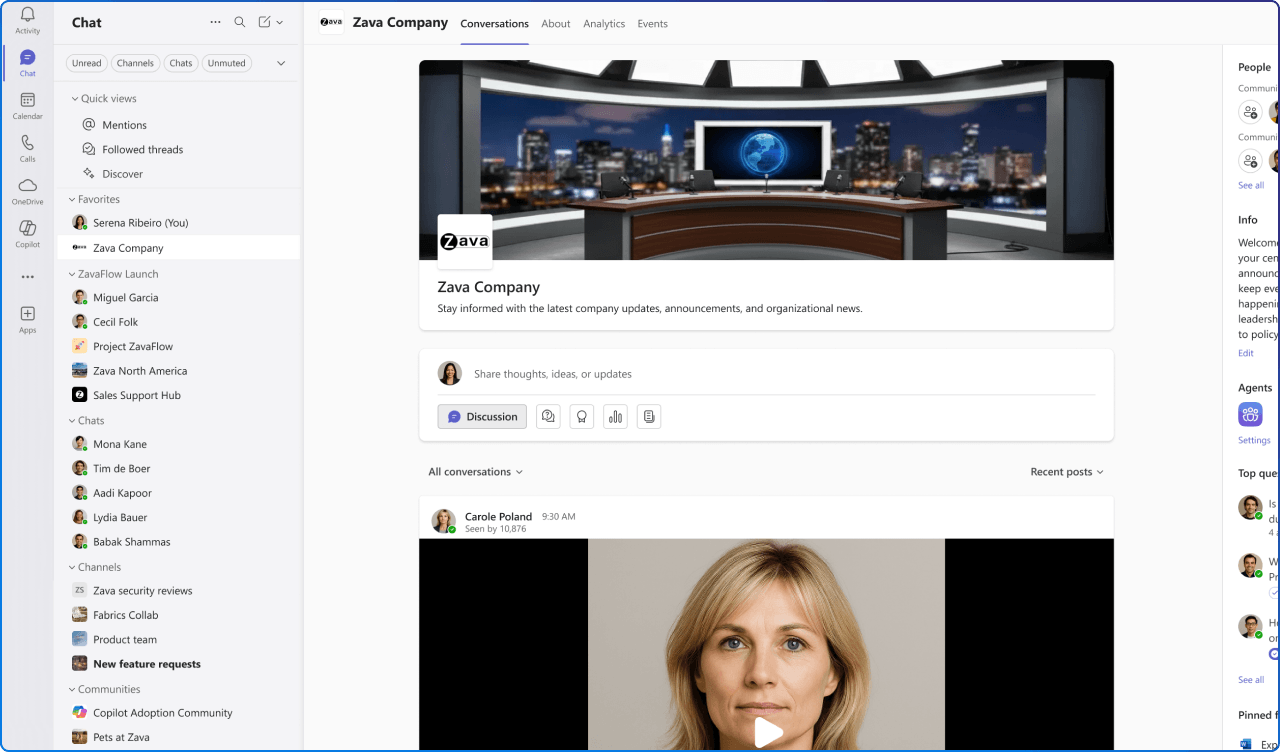
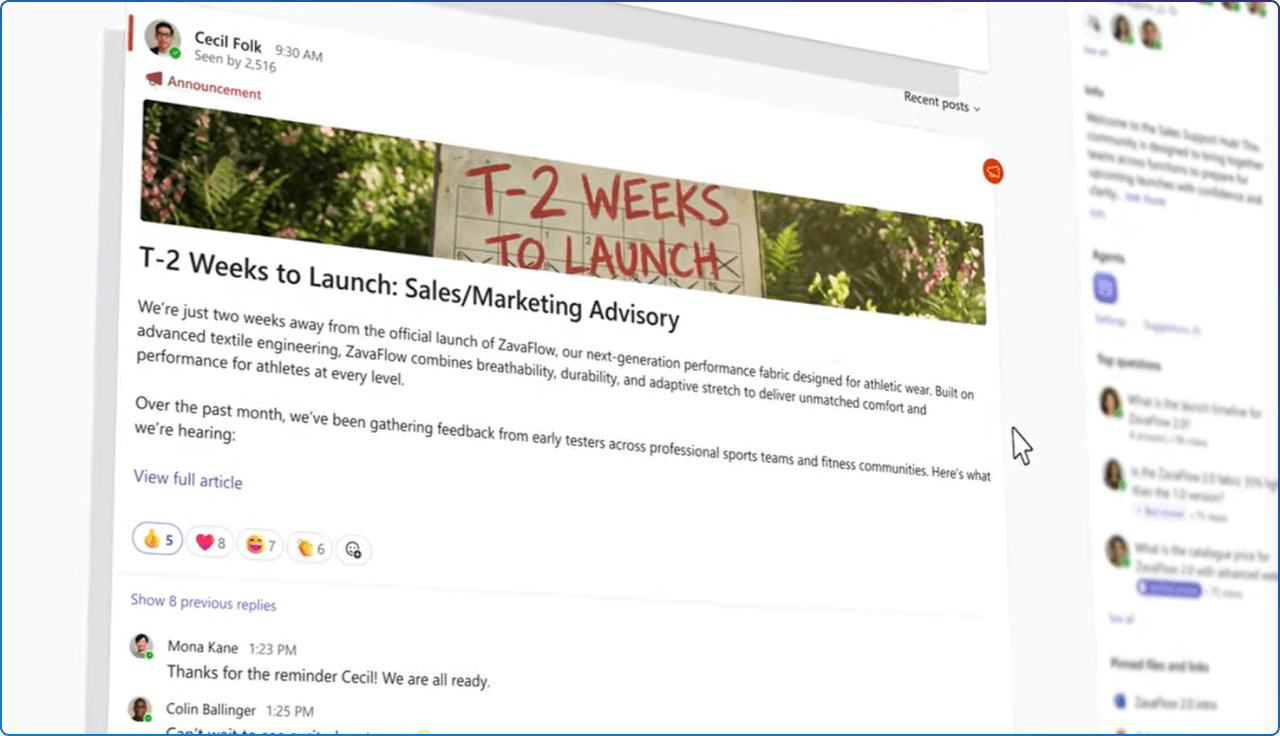
That gap is closing. Microsoft is rolling out Viva Engage communities directly inside Microsoft Teams, with general availability landing between early June and late July 2026. Communities now appear in the Teams left navigation, alongside chats and channels, where work already happens.
It looks like a small change. It isn't. This is one of the more meaningful shifts to the employee experience we have seen in Microsoft 365 this year, and it deserves a closer look.
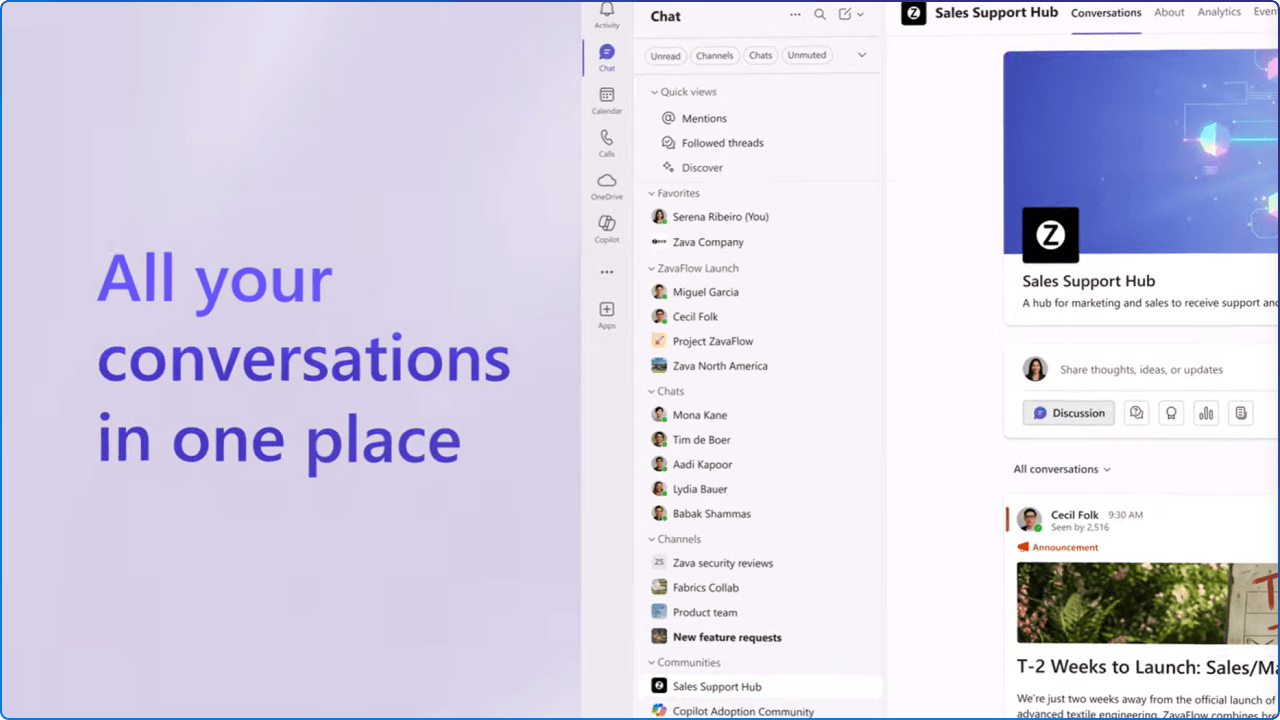
There is a tradeoff that comes with this level of integration, and it is worth calling out.
As Viva Engage communities move into Teams alongside channels and group chats, the lines between these communication patterns become less obvious. For many users, the question is no longer “Where do I go?” but rather “What am I looking at?”
From a user experience perspective, these spaces serve very different purposes. Channels are structured and operational. Communities are open and conversational. Group chats are immediate and often transient. When they appear in a similar visual layout, users are forced to click into each space just to understand its intent.
That friction may seem small, but at scale, it adds cognitive load and slows down adoption.
One practical improvement would be to make the communication type more visible directly in the interface. For example, enhancing the hover state or preview card to clearly label each item as:
This small addition would give users immediate context without requiring exploration. It aligns with a core UX principle: reduce the effort required to make sense of the environment.
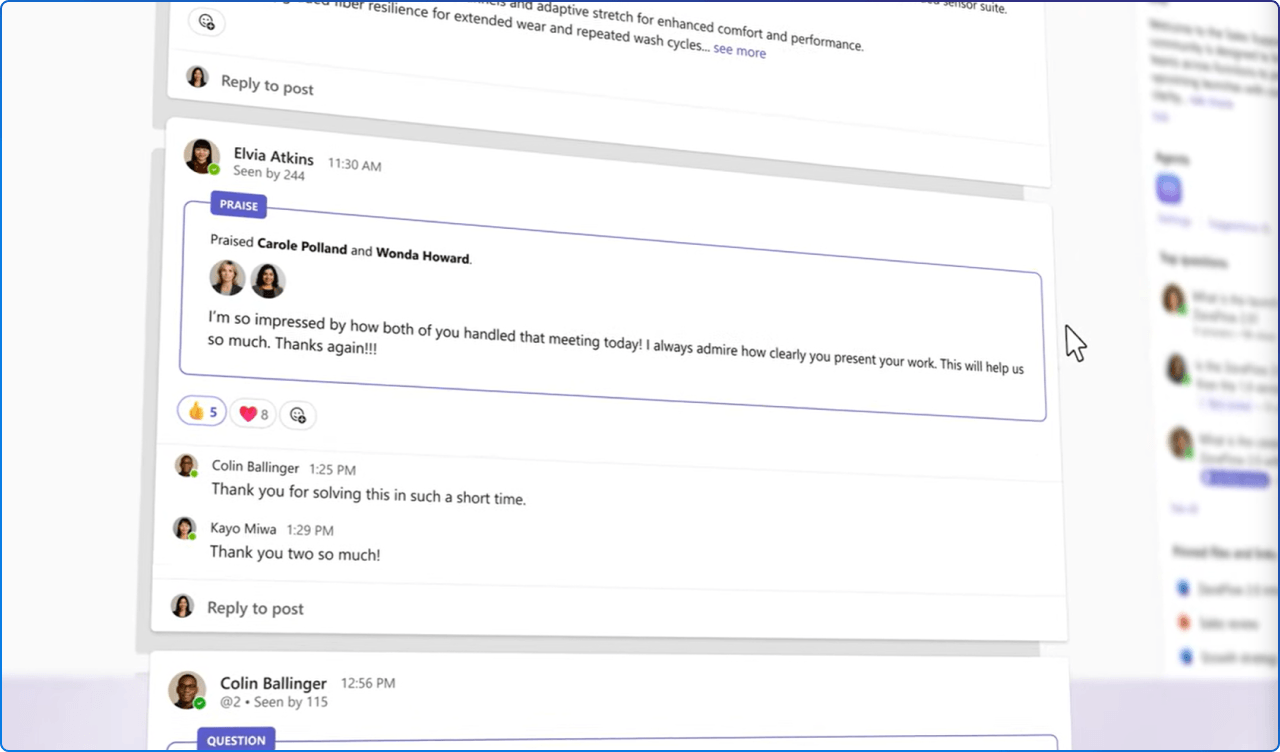
When community discussion lives in a separate app, participation becomes a deliberate act. People have to remember to go there. Leadership posts feel like broadcasts rather than dialogue. Cross functional conversations get buried because they require a detour from the workflow. Embedding communities into Teams flips that pattern. Community becomes ambient instead of optional.
As organizations bring more experiences into Teams, clarity becomes just as important as capability. When users can quickly understand where they are and what each space is for, they are more likely to:
For a modern digital workplace, that is the point. Employee experience improves not when we add more tools, but when we reduce the cognitive tax of using them.
Once the feature lights up in a tenant, the experience is designed to feel native to Teams rather than bolted on. A few things are worth highlighting for the people we support every day:
Depending on the Teams layout, communities surface as a new section inside the Chat app (unified view) or inside the Chats and Channels app (split view). Existing community memberships sync automatically, and favorited communities show up in Teams favorites, so no one has to rejoin anything.
Discussions, questions, praise, polls, announcements (admins only), reactions, scoped search, and event participation are all available in the Teams view. Notifications for announcements and mentions flow into the Teams Activity feed and deep link back into the community experience.
This is the underrated win. Town hall follow ups, strategic updates, and thematic campaigns now appear in the same surface employees use for their daily work. The probability of comments, reactions, and peer amplification goes up because engagement no longer requires a context switch.
The feature is on by default for all tenants and requires no additional license beyond the existing Microsoft 365 and Teams entitlements. That convenience comes with a small to do list:
For internal communicators, this is also a moment to revisit your editorial calendar. Content that once lived in a separate place is about to be far more visible, which means quality, cadence, and tone all matter more.
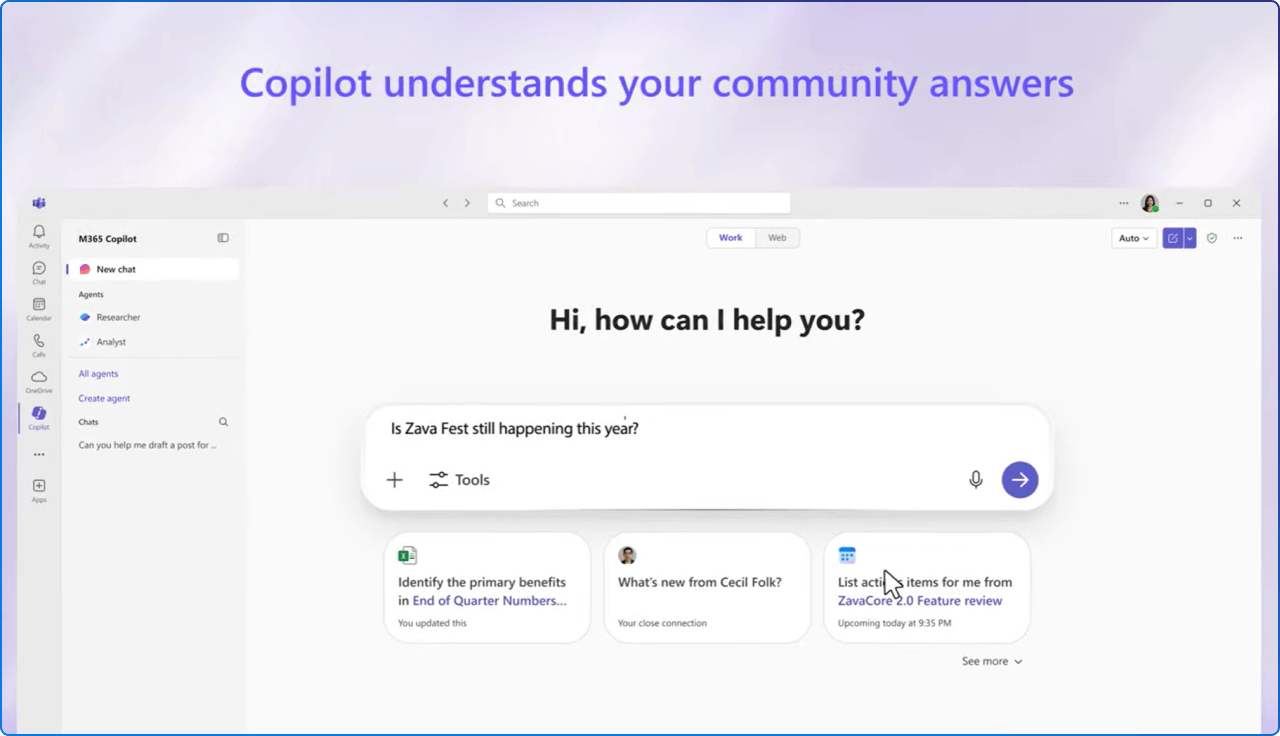
This is where the story gets genuinely interesting for organizations investing in Copilot.
A familiar pattern shows up in nearly every Viva Engage community: the same questions keep getting asked. Where is the latest brand guideline? What is the policy on remote work in a given region? Which template do we use for client proposals? The answers usually exist already, sitting inside SharePoint pages, policy documents, intranet news posts, or previous community threads. They are simply hard to find.
Two AI capabilities now sit inside the new experience and start to close that gap:
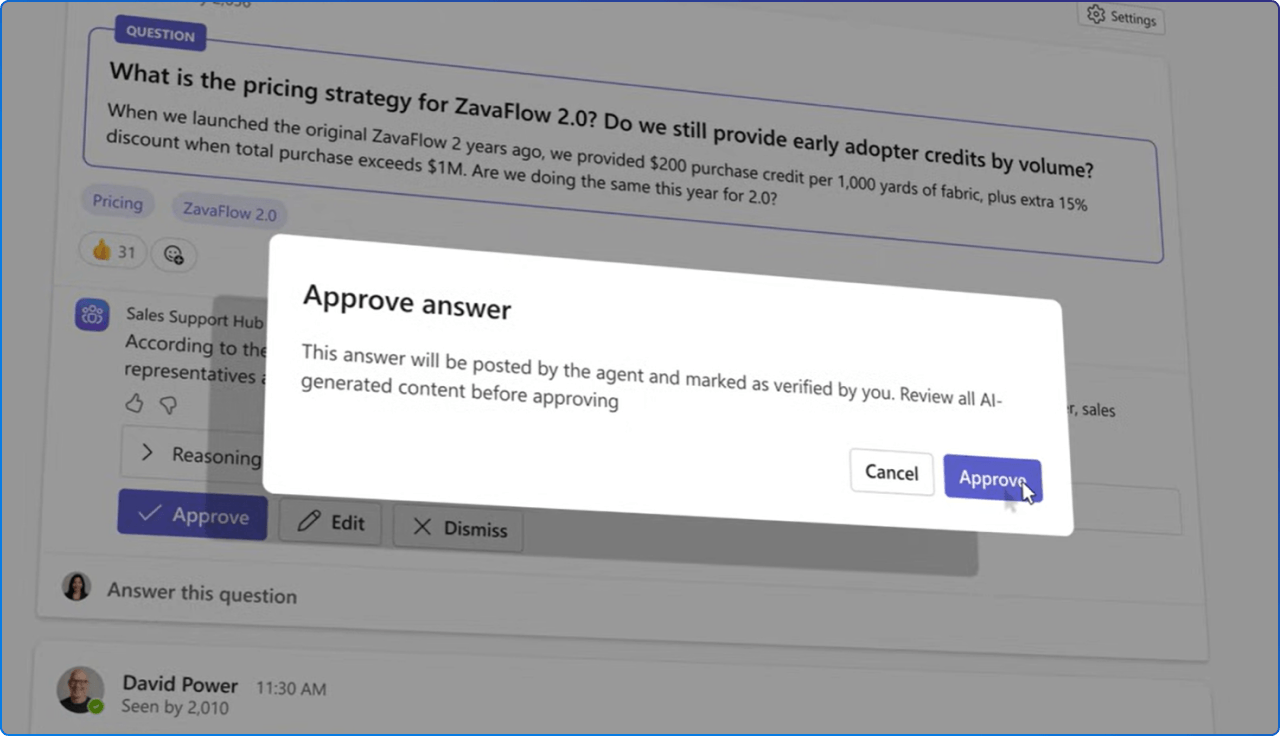
Community agents, available in public preview, review open questions in a community and generate suggested answers drawn from existing organizational knowledge.
A community admin can review, edit, and approve those answers, which keeps a human in the loop and protects accuracy. The practical effect is that the institutional memory of your intranet stops being passive. It starts responding.
Beyond agents, Copilot can now reference community discussions when generating responses elsewhere in Microsoft 365. This is the quiet flywheel: the questions employees ask and the answers they receive become signal that improves future Copilot responses. Communities stop being a closed loop and start contributing to the knowledge graph that powers AI across the workplace.
For organizations that have invested in well governed SharePoint sites, clean metadata, and curated intranet content, this is the payoff. Your information architecture work feeds the answers. The cleaner the source, the better the response.
A small example brings this to life. Picture a community for new hires. Today, a question like "How do I submit my first expense report?" might wait a day or two for a colleague to reply. With a community agent in place, the response can be drafted in minutes from the existing finance policy page on SharePoint, posted for human review, and approved into the thread.
The new hire gets an accurate answer faster, the policy page gets more reach, and the next employee who asks finds the answer already there.
A few practical moves are worth making in the months ahead:
Bringing Viva Engage communities into Teams is part of a longer arc Microsoft has been drawing for several years: fewer destinations, more context, more intelligence woven into the surfaces employees already use.
For the modern digital workplace, that arc is encouraging. It rewards the organizations that have invested in clean content, healthy communities, and clear governance, and it gives them a way to make that investment compound through AI.
The opportunity in front of us is not just to switch on a feature. It is to use this moment to look again at how community, knowledge, and leadership visibility connect inside Microsoft 365, and to make sure each of those threads is strong enough to carry the weight of more attention.
When community becomes ambient, culture follows.


Join Our Newsletter