Security is shifting from manual, reactive playbooks to ambient, autonomous protection. At Ignite 2025, Microsoft took a decisive step into this agentic future, expanding Security Copilot with 12 Microsoft Security Copilot agents across Defender, Entra, Intune, and Purview, plus 30+ partner-built agents.
Microsoft is embedding specialized adaptive agents across its security stack to automate high-volume tasks, from phishing triage and alert prioritization to conditional access tuning and sensitive-data remediation.
And with Security Copilot now available to Microsoft 365 E5 customers, the move from exploration to execution is here.
For IT and security leaders, the challenge isn't whether to use agents, it's how to adopt them responsibly, so they speed outcomes without adding risk.
A Security Copilot AI Agent is a system that perceives the digital and physical environment of the customer, makes decisions, and takes actions to achieve a goal, with the autonomy granted by the Security Copilot customer.
The customer's authorized administrator installs all Security Copilot agents from within the Microsoft Defender XDR, Microsoft Entra, Intune, Purview, and Security Copilot portals. The administrator sets the agent's identity and configures role-based access control (RBAC) for the agent.
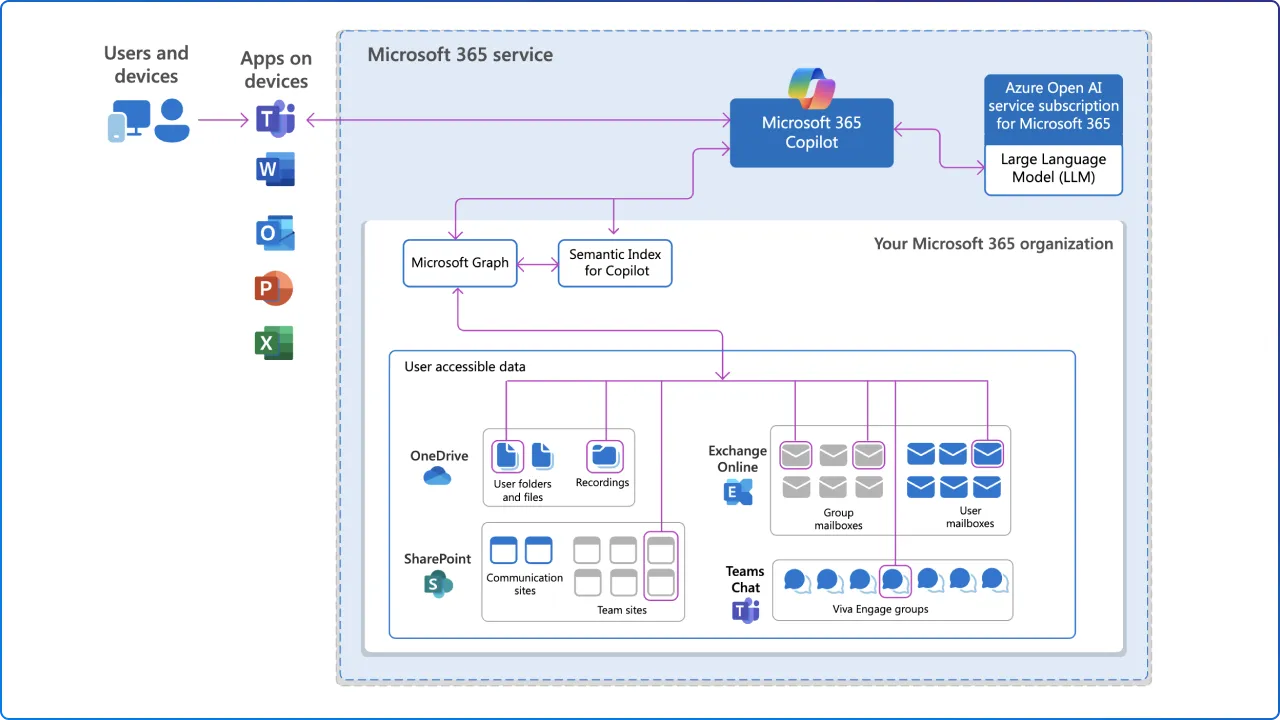
Agents run in embedded experiences inside the products your teams already use. For plan generation and execution, each agent uses either simple orchestration provided by the Microsoft agent developer; meaning the developer wrote code to direct the agent or AI orchestration provided by the platform, meaning that a mixture of Security Copilot-authored code and LLM instructions directs the agent.
Either way, the promise is the same: offload repetitive triage and analysis, shrink time-to-insight, and guide operators toward confident, well-governed action.
Defender agents help shrink SOC workload by automating core investigation steps: triaging alerts to cut noise, enabling natural-language hunts, and surfacing coverage gaps with recommended detection fixes.
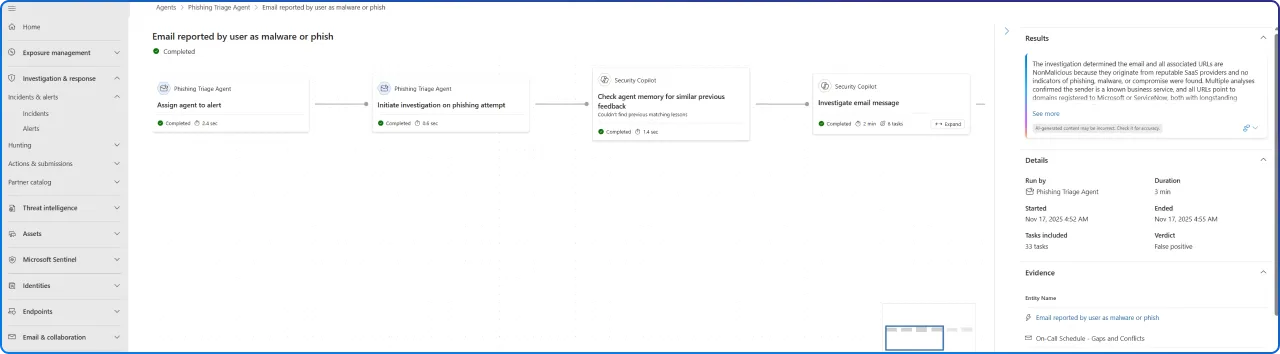
Autonomously triages user-reported phishing incidents in Microsoft Defender XDR, performing enrichment on the incident, and potentially resolving the incident based upon the agent's analysis on text and images. This collapses hours of first-line sifting into minutes, freeing analysts to focus on confirmed threats and response.
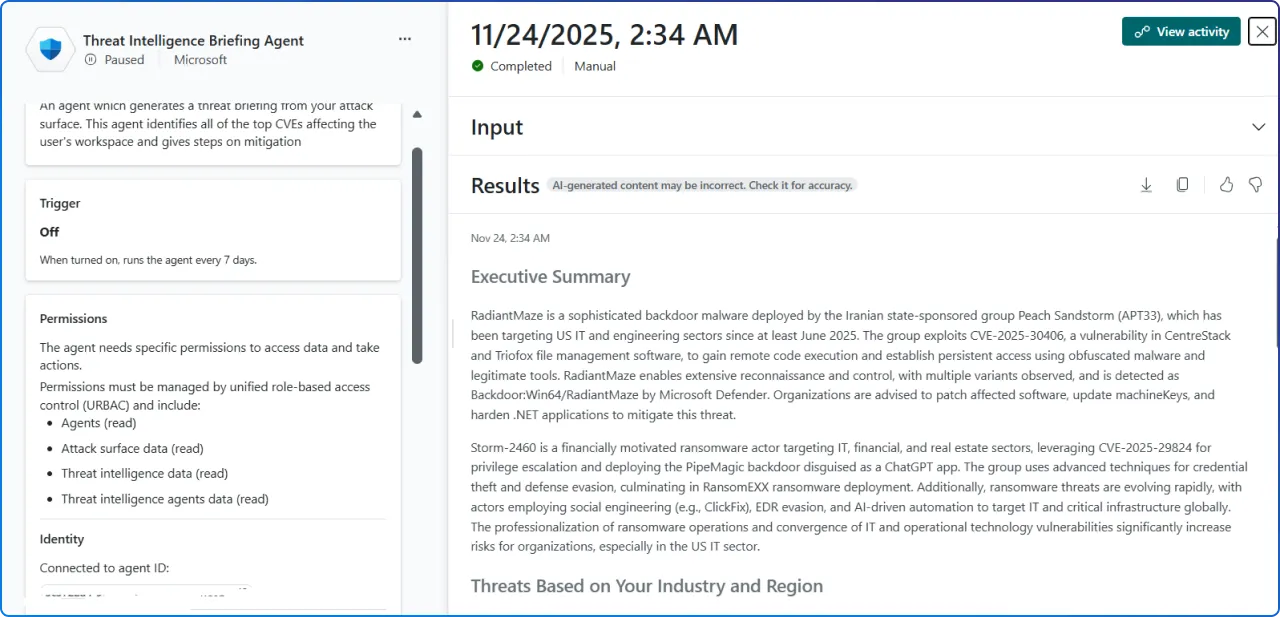
Autonomously researches and sends a weekly threat intelligence briefing to the customer. Rather than drowning in open-source intel and vendor feeds, your team receives a curated, explainable summary, enabling proactive readiness conversations and more targeted hunting.
Together, these agents compress the front-end of your SOC workflow so humans can invest where judgment and creativity matter most.
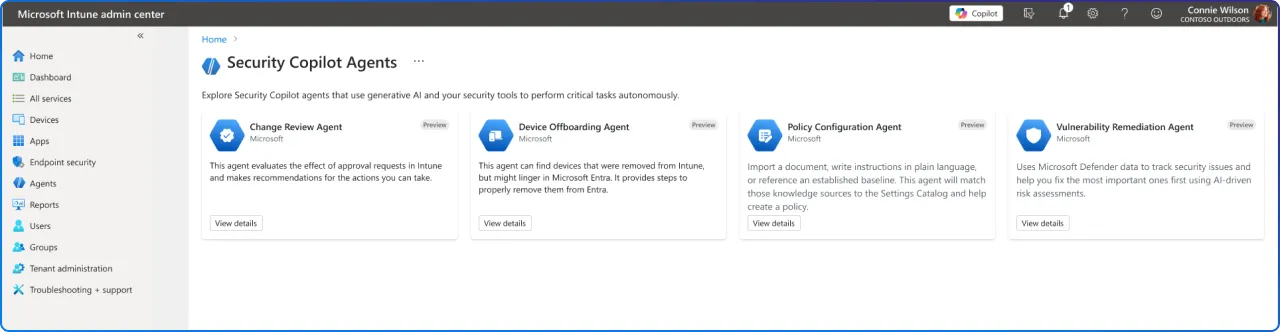
The endpoint is both a control plane and a blast radius. Intune's agents are designed to apply intelligence, and intentional restraint, at scale.
Security Copilot agents in Intune are AI-powered assistants that specialize in specific scenarios. The Intune agents are available in the Intune admin center under Agents.
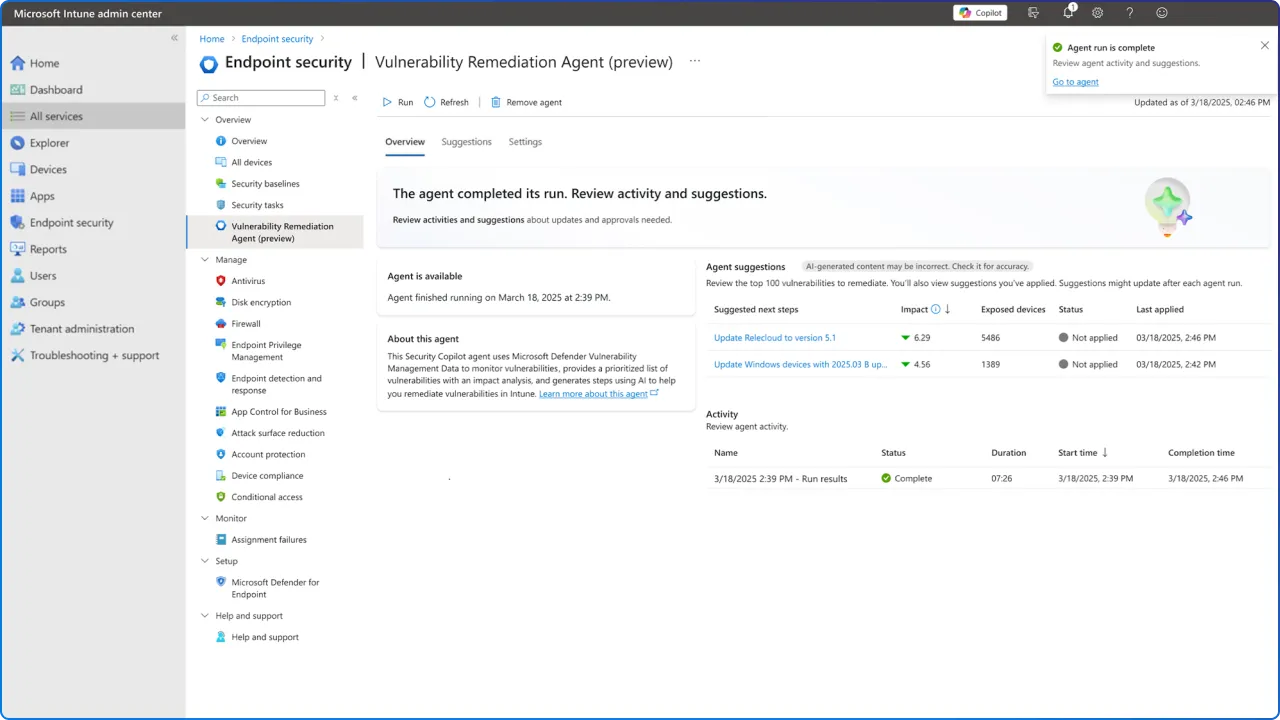
Autonomously builds a patching group to remediate published vulnerabilities with patches that apply to the customer's environment. Importantly, the agent does not apply patches to the environment. This is a planning and prioritization agent that turns sprawling device inventories into actionable remediation rings.
Evaluates Multi Admin Approval requests for Windows PowerShell scripts on Windows devices. It provides risk-based recommendations and contextual insights to help admins understand script behavior and associated risks, helping Intune admins make informed decisions more quickly about whether to approve or deny requests.
Identifies stale or misaligned devices across Intune and Microsoft Entra ID. It provides actionable insights and requires admin approval before offboarding any devices, complementing existing Intune automation by showing insights and handling ambiguous cases where automated cleanup isn't enough.
Analyzes uploaded documents or industry benchmarks and automatically identifies matching Intune settings. Admins can upload their requirements, like compliance standards or internal policy documents, and the agent intelligently shows relevant settings from the Intune settings catalog, guiding admins through policy creation.
These agents exemplify responsible autonomy: automate the tedious, preserve human-in-the-loop for consequential actions, and make every decision explainable.
Data protection teams face chronic alert fatigue. Purview's agents directly target the grind of triage with explainable automation.
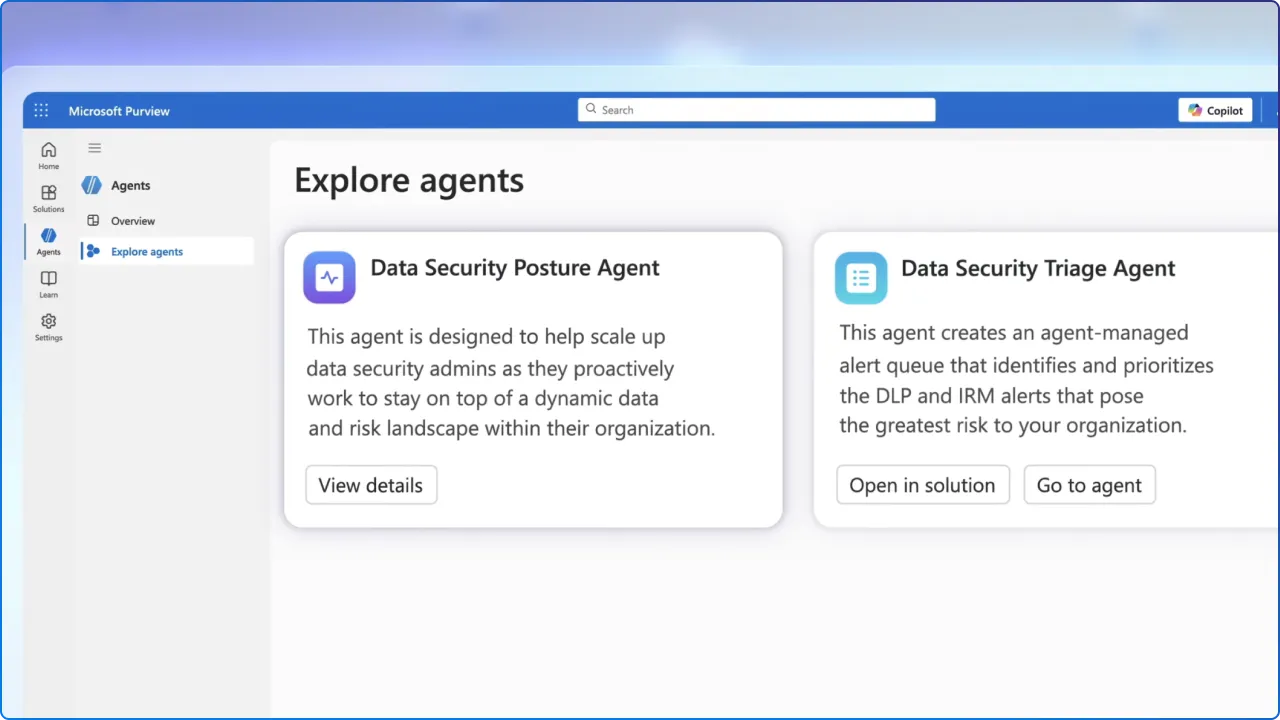
Autonomously triages DLP alerts in Microsoft Purview, performing enrichment on the alert and potentially resolving the alert based upon the agent's analysis. This reduces backlog and surfaces the highest-risk events with human-ready context.
Autonomously triages IRM alerts in Microsoft Purview, performing enrichment on the alert and potentially resolving the alert based upon the agent's analysis. It standardizes how triage decisions are made, improving consistency across teams, and shifts.
Purview agents link DLP cases with Defender incidents to bring cross-solution context into investigations, prioritize remediation, and produce compliance-ready summaries for privacy teams.
Autonomous agents demand intentional governance. The upside, speed, scale, consistency, is matched by new risk if controls aren't right.
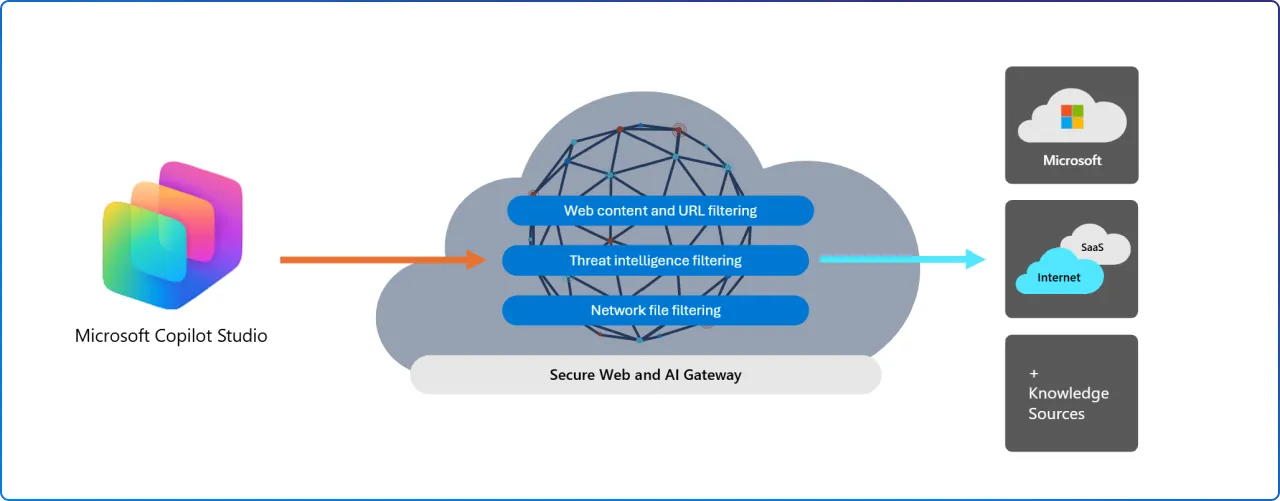
Agent 365 delivers a single control plane and registry to discover, inventory, quarantine, and govern agents enterprise-wide. It binds agent identities to Entra (Agent ID), enforces role-based policies, and offers telemetry and visual views of agent activity.
When agents can act, block users, remove devices, change policies, the scope of impact from a misconfiguration or stolen agent identity expands. Set cautious defaults and require human approval for high-impact steps.
Many Ignite features are still in preview, and behaviors, APIs, and remediation options may change before GA. Treat vendor demos as directional until formal documentation and release notes are available.
Microsoft announced that Security Copilot will be made available to Microsoft 365 E5 customers with a phased rollout. Frontier customers already see some capabilities and the broader E5 rollout will continue in the coming months with advance notifications to tenants.
Microsoft provides 30 days' advance notice before activation, giving teams time to align governance, RBAC, and pilot scope before agents go live.
Here's how to begin confidently:
At 2toLead, we believe in modernizing security with care and clarity. We partner with you to move fast and safely:
Ready to move from reactive to agentic security, without expanding your blast radius?


Join Our Newsletter