If you build or govern Power Apps, especially code apps (preview) or canvas apps in Dataverse, put Content Security Policy (CSP) on your near‑term roadmap. CSP, delivered via HTTP headers, tells the browser which sources your app can load (scripts, styles, images, frames, and more).
It’s a leading defense against XSS and clickjacking, and Microsoft now supports environment‑level configuration in Power Platform.
As of late January 2026, Microsoft is tightening CSP enforcement for Power Apps code apps (preview): requests to external sources not explicitly allowed will be blocked by default. That means you should audit, configure, and test CSP now (ideally in dev/test) so production apps don’t silently lose critical assets.
This guide shows you exactly how to configure CSP in Power Apps, with step‑by‑step instructions, opinionated best practices, and answers to “people also ask” questions we hear from enterprise Microsoft 365 teams.
A CSP is a header (e.g., Content-Security-Policy) comprised of directives such as script-src, style-src, img-src, frame-ancestors, etc. Each directive contains an allowlist of valid sources (like 'self', https://cdn.contoso.com, or keywords such as 'unsafe-inline'). The browser enforces the policy for every page load, blocking disallowed resources and optionally sending violation reports to your chosen endpoint.
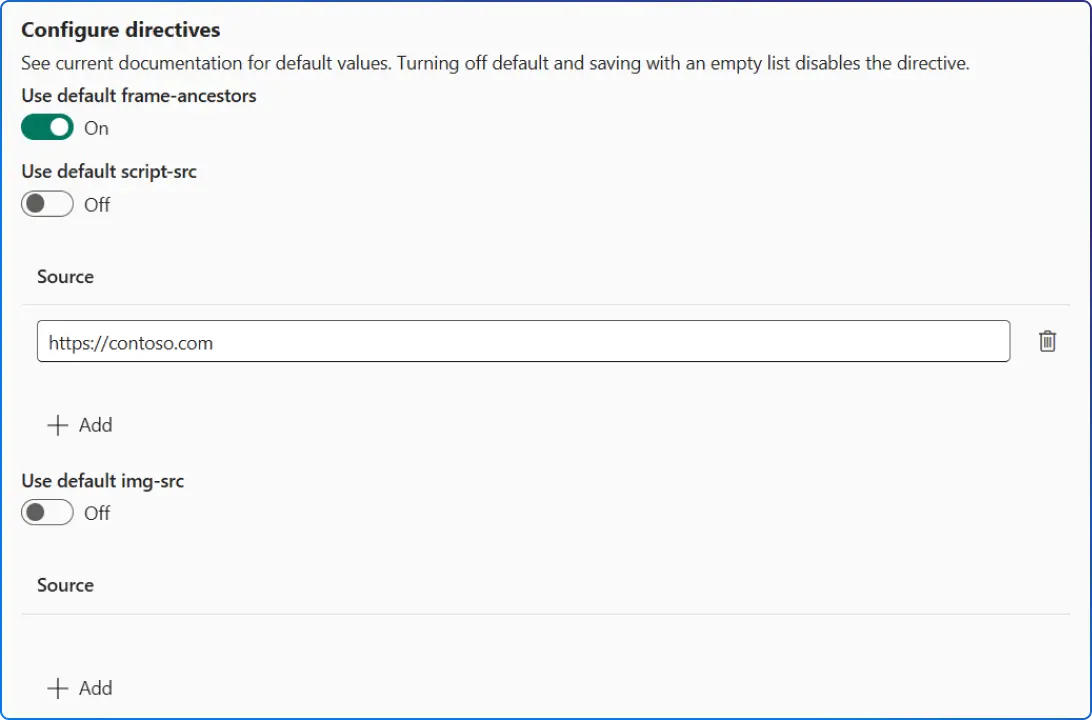
Microsoft supports CSP across model‑driven, canvas, and code apps. For model‑driven and canvas apps, CSP is an environment‑level setting (Dataverse required) with defaults you can enable, report, and tune, especially frame-ancestors. For code apps (preview), there’s a richer set of configurable directives (e.g., script-src, connect-src, img-src) and a first‑class report‑only vs. enforce mode you can toggle per environment.
Microsoft announced strict CSP enforcement for code apps beginning late January 2026. If your code app calls external APIs, CDNs, or iframes third‑party content, you must explicitly 'allowlist' those sources; otherwise, those requests will be blocked after enforcement.
Microsoft recommends temporarily disabling enforcement and enabling reporting to capture violations, then adding the required sources before turning enforcement back on.
Bottom line: CSP is no longer optional hygiene, it’s becoming a platform expectation. Think of it as a hardened perimeter for the front end of your Power Apps.
When you enable CSP at the environment level, default directives are applied. Historically, these included wildcards and unsafe allowances (e.g., script-src * 'unsafe-inline' 'unsafe-eval') but Microsoft now offers a “Strict CSP” toggle that largely removes wildcards/unsafe directives and adds additional directives like img-src, connect-src, frame-src, base-uri, etc.
The strict defaults differ slightly between model‑driven and canvas apps, and Microsoft may adjust platform domain lists over time.
frame-ancestors (add allowlisted host origins for embedding). You can also enable reporting and choose enforcement independently for model‑driven vs canvas apps.For code apps, you can configure a broader set of directives (e.g., script-src, connect-src, img-src, frame-src, font-src, style-src, etc.) and choose enforce vs report-only, either via the Power Platform admin center or the REST API.
Microsoft’s default policy includes safe baselines like default-src 'self', frame-ancestors 'self' https://*.powerapps.com, and locked‑down values like connect-src 'none' unless you add sources. If a default value is 'none', your custom values replace it; otherwise they’re appended.
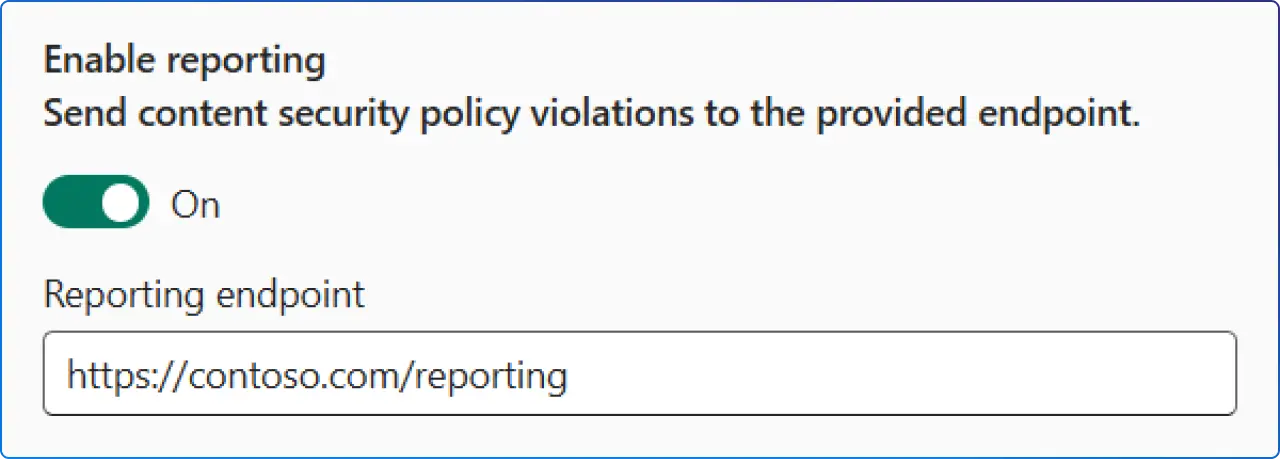
Turn on Enable reporting and supply a valid endpoint to receive JSON POSTs for CSP violations. Reporting works even when enforcement is off (i.e., report‑only mode), giving you a safe way to discover which sources your app actually needs before you enforce CSP.
Pro tip: Use report‑only in production for a few days to capture real‑world traffic, then reconcile violations with your allowlist. This is the fastest path to a policy that’s both secure and non‑breaking.
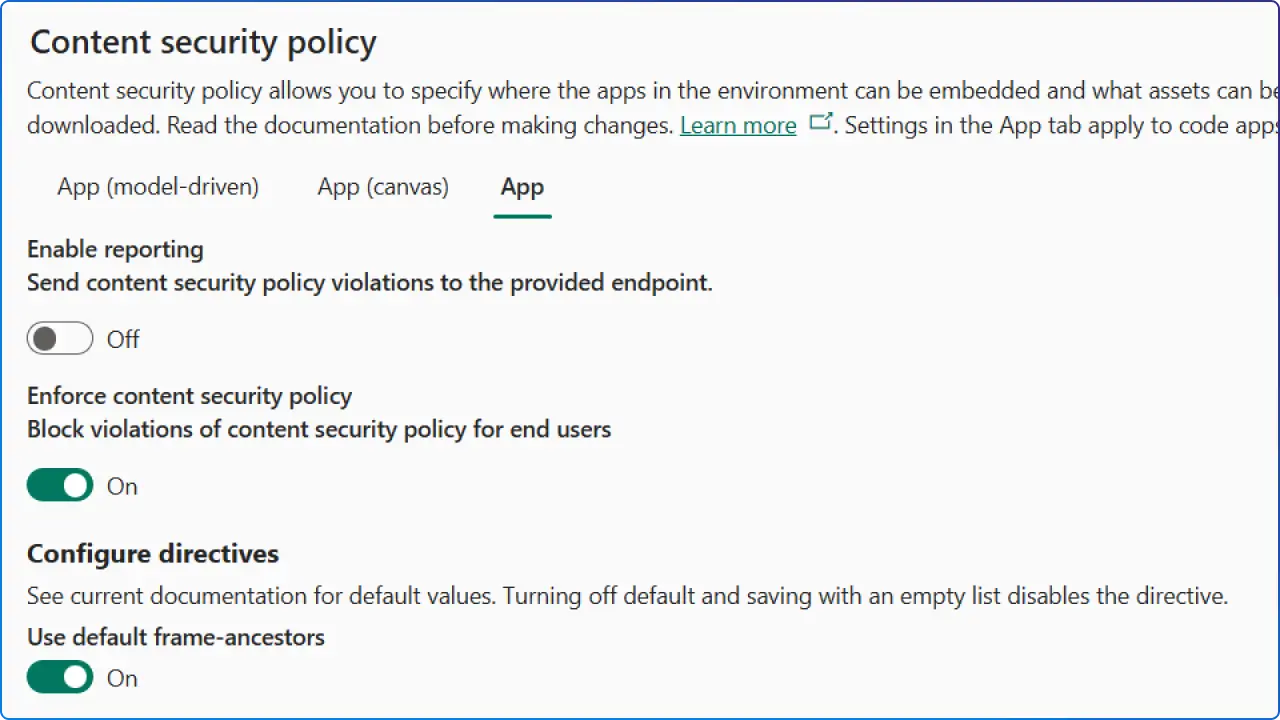
Option 1: Power Platform admin center (easiest)
script-src, connect-src, img-src, etc. Remember: 'none', your custom list replaces 'none'. Option 2: REST API (automation‑friendly)
Use the Power Platform Environment Management Settings API to get/set:
PowerApps_CSPEnabledCodeApps (enforcement on/off), PowerApps_CSPReportingEndpoint (report target or null), PowerApps_CSPConfigCodeApps (JSON containing your directives).Example payload shape for PowerApps_CSPConfigCodeApps:
Microsoft also provides PowerShell helper functions (Get-CodeAppContentSecurityPolicy, Set-CodeAppContentSecurityPolicy) that wrap the API for you; authenticate with Microsoft’s CLI, then patch directive lists or toggle enforcement/reporting as required.
What to allowlist for code apps (typical cases):
script-src, style-src). connect-src), including WebSocket endpoints (wss:) if used. img-src) and font providers (font-src). frame-ancestors), if your app is framed.Remember: After Microsoft’s January 2026 enforcement, external assets won’t load unless they appear in your directive allowlists—plan and test accordingly.
Enable, report, and enforce
frame-ancestors (the directive controlling who can embed your app). You can append hosts to the default ('self' https://*.powerapps.com) for approved embedding scenarios.Common frame-ancestors allowlists (straight from Microsoft’s guidance):
https://teams.microsoft.com/
https://teams.cloud.microsoft/
https://msteamstabintegration.dynamics.com/
Your Outlook Web App homepage origin, plus https://outlook.office.com and https://outlook.office365.com
https://app.powerbi.com
https://ms-pbi.pbi.microsoft.com
Advanced (without UI):
You can set organization properties directly (IsContentSecurityPolicyEnabled, ContentSecurityPolicyConfiguration, etc.) via a script in dev tools. The payload is a small JSON object defining Frame-Ancestor sources. This path is useful for automation or on‑prem scenarios.
Scenario 1: “My code app uses an external API and CDN.”
connect-src to include the API origin(s) and script-src/style-src for your CDN(s). Start by turning report-only on, exercise your app, collect violation reports, and then add the missing hosts. Once stable, enforce.default-src 'self' and avoid blanket wildcards like * or https: unless you have a strong reason, wildcards weaken your policy.Scenario 2: “We embed our app in Teams and Power BI.”
frame-ancestors (see the exact hostnames above). Test both browser and desktop clients.Scenario 3: “We want a safer default for all apps in this environment.”
unsafe-inline/wildcards where possible, and then layer in any required hosts. For code apps, rely on the default 'self' posture and selectively allow additional origins.Scenario 4: “How do we test and iterate without breaking production?”
Best‑practice checklist
'self' and add only what you need (cdn.contoso.com, api.contoso.com).'unsafe-inline' and 'unsafe-eval' whenever possible. If you must allow inline JS, prefer hashes or nonces; note that nonce workflows are better documented for Power Pages, while code apps and model/canvas rely on directive allowlists and platform defaults.script-src, connect-src, etc.) rather than broad default-src changes. This limits blast radius.Pitfalls to avoid
CSP is one of the most impactful client‑side controls you can implement. In Power Platform, it’s now first‑class and environment‑wide, with richer control for code apps (preview) and safer strict defaults for canvas and model‑driven apps. The right rollout plan is straightforward:
'self' by default). If you’d like a proven playbook, environment assessment, report endpoint setup, directive design, testing, and automation via API/PowerShell, we can help you implement CSP without slowing delivery.
1. Does CSP break existing apps?
It can if you enforce without testing. Use report‑only mode to identify missing allowlist entries, then enforce. For code apps, this is particularly important due to the January 2026 enforcement posture.
2. Is CSP configured per app or per environment?
3. What’s the difference between frame-ancestors and frame-src?
frame-ancestors controls who can embed your app (parents). frame-src controls what your app can embed inside iframes.Power Apps exposes frame-ancestors customization broadly (model‑driven/canvas) and more directives, including frame-src for code apps.
4. How do we collect violation logs?
Turn on Enable reporting and set a URL to receive JSON violation reports. Reporting works even if enforcement is off (report‑only).
5. Can we use nonces or hashes?
CSP nonces/hashes are a core web CSP capability, and Power Pages explicitly supports a nonce option in CSP for inline scripts. For code apps and model‑driven/canvas apps, Microsoft’s UI emphasizes allowlisting sources at the directive level rather than providing a nonce workflow, plan on externalizing scripts and avoiding inline JS for stricter policies.
6. Does CSP replace X-Frame-Options?
Yes, modern guidance is to use frame-ancestors in CSP (the newer, more flexible control).
7. How do we harden CSP without breaking styling?
style-src 'self' and add trusted CDNs as needed. 'unsafe-inline' where possible; if you must keep it (common with legacy components), track it as a tech‑debt item to remove. Start strict in dev/test and expand only when necessary.8. Where do we configure CSP for Power Pages sites?
Use the Portal Management app and the HTTP/Content-Security-Policy site setting. Power Pages also supports nonce for inline scripts; just add script-src 'nonce' as documented. This is separate from the Power Apps environment settings discussed above.


Join Our Newsletter