This month is when a lot of Teams updates start showing up across organizations. Microsoft’s latest “What’s new” roundup is a two-in-one: it highlights features being shown at ISE 2026, plus the January releases many tenants are already getting.
This post covers what’s actually useful, who it impacts, and what to watch for.
One of the biggest themes this month is making meetings easier to follow for everyone, especially in global teams.
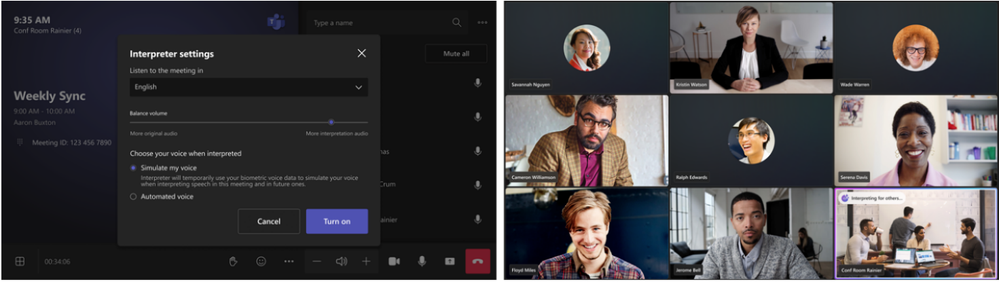
Microsoft is bringing Interpreter agent support to Teams Rooms on Windows, so attendees can listen in their preferred language with real-time translation. This is positioned as a Teams Rooms Pro capability.
Microsoft also notes improvements in the Pro Management portal reporting for room usage, including new ways to look at utilization based on room size, capacity, and occupancy. If you manage meeting spaces, this kind of reporting helps you make smarter decisions about which rooms need upgrades and which ones are underused.
If your organization relies on Teams for calling, two changes stand out.First, Interpreter is expanding into Teams Phone for calls between Teams users (VoIP calls). The goal is to reduce language friction during calls across regions.
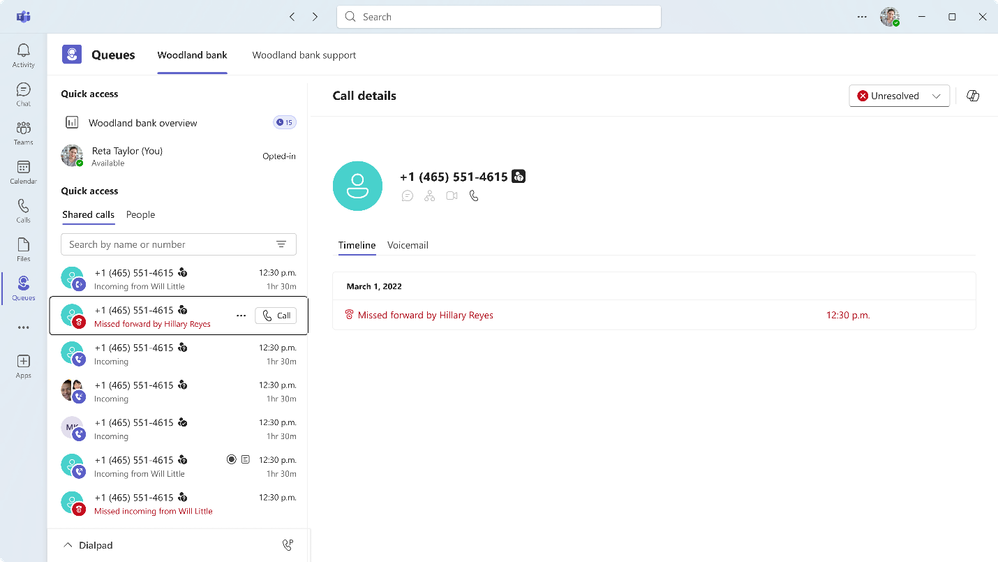
Second, Microsoft is previewing a feature that solves a real support problem: follow-up gaps. The Queues app shared history (public preview) gives queue members visibility into missed calls, inbound and outbound calls, and voicemails. That means fewer “who called back?” moments and fewer dropped customer follow-ups.
Microsoft is also rolling out a new Teams events experience in public preview. The focus is on bringing discovery, creation, and management into one place.
If you run webinars or town halls, this matters because it reduces the number of screens and steps it takes to build an event, manage registrations, and review results. Less setup time usually leads to better consistency and fewer mistakes.
This is one of those small changes that saves real time.
Microsoft renamed the Files tab in channels to Shared. The key difference is that Shared shows not only files, but also links shared in posts. It also adds helpful filters like “In messages” and Recent, so you can find what you need without scrolling through weeks of conversation.
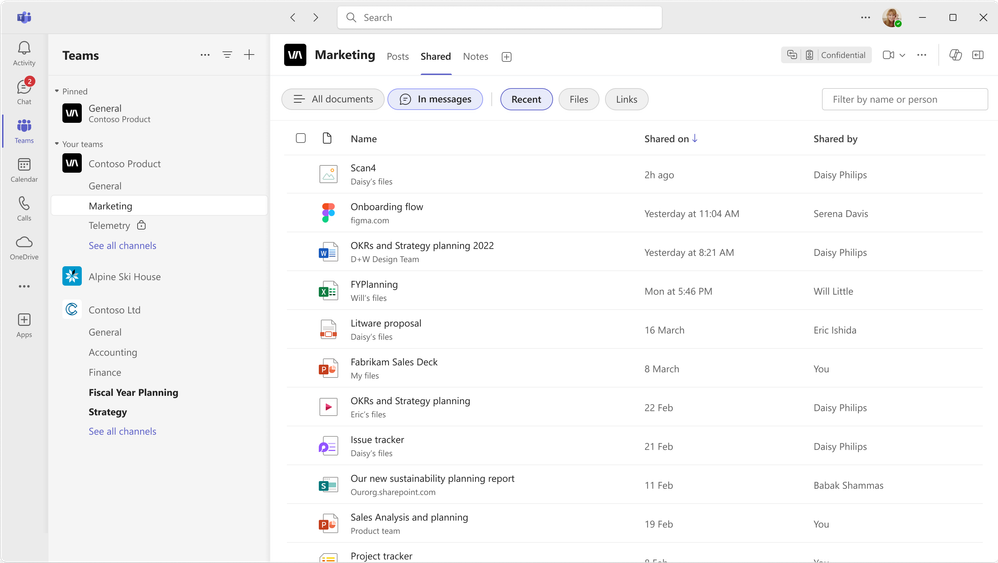
For busy teams, this is a quiet productivity upgrade. It reduces repeated questions like “Can you resend the link?” and it helps new team members get context faster.
Microsoft also added a “Pin window on top” option, which keeps the Teams window visible above other apps.
If someone is working while monitoring chat, watching meeting content, or responding quickly to questions, this feature removes a lot of back-and-forth window switching.

Two updates are worth communicating internally because they reduce user confusion and improve security habits. Microsoft improved the “report a suspicious message” flow on Teams for Android. This makes it easier for users to flag messages, and it helps security teams get clearer signals about what’s actually risky versus what’s safe.
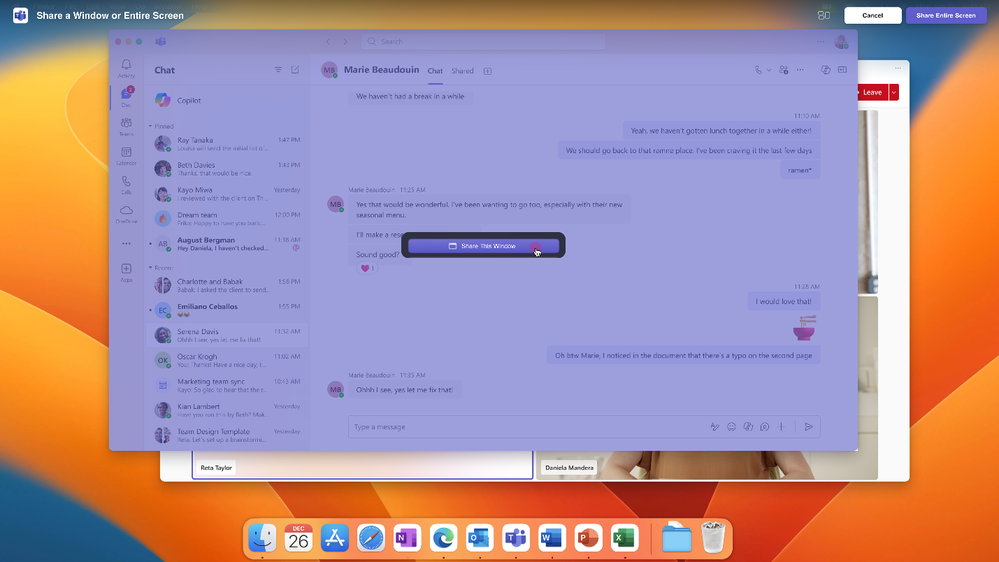
On Mac, Teams now supports screen and window sharing through the native macOS picker (opt-in via settings). This gives Mac users a more familiar sharing experience and can reduce “I can’t find my window” moments during meetings.
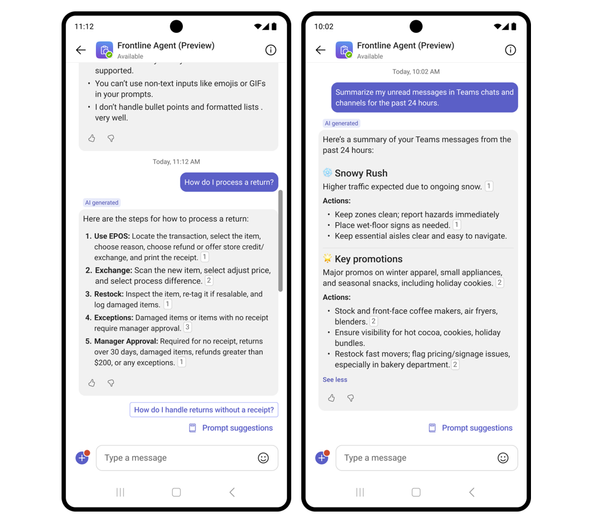
Microsoft also introduced Frontline Agent in public preview. It’s described as an out-of-the-box AI assistant designed for frontline needs, like finding information from scoped SharePoint sites and helping workers catch up on missed chats at the start of a shift.
If you want the biggest impact with the least effort, focus on rolling out and communicating a few changes that people will feel right away:
Start with the Shared tab in channels, pinning Teams on top, and the Mac sharing update if you have a lot of Mac users. Then look at Teams Rooms and Teams Phone improvements if you manage meeting spaces or service queues.


Join Our Newsletter