WayPoint gives your SharePoint intranet one navigation layer across every site: a mega menu people can scan quickly, personal links they control, and a footer that keeps key resources in reach. Target links by group and language, and it works on any screen.
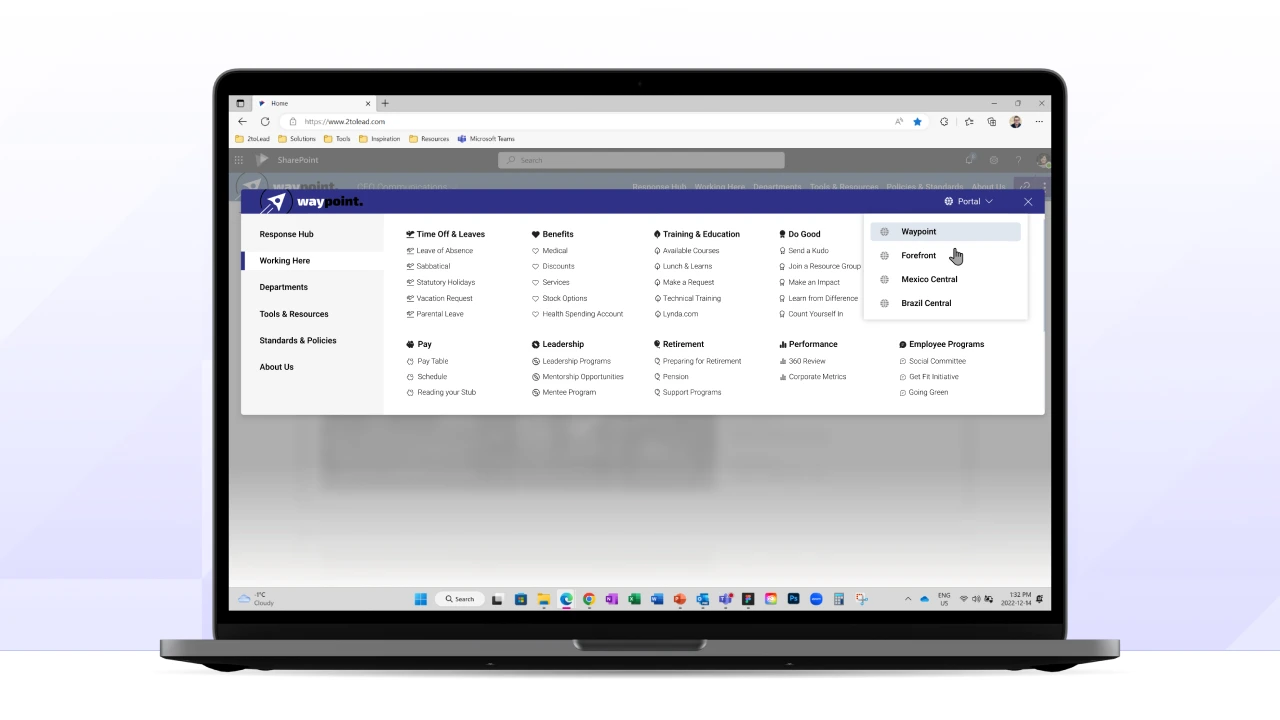
Navigation decides whether people use your intranet. Out of the box, SharePoint spreads it across hub menus, site menus and footers that different teams manage, so employees get a different experience on every site. WayPoint replaces that with one consistent navigation layer you manage in one place.
Navigation is both mission critical and the hardest part of an intranet to get right.
Organize departments, portals and tools under headings that match how your organization works. Lists and icons make the menu quick to scan, and links can target specific groups and languages, so people only see what applies to them.
Microsoft 365 gives people no place to keep their own links. My Links lets each employee pin the sites and tools they use most, right beside the links you promote for everyone.
The standard SharePoint footer can't stay visible, show images or carry social icons. The WayPoint footer appears on every site with org-wide links, brand and social links, and an expandable resources pane.
WayPoint is used by more than 400,000 people, and organizations reach 95% adoption within three months of launch.
Book a short demo and we'll walk through your current navigation, what WayPoint would change, and what rollout looks like for your tenant.


Join Our Newsletter


