Most organizations paying for Microsoft 365 Copilot don't realize they're sitting on a governance goldmine.
Here's the reality: when you purchased your Microsoft 365 Copilot license, Microsoft quietly bundled in a set of powerful SharePoint Premium — SharePoint Advanced Management (SAM) — capabilities. These aren't minor tweaks. They are enterprise-grade tools designed to control content sprawl, prevent oversharing, and ensure Copilot surfaces accurate, governed, and trustworthy information. Yet most IT leaders haven't activated a single one.
If Copilot is your AI engine, SharePoint Premium is the fuel quality control system. Without it, you're running premium AI on a diet of stale, unstructured, and over-permissioned content. Let's fix that.
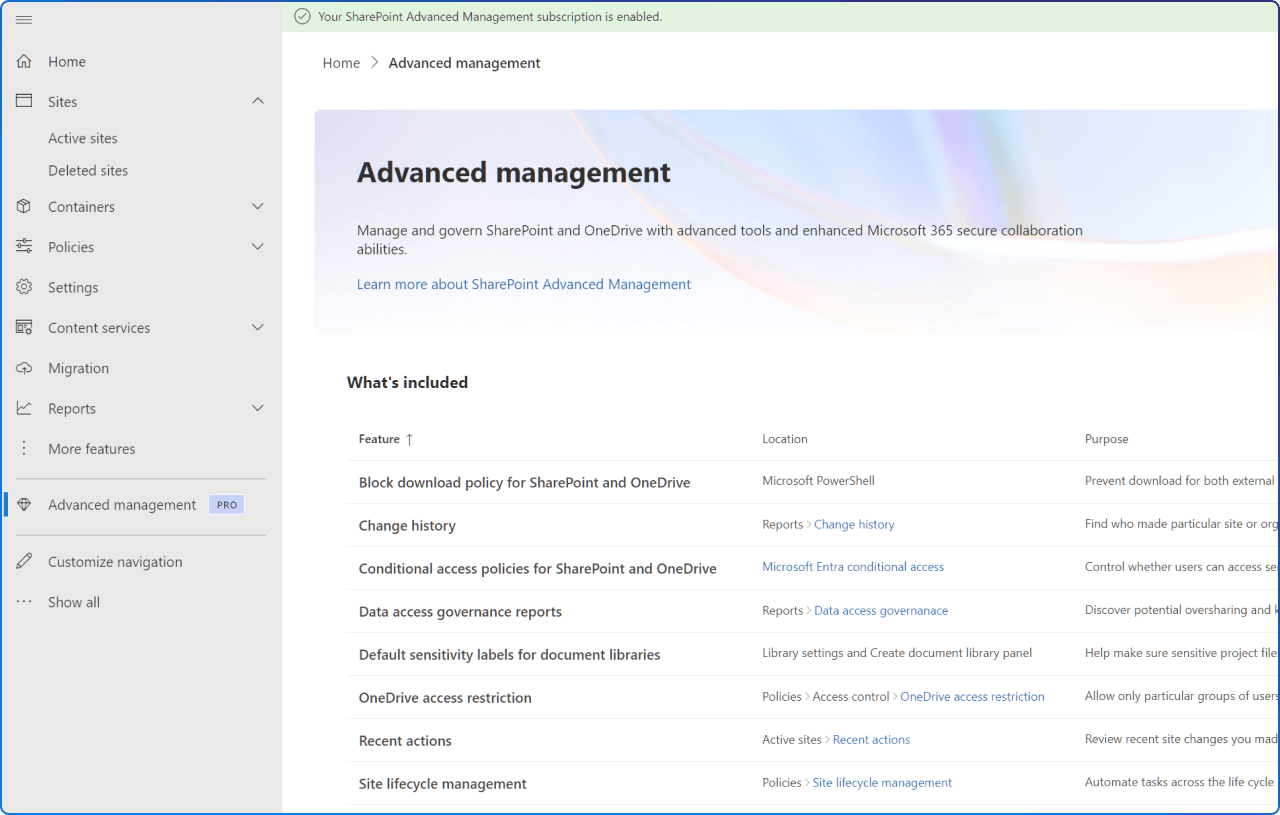
Organizations planning, piloting, or scaling Microsoft 365 Copilot need evidence-based readiness, responsible governance, and security prerequisites before they can truly unlock Copilot's value. SharePoint Premium, specifically its Advanced Management capabilities, is the tool designed to deliver exactly that.
Security and compliance concerns about oversharing and uncontrolled data access are among the most common blockers gating Copilot progress in organizations today. When Copilot reaches into your SharePoint environment to answer questions, it respects your permissions, but it also reflects your content chaos. Old files, orphaned sites, and broadly shared documents all become potential liabilities the moment AI starts surfacing them to employees.
Microsoft 365 Copilot adoption requires establishing technical and business readiness, including security, identity, compliance, and governance prerequisites. SharePoint Premium is where that governance readiness begins.
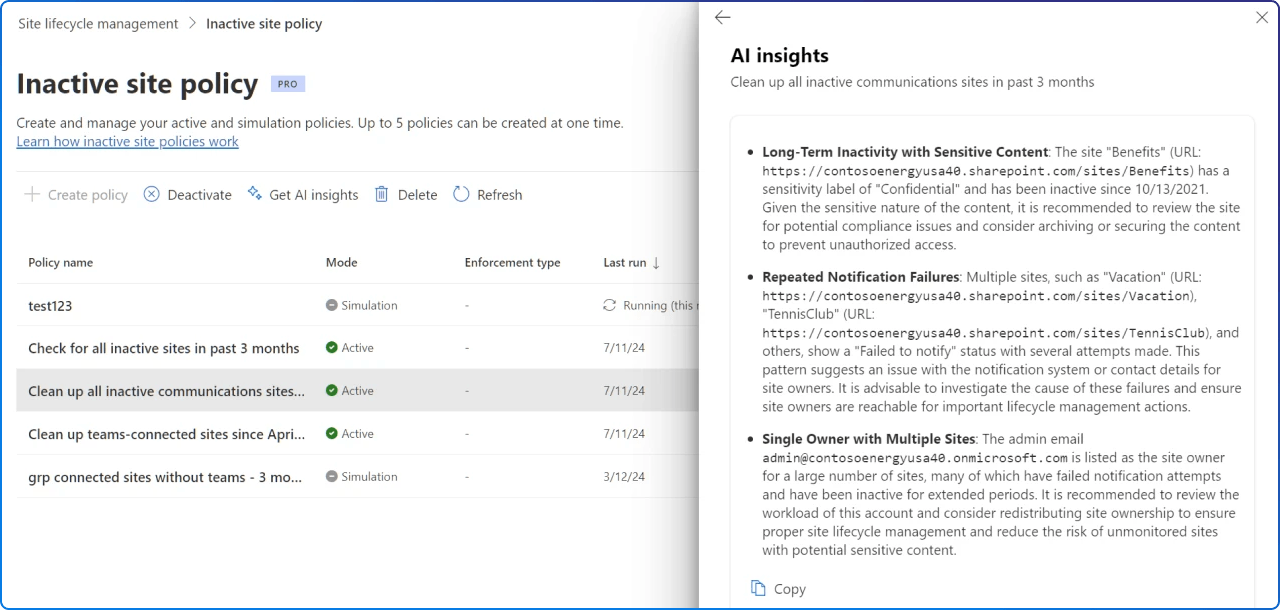
As of early 2025, SharePoint Advanced Management is included with your Microsoft 365 Copilot license. That means if your organization has Copilot licenses assigned, you already have access to the following capabilities, no additional purchase required.
These features are organized around three pillars of content governance:
Managing content sprawl means reducing content duplication, ensuring well-planned content creation, and making sure all sites and content are governed by site owners.
Preventing content oversharing and controlling content access means using tools available to SharePoint admins and site owners to prevent users from oversharing content, and limiting Copilot's access using user group settings and other tools.
Managing content lifecycle means removing inactive and outdated content and sites, ensuring that the information Copilot accesses is accurate and up to date.
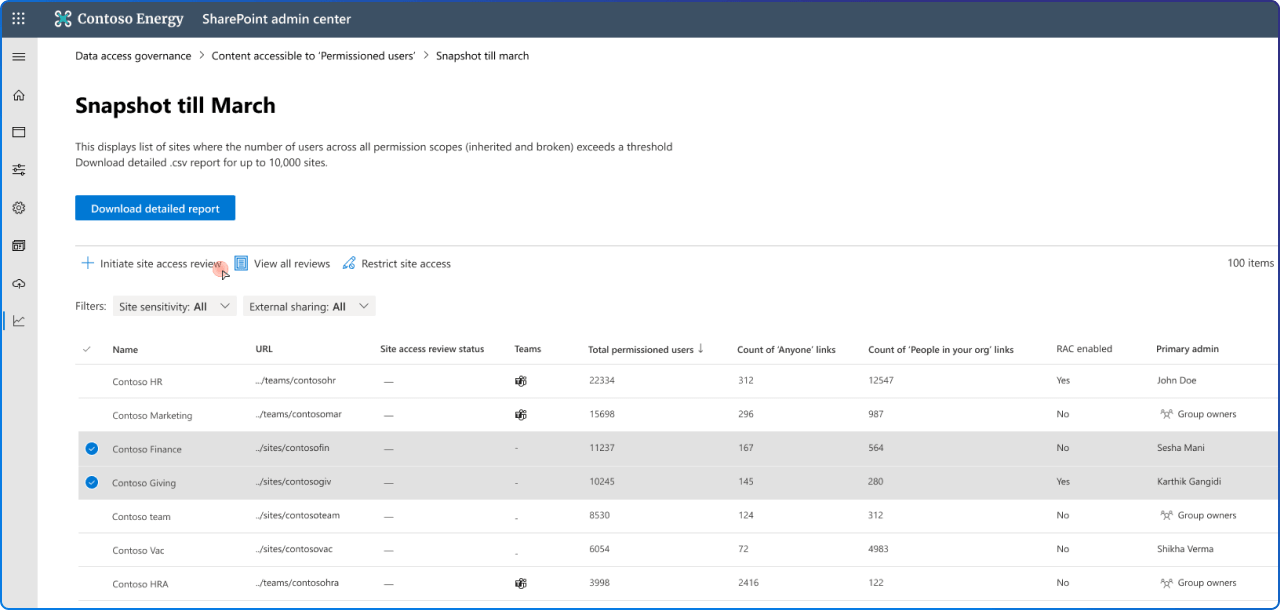
If your users have Copilot but governance is the blocker, security concerns about oversharing, approvals, exception handling, and lifecycle become critical risks at scale. Without activating SharePoint Premium governance tools, Copilot may surface content from inactive sites, expose broadly shared documents, or pull information from files that should be restricted, eroding user trust and raising compliance risk.
These steps reduce accidental oversharing, minimize your content governance footprint, improve Copilot response quality, control content access by Copilot, and ensure data safety specifically for business-critical sites.
The governance capabilities bundled with your Copilot license aren't optional extras, they are the foundation for responsible, scalable AI adoption.
If you've purchased Microsoft 365 Copilot, you don't need a new budget line to start governing your SharePoint content more intelligently. A SharePoint Premium Pilot can validate measurable scenarios, deliver a readiness heatmap, and establish a governance baseline with an operating model, giving your organization a safe path to better content governance for Copilot readiness.
The question isn't whether you can afford SharePoint Premium governance. You already have it. The question is: when will you start using it?


Join Our Newsletter