Automating a Microsoft 365 Copilot readiness assessment means using your tenant’s real configuration data to quickly identify security, compliance, identity, and governance gaps that could block adoption or increase risk. Microsoft’s Automated Readiness Assessment (ARA) does this by querying Microsoft APIs and producing prioritized, Copilot-specific recommendations in minutes, instead of relying on weeks of interviews and spreadsheets.
Traditional Copilot readiness assessment often turns into slow, manual discovery because critical prerequisites live across multiple admin centers and services. Microsoft’s Copilot readiness challenge is that you’re not validating one setting you’re validating how identity, device trust, data protection, and licensing work together so Copilot can be deployed safely and at scale.
ARA is designed to remove guesswork by pulling evidence directly from Microsoft services through read-only access and translating those findings into actionable guidance focused on Copilot risk and adoption outcomes.
Automated Readiness Assessment for Microsoft 365 Copilot is an open-source approach Microsoft describes for accelerating readiness by programmatically evaluating your tenant across key Copilot prerequisites and generating a structured report. It’s intended to help organizations move faster by replacing subjective “we think we’re ready” assumptions with concrete, tenant-backed results.
In practice, a Copilot readiness assessment should confirm that the controls governing access to data and AI experiences are working as intended, not just that they exist on paper. That includes validating the pathways Copilot uses where prompts originate, where grounding happens, and how responses are produced so you can align readiness work to real information flow.
Copilot adoption is usually delayed by a handful of practical issues: missing or inconsistent licensing, identity protections that aren’t strong enough for AI access patterns, weak device posture requirements, and data governance that hasn’t caught up to how people actually share information. Microsoft frames readiness as spanning multiple service domains, including licensing, identity (Entra), security posture (Defender), compliance (Purview), Power Platform governance, and Copilot Studio readiness.
The key idea is that Copilot is not a standalone app; it is embedded in Microsoft 365 experiences and grounded in your organization’s data and permissions. If access controls and information protection aren’t consistent, Copilot can surface content that technically matches permissions but still violates business intent.
ARA works by calling Microsoft APIs to collect configuration signals and then mapping them to readiness checks and recommendations. Microsoft describes parallel API querying across services and a large library of feature evaluations that roll up into prioritized findings, with a Copilot-specific context rather than generic “secure your environment” statements.
What matters for decision-makers is that this style of Microsoft 365 Copilot readiness assessment is evidence-based. It’s closer to a “diagnostic scan” than a workshop. That makes it easier to repeat after remediation, compare progress over time, and justify the work with tangible outputs, especially when adoption timelines are under pressure.
Identity readiness is a common bottleneck because AI experiences increase the value of compromised accounts. Conditional Access helps you enforce what “safe access” means, such as requiring phishing-resistant sign-in methods for privileged roles or requiring compliant devices for certain access scenarios. Microsoft’s Conditional Access templates are designed to standardize strong baseline protections aligned to common needs and Zero Trust patterns.
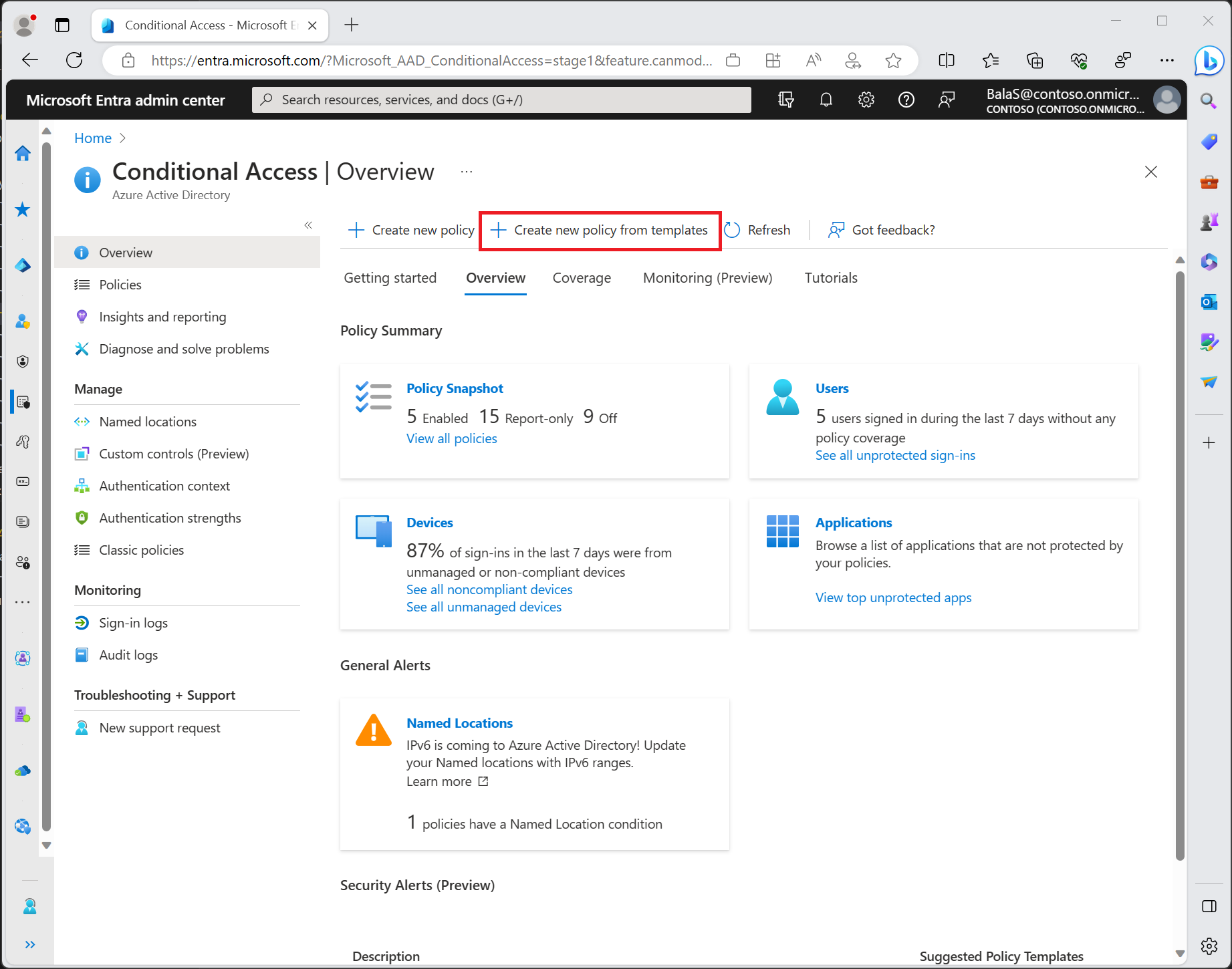
If your Copilot readiness assessment reveals gaps in how access is enforced across admin portals and high-risk apps, the fix is rarely “one setting.” It’s usually a policy design problem: defining which users can access Copilot, from which devices, under what risk conditions, with what audit coverage.
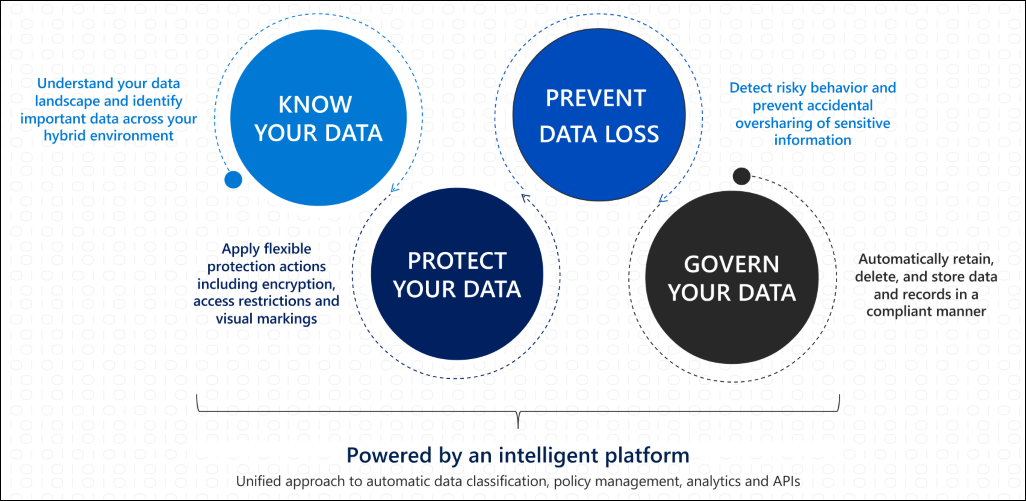
Copilot adoption stalls when leaders worry that sensitive information will leak through AI responses or risky sharing behaviors. That’s why Microsoft Purview capabilities, especially data loss prevention (DLP) matter early. Microsoft describes DLP to identify, monitor, and help prevent inappropriate sharing across Microsoft 365 locations and beyond, including coverage across apps, devices, and web traffic scenarios.
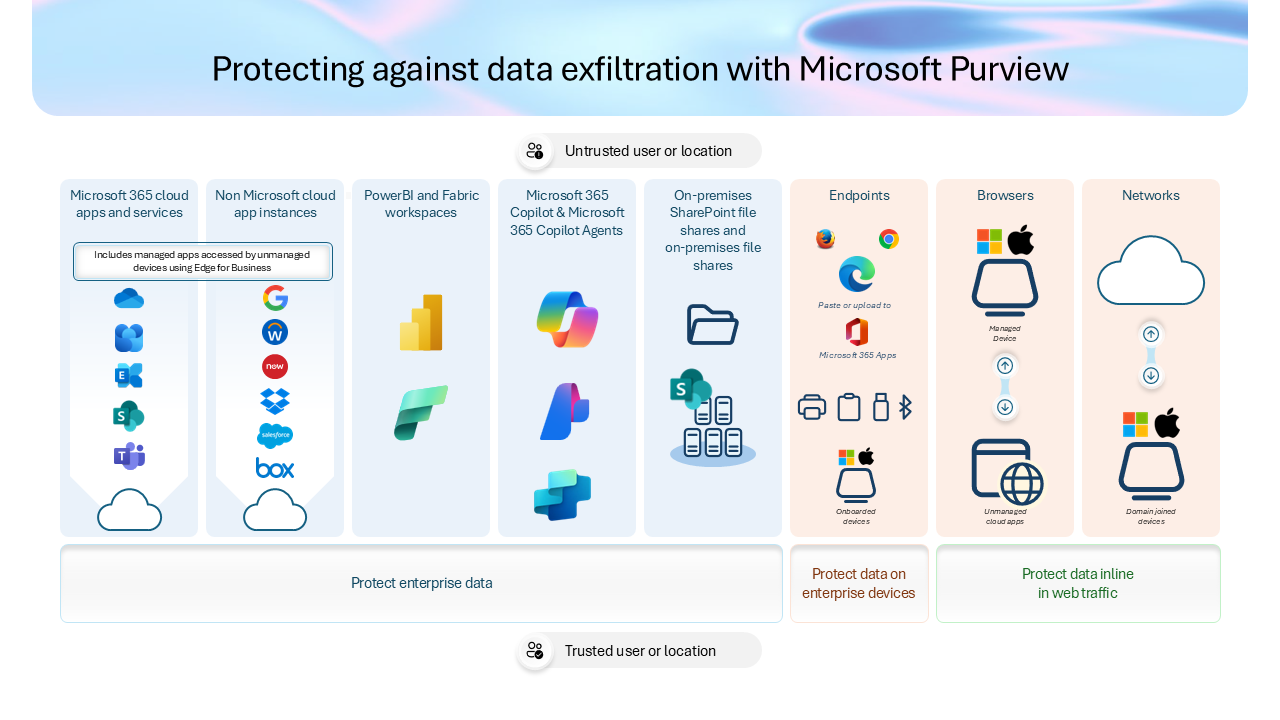
A practical way to think about this is that Copilot makes it easier for users to ask questions about work content. If your content is under-labeled, overshared, or poorly governed, Copilot can amplify the impact of those underlying issues. Strengthening DLP, sensitivity labeling, and access boundaries is often the fastest way to increase stakeholder confidence and reduce rollout friction.
Readiness is not the finish line. After you close the most urgent gaps from your Copilot readiness assessment, you still need to prove that adoption is growing in a healthy way. Microsoft’s Copilot Dashboard in Viva Insights is positioned to track readiness, adoption, impact, and sentiment, so organizations can understand where Copilot is landing and how it’s changing work patterns.
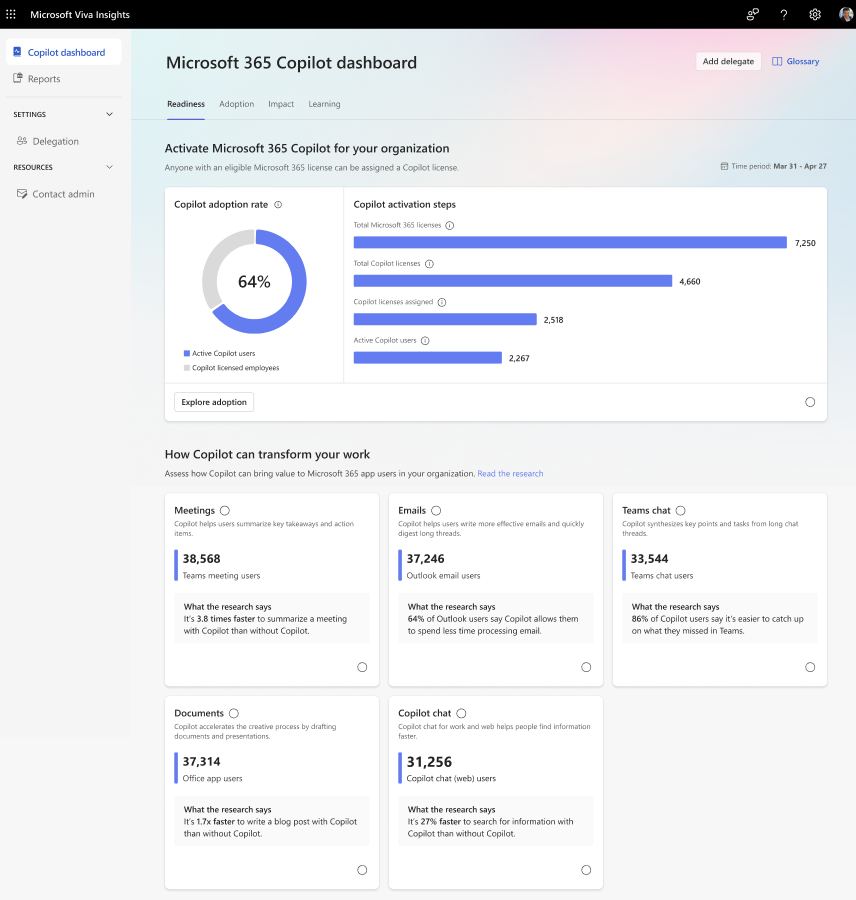
For leaders, this matters because it connects governance work to outcomes. If your remediation plan improves the environment, but users don’t change behavior, adoption will stay shallow. Measuring helps you target enablement, adjust guardrails, and prioritize the next wave of Copilot value scenarios.
A strong automated readiness output should be clear about what is at risk, why it matters specifically for Copilot, and what to do next. Microsoft emphasizes that ARA produces prioritized recommendations and links to remediation guidance, and that it can be re-run to track improvement over time.
If you’re presenting results to executives, the most useful framing is what is preventing safe scale, what would improve risk posture the most in the next 30–60 days, and what decisions are needed on licensing, ownership, and governance to unlock adoption.
The fastest way to accelerate Microsoft 365 Copilot adoption is to replace manual discovery with an automated, evidence-based Microsoft 365 Copilot readiness assessment that reflects your tenant’s actual configuration. Microsoft’s Automated Readiness Assessment (ARA) is built to evaluate key domains like licensing, identity, security, compliance, Power Platform governance, and Copilot Studio readiness, then produce prioritized, Copilot-specific recommendations you can act on quickly.
If you want a low-pressure next step, start by running an automated readiness assessment, then use the results to decide whether you need targeted remediation support, a governance roadmap, or an adoption plan tied to measurable outcomes.


Join Our Newsletter