


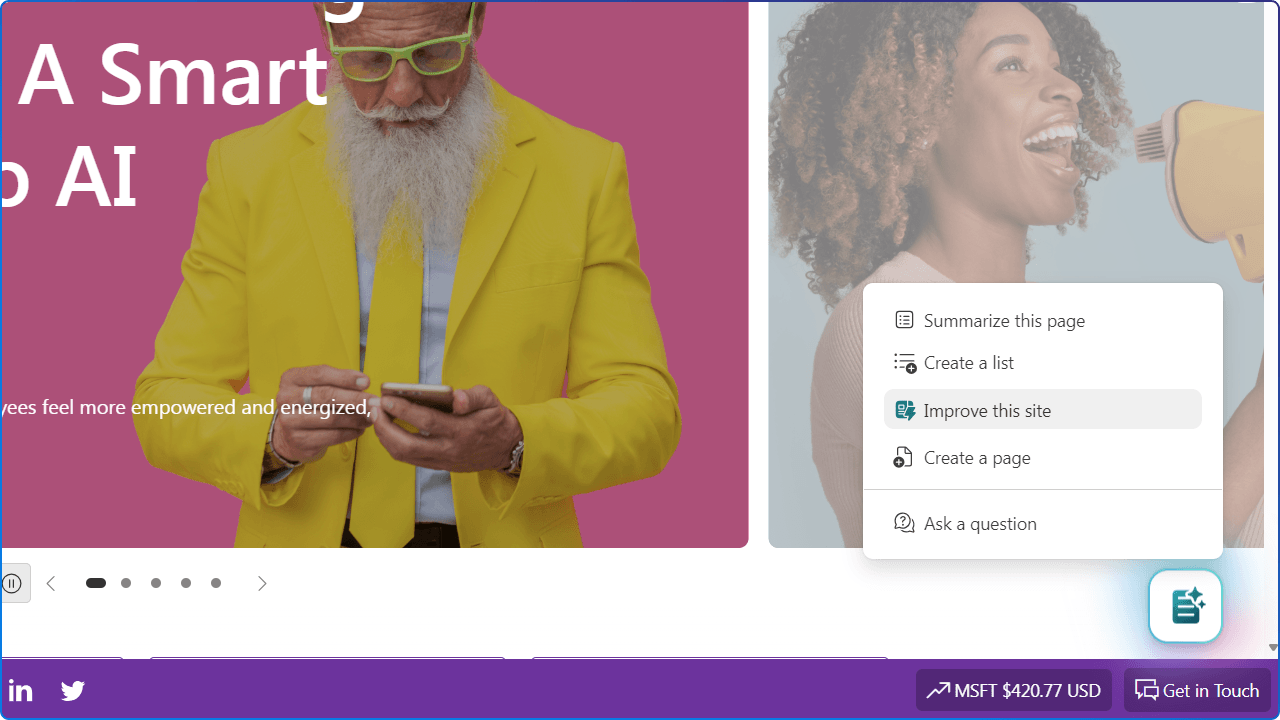
Launching a great SharePoint site is only the beginning. The real challenge? Keeping it accurate, trusted, and useful over time.
Pages get outdated. Links break. Employees search for answers that do not exist. Important content becomes buried. Site owners move on to new priorities. Over time, even a well-designed intranet can become harder to trust and use.
That is why Microsoft’s Improve your site with AI in SharePoint feature is worth paying attention to. It brings AI directly into the SharePoint site management experience to help site owners identify content issues, reduce clutter, fill content gaps, and improve the employee experience over time. Microsoft describes the feature as a way to keep SharePoint sites accurate, relevant, and Copilot-ready by surfacing actionable recommendations that improve content quality and discoverability across search and agents.
For organizations investing in the modern digital workplace, this is a meaningful shift. SharePoint is no longer just a place where content is published. It is becoming a place where content can be actively monitored, improved, and maintained with intelligent guidance.
This is also one of the topics we’ll be exploring in our live webinar, M365Conf 2026 Recap: What SharePoint, Copilot, and AI Agents Mean for Your Digital Workplace. In the session, we’ll look at how SharePoint is evolving in the AI-powered digital workplace, including how AI can help improve intranet content, strengthen governance, and support more useful employee experiences.
A digital workplace is only as effective as the content employees can find, understand, and trust.
When employees visit an intranet, they are usually trying to answer a question, complete a task, or make a decision. They might be looking for a policy, a benefit, a brand asset, a process, a form, or the latest organizational news. If that experience is slow, confusing, or unreliable, it creates friction.
Employees waste time searching. Communications teams answer the same questions repeatedly. IT teams troubleshoot issues that are often content problems. Leaders lose confidence in the intranet as a trusted channel.
AI in SharePoint helps address this by giving site owners practical recommendations based on real usage signals, including page activity, broken links, and employee search behavior. Instead of relying only on manual audits or annual content reviews, teams can use AI-assisted insights to make continuous improvements.
A useful intranet is not just well-designed on launch day. It is maintained, measured, and improved over time.

What makes this feature important is not just the individual recommendations. It is the behaviour it encourages.
Many organizations still treat intranet governance as a periodic activity. They launch a site, set ownership guidelines, and maybe schedule a content review once or twice a year. But content changes constantly. Employee needs change constantly. Search behaviour changes constantly.
AI-supported site improvement creates an opportunity for a more continuous governance model.
Instead of only asking, “When was the last time we audited this site?” you can start asking:
That is a healthier way to manage a digital workplace.
This is intranet stewardship, powered by AI insight but guided by human decisions. Because better content leads to better digital experiences, and better AI answers through Copilot.
Microsoft highlights three core capabilities designed to keep content relevant and discoverable at scale:

Every intranet has old pages. Some are harmless. Some are misleading. Some still appear in search even though they have not been viewed or edited in months.
Retiring is not the same as deleting. It gives site owners a safer way to reduce clutter without immediately removing access to content that may still be needed in specific scenarios.
The goal is not to remove content for the sake of tidiness. The goal is to make the best content easier to find.
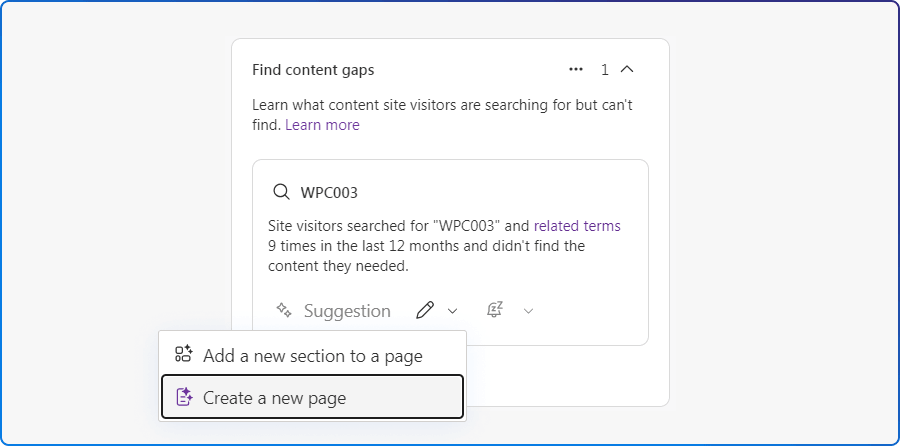
Every search query is a signal. What are employees looking for? What words do they use? Where are they getting stuck?
AI analyzes search behavior and recommends what’s missing, whether that’s a new page or enhancing an existing one. This helps teams move from assumption-based publishing to evidence-informed content planning.
For example:
In other words, your intranet can start telling you what employees

Broken links may seem small, but they send a message: this site isn’t maintained.
Improve your site can detect when users hit broken links and suggest replacements. Depending on the source and context, site owners may be able to review where broken links appear, set up redirects, or fix links directly.
This is practical, everyday intranet governance. Broken links can happen for many reasons:
For employees, the benefit is simple: fewer frustrating moments. For site owners, it means less time spent hunting for problems. For the organization, it means a more trustworthy intranet.
To make this feature successful, organizations should avoid treating it as a magic clean-up button. The recommendations are useful, but the value comes from how teams respond to them.
Here are a few practical ways to get started
The best part of this feature is that it does not remove humans from the process. It helps humans make better decisions.
This is not just about automation. It is about better stewardship.

Join us for our upcoming live webinar, M365Conf 2026 Recap: What SharePoint, Copilot, and AI Agents Mean for Your Digital Workplace. We’ll share practical demos and guidance on how AI can help improve SharePoint sites, strengthen content governance, and prepare your digital workplace for Copilot and agents.
SharePoint has always been a powerful platform for connecting people to information.
Publishing intranet content isn’t enough anymore. It needs to stay accurate, trusted, and easy to find, and now, it needs to be ready for AI-powered experiences like Microsoft 365 Copilot.
The future of the intranet is not just about creating more content. It is about creating better content, maintaining it responsibly, and helping employees find what they need when they need it. With AI-powered site improvement, SharePoint just became one of your best tools for doing exactly that.


Join Our Newsletter


