


By clicking “Accept”, you agree to the storing of cookies on your device to enhance site navigation, analyze site usage, and assist in our marketing efforts. View our Cookie Policy for more information.
Icon Rounded Closed - BRIX Templates
Training

Power Pages in a Day

This workshop puts you in the builder’s seat, guiding you through real labs and real use cases to create a secure, data-driven Power Pages site in a single day.
WHY SPEND ONE DAY WITH 2toLead?

Your Website Shouldn't Take Weeks.
Build It Today

In one day, our experts will equip you with the skills and templates to turn complex data into public-facing websites, without writing a line of code. Whether you're building a customer-facing site, or a partner hub, this workshop is the launchpad for low-code web development across your entire organization. No lengthy sprints. Just you, a browser, and the confidence to ship something real.
Smiling woman looking at computer and drinking coffee

Build. Don't Wait

Walk in with zero Power Pages experience. Walk out with a live, published portal your team can actually use, built entirely by you.
Hands typing on laptop

Zero Cost. Real Skills

Microsoft funds this training, so there's nothing standing between you and the skills to build secure, data-driven websites.
2 coworkers smiling and giving each other a hi-five

Enterprise-Grade from Day 1

From table permissions to web roles and site visibility, you'll leave with a security framework that meets enterprise standards.
What You'll Build
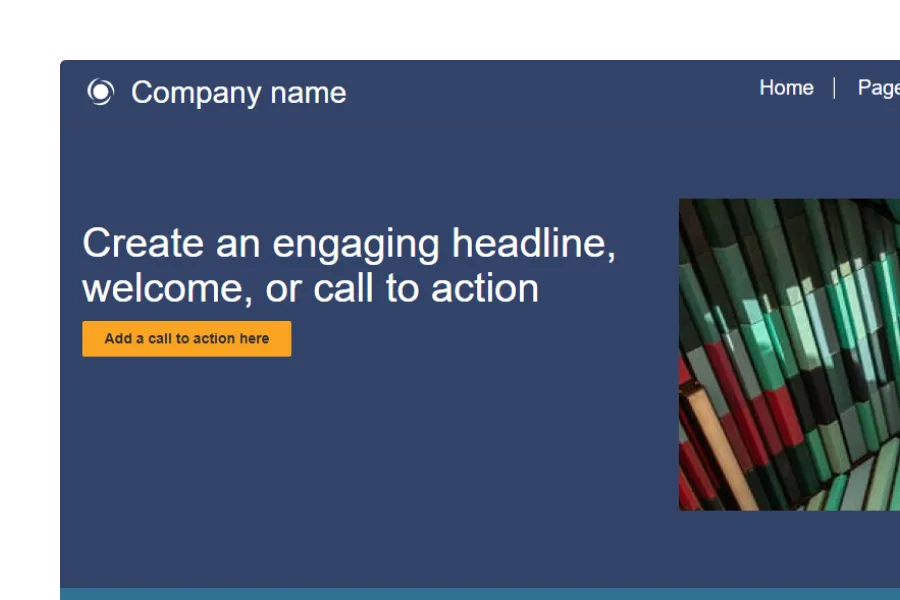
External-facing website

External-Facing Websites

That connect to Dataverse, display live data, and serve customers and partners.
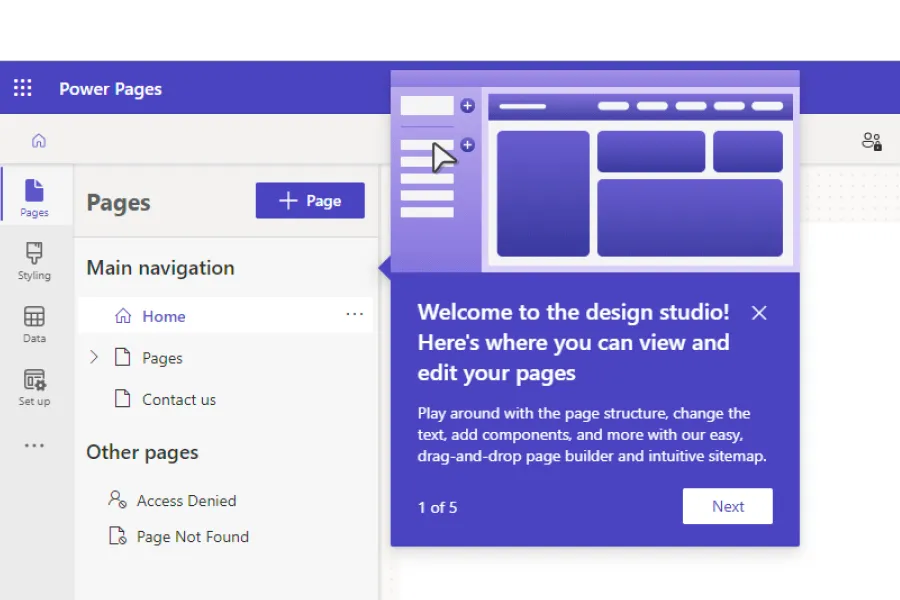
Power Pages design studio

Branded, Responsive Pages

That look stunning on every device, with zero custom code required.
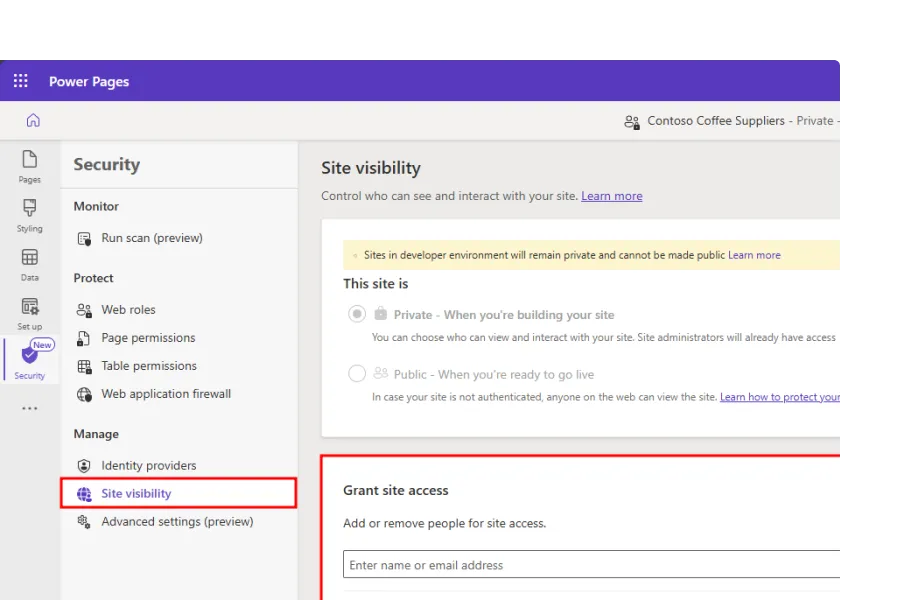
Power Pages Security site visibility

Secure, Role-Based Portals

That authenticate users, enforce table permissions, and protect sensitive data.

Agenda at a Glance

9:00 - 10:30

Kick-off & power pages fundamentals

Key Skills: Design Studio, environment setup, site creation

10:45 - 12:00

Make it Look Real: Styling workspace

Key Skills: Themes, branding, page layouts, header & footer

13:00 - 14:30

Data Workspace & Dataverse Components

Key Skills: Forms, lists, table permissions, data components

14:45 - 16:00

Security & Site visibility

Key Skills: Authentication, web roles, go-live checklist

16:00 - 17:00

Final Challenge & Q&A

Key Skills: Build & demo your first end-to-end Power Pages site

All sessions are live, instructor-led, and feature guided labs with downloadable templates.
Secure Your Seat

 Registration is Limited to Ensure
1-on-1 Support

Woman holding closed laptop standing beside a window

Who Should Attend?

Power Platform makers, IT admins, business app owners, and anyone responsible for client-facing portals. Zero Power Pages or web development experience required.

Your Instructors

Microsoft MVPs and 2toLead solution architects who have spent hundreds of hours building and securing Power Pages solutions for enterprise organizations.

Workshop Outcomes

Leave with the confidence and hands-on skills to design, launch, and manage Power Pages sites connected to real business data, without relying on developers.

Question & Answer
Frequently Asked Questions
Is Power Pages in a Day really free?
Yes. Microsoft covers the full cost of this training through its partner program, meaning there's no registration fee, no hidden charges, and no catch. All you're investing is one day
Do I need coding or web development experience to attend?
No. Power Pages in a Day is built for makers, not developers. Whether you've never touched a website builder or you're just new to the Power Platform, the workshop meets you exactly where you are.
What hardware or licences are required?
A Windows or macOS laptop with a modern browser and an active Microsoft 365 tenant (trial is fine). We’ll send a quick setup guide after you register.
Will the session be recorded if I can’t stay all day?
Yes. Registrants get the full recording, lab files, and slide deck within 24 hours.
How many websites will I build during the workshop?
You'll build a complete, end-to-end Power Pages site from scratch, starting with layout and branding, all the way through to Dataverse integration and go-live configuration.
What real-world use-cases will we cover?
We design the labs around the scenarios our clients actually face, from building portals where external partners track order status, to giving customers a self-service window for support requests and account management. If your organization has data in Dataverse that external users need access to, we'll show you how to build it securely.
How does Power Pages connect to my existing data?
We'll show you how to wire up Dataverse tables and data workspace tools so your site surfaces the right information to the right people, without custom code.
What governance best practices are included?
You'll leave with a table permissions blueprint, web role configuration checklist, and a go-live security review, so your portal is enterprise-ready from the moment it's published.
Can multiple teammates join from the same company?
Absolutely, just have each person complete the free registration form so we can provision individual lab resources.
What are the next steps after the workshop?
You'll leave with a Power Pages Opportunity Matrix to help you map your highest-value use cases, plus an invite to 2toLead's community where you can bring your real-world questions and get answers from the same MVPs who led your training.

What past participants say

See the real impact on how we’re helping others with our in a day workshops.

“I came in with zero Power Pages experience and left with a live, working site connected to Dataverse. The hands‑on labs made everything click. This wasn’t a demo, it was real building.”

Rachel

Power Platform Maker

Saeedeh

“What surprised me most was how much security and governance we covered in a single day. I finally understand how to build external sites without creating risk.”

Jordan

IT Applications Lead

“This training removed our dependency on developers for basic customer and partner portals. I walked away confident I could design, secure, and publish a site myself.”

Priya

Business Application Owner

Christina

“The instructors didn’t just show features, they explained why things work the way they do in Power Pages. That context alone saved me weeks of trial and error.”

Miguel

Power Platform Developer

Laurence

“I was nervous coming in with no web background, but the step‑by‑step labs and live guidance made it approachable. I didn’t feel lost once.”

Sarah

First-Time Power Pages User

Amanda
Icon - Elements Webflow Library - BRIX Templates
Close Modal